
add_warp_marker & move_warp_marker (LOM)

Hi, I'm completely confused about the syntax and sequence of LOM. I want to add a warp marker to a clip on a track, or just move the last (already existing marker) to a random position inside the clip/all clips on the track. How can I do this?

What are you confused about? Where are you stuck, precisely? Can you share what did you try already? It will help other people to help you. By "help you" I mean "make you understand what to do and set you on track to do it yourself" rather than "provide a working patch that you might not understand and therefor might not be able to modify by yourself to achieve what you exactly want".
A general answer would be:
select the clip you want to modify markers of (send the clip path to a [live.path] to get the clip id and route the clip id to a [live.object] right inlet), and then either use the "add_warp_marker" function to add a new marker, or "set end_marker" to move the last marker.
But I guess it is not enough?

You are passing a dictionary to "move_warp_marker", but the function takes 2 float (number) values. You probably have an error message saying "move_warp_marker invalid syntax" or something like that?
Presumably you can just make the first value the time of the warp marker you automatically created.
You can play around with this a little using: https://www.maxforlive.com/library/device/4925/liveapi-interactive
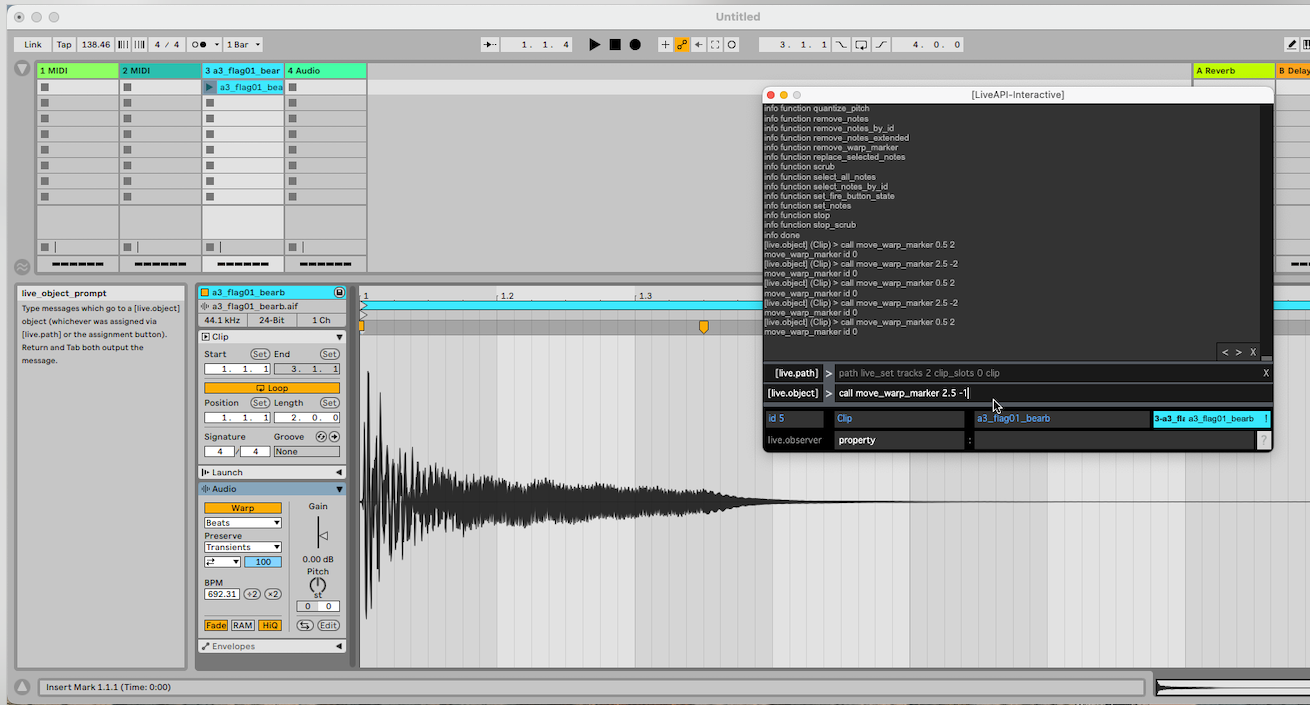
TYLER MAZAIKA, Thanks! BUT I didn't understand this device, even if I repeat your screenshot (specifying my track and clip), nothing happens.
I think I figured it out, thank you all for your help!