
Gen~ not working when copied in an other patch

Hi,
I made an analog like day with gen~, following a great tutorial on YouTube. In this gen~, there are 2 other gen sub patches. I saved every gen and gen~ in a folder called "delay", and put it in the max path.
When I copy the gen~ in a patch, it works only if the first patch (the one I used to do the tutorial) is open, otherwise it passes the sound but without any effect. It's very annoying as of course, some strange behavior appears like you play something in a patch and it bleeds to the other etc... Is there a way to save this gen~ patch somewhere and re-use it as many times I want with just copying it?
I don't know if it's clear or not...

this seems to solve it after 100 years and a lot of past threads -
here is my my DIY version
very very simple
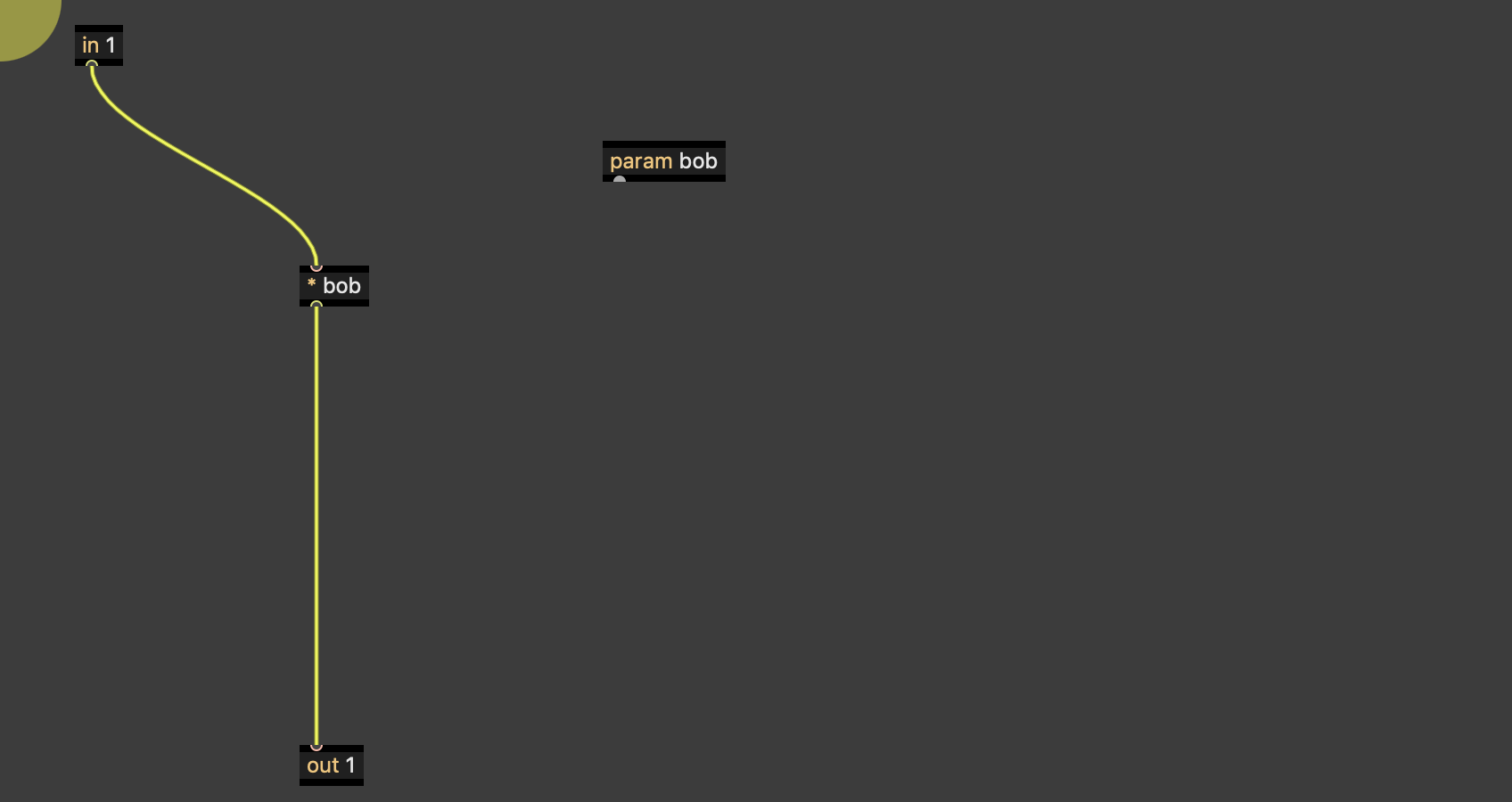
open gen~ and make a simple testable patch - I did this
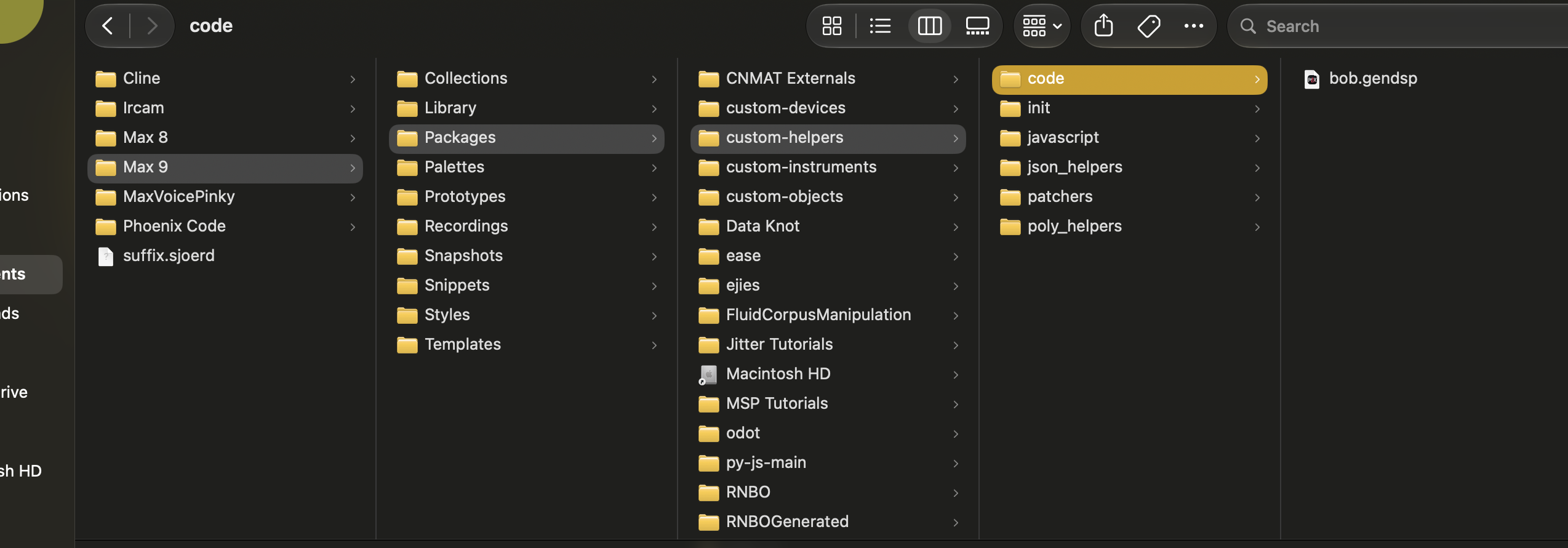
SAVE that gen internal patch (NOT THE MAIN PATCH) somewhen max can see it - name it name.gendsp (note: max will automatically add .maxpat to the end so you have to go back and delete .maxpat) I saved mine as bob.gendsp in 'code' folder because max can always see code folder - (as well, I save my genexpr files in javascript works as well)
3. then create a new gen~ object with @gen bob.gendsp they load right awaythere are 3 different versions below: drag and drop from folder, new gen object with @gen attribute, and copy paste - they all work
I dont know why images dont show up
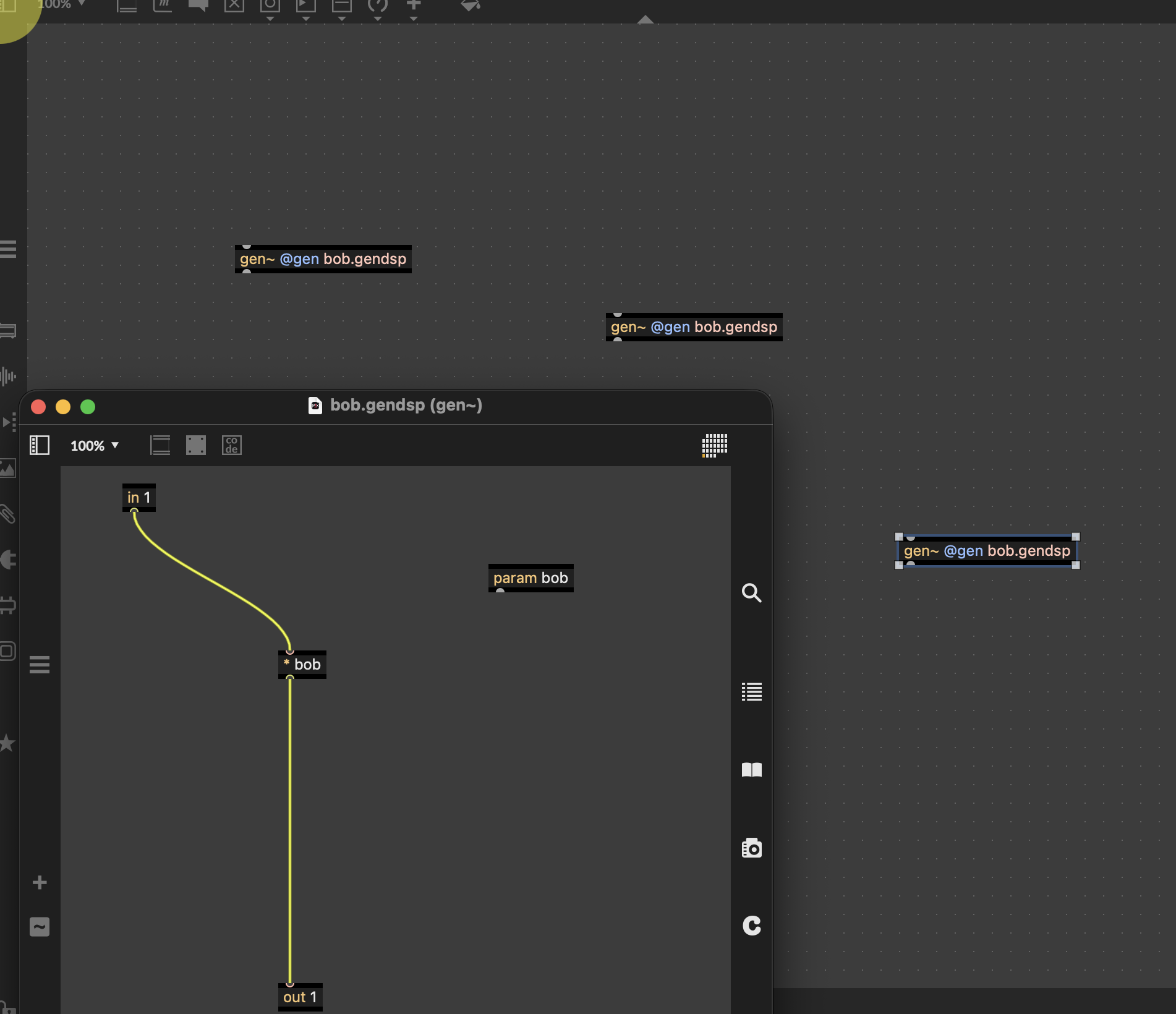
Hey thanks a lot. I don't have that "custom helpers" file. Do I need to create it and a code file too?
I tried this but it doesn't work. I can only copy and. paste from my main first patch (with is a sort of master template) and leave open, otherwise the delay doesn't work. The feedback and the dampening work fine but no delay. I send it. I saved all this in one folder, and put the folder in the max path search.
Hi. Yea . So I don’t exactly know where c74 puts gendsp files. I put all my files in a place I know max will find.
The custom-helpers. Is my personal folder. You can see in my screenshot there are other packages, so I make my own separate folders. Seeing it like this, I could just have ONE folder the says wils_stuff with 3 or 4 sub folders inside. I guess in the past I was using a different scanner that searched for custom-devices OR custom-instruments. // that should be updated.
ok. In the paragraph above is a tutorial about what ‘matters’ and what does not. Max scans /Packages/any_name/any_name_again_if_you_want/specific_folder
Then == specific folders are: patchers, init, javascrip, code, extras and a few others.
There are 2 folders json_helpers and poly_helpers are not legit so it will look inside there until it find something it recognizes.
Haha. I don’t know you are in mac or pc.
Send screenshots your file structure.
I tested your patch - it works exactly the tutorial I send in the first post - DO the tutorial - READ the tutorial. LEARN the tutorial. Everything grows from there.
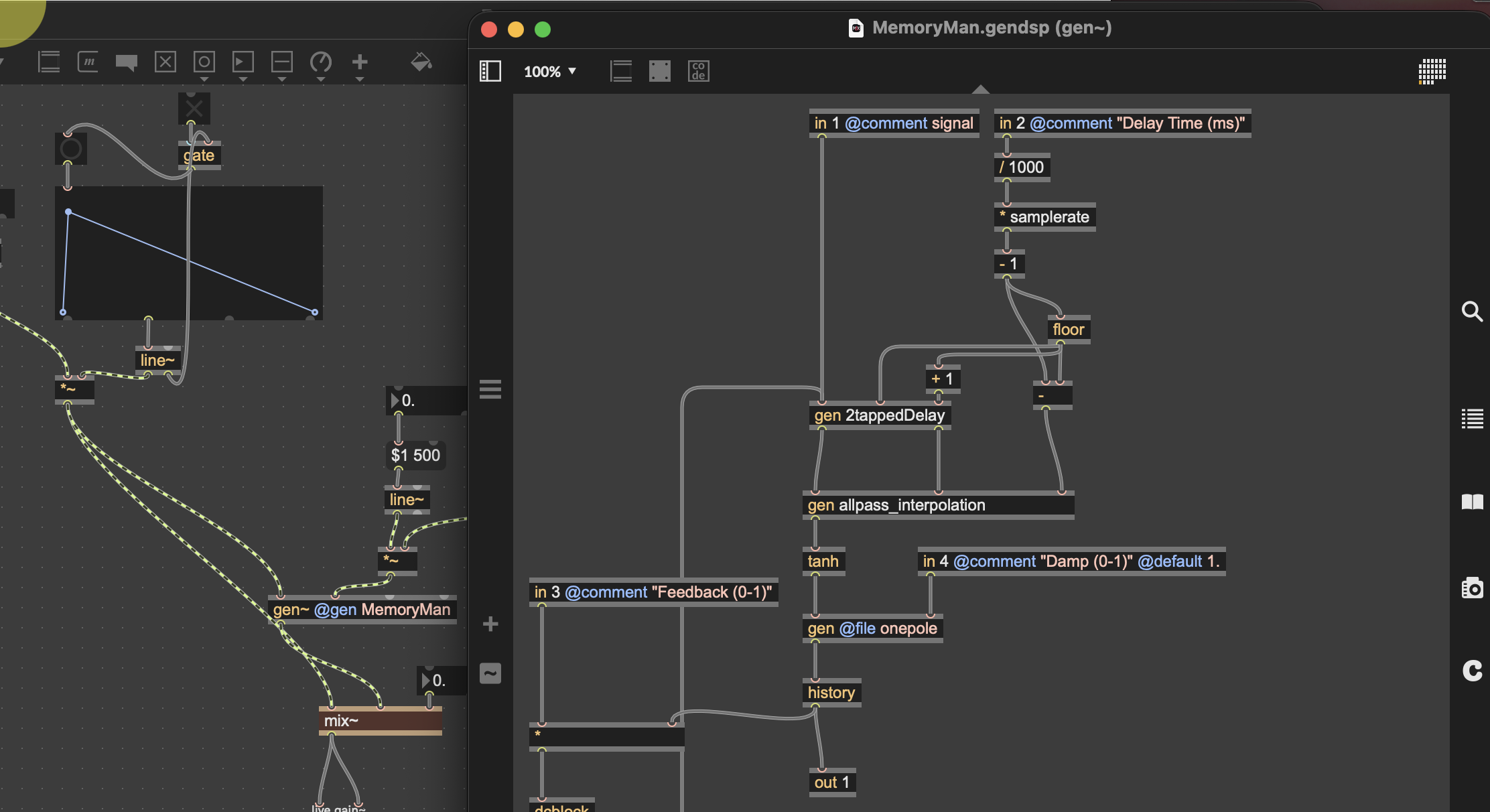
... and I dont think max has an object named [mix~ ]
Thanks for your help! I did this to save. Is it ok or not? If I understand correctly, I need to create a file and save the delay there? I did that too...
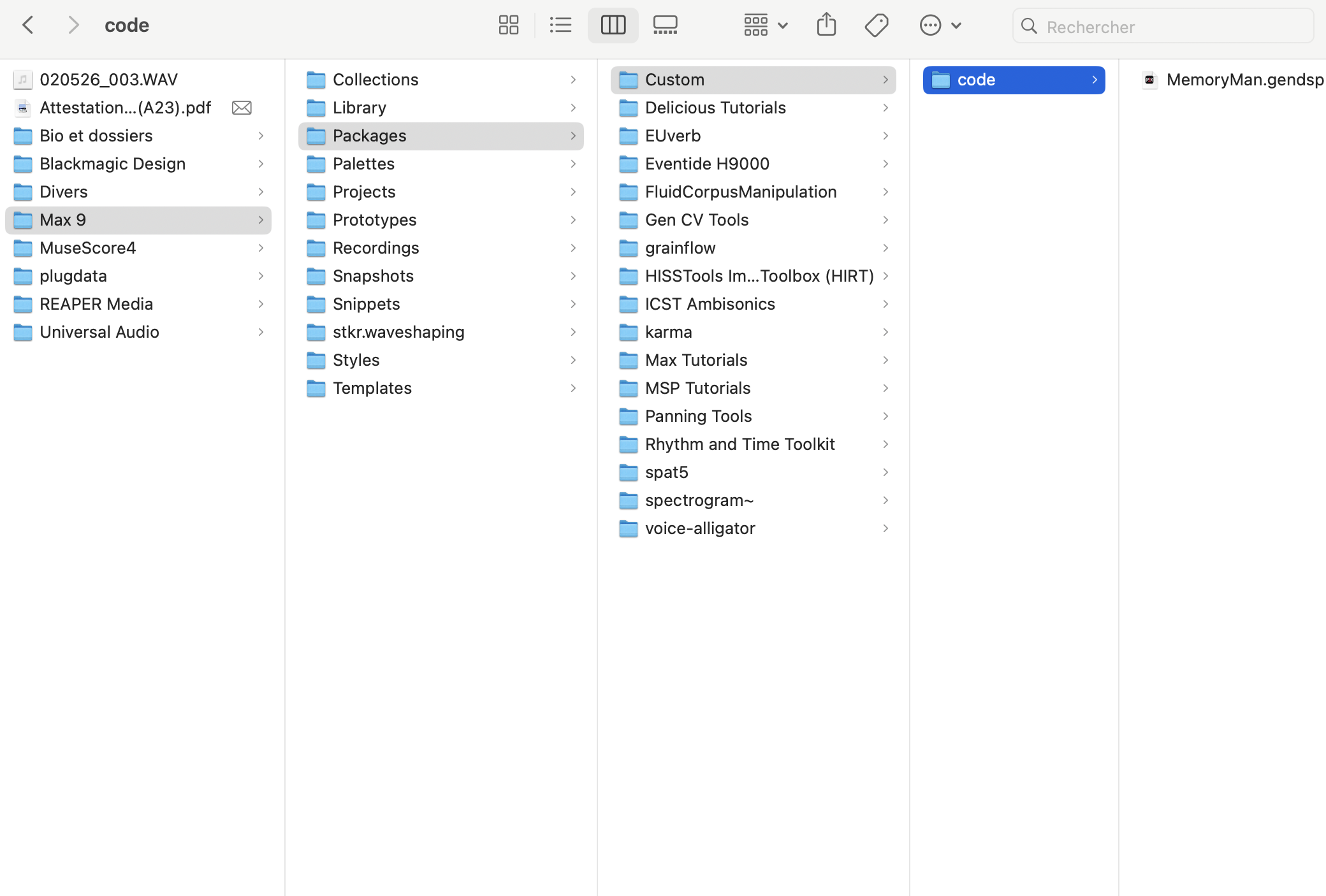
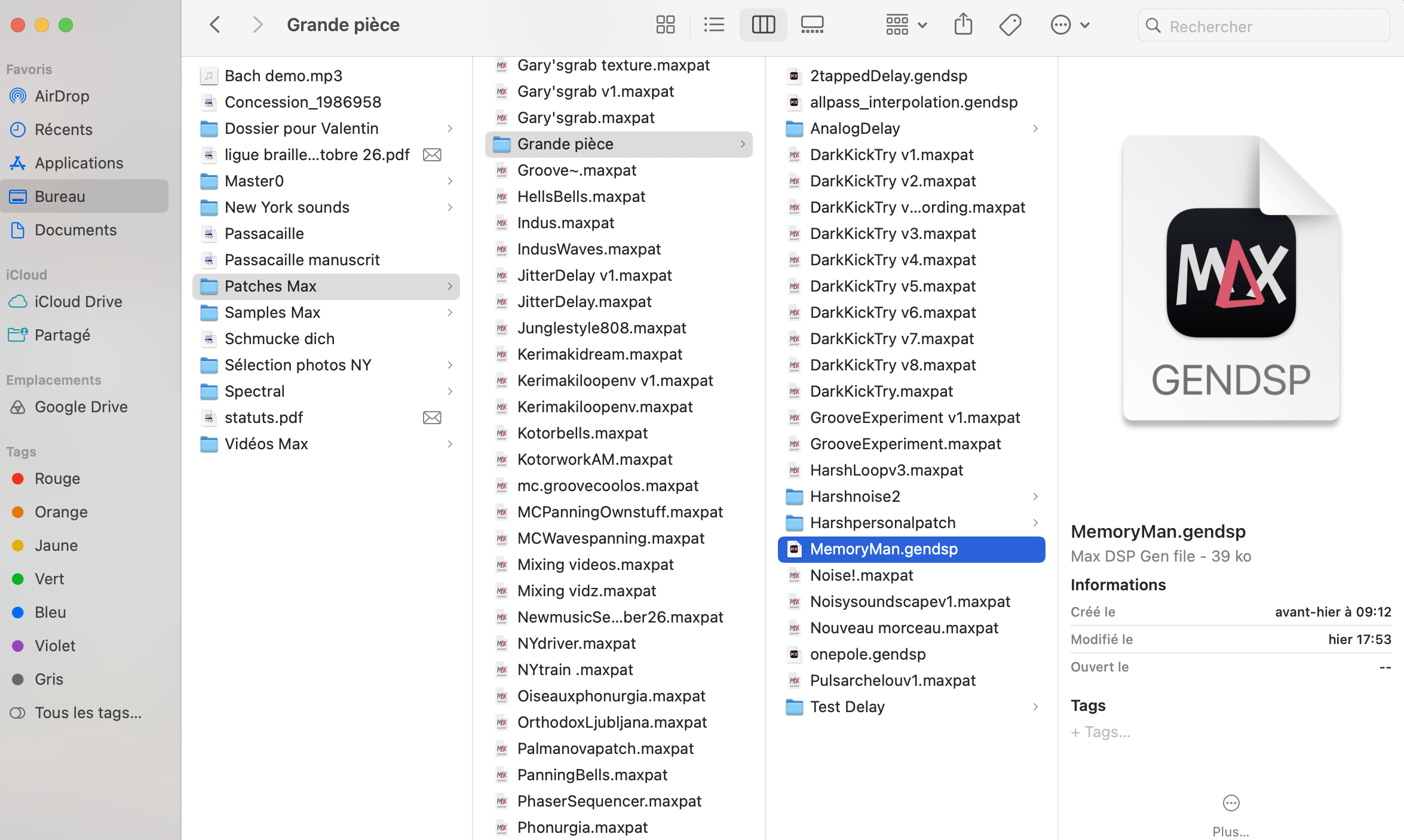
you first image is correct - dont need to save the same file twice // THAT is actually an B.I.G.> NO NO - max get very confused you start editing the same file in different locataions.
Keep MemoryMan.gendsp in the /Projects/Custom/Code/ location like you did
Create a new blank patch [gen~ @gen MemoryMan] - it should show up
Delete the copy in your personal folder or name it something else - MemoryMan_spare, MemoryMan_original - something MemeryMan_storage

Hey,
so I solved it. The problem was that I wasn't creating the buffer to write the sound I wanted to delay in the new patchers...
I know it's a shame. Sometimes, it's the most obvious thing we don't even think about.

If you are using a buffer in gen~ but don't actually need access to the buffer in Max, you can just use a [data] object instead and that will stay local to the gen~ patch.
Thanks, I checked data objects, but don't really get it... Which one could I use?
Graham wrote the Go book. Best to follow his advice.
However , that was many years ago - which means that he understands it completely.
Gen~ actually requires deep understanding for beginners, that is not very intuitive or obvious.
I show you now a very simple understanding then others can pounce it from there.
Remember - always - Feynman could explain things to a child or an alien!
So here goes.
Look at buffer~ help file. page 3 and 4 / gereators and functions. Those are actually data. No sound. Which means buffer~ is storing data.
So you can use [data] object inside of gen~ to make it local. Only for that patch. (If you want to use the same stored sound across many patches, then use buffer~) // but we got this far, so lets continue learning about [data] object inside of gen. Maybe it will be helpful or give you a new idea.
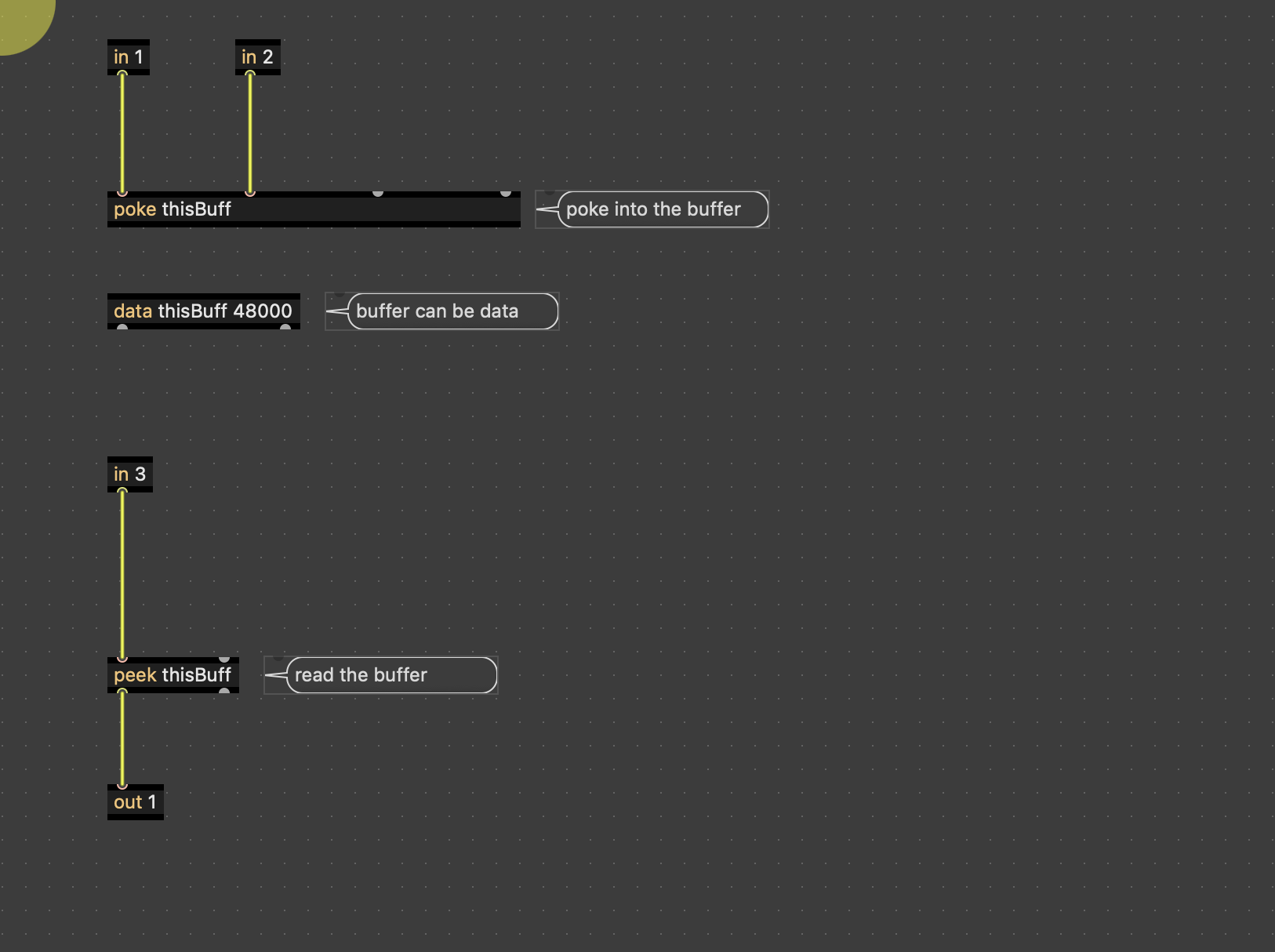
In the images I build a baby tutorial explaining [data]. I grabbed the players from the [buffer~] help file and plugged them in to gen~.
Image 1 - inside gen- [poke] is like record, it pokes the sound into the [data ]object == (record)
Then [peek] looks at the data object and get the sound out ==(Play) Thats it!
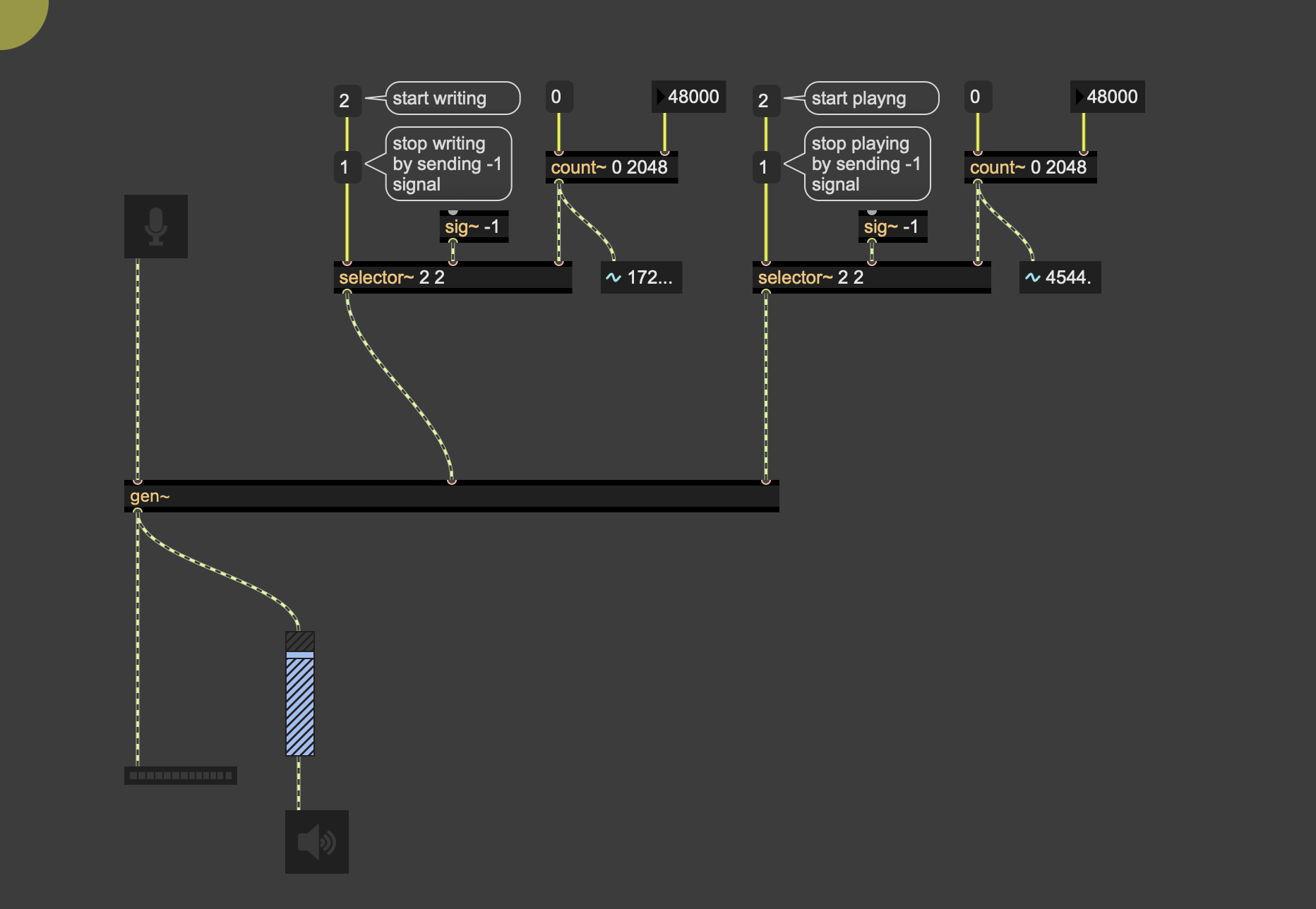
5. The 2 players (from buffer help file) start and stop the recording, and the playback.
Length is in samples. I set to 48000 == I second.
Test- click 'start writing' and speak for 1 second then click 'stop writing'
Next - click 'start playing' and the sound will continuously loop 1 second.
***Once you learn this and begin building on top of it you find out how super cool it is and you never need sfrecord~, play~ or any of that.
I basically use this exact same record/player except in RNBO~ its just gen~ but beefed up to be more intuitive and friendly.
//
OkAy? Build the patches I sent- dont try to ADD to your current work. Just build the record/player and understand it - then you can modify and use it for what you want.

I'm solidly with Graham here. He'd uh... "know."
Thanks a lot for this! I will try!