
RNBO - Buffer / Raspberry

Hello
I have some questions about file dependencies of buffer?
In the version 1.3.4 of RNBO, when I export patch on Raspberry the file in a buffer (@file) is always load.
Instead in the newer version 1.4.3, at the export all is fine. But after reboot the Raspberry, the buffer is empty??
Do you have ideas?
Thanks for your answer

Can you share a small patch that illustrates the problem for you?
Are you clicking the "Copy Buffer Dependencies" box?
Do you have an "initial" preset for your graph or device that clears out the buffer?

Hello Max-Peoples,
Hope it’s ok if I use this thread: I started working with RNBO recently and have to adapt to the new work flow.
I’m currently working on a project with some sort of sampler build in. So far my file handling is done by a python script which basically puts sounds in slots (empty wav files that get replaced). RNBO should load these slots into its buffer.
My problem: I see no way of telling the buffer inside RNBO to refresh. Has anyone an idea how to accomplish this? It’s basically always referring to the sample file but the content of that file changes.
(In the end the „patch“ should run in a raspberry pi)
Jason,
I'd probably start a new thread for your question.
Hello,
Sorry for the delay, I’ve been busy with several other projects.
The “Copy Buffer Dependencies” box is checked.
“Do you have an ‘initial’ preset for your graph or device that clears out the buffer?” — I don’t think so.
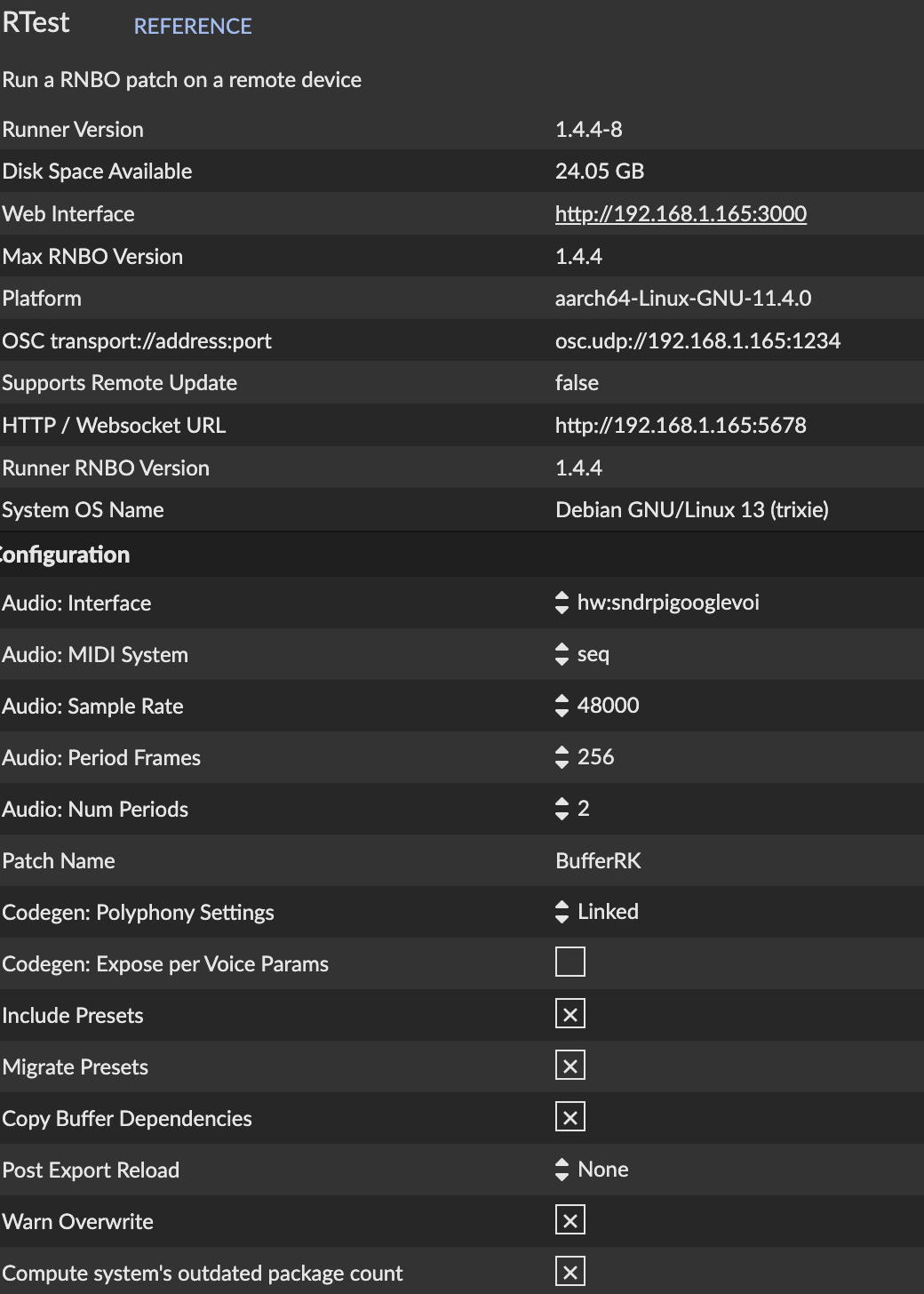
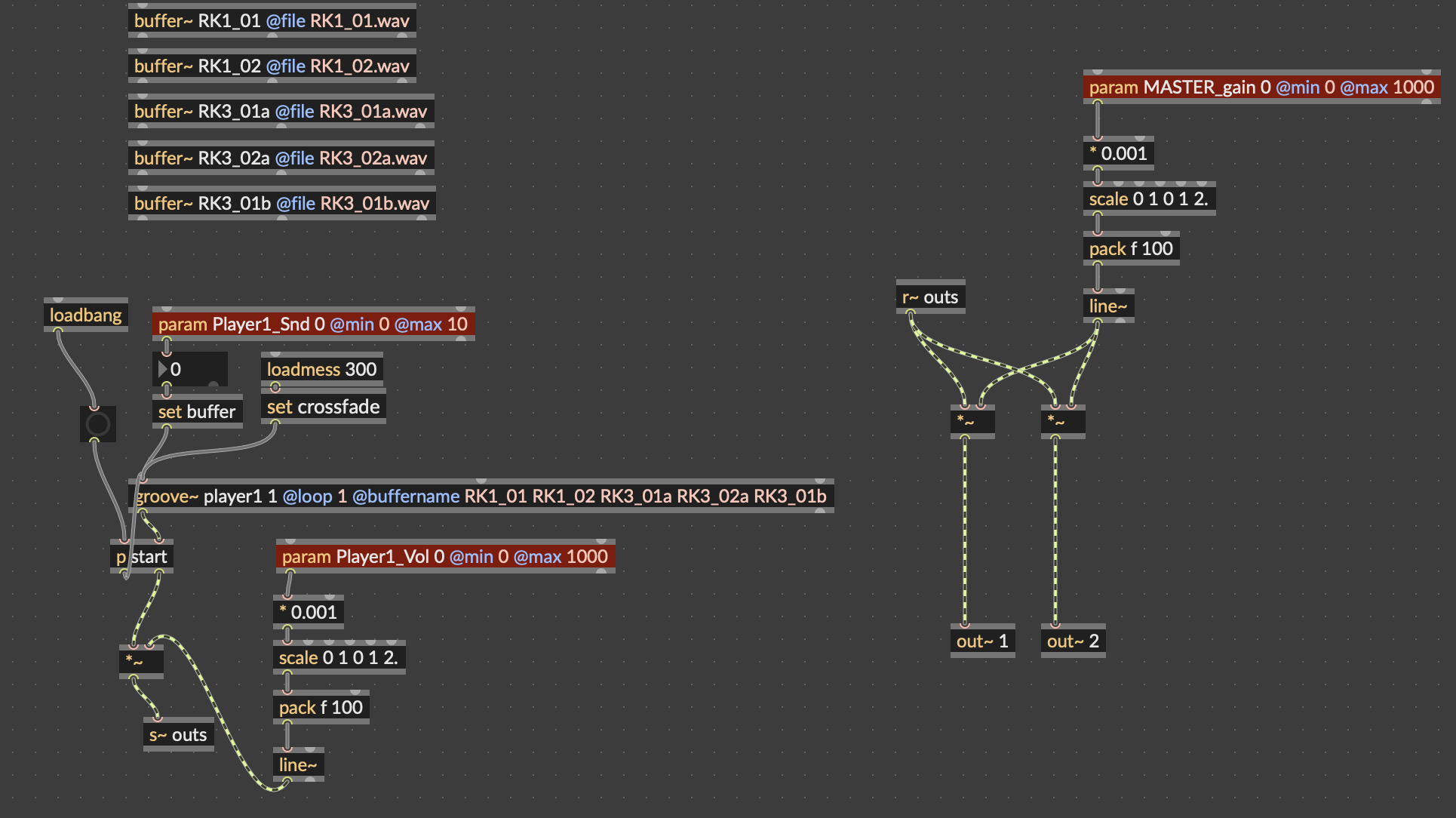
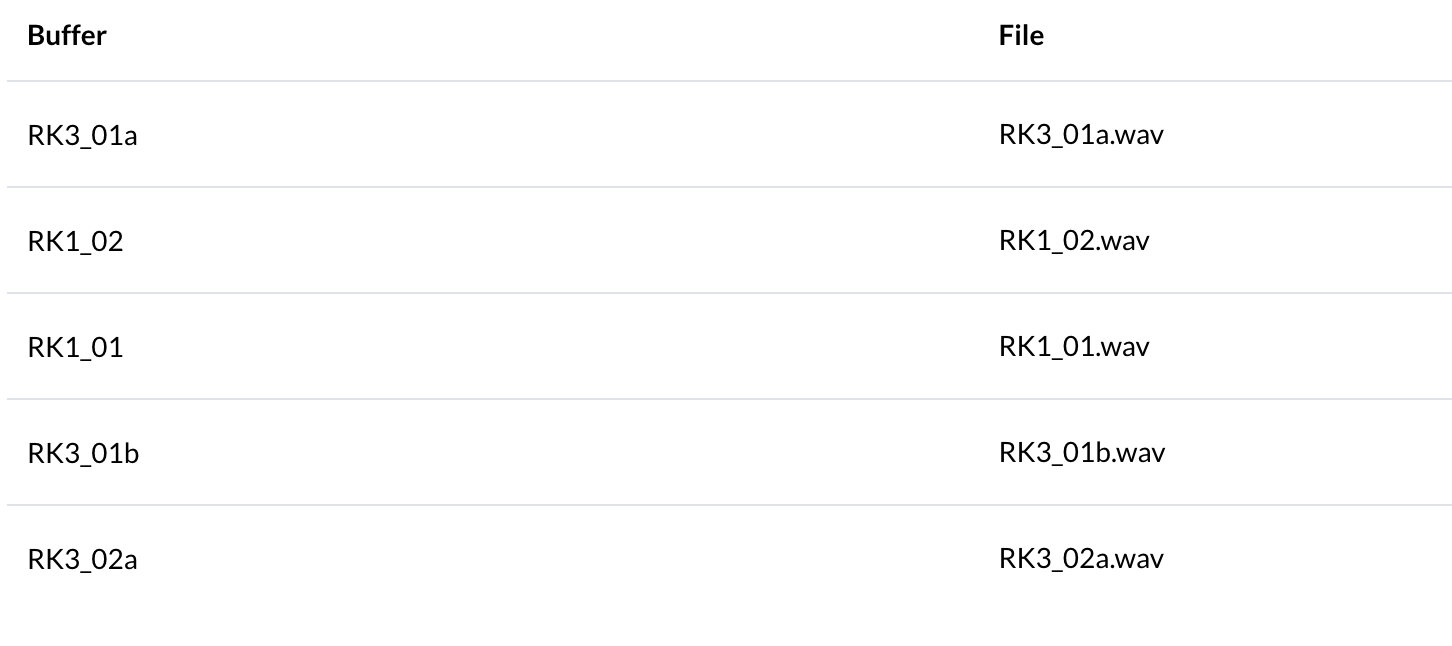
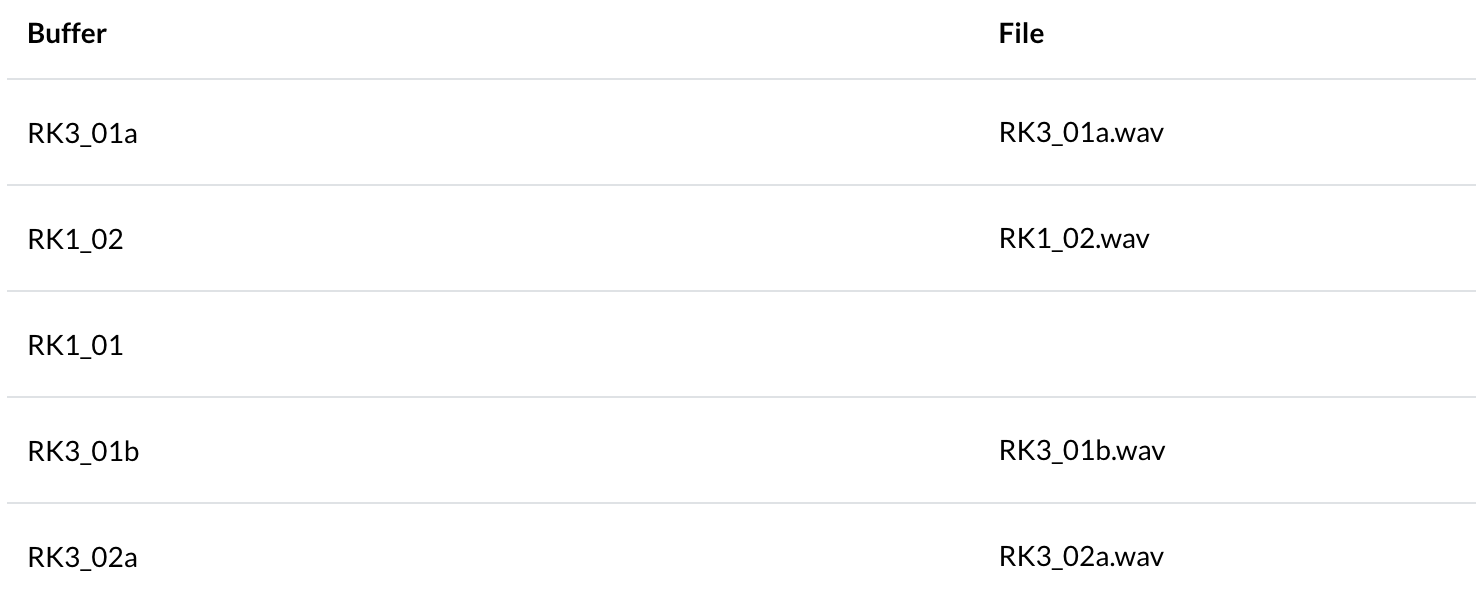
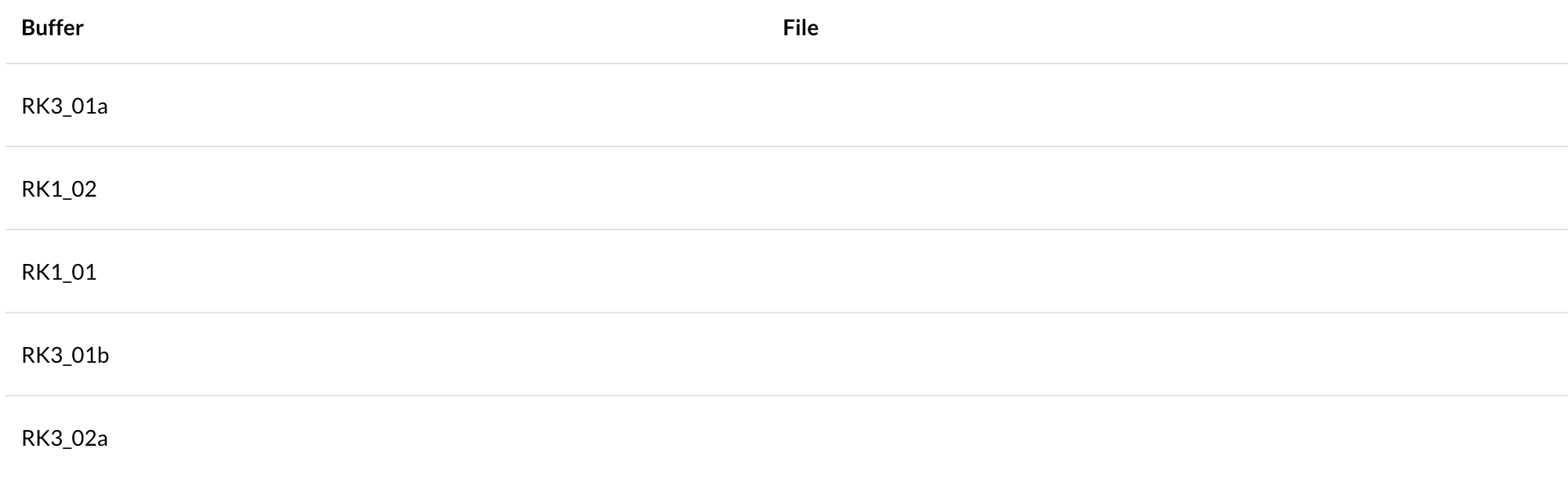
And now, with version 1.4.4, do I always need an internet connection to compile?
our 64-bit target does require the cloud compiler, yes
OK, I'll switch back to the 32-bit. And about the buffer issue, do you have any idea? I sent you some screenshots above.
The buffer paths are correct in the JSON file, but why is the SQLite database empty?

I am experiencing the same issue:
buffer~ objects reference specific file saved in ~/Documents/rnbo/datafiles/ using the @file attribute
all wave-files are present
when rebooting using shell (is there any way to reboot the patch from the web-interface isntead?) buffer-dependencies are loaded mostly, but many remain empty as described above, and the buffers affected do in fact vary
saving a preset and reloading it does not solve the issue, affected buffers remain empty
mostly, when allocating files manually, they instantly update the buffers, though some audiofiles when plyed back on the Pi output no sound at all. Seeing as these files are selected randomly I cannot verify whether these are the affected buffers or not
Anything I can try to ensure buffers load their respectives files correctly and reliably?
Cheers!
@Boucan Vert
Are you able to share a patcher and file dependencies as a zip file with me so i can try to recreate your issue?
@Nodanoma
if you can share a patcher and file deps that would be helpful too.
what version of the runner are you using?
are you able to ssh to your PI and share the output of journalctl -u rnbooscquery
Thank you Alex,
do you want me to share the entire maxproj with all its dependencies or just the (I guess quite large) rnbo~ patcher and all the wavefiles as zip?
In that case we'd probably want a backup of the Pi to be incuded as well so that potential local issues can be checked?
I believe I have the latest runner version intsalled – how can I check on this?
The output of journalctl -u rnbooscquery via SSH is this (raspi name is 'telefoton'):
Jul 14 12:42:33 telefoton systemd[1]: Started rnbooscquery.service - RNBO OSCQuery Service.
Jul 14 12:42:40 telefoton rnbooscquery[761]: Cannot connect to server socket err = No such file or directory
Jul 14 12:42:40 telefoton rnbooscquery[761]: Cannot connect to server request channel
Jul 14 12:42:40 telefoton rnbooscquery[761]: jack server is not running or cannot be started
Jul 14 12:42:40 telefoton rnbooscquery[761]: JackShmReadWritePtr::~JackShmReadWritePtr - Init not done for -1, skipping unlock
Jul 14 12:42:40 telefoton rnbooscquery[761]: JackShmReadWritePtr::~JackShmReadWritePtr - Init not done for -1, skipping unlock
Jul 16 14:28:33 telefoton rnbooscquery[761]: exception caught [org.freedesktop.DBus.Error.NoReply] Method call timed out
Jul 16 14:28:33 telefoton rnbooscquery[761]: JACK server starting in realtime mode with priority 10
Jul 16 14:28:33 telefoton rnbooscquery[761]: self-connect-mode is "Don't restrict self connect requests"
Jul 16 14:28:34 telefoton rnbooscquery[761]: creating alsa driver ... hw:Headphones|hw:Headphones|1024|2|48000|0|2|nomon|swmeter|-|32bit
Jul 16 14:28:34 telefoton rnbooscquery[761]: ALSA: Cannot open PCM device alsa_pcm for capture. Falling back to playback-only mode
Jul 16 14:28:34 telefoton rnbooscquery[761]: configuring for 48000Hz, period = 1024 frames (21.3 ms), buffer = 2 periods
Jul 16 14:28:34 telefoton rnbooscquery[761]: ALSA: final selected sample format for playback: 16bit little-endian
Jul 16 14:28:34 telefoton rnbooscquery[761]: ALSA: use 2 periods for playback
Jul 16 14:28:34 telefoton rnbooscquery[761]: port created: Midi-Through:midi/playback_1
Jul 16 14:28:34 telefoton rnbooscquery[761]: port created: Midi-Through:midi/capture_1
Jul 16 14:28:36 telefoton rnbooscquery[761]: {"id":"internal","jsonrpc":"2.0","result":{"code":0,"message":"initial","progress":100}}
Thank you thus far.
Hello Alex,
Here is the ZIP file containing the patch, the audio files, and the journal.
The problem is still present after a reboot. However, when I use small samples like the attached ones with the default "Untitled" names, everything works correctly.
The Raspberry Pi I'm using is a Raspberry Pi Zero 2W.
I hope you can identify the issue
Best regards,
hey sorry for the long delay getting back to you. I talked to someone on the forum (maybe you?) about the pi zero and I know what the issue is. It will require a small release to fix but I'll be looking into that soon. Basically, the /tmp location for pi zero is too small for the files that we want to upload so I need to move the that.
we just published version 2.4.1 of the web interface, I think this should fix your /tmp problem. you should be prompted from max to do the update but if you don't want to wait for that you can also ssh over and sudo apt-get update && sudo apt-get upgrade