
A little v8 starter

I don't think I have enough brain to figure this out right now
can someone get me started?
to convert these scripting message for thispatcher
into v8
panel seem a good simple place to practice

This should get you started:
You can send messages to thispatcher by using this.patcher.message() . Only with that you could execute every message that [thispatcher] accepts, with the same syntax.
I've made to_thispatcher() function for that.
If you look at the doc for Patcher js objects you'll find the message() method I used above, but also a few other methods and properties that might help. Like instead of doing something like this.patcher.message("script", "delete", "my_obj") you could do this.patcher.remove("my_obj"). This is what I did in the remove() function.
For setting object box attributes, you could as well use the full script sendbox syntax to thispatcher, or you could get the Maxobj (js representation of the Max object) with let my_obj = this.patcher.getnamed("obj_varname"); and then set its box attributes using my_obj.setboxattr(). This is what I did with the set_box() function.
Thanks!
Is there a plugin or shortcut to 'prettify' the code?
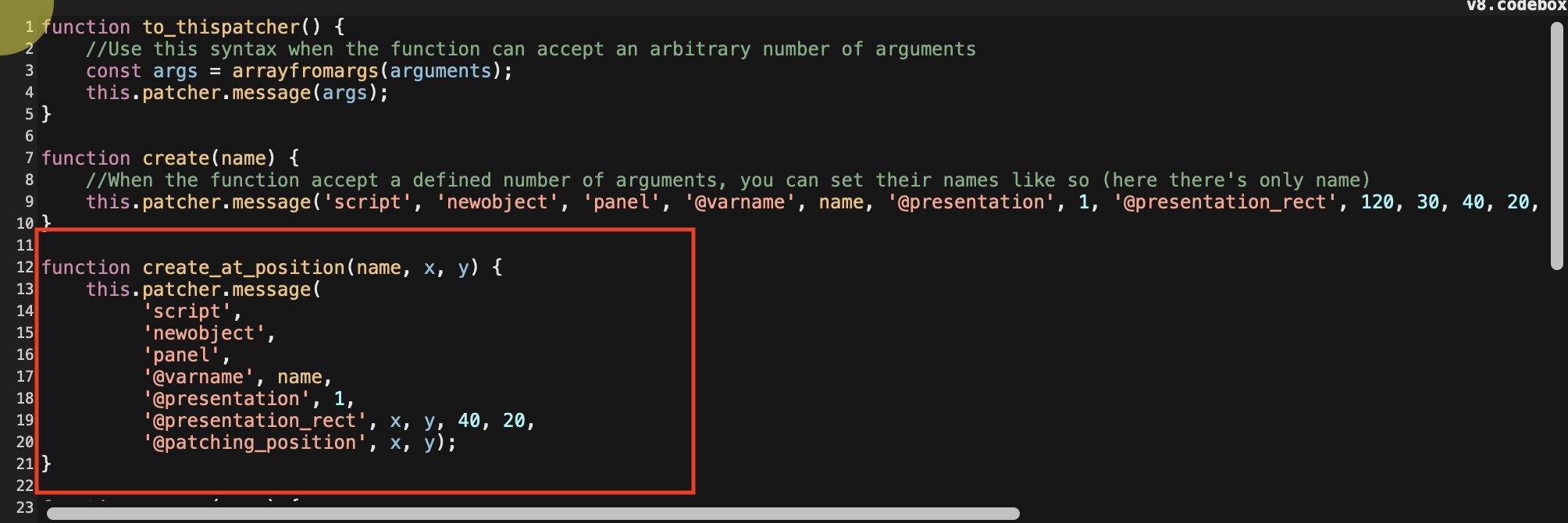
Not that I'm aware of.
Coding experience in codeboxes is very barebone and quite painful IMO when you're used to modern code editors / IDE.
It's fine for short snippets or tests, but it quickly becomes more comfortable to use [v8] instead and a file edited externally.
As an in-between solution, you can enable "Use Monaco Text Editor (Experimental)" in your Max preferences and use [v8 @embed 1]. Writing code will be slightly better, you have some autocompletion and few useful shorcuts, it doesn't require to leave Max, but still no code prettifier.
also - the 'drag_window', 1, message doesn't seem to work
it becomes checked in the inspector - but have uncheck and recheck for it to work
it works with extra message though
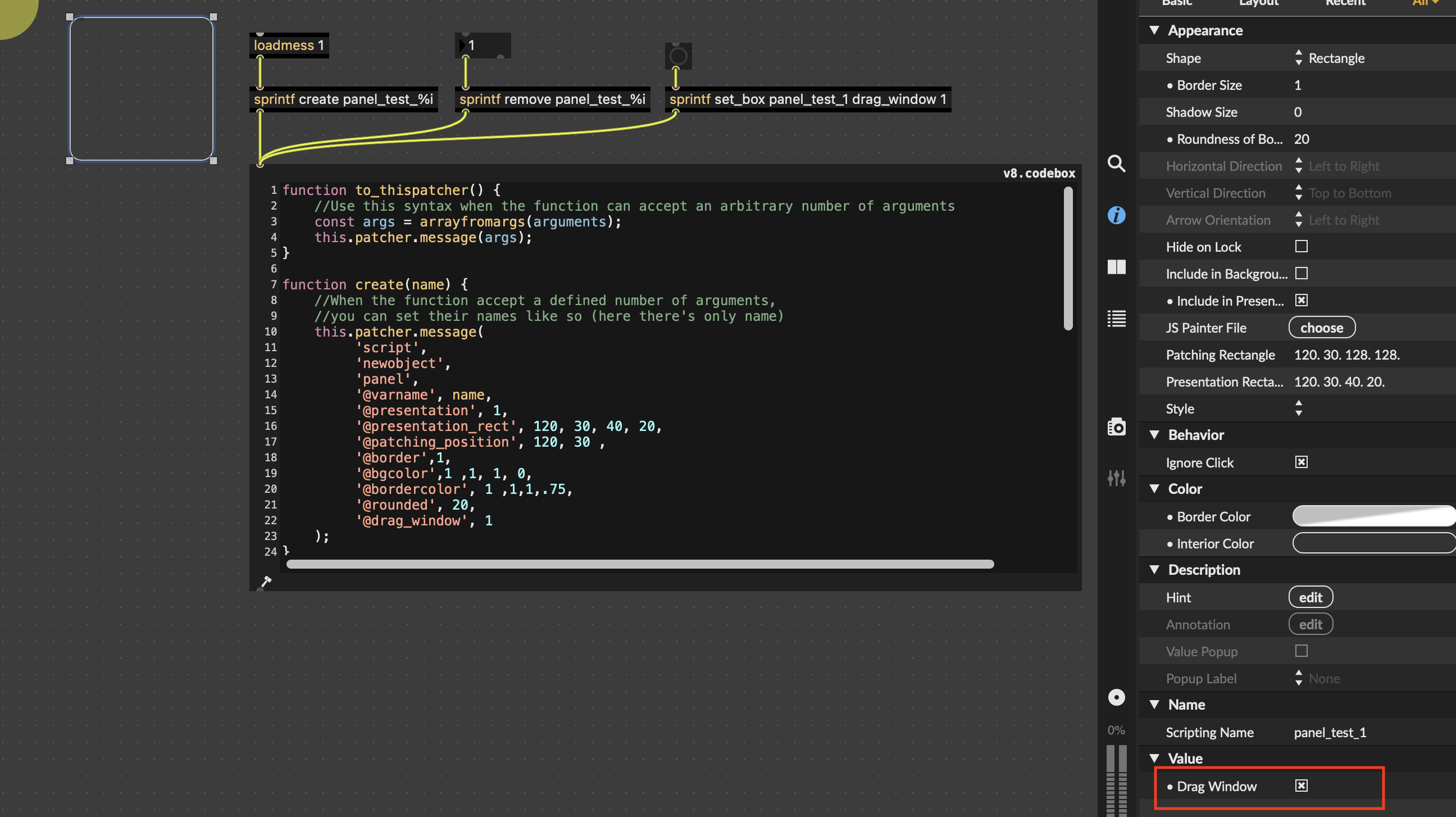
There is something odd here. At first it didn't work for until I unlock-lock the patch, and then it started to work as expected...
The problem doesn't seem to come from the code but from [panel] itself.
It seems that adding to_thispatcher("locked", 1); at the end of set_box() forces the patch to relock itself and make drag_window to work in any case.
Thanks for the Monaco sjortcuts
//
Unlock-lock doesn't seem to do anything
--its ok. no problem to [del] [bang] that extra message
** Edit - a combination of dragging the patch to resize, open close presentation mode, unlock-lock seems to get it going