
getting a handle on layering in Jitter

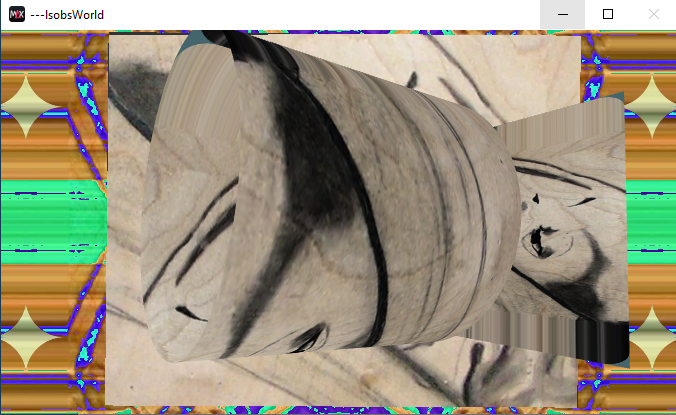
This picture shows "frame 0" the way I would like my M4L movie player device to appear when it first loads its movie. Two "grid shapes" in an "anim node" in front of two "mesh warps" that use inversions of "the same" mask where all four jit.gl objects "screen" the same movie.
I think my problem is the M4L patch seems to load itself in a semi random layering order, and I can't seem to make the "correct" layering order permanently stick. The "layer" property value doesn't seem to help me with control that way. For example, the two "grid shapes" (the "anim node") often appears (invisible) behind the two "mesh warps" when the patch loads. I never get to see the open cylinder and plane shapes when it loads that layer order unless I disable the "mesh warps". And, one or the other of the two meshwarps will also be semi randomly on top. My only recourse seems to be reopening different copies of the same patch until one loads with the "grid shapes" on top like this. I know that can't be right. But I don't know how to make it right. Any ideas?
I saved the .amxd file as a .maxpat file so I could "copy to clipboard". But this copy doesn't have the shader file, the movie file, or the preset.json file. It might still be useful in answering my layering question though. If the patch seems messy and complex, it's because I haven't been able to clean up and simplify while it's so "broken" and I don't understand why.

Meshwarp doesn't have a layer attribute
so you have to connect it to a layer

I'm not using Jitter that much these days but i'm not seeing a "depth_enable 1" in any of the objects. I think you need to set that in either the world or the mesh (or both) for the layer property to work
Thank you both. Not only can I get rolling again, I also now have a much better idea how this patching expedition derailed in the first place. Quite a gobsmack moment of realization with my coffee this morning. Definitely one I wish I would have found and resolved on my own. Thanks again
I've been part of the way down this road before. With @depth_sort 1 on jit.world or not, introducing layers "correctly" also seems to introduce a "black void" layer on top of everything else. I've seen this "void layer" before.
When jit.world @depth_sort is enabled, these "white masking bars" appear above and below the black void when the patch loads. Without @depth_sort, the void extends to the top and bottom of the world. I think enabling @depth_sort is the choice I want, and I suspect the "black void" layer is an opaque alpha channel somewhere in the camera or anim node chain. But I don't know. Why is the void on top of the grid shape layers and opaque?
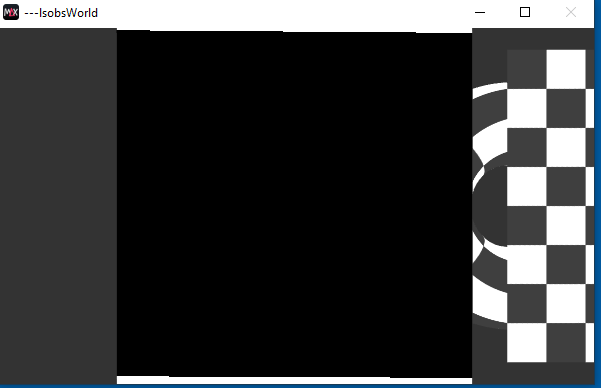
Both the jit.gl.camera and the jit.gl.shader objects also have @layer properties but setting those values to the same grid shape layer value doesn't seem to make any difference in the void's behavior.
If I extremely stretch the jit.world window aspect ratio horizontally, I can see the gridshapes behind the meshes while the void is still in front of everything (when the loadbang gridshape layer is greater than (on top of) the loadbang meshes layer - only the void renders in front of the meshes, and doesn't rotate or change positions with the gridshapes)
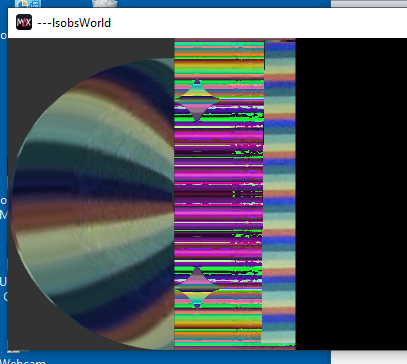
(when the loadbang gridshape layer is equal to the meshes layer - the void layer seems to disappear but the grid shapes render themselves (randomly) behind the meshes, and the gridshapes always render behind the meshes when their layer is less than the mesh layer)
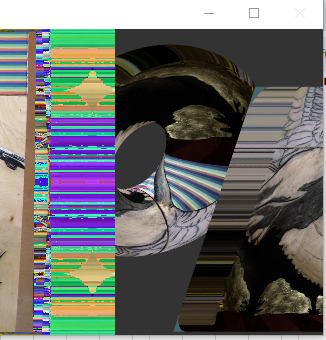
What am I still missing?
What really confuses me is the inconsistent results I see. Today, none of the "facts" I quoted above remain true. The device is displaying the layers correctly using these layer values
meshwarps layer 0
camera layer 0
gridshapes layer 1
shader layer 1
Yesterday, all day, the "black void layer" issues I documented above remained active despite all efforts. The only difference today is the movie file didn't load with the patch, I clicked on the message box to load the movie file after the patch loaded. But I tried both manually and auto loading the movie file yesterday more than once and the change had zero effect on future reloads of the patch until this morning after I randomly stopped for the day yesterday on the "manually loading" save file and reloaded it today after the whole machine rebooted. (Yesterday, "shader layer 1" and "manually loaded chicken.mp4" settings resulted in the "Black Void" layer on top of every other layer. Today, these settings worked "correctly".)
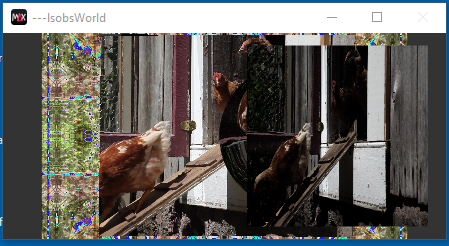
Unfortunately, this doesn't seem to be a permanent state I can depend on loading every time. Yet? Can I?
Here is the compressed patch again (embedded shader file)
This is the preset file
I don't know where you got the "depth_sort 1" message from, it might be a Max9 thing but below is a way to order layers. I would suggest using a node/videoplane combo to capture the meshwarps and go from there. The only problem i found was that if i use the "transform_reset 2" message to jit.gl.videoplane to stretch the videoplane to the renderwindow it is given priority regardless of layering. I don't know why that happens and is not what i expected. In the ideal situation your have the videoplane in the background and everything gets drawn over it.
So i hope this patch will at least give you a little insight of how to manage layering and a forum bump so someone else can maybe chime in...
Layer 0 is the first layers to render, numbers going up get drawn further away from the camera.
I haven't used meshwarp myself but it appears to be a javascript file which in turn makes use of mesh.js. I did not look into this but i imagine that this is where the actual jit.gl.mesh is loaded in and where you could modify it to use layers. Make a backup just in case because that could mess up the object.
(also for further questions, please distill your problem to the bare issue. This makes it easier to identify the problem for yourself and easier to read for others. In this case for example i would fix the layers first and then build your path around it again because i think that happened the other way around?)
Also see the bottom response by Will here in this thread. I'd use that as a base to build the rest of your patch on
https://cycling74.com/forums/overlay-one-videoplane-on-another#reply-66bc790e194ffc0013347563