
How to data-mosh?

Hi all,
Im a beginner and fairy new at the world of creative coding. I'm really into trippy video art, so I was wondeirng if anyone knew how to get data moshing started? Any tips or patches I can look at to understand the bones of it? Thanks!

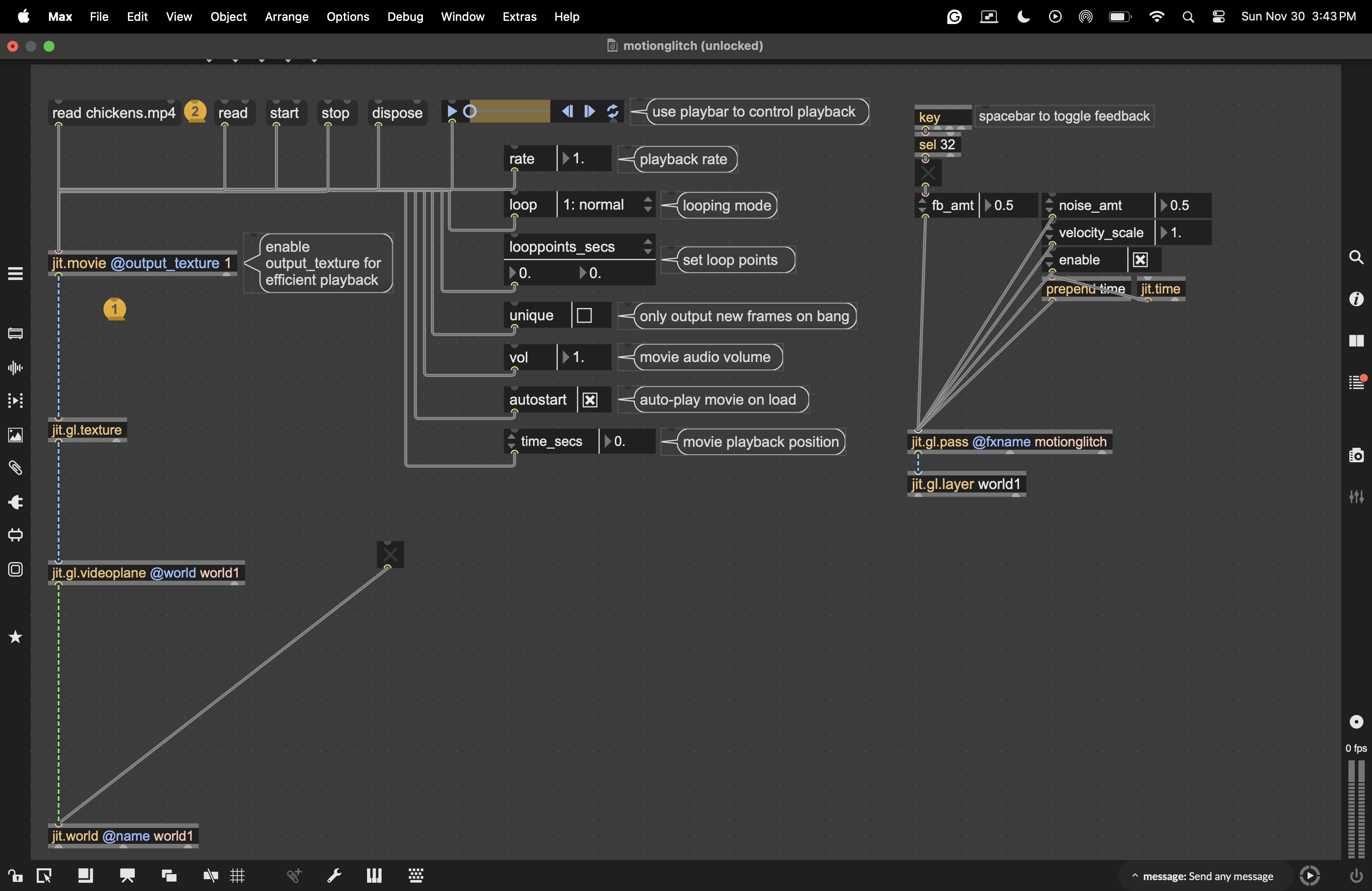
A good place to start emulating data-moshing effect is the jit.gl.pass @fxname motionglitch post-processing effect. Open a Max File browser and search for "pass.motion.glitch" to check out a patch demonstrating this effect. Click the spacebar to toggle the effect on and off, or adjust the fb_amt attribute manually.

I just wanted to give this thread a bump. I love how the example from max/msp uses jit.gl.pass @fxname motionglitch and multiple 3D shapes to get the hallmark smeary pixels of data moshing.
I'm just wondering how to use jit.gl.pass @fxname motionglitch with video. Like how do I get as dramatic as an effect as one gets with 3D objects? Maybe instead of chickens I need something with more dramatic cuts from one scene to the next? Whenever I bump up the feedback past 0.9 I get some really weird and wonderful colors, but the image just freezes.
Thanks and I appreciate any pointers!

Hi Jeffrey,
To get a data-moshing-like effect, the crucial ingredient is knowing how the image content moves from frame to frame. This is typically represented as motion vectors: pairs of values for each pixel that indicate how far that pixel’s content has moved in the x and y directions.
With generated 3D content, these velocity vectors are straightforward to obtain: any 3D object rendered with jit.gl.material or jit.gl.pbr can output them directly. With video sources, however, it’s more complicated, because the velocity vectors have to be estimated via video analysis.
This is exactly why jit.gl.pass @fxname motionglitch doesn’t work with regular video: there are no motion vectors available for it to use. To apply a data-moshing effect to video, you first need to estimate motion vectors by other means.
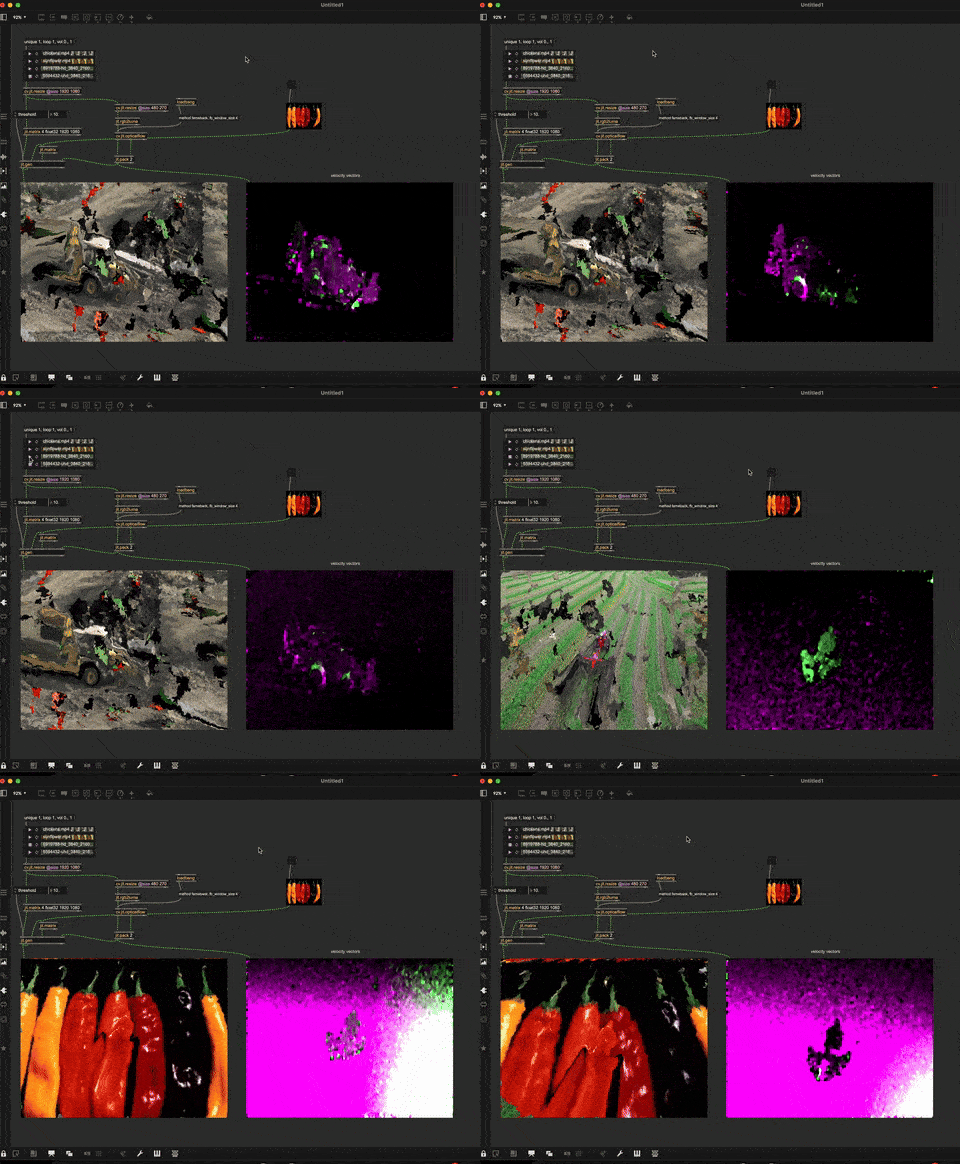
Attached is a basic patch that does this using cv.jit.opticalflow (from the cv.jit package) to estimate motion vectors from the input video and produce a datamoshed result.

Hey Matteo,
Great patch and thanks for the explanation.
Is there a way to calculate the motion vectors on the gpu?
We would need a motion vectors shader for this, right?
Perhaps Rob has a hint ;-)
Thanks in advance,
Abs
Yes, you need some shadery action for that!
There are several ways to estimate motion vectors on the GPU. A widely used algorithm for its accuracy-to-computational-cost trade-off is the Pyramidal Lucas-Kanade algorithm. The implementation is far from trivial, but definitely possible.
You can find explanations of how it works on YouTube and examples of its implementation on GitHub.
Also, consider that any video compressed using time-based methods (h264 for example) contains motion vectors encoded in the video file itself. There exist ways to extract them directly from the video source.
This is an example of a tool to extract motion vectors and store them in a JSON file:
https://github.com/jishnujayakumar/MV-Tractus
You can grab the JSONified vectors and turn them into a video to play alongside the original footage for moshing.
That's how i made these visuals, for example:
Thank you so much for your great answer Matteo - you explained this so well, and this is exactly the information I needed. And so happy it sparked further conversation :)

Hmm... interesting.

If you want to do real data-moshing in Max (and not an optical flow simulation) consider checking the vipr external or downloading the app Interstream (made in Max with the vipr external).

just combine video from:
jitter
processing
p5js
threejs
cinema 4d
blender
maya
nuke
solidworks
after effects
touchdesinger
unity
unreal engine
cryengine
lumberyard
godot
adobe premiere
into a single max patch, and do simple things with it, in terms of video processing