
prevent max console to pop up in a windows at start

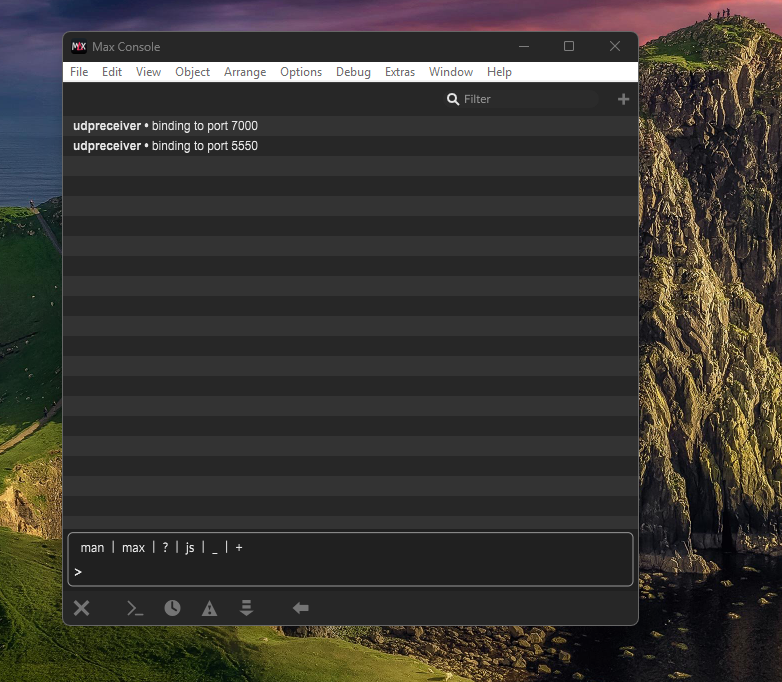
When I open max patch the max console is automatically opens in a new floating window.
How can I disable it? best in something similar to this:
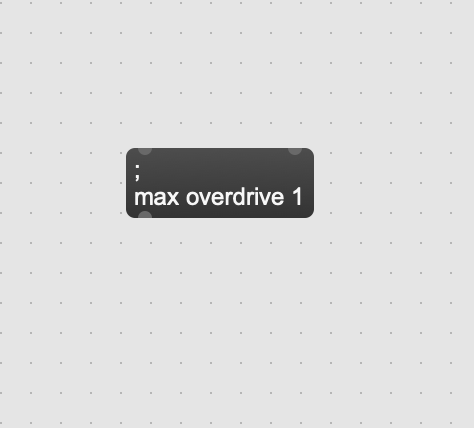
I could not find the answer in here:
Thanks but this did not stop my max console top pop up in a floating windows each time I open a max patch.

My max does not open max console unless I tell it to do so.

By "floating window" do you mean just the console window, or specifically a floating console window that stays always on top of other non-floating windows?
I'm not even sure how it is possible to have a console window that floats.
Anyway, if you close the console window and then quit Max, the next time you open it the console window shouldn't appear. In other words, when you open Max, the console window will retrieves the state (visible or not, position, size) it was at the last time you quitted (not crashed) Max.
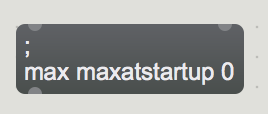
you can also load or close bang this message to set console status on next max launch
By "floating window" do you mean just the console window, or specifically a floating console window that stays always on top of other non-floating windows?
I mean floating console windows
you can also load or close bang this message to set console status on next max launch
Thanks this solved it!
OK it did not solved it. Max Console floating window keep showing up
In that case you left max console opened when quitting max.
If you can not manage that, you can write script that rewrites max preferences file
with premade one with console startup set to off.
If you can not manage that, you can write script that rewrites max preferences file
For some reason I don't know it keeps popup when openinng patches. Could you please show me how to fix it with a script or what to change in MAX preferences?
Thanks
maxatstartup as message sets preferences for that key.
open max preferences file and you will see it inside
