
Max for Live Sightings: New Path by TheZooo
Introduction
As you may have noticed from previous articles, I’m a little obsessed with sequencers. I keep a close eye on the Max forums, maxforlive.com and similar hideouts for whatever might be the latest step sequencer developments, and I’m always one of the first in line for any new implementations.
But in addition to standard step sequencers, I’m also drawn to generative systems. I love it when I can be surprised by a seemingly logical system, and often find myself losing hours within a generative construct – changing parameters and soaking in the output, then tweaking the parameters a bit to see what results.
Both interests come together in a new Max for Live device called New Path, created by MFL developer TheZooo. It uses a grid system in either a straight stepping mode, or in a chance-based generative mode, in a combination that often provides interesting results. Let’s dive in a little deeper.
The Basics
New Path follows a basic premise: a two-dimensional grid is traversed by up to four autonomous ‘shapes’. When a shape changes locations, an event may be triggered; this event can then be translated into a note, control change, automation move or other action.
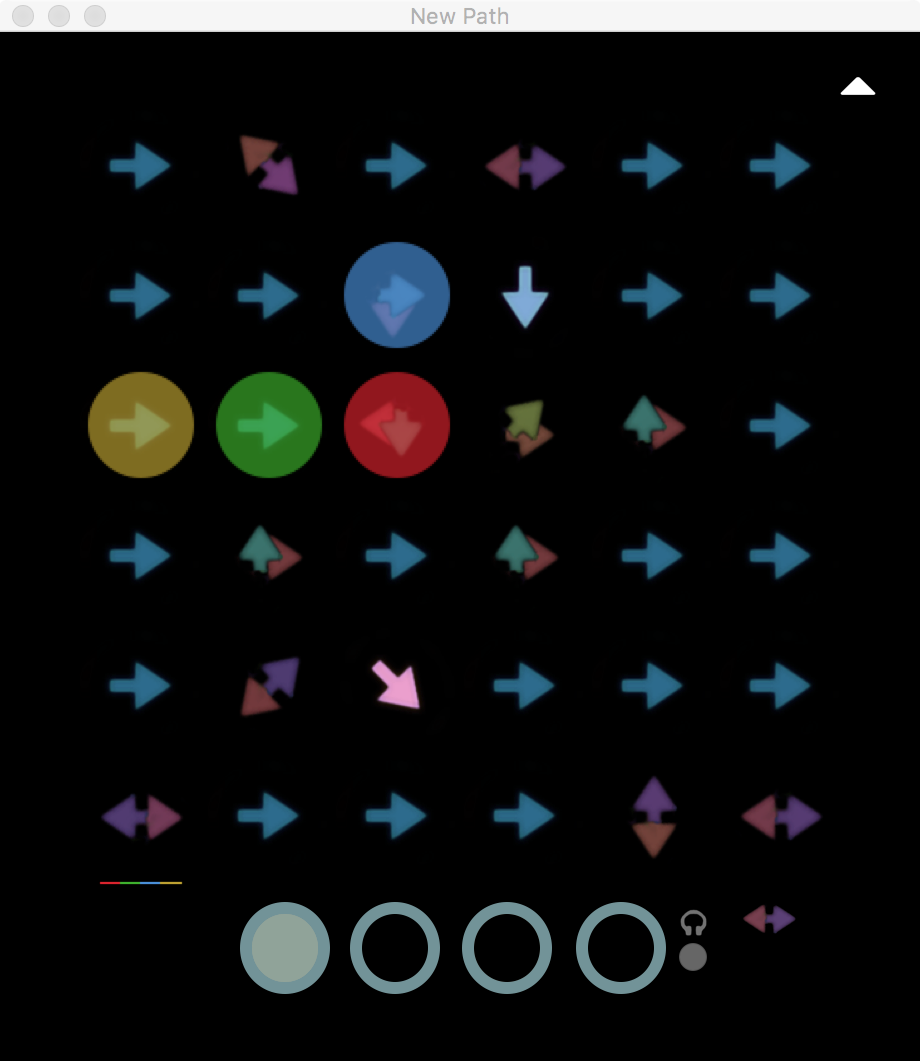
There’s a surface simplicity to this: you click-drag on a display cell to change the direction of activity, then watch the shapes run the course. So, simple but -- with a little extra setup -- you can get a lot more intrigue.
The note selection is straight-forward; you click a radio button to get to a second interface, then set the note and the octave for each cell.
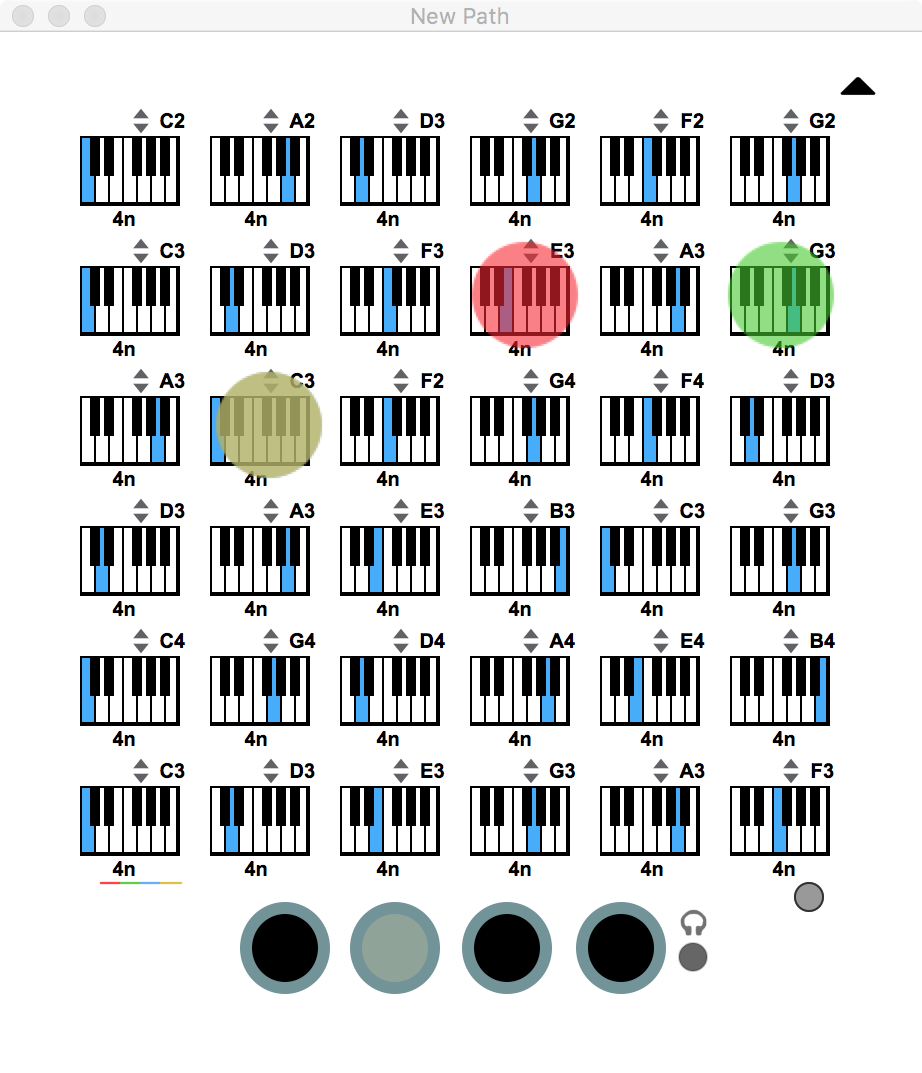
At this level, you can also set a note duration which can be used for note length or step length. You can also mute cells at this level to open up the musical space.
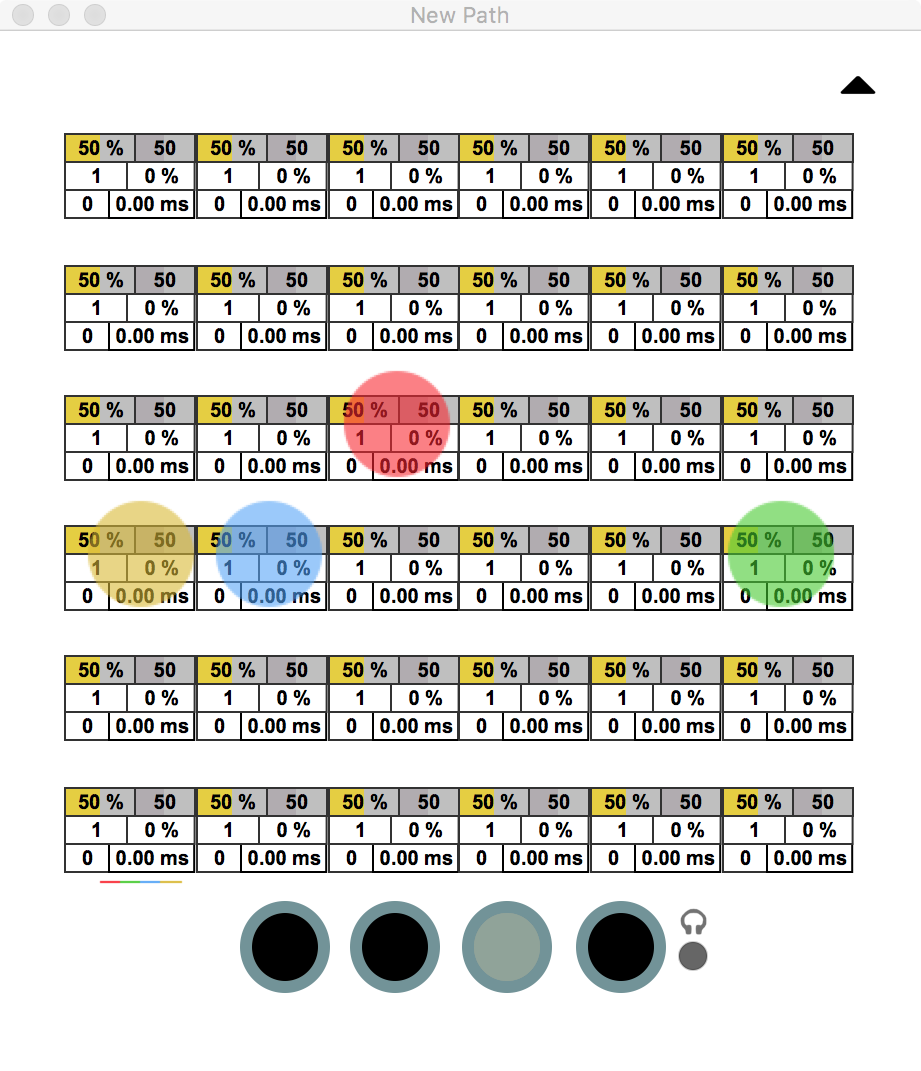
Step landing actions are quite complex. You can put in values step repeat count, branching actions, probabilities for ratcheting and other goodies.
Finally, the fourth button reveals an interface for control changes, which are a little simpler, but still require a little in-depth knowledge. The main thing to know is that the values can be tied to parameter changes for any Live device/interface element, and can also have a secondary value that is sent to add-on devices you can get for the New Path environment.
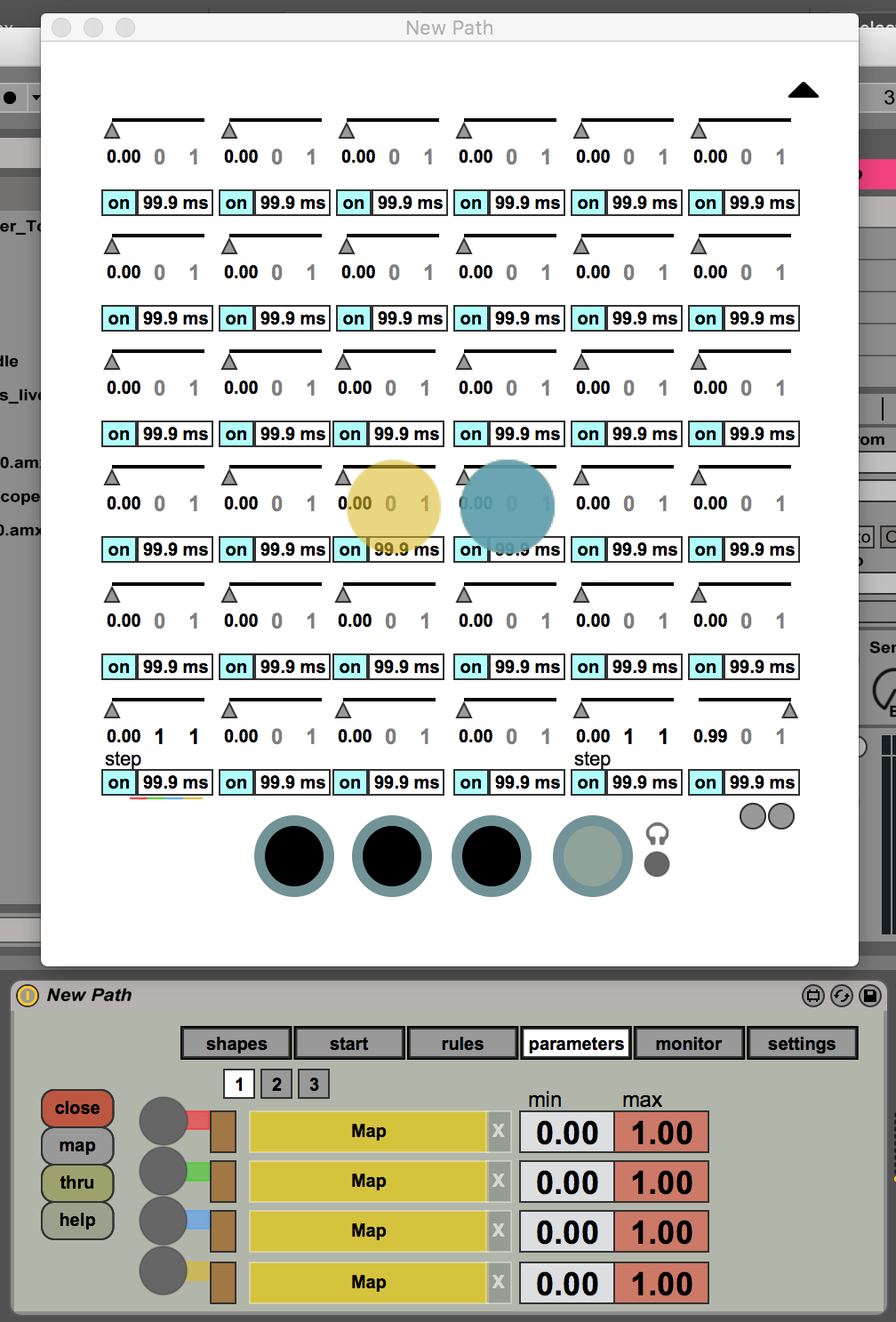
For each of the interfaces, there is a ‘reveal’ button that allows you to do mass assignment of the step setups. This is a great way to initially seed material into your grid – you can easily tweak it into shape. The, once your step functions are all defined, the game is afoot!
The Add-ons
While all of this makes for an interesting generative melody development system, why not add some more?

As mentioned above, there are several accessories that can be purchased as part of the New Path Bundle that add functionality to your Live-based generative rig. The three important add-ons are:
New Chord, which receives commands and responds with a chord;
New Note, which receives commands and uses them to control the output of a note sequencer;
New Step, which receives commands and uses them to control the output of an automation sequencer.
These devices use MIDI control messages behind the scenes to pass the commands to other New Path tools on the device chain. Of course, this could affect instruments, so a fourth device is provided (called New Stop), that stops control messages before they can cause any harm. So… system complete!
Getting information from the New Path device to the accessory is a touch complicated – you must set control channels and commands in the fourth interface/matrix of New Path. Then, whenever a shape hits that cell, the device ships off the command which is executed by the add-on. A very cool addition, and an example of savvy planning to add of complexity without over-complicating the core device.
Conclusion
I found this device a lot of fun – even if it was a bit time-consuming to set up. The auto-fill functions helped, but it was also a kind of meditative process: trying a set of functions, then responding to what you hear with tweaks, or changes to the instrument you are driving, or even changes to the tempo of the project. Getting to this point required a fair amount of effort; luckily, Jerke van den Braak (New Path’s developer) has provided some useful help screens, assistance text for Live’s Info View, and has begun making helpful tutorial videos. You can check them out at the New Path Youtube channel:
New Path has drawn me into its web, and I’ve started making some interesting tracks by setting up a grid, then capturing the result as an audio track. Each time I work with it, I seem to find something new and intriguing. By finding a comfortable spot between step sequencing and generative systems, New Path has created something that I’ll find myself coming back to whenever I need a spur of inspiration. Reasonably priced at 39 Euros (49 Euros for the complete bundle), it provides a great environment for play – and for stimulating a creative burst.
by Darwin Grosse on May 30, 2017


