
Dict write and export issue

Hi,
I'm actually trying to export periodically some data stored in a dictionary , so I'm using the write or export message to the dict object specifying the file name. This is crucial for me because I need to automate the process, and it wouldn't be feasible to have the dialog window opened.
When sending the message write <filename.json> nothing happens, even if I've got from the last outlet the successful flag (write <filename.json> 1). Same thing with export.
The only way I'm successfully saving the data is when using the same commands without specifying the file name or path.
Any clues?
I'm on macOS 14.8.3, M1 MacBook Air, Max9.1.2
Thanks
Matteo

Sending write state_1.json will write the file at the same location your patcher is at.
If the patch is still unsaved, I'm not sure where the file will end.
If you're working on a Max Project with automatic file management enabled, the file will be saved in the patchers folder, until you add the json files to the project which will move them to another folder (can't remember the name).
The safest is to provide a full path, either by letting the user to provide a folder to save the files in, using [dropfile] or [opendialog fold], or by sending path to [thispatcher] to get the path of the patcher and from that creating the path in which to save the JSON files.
Here is an example of the first approach:
Ok, thanks. Your version works fine and it's clear why, but I can't understand why my version isn't working: if I don't need to specify the complete path and I'd like to save the .json file in the same folder, why write state_1.json doesn't works?
Not sure at all, but maybe it has something to do with @embed 1 and/or the fact that the file was once saved in one specific location, and that location somehow remains. What if you delete your [dict] and create a new one to replace it?
For me write state_1.json did work as expected, but it was still saving in the previous folder (my download folder) even though I copy/pasted your patch in a new, unsaved one.
Thanks TFL, so it seems to be a problem with my actual configuration!
I've tried to delete the dict and create a new one, but I'm experiencing the same problem, also when changing its content.
Are you on Mac?
Moreover, there's also an uncorrelated issue due to an error with the dictionary content.
Max prompt this error message.
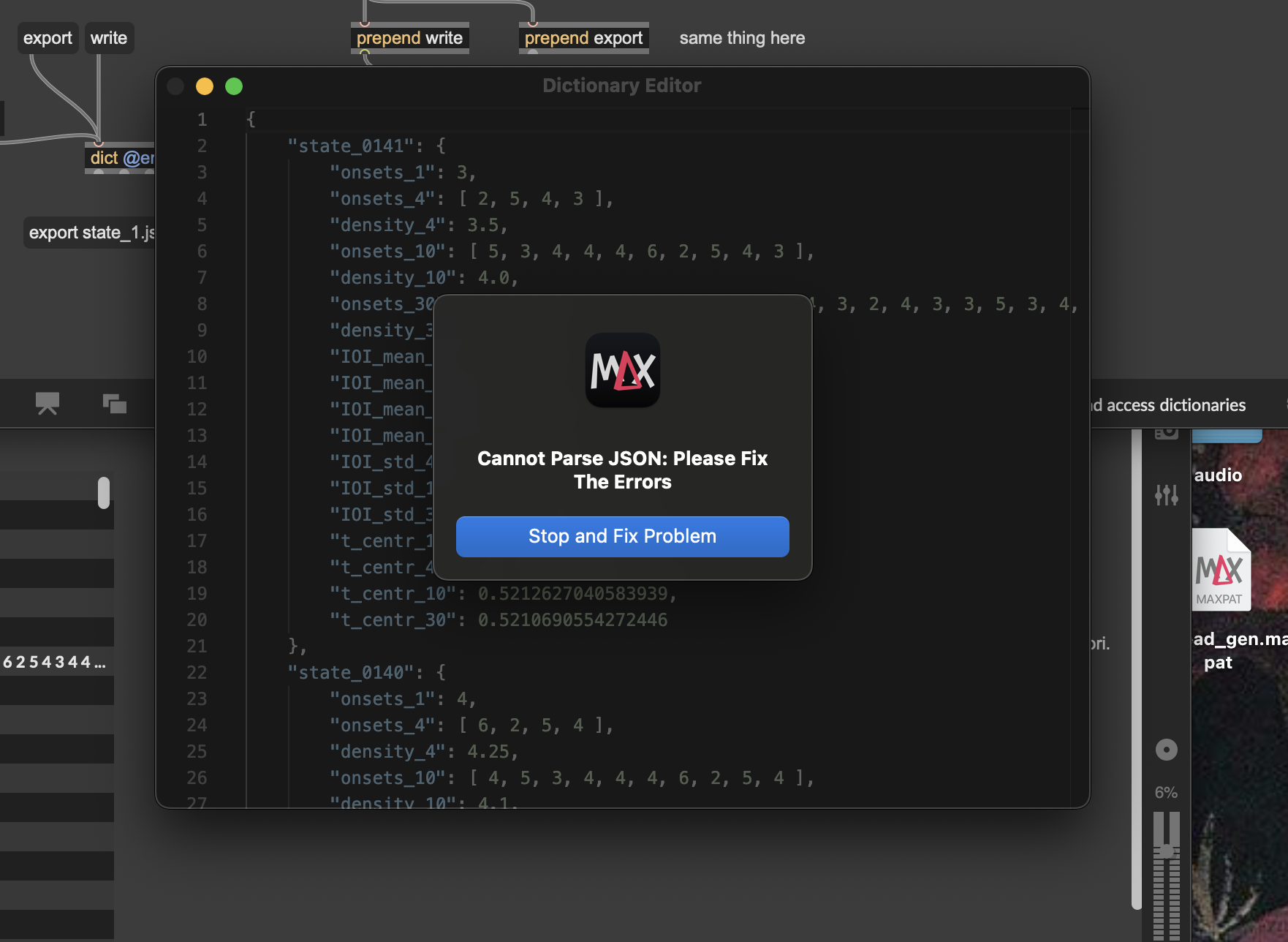
When changing the content with a single entry (one single dictionary "state_xxx":...) of my original dictionary, the error it's no more raised, but still can't save on disk, even when specifying the full path in the message.
The only working alternatives are opening the dialog window or pointing directly to a previously selected folder, as in your example.
It seems that it's a problem with the file system interface, isn't it?
Thanks
Ok, I've partially solved the problem of the writing/exporting operation: I was working on an external drive. When copied the patch on the hard disk, the system works as expected. Remains the problem if this behaviour is expected or it's a bug.