
Transparency of jit.videoplane not working

Hi!
I am developing 2 max for live devices, one to control video clips playback, and another to overlay pictures on top of the video of the 1st device. They both share the same open GL context name base on the track id where the device is sitting. I manage to overlay the pictures but they appear as a black square. I experiment with the depth and blend attributes but none seems to make any difference, because the black square is always there.

@depth_enable 0 @blend_enable 1 on your [jit.gl.videoplane], [jit.fx.brcosa] preserves transparency, I see nothing wrong in your patch, it seems to work as expected on my end.
Somehow is not working for me. Both devices are made as a midi effects, so I can duplicate them and overlay many pictures. Could it be this a reason why is not working for me?
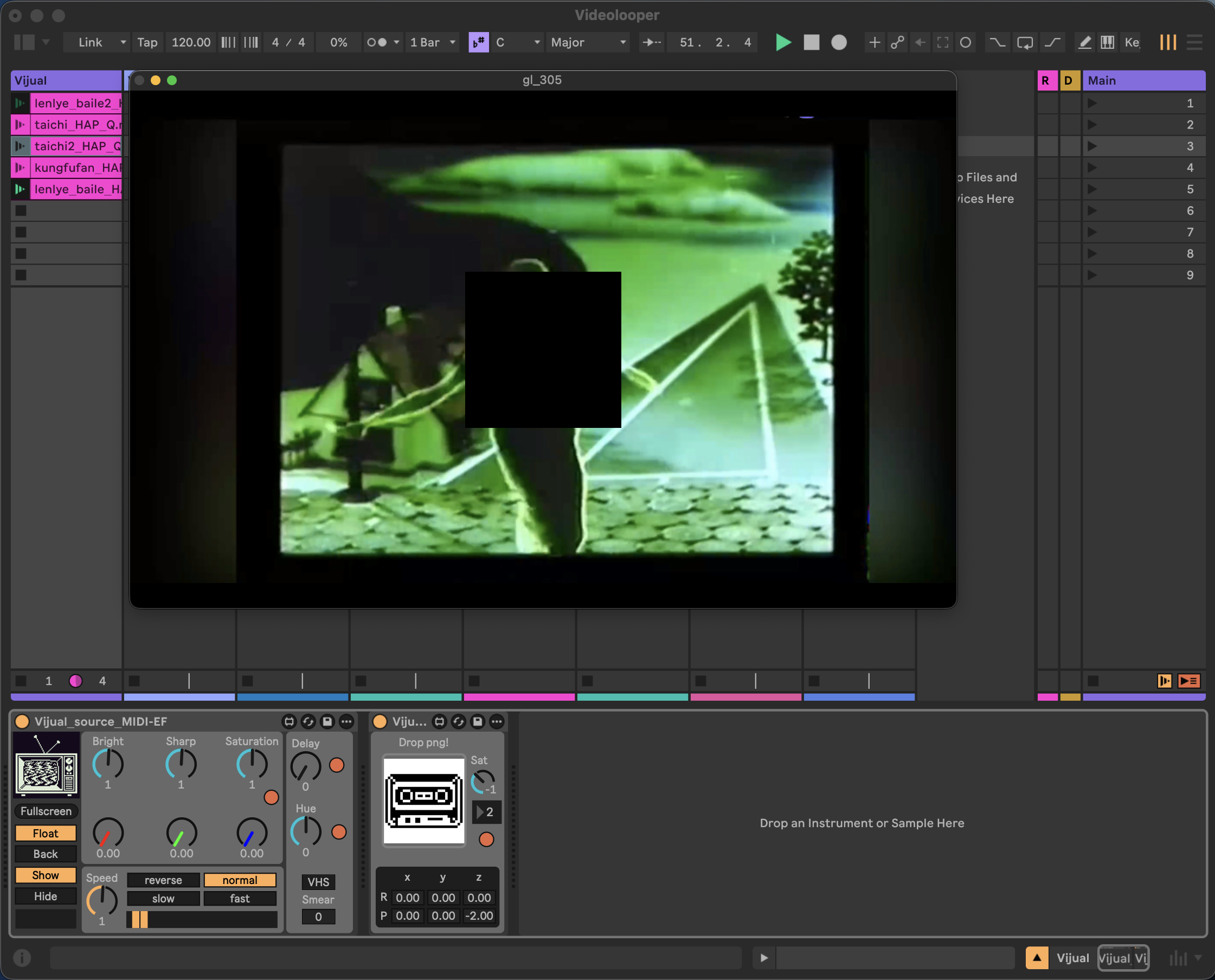
No it shouldn't.
Which version of Max do you use in Ableton? If you double-click [jit.fx.brcosa] what do you get? I wonder if transparency in brcosa has been fixed in a relatively recent Max update.
Also, could you show what your main device, the one with [jit.world], looks like?
I am using Max 9.1.4. Attached the screenshot of what I get from double clicking in jit.fx.brcosa. Here the code of the previous device:
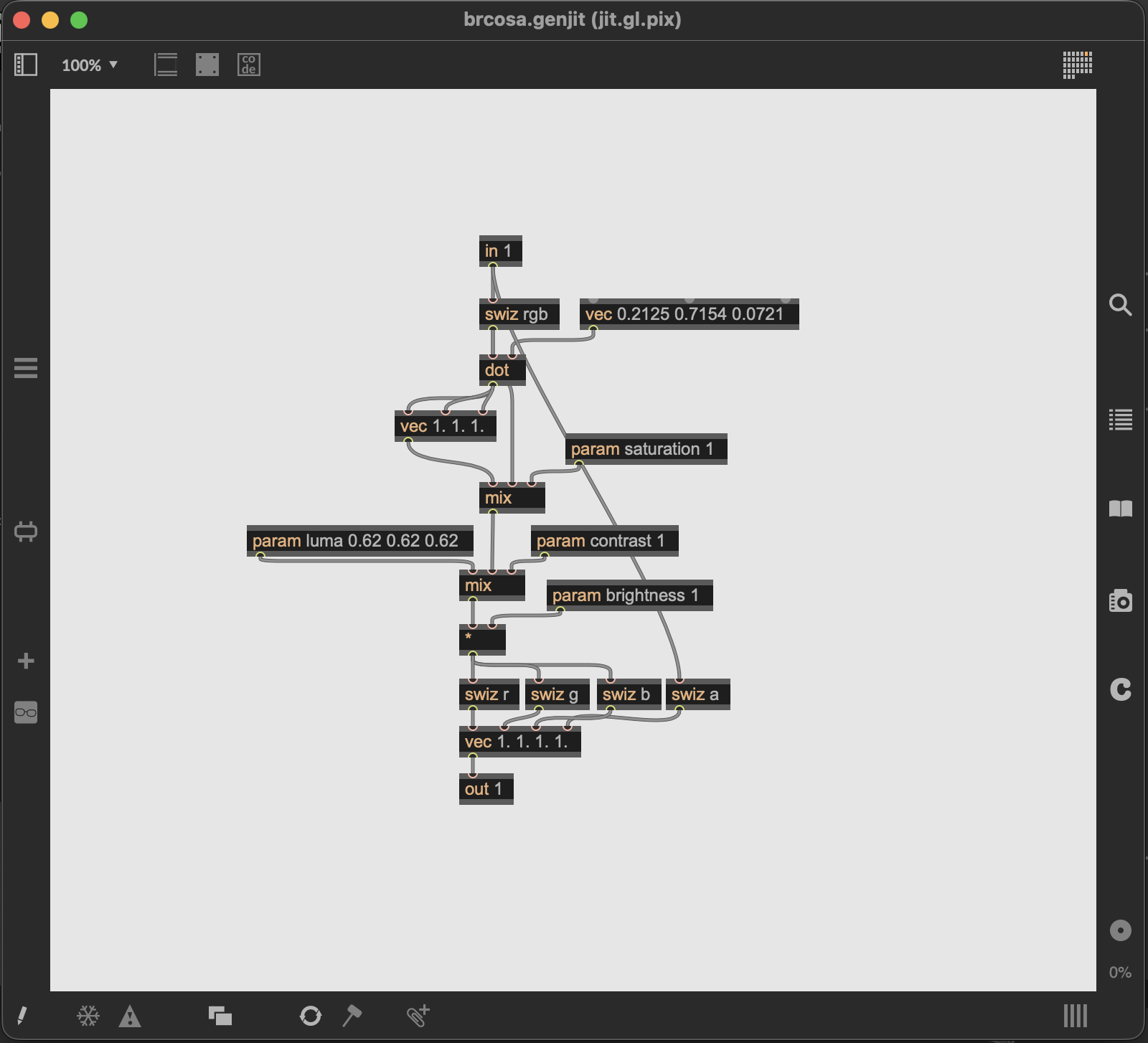

the jit.fx.brcosa also needs the drawto attribute set to the jit.world, same as the jit.gl.videoplane. Any jit.gl or jit.fx object that is not in the same top-level patch as the jit.world will need it's drawto attribute set.
Thanks, that was the issue.