
Using Vizzie Kalider texture output in shader code issue?

The 4 jit.pwindows in this patch show the expected results, both the Kalider-direct output and the "txKalid" texture output show the noisy Kalider colors. But, the jit.world window showing the 3d output of the "colorCrossfader" shader is not showing those Kalider texture colors, even though coded to do so.
This line from the Fragment Program:
color = mix(txKalidVec, color, colorOffsetScale);
And this line:
//color = mix(txChixVec, color, colorOffsetScale);
output the exact same colors (crossfade results) when you swap which line is commented out. In other words, it seems to me like the "txKalid" texture reference in the shader code is pointing to the "txChix" texture's memory location instead of its own memory location. Could that be correct? Or, where is the mistake I'm missing?
Edit: moved thread to Jitter category. If you remove the @shader attribute from one of the gridshape objects, the "default shader" for that object does a 50/50 "blend" of the two @texture inputs in jit.world, so I think I should be able to control that "blend amount" in my custom shader with the "colorOffsetScale" parameter value. But, not working. Is it me? It's usually me.

in your shader patch you are not declaring your 2 textures and binding them to a tex unit. simply replace this line:
<param name="tex0" type="int" default="0" />with these 2 lines:
<param name="txChix" type="int" default="0" />
<param name="txKalid" type="int" default="1" />
This declares your 2 texture uniforms and binds them to the first and second texture units. Note that these names in your shader are not related to the names of your textures in the patch. The way you specify which texture goes to which unit in the patch is by the order they are listed in the texture attribute.
It seems my question was based on a false assumption I made early on and never questioned. It only appears as if you can pass a list of texture names to a gridshape object using the @texture attribute in the sense that you can probably pass a list of any number of string values with the @texture attribute, but only the first list item is checked for a match with a named texture in the patch and the rest of the "texture attribute input list", if any, is ignored.
The rest of the story is I can still generally do what I originally imagined, but I have to implement a form of the behavior a different way, using a jit.gl.pix object to (pre) combine the two textures into one texture that then gets passed to the custom "colorCrossfader" shader via the gridshape @texture attribute.
not sure what you're saying. your patch is fine, and your assumption about passing a list of texture names to the texture attribute is correct. however in the JXS param tags you need to bind the textures as I've described. after doing that your patch should work as expected. if the assumption is that named textures will auto-bind to texture uniforms in the shader of the same name, then no that functionality does not exist.
Hi Rob,
March 31 was a busy day around here. The timestamps now show you posted 3 hours before and an hour after I did that day. I just saw the email notifications from the forum about those posts, specifically I did not read your first response before my response posted that day. My response on the 31st was kind of a "case closer" based on getting no responses.
Thank you for your detailed response. I think the gap in my understanding was declaring the second texture unit which stems from not really understanding, not having the name "texture unit" to reason with when code-parsing. I got the "texture sampling" part out of an "Amazing Max Stuff" video (or Ned Rush video), but I fell one step short it seems of successfully duplicating the functionality for a second texture input. I'm pretty sure that param is named tex0 because I tried declaring a tex1 at some point, but abandoned the notion before I got it working.
Is it true that the param .name and the bind .param string values don't have to match either, as long as the element-declaration order is correct? Did the tex0 param get bound to all four sampler2DRect uniforms by virtue of its position in the list of param and bind elements in the xml even though the strings tex0,texSlide, andtexKaliddon't match?
Regarding "auto-bind" behavior... when I'm working in unfamiliar territory with fancy tools like Max, a ton of "magic" happens under the hood. I try to grok, but I often need to wave my hand and let the magic happen just so I can get back to making progress.
Can you point me to any documentation explaining these kinds of details about the jittershader xml structure? Could I have figured this out myself before posting (by RTFM)?
it's kind of a mixed bag
These deal with legacy gl2 formatted glsl, but the JXS behaviors are mostly consistent:
https://docs.cycling74.com/learn/articles/jitterchapter41/ (and 42 and 43)
maybe useful max 8 doc on porting gl2 to glcore : https://docs.cycling74.com/legacy/max8/vignettes/jitter_glslporting
and here's one of perhaps several shader focused AMT videos :
Although I suspect this new question might deserve its own thread, it is associated with the same patch and project already referenced in this thread (and this). Slightly modified by adding a spout sender of the jit.world texture output. OBS received and recorded the spout data in (Spout-receiver settings) "Premultiplied Alpha" Composite mode (because the floating 3d shapes previewed and rendered "too dark" in Default composite mode). Everything proceeded normally during the recording yesterday, meaning both the jit.world window and the OBS preview screen showed the same data, exactly the movie I expected to see. Expectation reference image (with gridshapes on top of all as expected and no "masked out" meshwarppart visible)
But today, reviewing the recorded video data in kdenlive, something strange seems to have happened and my question is where would I start looking for a solution? I suspect it's a "spout" issue, but maybe not...
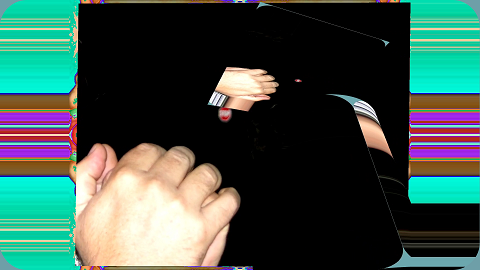
This is a full frame from the recorded video illustrating the issue(s). (compare with "reference image" linked above)
These are upper left and lower right corner details from the same frame.
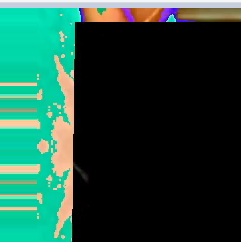
Upper Left detail above seems to show (some of) the "masked out" part of the meshwarpobject connected to the raw jit.movie texture output visible "on top of" the "masked in" part of the meshwarpobject connected to the noisy Kalidr texture output. The only Kalidr noise you see in the recording and this frame-grab is a tiny "border frame" of noise around the "raw" slideshow images instead of noisy Kalidr colors all the way out to the frame boundaries.
I didn't see (preview) this "masked out" part while "live recording" in OBS yesterday, it's an artifact of the recorded data only.
The lower right detail below shows something even weirder I think.
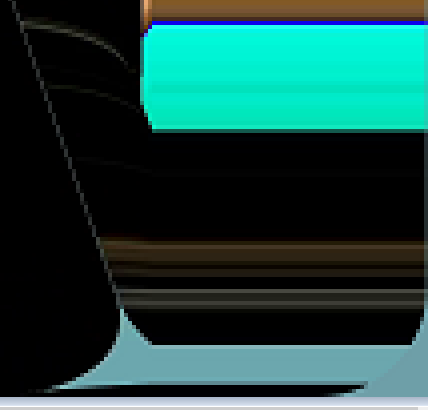
I'm pretty sure this detail shows the "masked out" part of the "raw movie" meshwarpobject rendering "open cylinder" gridshape pixels instead of its own "raw movie" pixels. Either that or it's an incredible mathematical coincidence that the meshwarp and gridshape textures always align so seemlessly along the (mask) borderline like this wherever and whenever they "overlap". (it seems like the "horizontal line" geometry in the detail is from the (masked out) "raw movie" meshwarp part, but the pixel fragments are from the "open cylinder" gridshape texture which "is" the actual topmost layer of the world)
I suspect the "masked out" part of the "raw movie" meshwarp object kind of rendered (itself) on top of all layers in the OBS recording somehow instead of remaining masked (behind all layers?), and ONLY in the recording. I didn't see this in the OBS preview or jit.world yesterday while "live recording" the spout stream. I would have stopped the recording to troubleshoot.
OBS issue? Spout issue? meshwarp issue? Has anyone encountered anything similar? Where would I even start looking for a solution? (and in which forum should a new thread be started?)
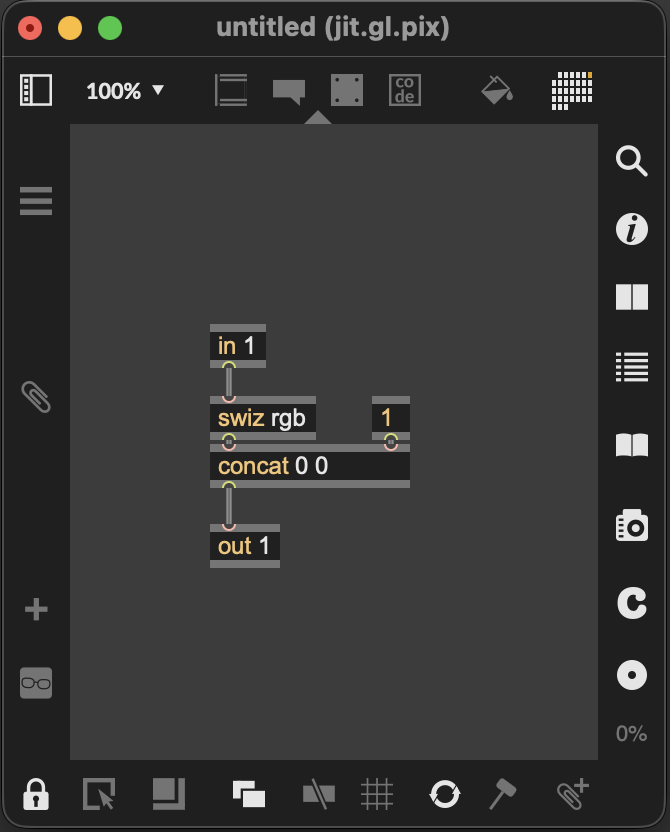
are you trying to record a preserved alpha channel with Spout? if not, the easiest thing to do is simply set it fully opaque right before sending over spout. this is easily done with a jit.gl.pix
Since I don't know what a preserved alpha channel is, I doubt I'm trying to record it. Is "preserved" what "pre-rendered" means on the spout-receiver end?
It looks like the pix patch you suggested simply forces the alpha component of the world's texture ouput to 1.0 before the texture goes to spout. Should the "Opaque" Spout-receiver Composite mode setting also work to resolve the same issue?
Your proposed solution definitely works, I tested a 30 second sample recording with the spout-receiver setting back on "Default" and the recorded OBS video matches the preview now (and the 3d objects are not "darkened"). Thank you. And thank you also for the links above. I will be studying and playing.