
(live) dial, enable fine resolution mode without using +[Shift] key?

Hi,
New guy making good progress here. Thanks to the heaps of information on this site!
Holding [Shift] while turning a dial give you fine control. Is there a way i can force (or toggle) this to be "Always-On" on a Dial in my device? Apart from being very precise this way, it also translates in mouse movement.
Seeing the amount of Dial precision related post i guess it's not that easy.
I'm making a device where this Dial pulls down a Clipping threshold with a range of 0 to -40dB. It would be great if i could get that precision, especially in the first -10dB range, where it matters most. The rest of the way -10dB to -40dB doesn't need that much precision.
Thanks!

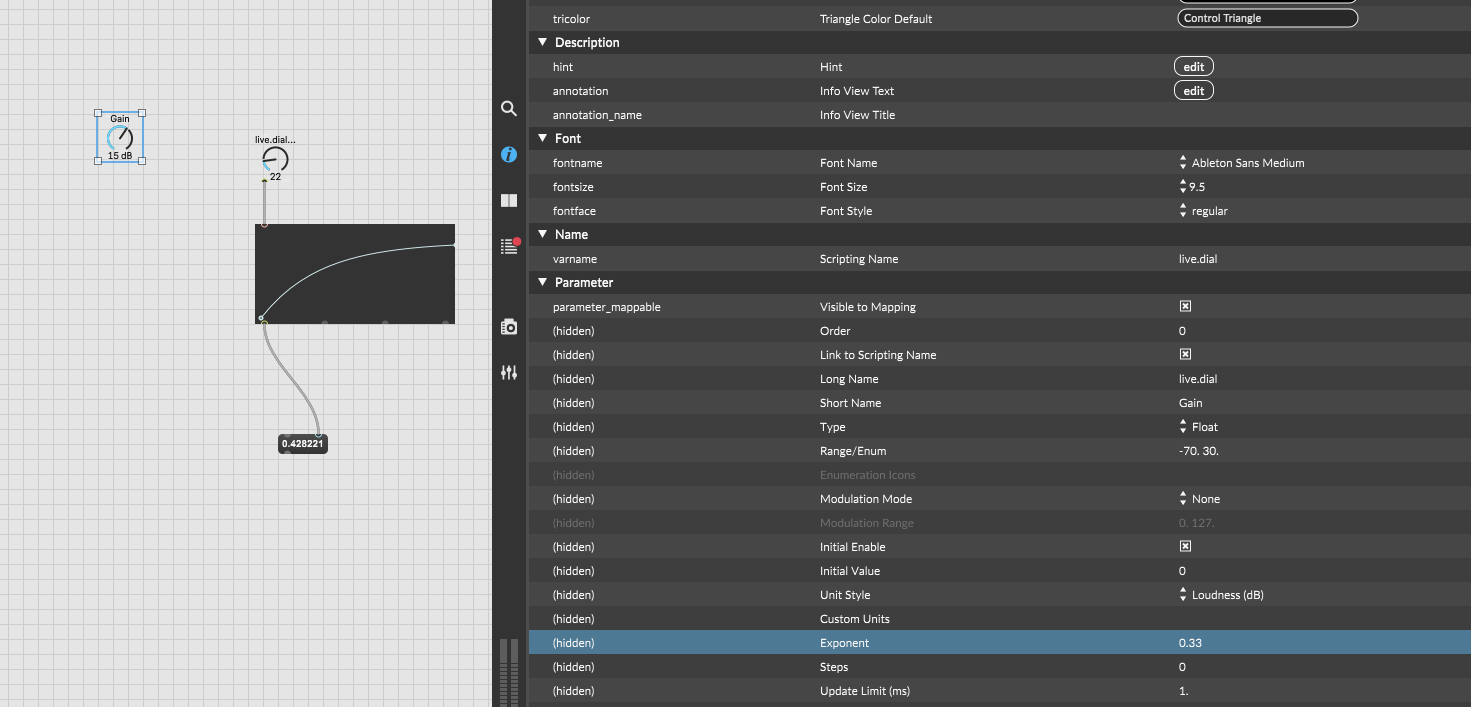
You can try the exponent parameter of the dial, or put a function between you dail and the output.
Hi. Thanks for your reply.
Yes i tried tweaking the exponent parameter. Although it works nice for say, 0dB to -10dB, the acceleration at the end of the range will be too fast, like it will jump from -28 to- 40. There's not enough control over the curve.
I didn't know Function yet, that seems perfect for making a curve how i need it.
I've been experimenting with it today but i can't get it to work with the Dial, as such that it follows my drawn curve from 0 to -40dB. I will keep at it.
After some more searching i found this patch:
https://cycling74.com/forums/dials-with-multiple-zones-or-response-curves
Which helps me understand it.
Thanks again!