
Ableton Utility Mid/Side vs Width

how to recreate Ableton Utility "Width" ? abl.device.utility~ has only mid/side. Or is it the same as width? I tried with mc.mixdown pan but how to make it to 400%??
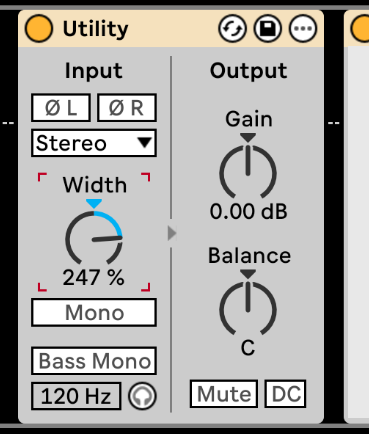

i have no idea what a certain ableton thing does (or what more than 100% could mean in that context), but "stereo width" is (almost always) based on a mid/side encoder, where adding more width to the stereo signal is reached by raising the volume of the side signal.

The Width Parameter is basically the amplitude of the Side Signal content. It works like that:
I also made a little tutorial on stereo widening with Max, maybe that's something you could wanna check:
thanx all for the answers. So you all mean its just probably only another way to display the balance of mid and side levels.
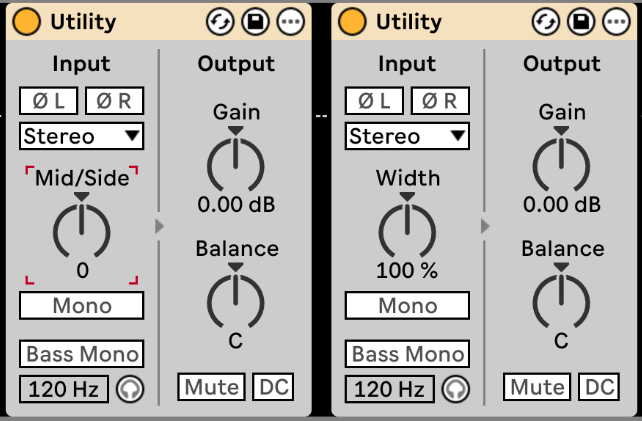
The live manual says
"The Width control sets the stereo width of the wet signal. 0% yields a mono signal whereas values above 100% create a widened stereo panorama.
Choosing Mid/Side Mode from the Width control’s context menu allows you to you toggle between the Width and Mid/Side controls. The Mid/Side control acts as a continuous mono to stereo controller when set from 0 to 100M. Setting the parameter to 100M will sum the audio to mono. Values between 0 and 100S emphasize the stereo or “out of phase” components of a signal. At 100S, only the side signal will be heard. The left and right channels will be 180 degrees out of phase with each other."
calling the unchanged side signal gain "100%" makes sense - as soon as the user accessible parameter also allows to lower "width".
but it strikes me that the device has those two modes for the parameter, i wouldnt know what the "relative" scaling could be good for, M/S should be all you need.