Basic Serial communication Arduino <> Max/MSP not working

Hi there,
I'm trying to get very basic serial communication going between Arduino (UNO R3) and Max/MSP (Max/MSP 8 running on MacOS Sonoma). But without any results. When I open the Serial monitor in Arduino (which I of course closed again when testing things through Max...) it works just fine, so I'm assuming the connection can't be the issue. Does anyone have an idea what I'm doing wrong here? Really hope someone will be able to assist...
Anne-Jan
int LED_pin = LED_BUILTIN;
int value1 = 300;

void setup() {
  Serial.begin(9600);
  pinMode(LED_pin, OUTPUT);
}

void loop() {
  if (Serial.available()) {
    value1 = Serial.read();
  }

  digitalWrite(LED_pin, HIGH);
  delay(value1);
  digitalWrite(LED_pin, LOW);
  delay(value1);

  Serial.println("hello");
}
It is not possible that that code "works just fine "
did you try to type in arduino serial monitor a value like 1000
to change delay time ?
I guess not.
change Serial.println("hello"); to Serial.println(value1);
to see what value gets set
Thank you for your response. There were a few minor issues making debugging difficult, but I fixed those no enabling to get to the remaining issue.
Communication from Arduino IDE seems to be working correctly. When I type in a number in the Serial monitor it comes back immediately and is then somewhat later followed by a zero. So the first is intended, the zero not.
As for Arduino<>Max is I think is a problem with getting the data well setup before sending it into serial object in Max, interpreting that data correctly within Arduino and then retrieving it in Max. Currently when I use a number of more digits they are divided over several separate values. So 6 comes back as 6, but 123 becomes; 1 2 3. Any idea how to solve that issue? Also the response is extremely slow, but perhaps that is normal...?
int value1;

void setup() {
  Serial.begin(9600);
}

void loop() {

  if (Serial.available() > 0) {
    value1 = Serial.parseInt();
    delay(10);
    Serial.println(value1);
    delay(10);

  }
}that zero is typical Serial.parseInt(); problem
I have no time to teach you arduino, it is well explained in the docs.
your other problem is using delay in main loop.
it blocks loop for each delay time.
also receiving of serial messages.
check blink without delay sketch example.
.......
back to max.
serial protocol uses 8bit ascii bytes.
you can't send 5000 or good morning just like that.
as first insert atoi, then append 10 (line break)
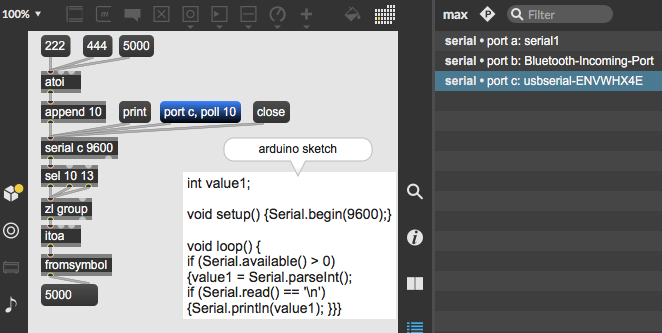
I currently have something basic running and working with the following;
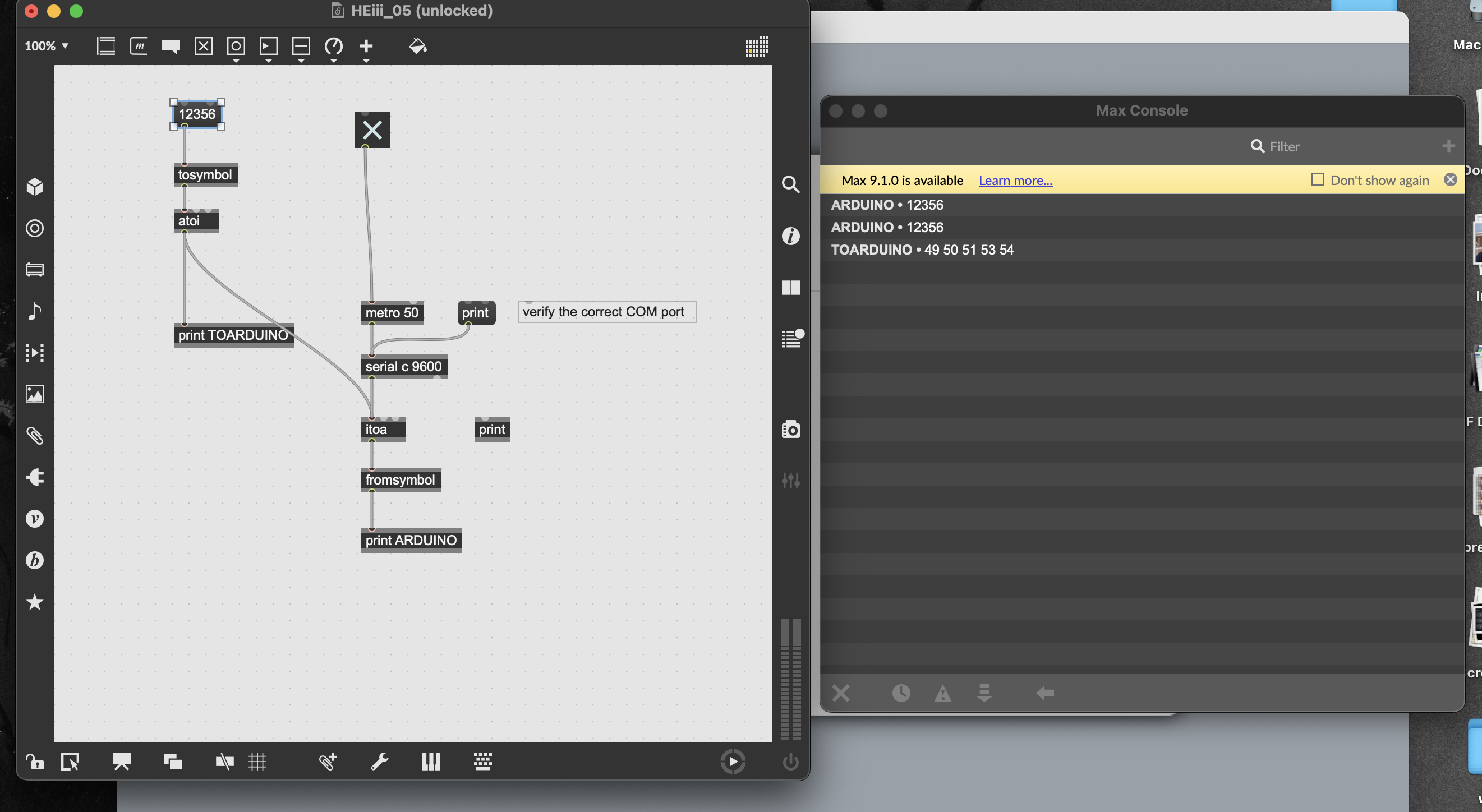
void setup() {
  Serial.begin(9600);
}

void loop() {
  while (Serial.available()) {

    Serial.write(Serial.read());
  }
}
that is a simple echo to serial port.
can be usefull to check if serial comunication
works, but nothing else.
What are you actually trying to do ?
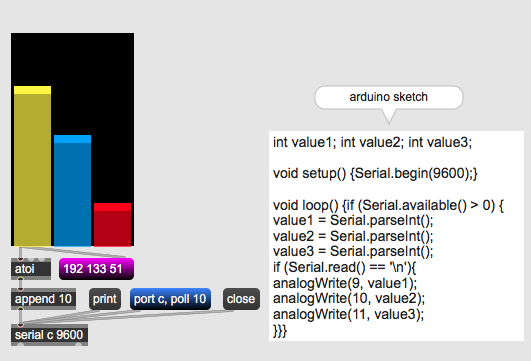
i want to build some basic interfacing in maxmsp and send 3 continuously changing values to arduino, which will then alter the value of 3 analog outputs. so the echo was more for testing communication between max and arduino than anything else.
then send a list of 3 values and parse them in arduino.
if that does not work for your concept
and you want individual values,
you need to prepend sort of ID.
here is example for parsing a list to 3 pwm outputs.