
Culling issues with transparent gl textures

I'm currently dealing with some transparent textures on jit.gl.gridshape objects and I'm coming across some quirks. Currently, when I apply a transparent texture to a sphere, I can only see through it from certain angles. It is exactly as I need it from one side (see below, left), but viewed from another, I just see the erase color, not the interior of the shape (see below, right).
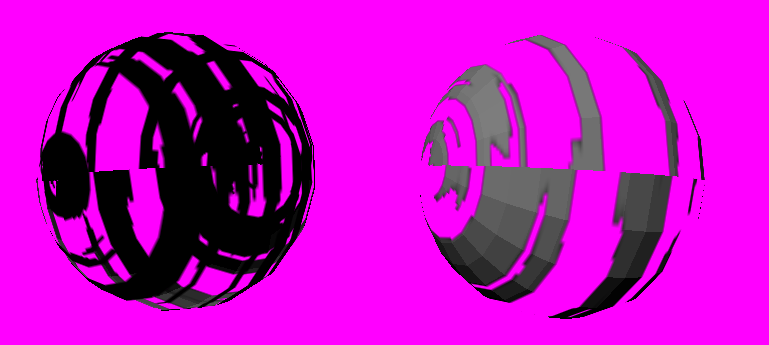
Now, I see that this question has been addressed before:
https://cycling74.com/forums/simple-transparent-texture-problem
While searching the forum, I see a few solutions offered:
@depth_enable 0 @blend_enable 1
Two identical objects, but one has @cull_face 1, and the other @cull_face 2.
For the first answer, this doesn't quite work for me because I would like to have other objects passing through this one. Disabling depth works superficially, but doesn't allow the object to interact spatially with others.
For the second answer, this could certainly work, but do I really have to create multiple objects to accomplish this? Eventually this will be applied to a higher poly model, and it would be prohibitive to render the object twice.
Any advice on how to approach this in a way that neither disables depth, nor requires multiple copies of the same object?
(also, I would have liked to include a more simplified example, but I was having issues generating a transparent texture without my trusty fbm slab)
https://pastebin.com/jAHYDiLQ