
dynamically disable 'lock/unlock' patch shortcut for each individual patch

Hi. I need to disable 'command-e' shortcut (Mac) for each individaul patch.
preferable with a toggle - from within the patch and/or from without
I found a thread suggests this:
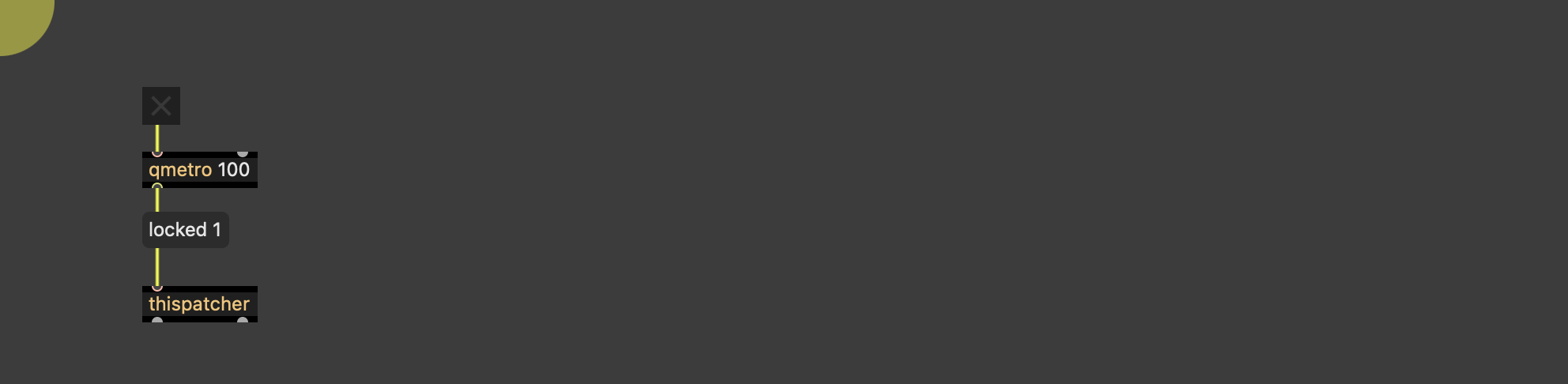
is it ok to let qmetro bang away all day?
hmmm. or maybe just turn it on from a master controller while I'm working
I guess I can make a 'work mode' that only allows certain patches to be unlocked

there is also lockdown message, which can't be reversed till you close and reopen the patcher.
For subpatchers, one can lock them, but unlock again by reloading them using pcontrol.

I wasn't aware of lockdown, that's nice!
Is there some kind of big list of all messages accepted by [thispatcher]? It seems that a lot are undocumented.
In the meantime, I came up with this patching solution: relock as soon as cmd+e or ctrl+e is detected
But it doesn't prevent from unlocking from the toolbar or Max menu.
You could also do that using js, but same flaw as OP suggestion, we keep polling:
Thanks all.
for this I like lockdown.
I have newly designed quick load menus for the patches in question.
So no worries about that
...and for the weary traveler
beware
:)
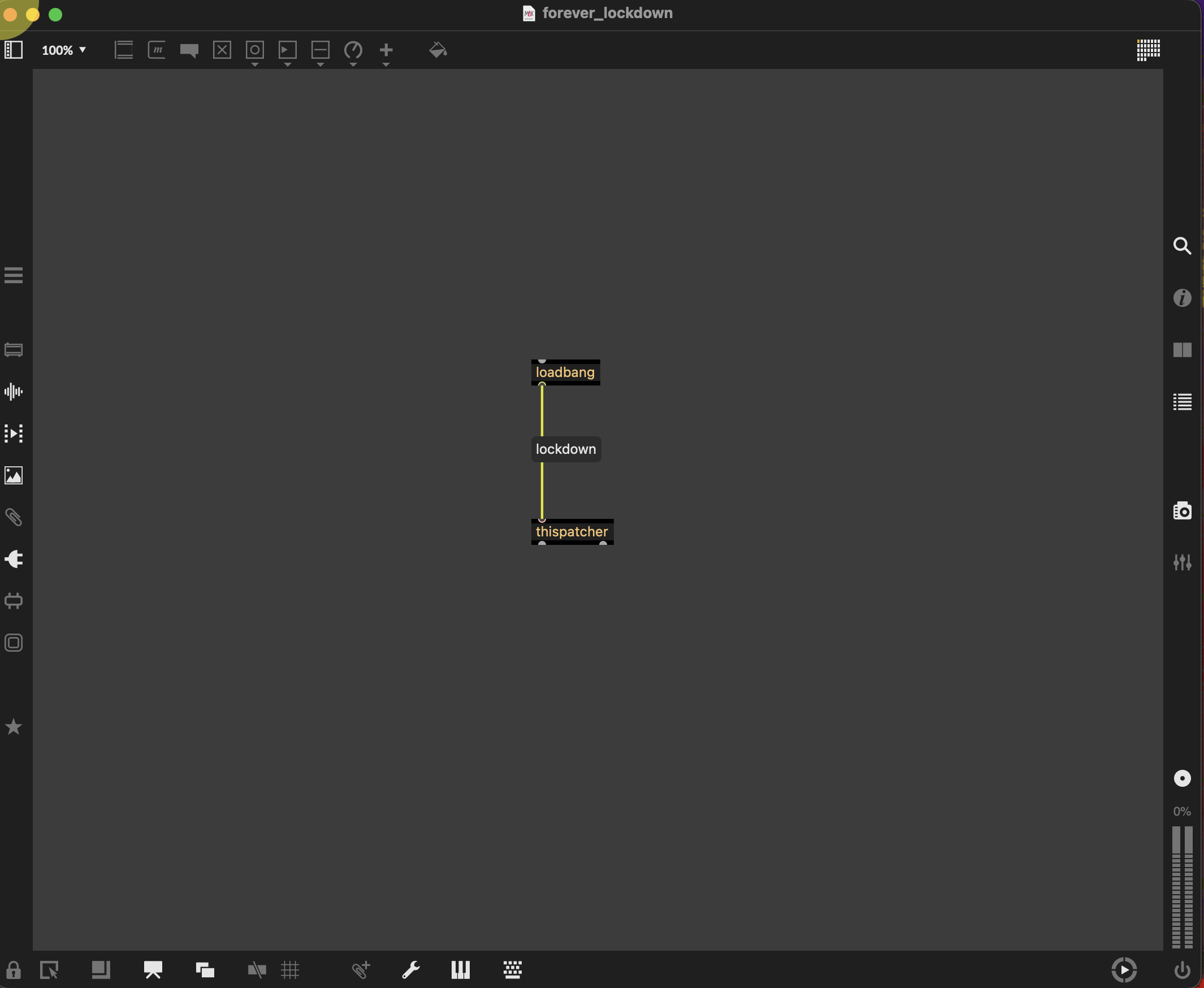
escape - "lock 0"
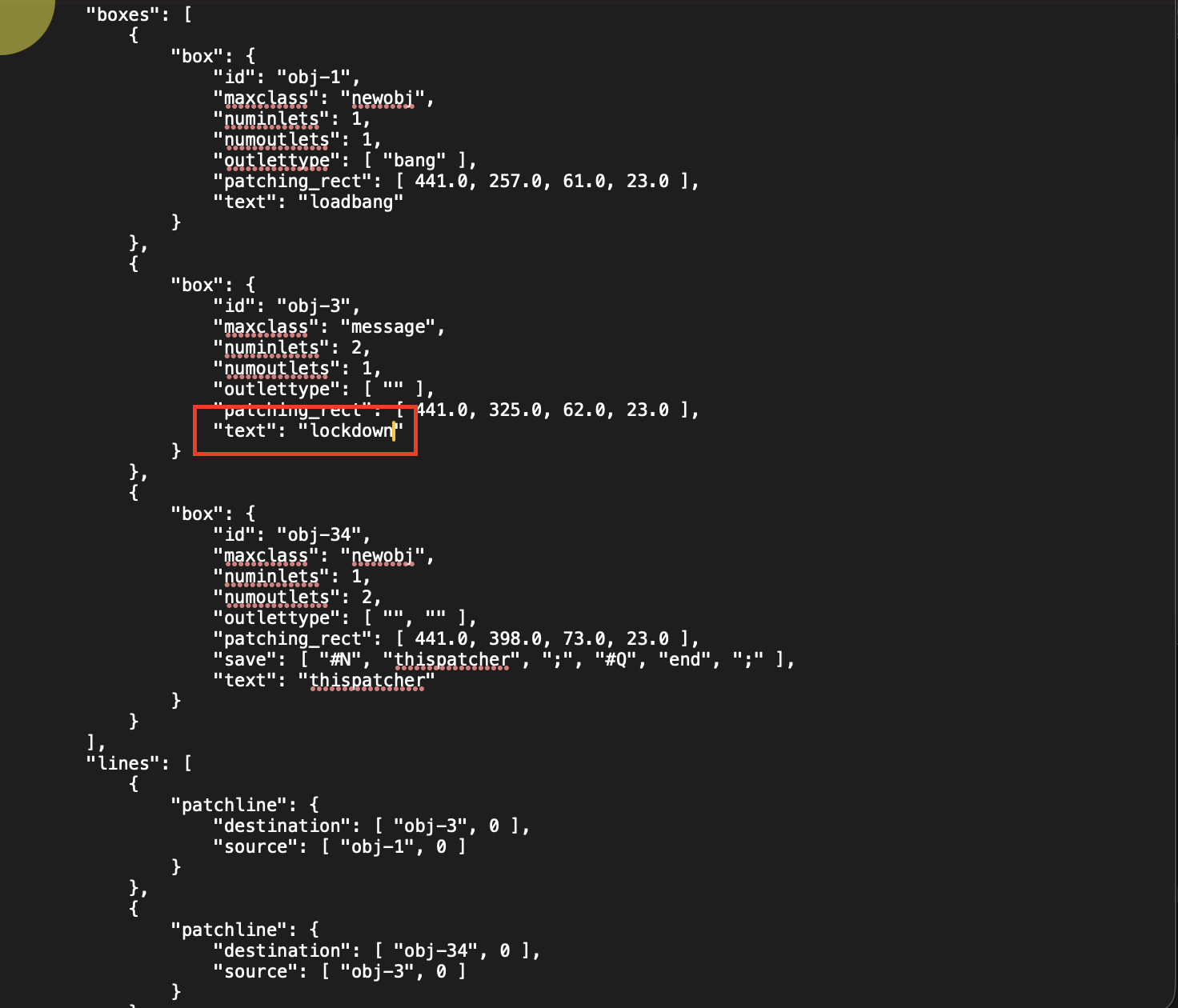
Another way to escape: you can inhibit loadbangs by holding cmd + shift while the patch opens.
To prevent that you could use a [qmetro @active 1] that stops itself after the first bang.
But then you could still stop the scheduler (cmd + .) before opening the patch to prevent any event from happening.
Or edit the source.
May I ask why you want to prevent the patch from being unlocked ? Can't you share a collective or standalone instead? As source audio said in another thread, nothing can stop a Max patch from being opened since the source can always be edited in a text editor, so why wanting to lock it down in first instance?
Thanks TFL.
so why wanting to lock it down in first instance?I ended up putting a button to lock each patch. No Loadbang.
Loadbang -> lockdown was just a humorous...
Can't you share a collective or standalone instead?Not at this time.
May I ask why you want to prevent the patch from being unlocked ?Nothing special - Just a few "MAIN" patches that I use to send massages to other patches. Sometimes I click on them to adjust thing like temp/beat etc then to go to a different patch and use command-e. I am always inadvertently unlocking a one of those patches that are mostly completed and not being edited.
In the short clip - the patches along the top and few on the right are snapped into position and locked. I should not have to edit those and rarely close them. except on crash or restart.
Everything else is movable and routable using mc.send~/mc.receive.
//
to follow up on pcontrol
I use it in the 'chooser' patch to open each 'patch opener'.
But the main engine of each patch is hidden and I use a different system to close/hide and open/show those
if I open with pcontrol each peach engine- closing the patch will close it entirely
so not useful
//
why do I want most everything movable and placed around the edge?
I like this projection with video and audio controls overlaid over video being projected.
Previously only ONE max patch with background transparent.
Now many small patches - each with master transparency control.
Audio interface uses Max 9.1.4
Video interface uses Max 9.1.3
Sending messages thru udp between to Max's for video audio reactions. Gets my CPU staying around 20%, GPU Over 200fps. (SPAT gobbles GPU)
Also, minimal to none - audio interrupt when I open/close/reroute various synths/effects in the audio.
Once I get the M1 repaired (F9*&(*&57OFF Apple that M1 CPU fried after only 4 years)- start messaging between 2 computers for video and audio craziness.
//
Max 10 update coolness - inlet/outlet placed in top level patcher - when menu bars are hidden can connect top level patchers together with cable. Visual aesthetic!
Like Benny!
Currently for me easy to get lost about what is connected to what.
Haha thanks for answering questions I didn't know I would ask.
Nice project and UI! An anti-unlock failsafe makes perfect sense here.
I used to work on a similar project, although everything was in one patch, and used Max native patch cord for connexions (although I had to script everything to make it feel like an unlocked patcher even if it is locked or even a standalone: small ui objects to indicate inlets/outlets, invisible object following the mouse when you drag connexions between modules, etc.). The fun part is that the cords are just cosmetic as no audio/data is transiting through them, all the audio processing is done inside a big poly~ with each voice having a separate UI bpatcher in the main patch.
I love benny, never really used it, but I would like to give it a go, and maybe try to rewrite the UI as I'm not a fan of the current one.
Back to your locking issue, you could go fancier: using [active] in each top-level patch, you could keep a global log of the last previous active (in focus) window. If you inadvertently unlock one of your MAIN patches, you could relock it and unlock the previous non-MAIN patcher instead.
Thanks I will look in to [active].
Currently thinking about working out a template, that can be used to make various modules
Some patches go fairly deep
[active] will help a lot when forgetting to lock those after editing
Is there some kind of big list of all messages accepted by [thispatcher]? It seems that a lot are undocumented.That would be amazing.
I mention [AI.thispatcher] in a previous post for Max 10. - or [thispatcher.ai]
It knows everything about 'this' patch and the objects being used, and can be asked about "that" patch over there. :0

thispatcher ai... that sounds like a nice LoRa job.
but which new commands are not documented? "lockdown" and "selected" are covered by the max 8 reference, and all others i know are 30 years old.
I can't find the following:
Disable option+command+e (shortcut for presentation view) basically complete lockdown
--
Patch autoscroll to 0 0 position when using option+command+e (for example if you at the other end of large patch and short cut presentation view, you get scroll bars-- the patch doesn't automatically move to 0 0 position- I get a feeling from my memory that this might be only Max 9) there should be a this patcher message or something...
yes only max 9 - same patch in max 8 scrolls to left when presentation locked - this one is really annoying
--
Short cut to open tool bar windows such as audio file, video file etc (Left side toolbar). Since I have no tool bars anymore everything has be short cut. I would like to open audio file or video file as a separate window so I can drag and drop (yes you can drag and drop from patch to patch but that is just mess having a blank patch open all the time just so I can access a few toolbars)
--
I have so far found
shift-command-i = info
shift-command-m = Max Console
shift-command-r= references
shift-command-k = pacage manager (cool) from there I click around until it brings up file browser
file browser would be the intended shortcut for audio and etc
***edit yayyyy command -b = file browser!
things like that are baby level1 for this.ai
//
level 2 would be simple promps that do everything thispatcher can do now
make objects
connect objects
simple interface building with natural language spoken or typed
//
level 3 this ai:
the first thing would be able to look at objects and open a new window that listed all params and attributes etc. This would be a new type of window created by ai.
At this level it can also create arrui and fill/change params with prompt
it can also get in to things like jit.gl.pix, jit.gen, gen~ rnbo~ etc and find out about everything and object does - again with a new type of window - even create working example on the fly.
//
Level 4-5
this.ai can edit patches during performance.
and get into the /Documents/folders to open existing patchers
explample - "expand mc.cycle from 20 to 100 channels and all the coincidental objects downstream. also create a new mc.send @chans 100, send it to the mixdown in the 'specialization patch' from document"
//
I don't like AI. I dont use AI at all. Many people around me building 'agents' but I think they gather information from sources and try to use that to do ???something???
My vision is that Ai can work from the inside with little to no information except vanilla objects and train/learn from there. NOT COPY ANYTHING.
:)
oh my bad, it seems it is still to warm here to think (massive heatwave last week in europe)
let me rephrase:
which others except those which are in the reference and all the attributes from the patcher inspector would be missing?
would be nice to have a list of the latter of course. but one can at least look them up one by one. errr... and sometimes guess about underscores and latter cases.
I was just riffing (but as well, if there was a thispat.aii - I might actually use it in the ways I described above)
When I search in forums I find many times the exact same question asked 1 year ago, 3 years ago, 10 years ago etc.
I seems while most information is in fact documented, and solved somewhere by someone, maybe we (royal and others) get so involved it becomes tedious to figure out or find simple solutions - even when looking directly at them.
There are many 'aspects' of max I never used - then one day I want to do, or use that, and yeah restless mind says "why is that file browser short cut not obvious?" haha but it was obviously there in the file menu (that I rarely look at)
I read through the entire 'messaging' max file online. Some things in fact were right there and I didn't need to ask. Then I go deeper and cannot find it - like locking presentation mode short cut-> so patch cannot be taken out of presentation mode // - but again maybe there is a lockpresentation 1 message - maybe I haven't even tried it yet -
It's almost as though everything is documented except all of a sudden that one thing looking for...
//
its always hot in Ho Chi Minh City - I finally got an AC in my studio after more a year with just a fan !
the - rather exceptional - case that something is not documented might be a result of these way too many new options and levels in modern max.
several of the thispatcher messages/attributes exist in duplicate now (bgrb vs. locked_bgcolor, window size vs. rect, ....) while others try to hide from the user - and nobody seems to know.
at the same time "script-create" is documented - but notes as "unsupported" in order to lure me to some alternative javascript nonsense which i dont want to understand.
btw. i like your idea to use an empty subpatcher (as floating palette?) with enabled max toolbars within a toolbar-free fullscreen canvas. the lack of drag and drop functions is why you just can´t create such a thing your own that way.
long time ago i have made a "script-create" targeted subwindow/sidepalette in max 4, which mimics the object palette of flowstone (which has set standards for that kind of thing imho), but of course it lacks one thing: you can not click with the mouse where you want to create the new object.
(yes, i know, as a workaround (in modern max) you could open a fully transparent window with a fully transparent lcd to get the click position and modify the script-create message likewise, but that is a real overkill, and full of risks.)
several of the thispatcher messages/attributes exist in duplicate now (bgrb vs. locked_bgcolor, window size vs. rect, ....) while others try to hide from the user - and nobody seems to know.haha! hence thispatcher ai - level 1
at the same time "script-create" is documented - but notes as "unsupported" in order to lure me to some alternative javascript nonsense which i dont want to understand.script creating and moving and connecting objects is a nightmare - you have to really be into it to do on a large scale.
thispatcher ai - level 2 ?
btw. i like your idea to use an empty subpatcher (as floating palette?) with enabled max toolbars within a toolbar-free fullscreen canvas. the lack of drag and drop functions is why you just can´t create such a thing your own that way.Not one patch. All separate patches. Architectural and logistics nightmare - but solves many longstanding problems - and creates a new insight to possibilities (for me anyway)
I don't think I have any enabled toolbars - but as ya'll do sometimes on this forum, suggest solutions without asking questions or stating a direct problem - thanks. --> I should have toolbars open when NOT in presentation mode. I saw a thread recently (about a week ago, from maybe 2015) that discussed 'get presenation' from thispatcher. You (ROMAN) were in it. Now I cannot find that thread. Searched all day for it. Maybe I hallucinate...?
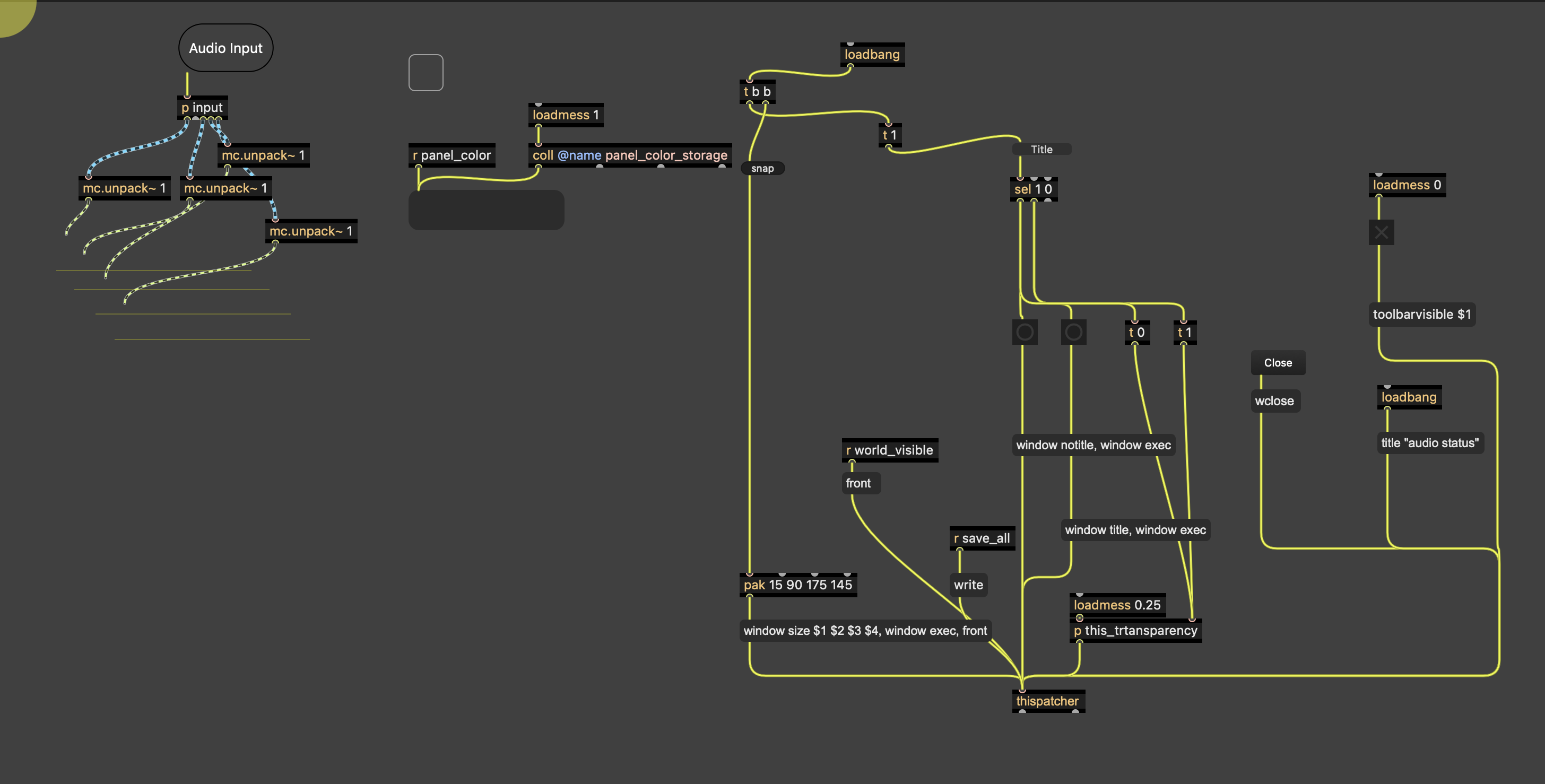
Quick example :
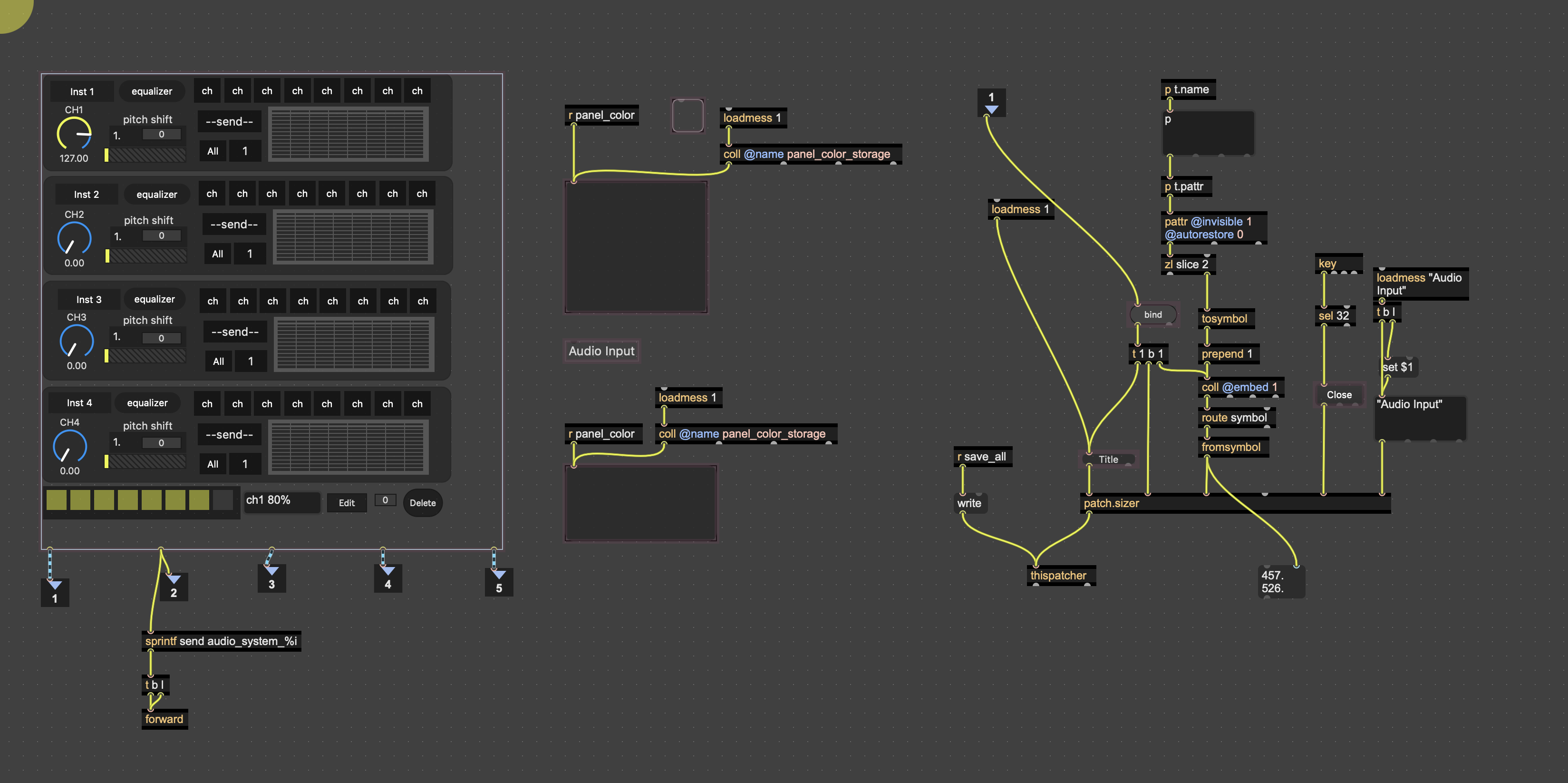
There are actually 2 patches (per floating patch)- the button that opens the patch that contains (basically) a bpatcher with send~/receive~ depending on what they do
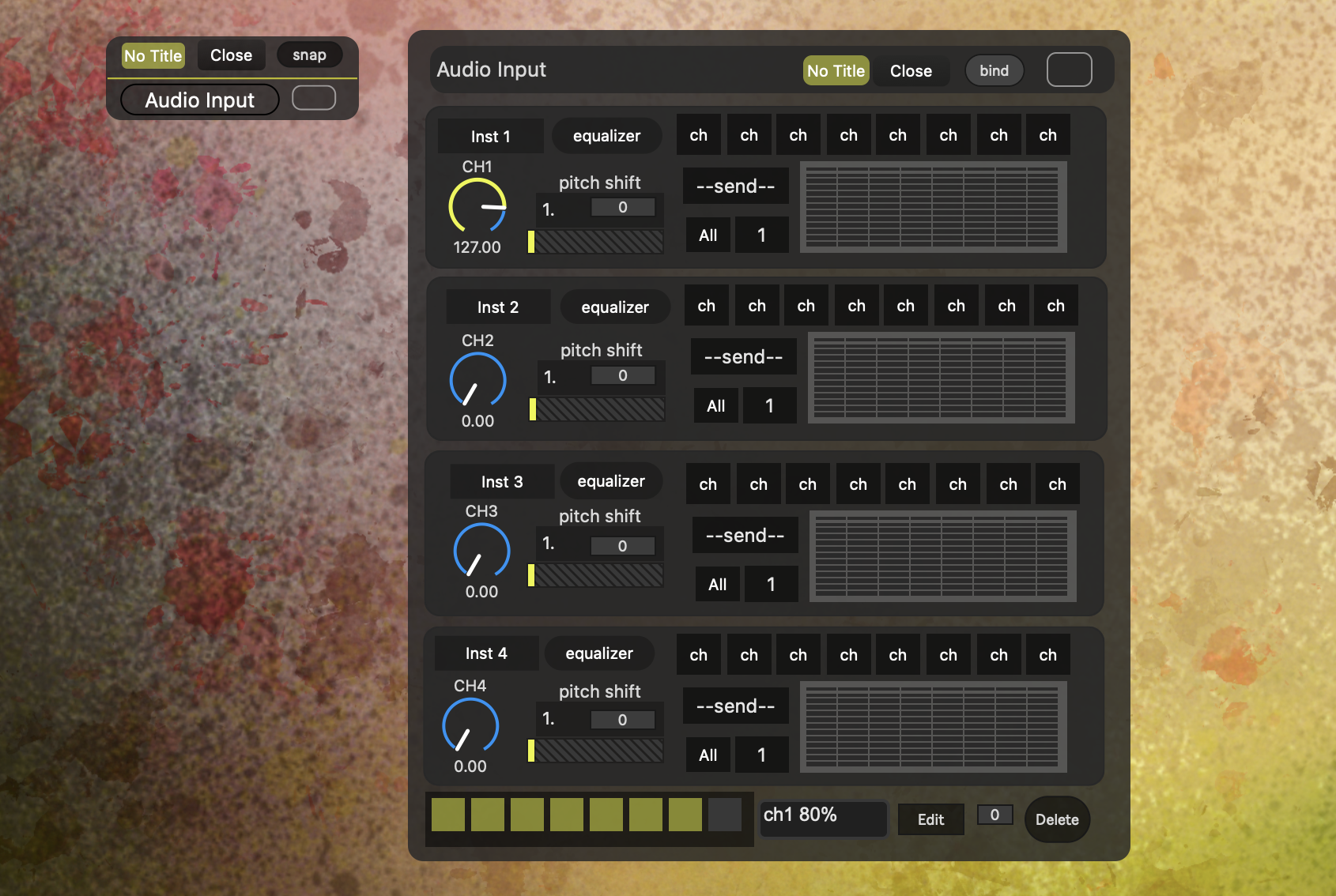
Inside first patch is just a button and some code for sizing the panel - and a SUB-patcher that contains the bpatcher
the second patch with bpatcher (so 3rd patch)
The idea you have just given me is - I should detect when patch is NOT in presentation more and open tool bars.
OR
change that button that says "title" to lock/edit and have the patch resize larger with tool bars open for edit - and move to presentation small size when in lock mode.
But I still want to use option-command-e for presentation which, as you mentioned, may or may not have a hidden thispatcher feature - that may or may not be able to trigger the aforementioned sizing and toolbars.
//
The architecture and logistics is that now each patch I make has minimum 3 different storage locations - because the way I am structuring the menu to open - it only looks for the folder with first patch with button
Ahhh,, I see now. in the video I posted there ARE toolbars. That is the bpatcher inside the floating patch - yes I have not hide the toolbars in the 'guts/engine' of patches
so I guess previous post about 'NO more toolbars" was misspoken.
Maybe I talk too much - and kind of messy.
Summary
This whole thread is about command-e and hard locking patcker
Then evolving to option-command-e and hard lock presentation mode.
Then discuss ways these 2 controls can effect daily work when moving between different work pallets
Thanks for help ideas and discussion!
script connect, yes. but i dont use it. only script create.
>> Not one patch. All separate patches. Architectural and logistics nightmare
include special patch in package, load via [pcontrol]. done.
script-connect, yes, nightmare. but i dont use it. only script-create. which is easy and rock solid.
(in future versions of creating bpatchers i might even switch that to substitutes.txt and get the size info and arguments needed for the bpatchers from that textfile.)
toolsbars. well, actually i dont like any of the toolbars either.
it is good that since, cant remember, 7.3? you can remove them.
i dont use media browsers either (in most programs) but of course it is great that ther drag and drop works across windows out of the box! close to impossible building that yourself with vanilla tools.
now that zoom can be controlled programmatically, this is also no longer needed from the toolbar.
the ("get") output of thispatcher (which came with 7.0 when i am not wrong) can come very handy with that toolbar and presentation related stuff, simply because you can use it to trigger the next action from your loadbang. for example disabling the toolbars is not threadsafe; changing the window size directly after that can fail.
(it all would work fine when saved in the patch via patcher inspector - but you know why i cant use this. plus one might need to undo it, so you need to have a parallel thispatcher implementation anyway.)
what i would like is having a browser on the left side... like the vizzie one... but for your custom stuff.
or actually for every package. and you can of course choose which ones you want to have in the sidebar and which not.
other than that, prototypes is probably the only thing where i would need them for nowadays.
also strange, thispatcher can now output "active 0". but there is already an [active] object since 30 years which does exactly the same. (people just dont know it.)
then again, you can not turn the effect of [onecopy] off at runtime. other than script-deleting it... :)
I recently learned [active] from TFL. !!
//
--solved part of the presentation issue = closebang -> presentation 1 -> thispatcher
//
I am using pcontrol in the main menu- reading from different folders - but those just open the 'button' patch that contains the main patch
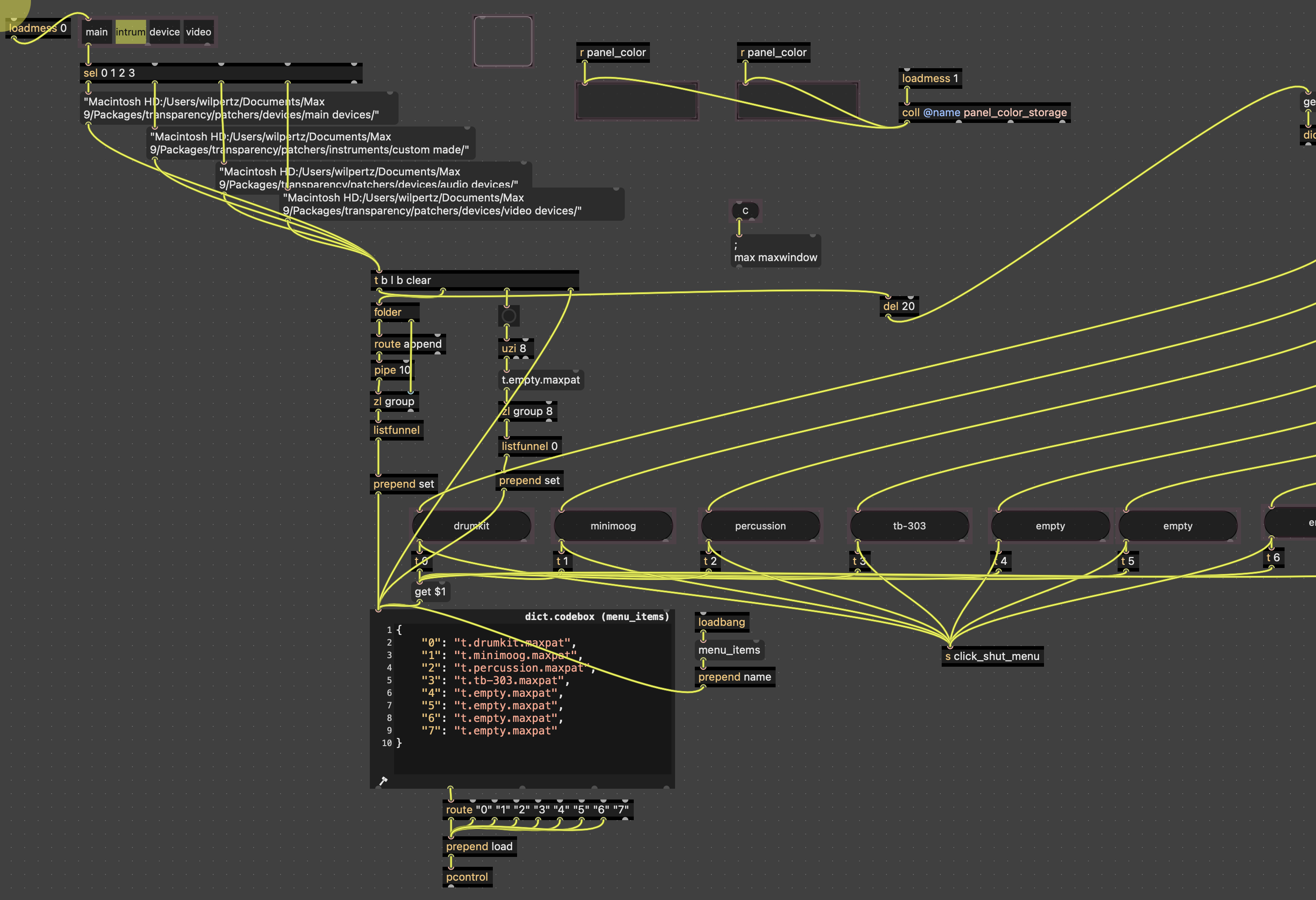
... the rest (main patches) as I mentioned are in separate folders because if I open with pcontrol, then they close as well.
using subpatcher is a way of hiding/showing without closing
//
I never really use toolbars either. I have mostly been using t b i f n m / and a few combos -
for 'like' everrrrr
(No one ever gets the Zappa reference)
/
That was always my sort of pride about Max I would talk to others
You really only need a small amount of key commands - the rest is sweat and blood !!
are you aware that you only need those keycommands because the max v4 toolbar is history? so that [flonum] and [message] are hidden in a submenu nowadays?
(to make some space for the calendar, i guess. which seems to be more important than the basic objects.)
/offtopic end.
I’ve use (c) t b i f n m since my beginning in max- 2009. I guess max 5 just came out. Never use toolbar / submenu.
Partially on topic . Those shortcut for lock and presentation are the problem
Because with this ‘system’ easy to stop work in one patch. Move my mouse to a new patch . Didn’t select it yet (everything happening really fast). Do a shortcut. Inadvertently unlock or unpresent different patch .
Or turn some knobs on one patch. It’s still selected and I try to unlock a different patch. Then select new patch . Start working. Don’t notice that other patch is unlocked. Go turn a knob and end up dragging off in to some distant universe to the point where i can’t even find the patch anymore because it both unlocked and transparent :) :)
Maybe I find 'getlocked' from thispatcher and ad background color when unlocked with key command
Anyway. Lot of ideas and solutions here! Thanks.
what really helps to avoid key commands (or other interface´s data input) end up in the wrong window is to use strong color contrasts for locked/unlocked state.