Feature request: patch chord label

It would be a great help finding the pathways through the jungle of patch chords that is inherent to any project beyond "Hello World", if patch chords could be labeled. Objects can be labelled by attaching a comment and group them, so that the label travels with the object though the various configurations, but patch chords cannot be grouped that way and routing, while producing a more transparent layout, is not very helpful in identifying what goes where.
It could be a simple modification of the comment object with an inlet directly connected to an outlet, so that any data passes right through.

Not exactly a label, but:
In the Debug menu, you can enable Event probe, Signal probe and Matrix probe, which will allow you to see what gets through regular cords, signal cords and jitter cords respectively when you hover them with the mouse.
You can attribute custom colors to your patch cords, by selecting one or several (hold Option to select cords in an area, hold Shift to add more by clicking them), right click on a selected cord and "Color...". Can sometimes become helpful to make a patch more readable.
It is not so much that I want to see what gets through them, as that I want to see source and destination. If a comment were an object, you could just move it out a ways to see the path and then undo it back. Plus you could give them different styles, which would enhance the visual appeal of patchers. (I think of my patchers as Broadway Boogie-like works of art. If it looks good, it works. And where it doesn't, is why it doesn't.)
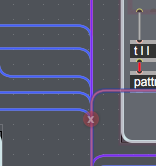

Event Probe -> hover over cable -> gives name and data
at least you can get source
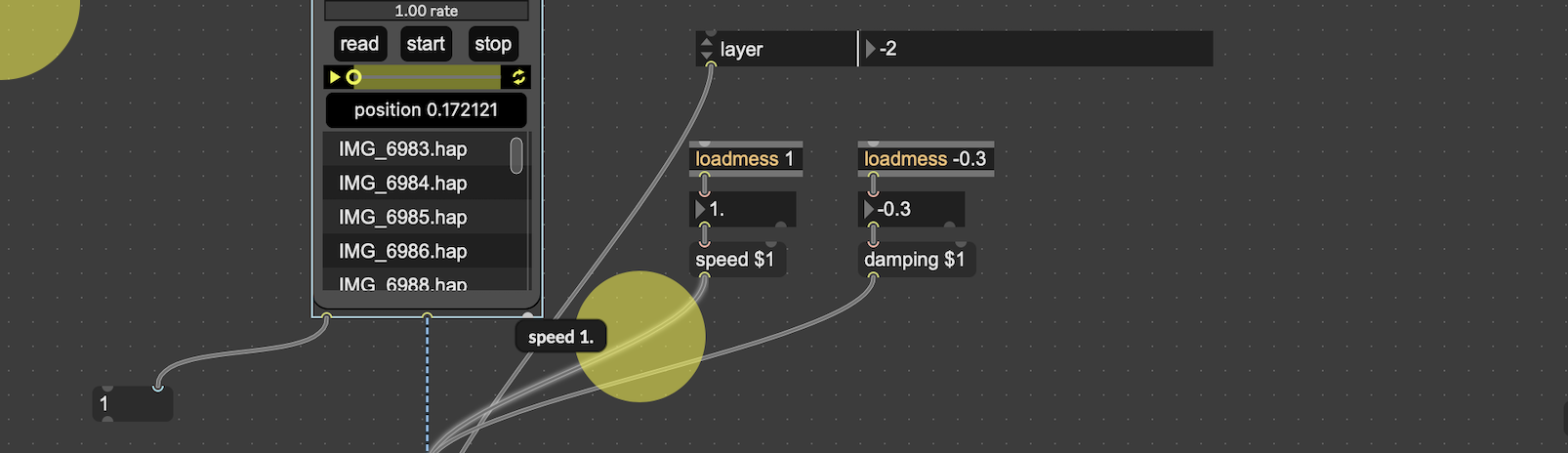
Wil: this is misleading, the event prob doesn't provide a name and data, it just provides the data. Here your data is a list message with "speed" and "1.", but one could just have a float which makes it much more difficult to trace down.
Dan Laüt: not a fan of the idea of a pass-through comment object, in my opinion it would just make cord organization more complicated. Especially, it would just make more noodles from cord that are not top-to-bottom, and it would just be more objects in the patch, meaning more cords (if you add an object at the middle of a cord, you end up with two cords). However, maybe some kind of floating label that you could assign to a cord and possibly customize without having to make connections would be cool. That kind of mean a cord could have attributes you can edit in the inspector, like any object. While we're at it, why not having some cord styles, like the usual dotted or dashed? But then how do you maintain easy differentiation between event, audio, mc, jit, jit.gl and jit.geom cables?

For event data labeling with short text you can use [t l "your_label_here"]
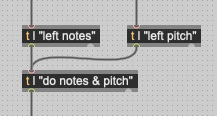
Now why didn't I thank of that? Genius, Peter! Thanks.

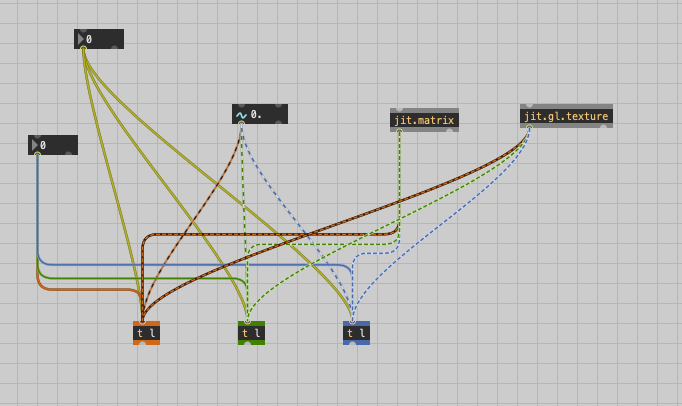
@TFL In a way that's perhaps similar to your cord styles idea I use patch cord colours, as well as combining segmented and non-segmented cord routing, to help keep things legible. Any cord type can take a colour. The example in the pic is non-sense, but you get the idea
@Peter Ostry - In further refinement, you can just insert a [t l] and attach a comment to it with all the details!
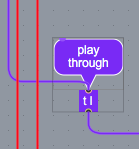
Instead of [t l] you could also create an abstraction with nothing but [inlet] connected to [outlet] and you could call it [//]. So it gives [// a nice label] I guess?.
But the [t l <name>] wins the contest because you can easily print the second output :-)
One does not exclude the other. The more annotation the better, as long as it does not clutter the layout.

i use these
time to update [vcomment] to have 'thru' connections, 'background color' and 'rotation;
or @ROMAN
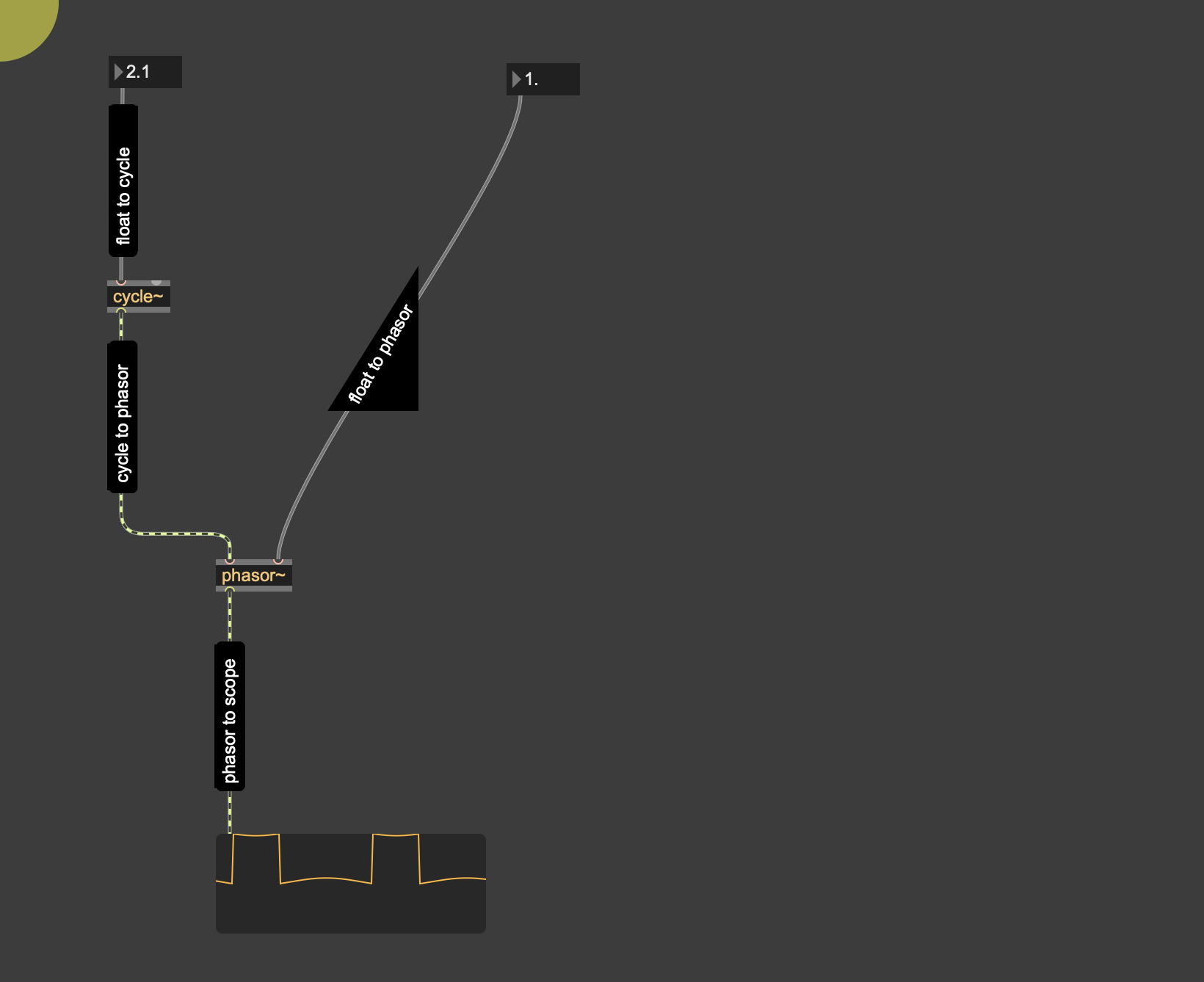
right, the triangular panel object, i forgot about that one.
or what about using a bpatcher playing a fancy video animation presenting the cables functionality to the user in 3D and color?
but serious now, i think [t l comment] (or [p comment], which eventually is faster) will work nice if you really need a label for some reason.
when i just tried to understand the original request i actually found a situation where i could see the need: because i sometimes make connections across patches which are longer than the monitor size is. then a label or comment is the only chance to see where something is going (besides remembering), and if that label is "connected" to the patchcord it can not get lost.
also, i sometimes use [p] or [t] anyway already to keep up the mandatory bauhaus style, and it probably would not hurt to add "audio17" or "main_bang" to those.