
get the real content of a dict if there is lots of decimals

Hello
Sorry, I am really new to dict and even after checking the forum there is several problems here I don't manage to understand.
Here is a screenshot :
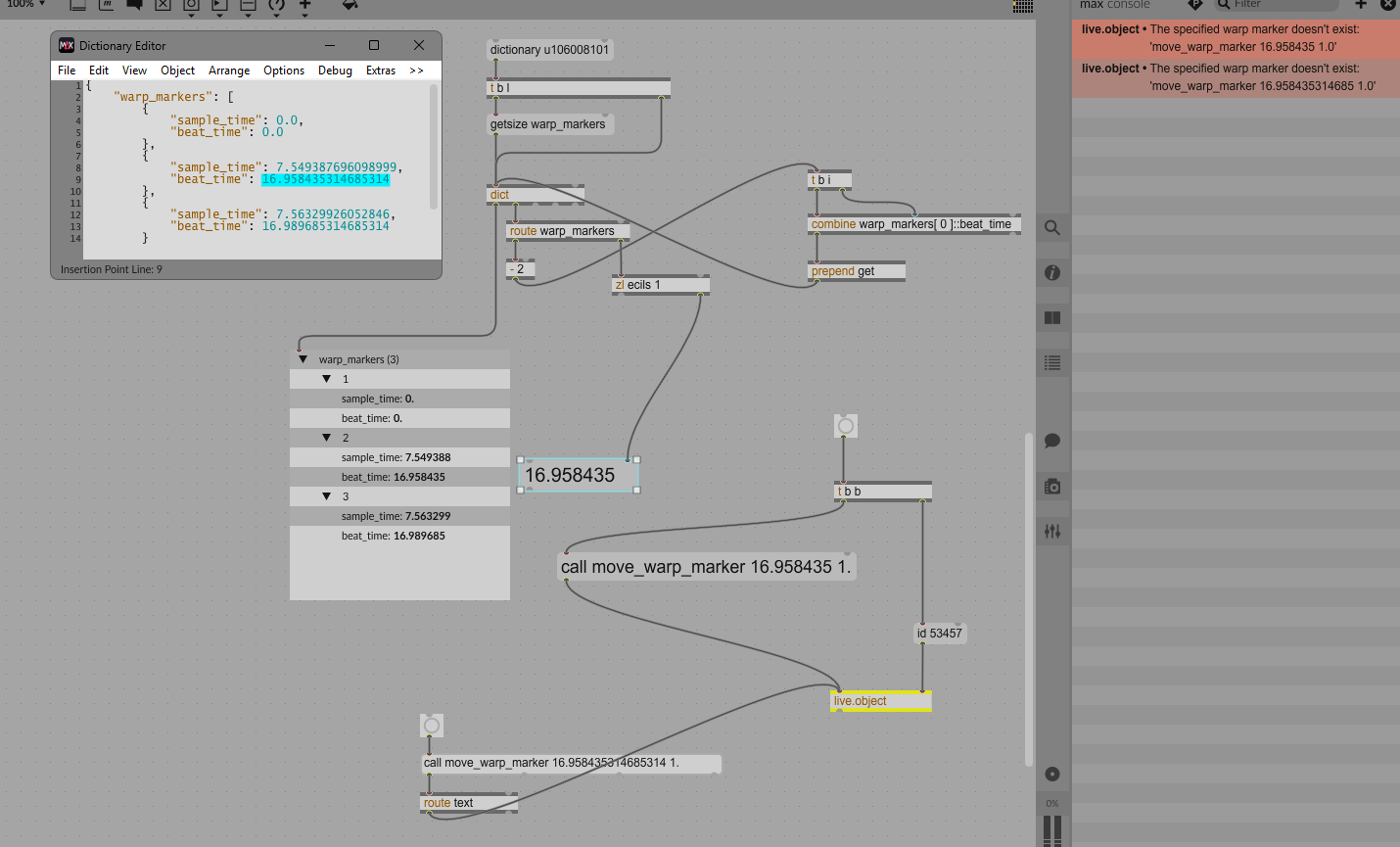
I need to get the beat_time of the warp marker before the last warp marker of an audio warped clip.
I need to move this warp_marker
Its real value is "16.958435314685314" as shown when I open the dict
But if I query it, I only have "16.958435"
and even dict.view don't give me the value with all the decimals.
So when I want to move it, the marker seems to do not exist, and I have an error, because I cannot call the marker with all the decimals that allow to tell wich marker I want to move
If I create a marker that have less decimals, I can query it without any problem and the warp_marker is well moved...
So, the question is : How do I move a warp_marker of an audio warped clip if this marker has lots of decimals ?
Thank you !

Max is, in a way, lying to you, as it almost never shows you all decimals, even though they're still there, unless you explicitly tell it to do so. The console, a message box or the event probe will show you the truncated value, but all the decimals are actually still there, and an easy way to see them all it so set "Number of Decimal places" to 15 on a float number box.
Looking at your patch, it is not clear how you build the call move_warp_marker message, it looks like you just copied by hand the number you see on screen.
But if you construct your message properly with prepend, append, join, pack, etc. or even use a message box with $1, it should work.
The reason why Max does this is, well, float numbers are tricky in computers.
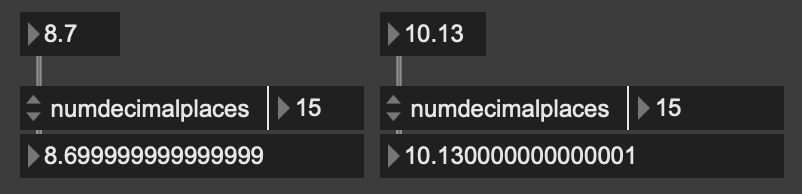

the fun thing is that 16.958435314685314 is already rounded up as well.
the float which is stored equals 1.69584353146853139548966282746e1.
however, it still means that 16.958435314685314 can be stored as double without loss.

To answer the question of how to retrieve the data, here's an example.