
Help with counter and multiple coll mangements

I have this following patch:
I'm using one counter to enter data to each coll that represent different name.
How can I make that each coll of each name will start its data insert from 1 so I could easily delete row numbers?
right know I enter 1 2 3 lines with data to name 1 then another 1 2 3 lines to name 2 that represented as numbers 4 5 6 .
in order to delete row 2 of name 2 I need to acctually delete row 5.
I want that its coll name will enter index values based on how many rows he has starting from 0.

need to set counter to zero each time you change tab
Thanks. The problem now is that if I write into name 1 then go and write into name 2 and go back to name 1 to add more indexes it will overwrite those I already write because each time I move from one name to antother I'm reseting counter to 0. How this can be fixed?
Ok, I use length to output number of indexes and update counter with that.

why do you use counter at all ?
What other option I have please?
insert into coll
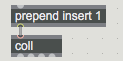
you can reorder entries later if you want it upsidedown
but then I need to change each time the insert index number?
you ask before you try ?
I confused with the counter system. I tried it and it is works good without need of changing number 1
you can reorder entries later if you want it upsidedown
Is this possible to do inside coll?
using insert message, latest entries will be on top.
if you want to invert the whole list,
use
sort -1 1, renumber 1
message
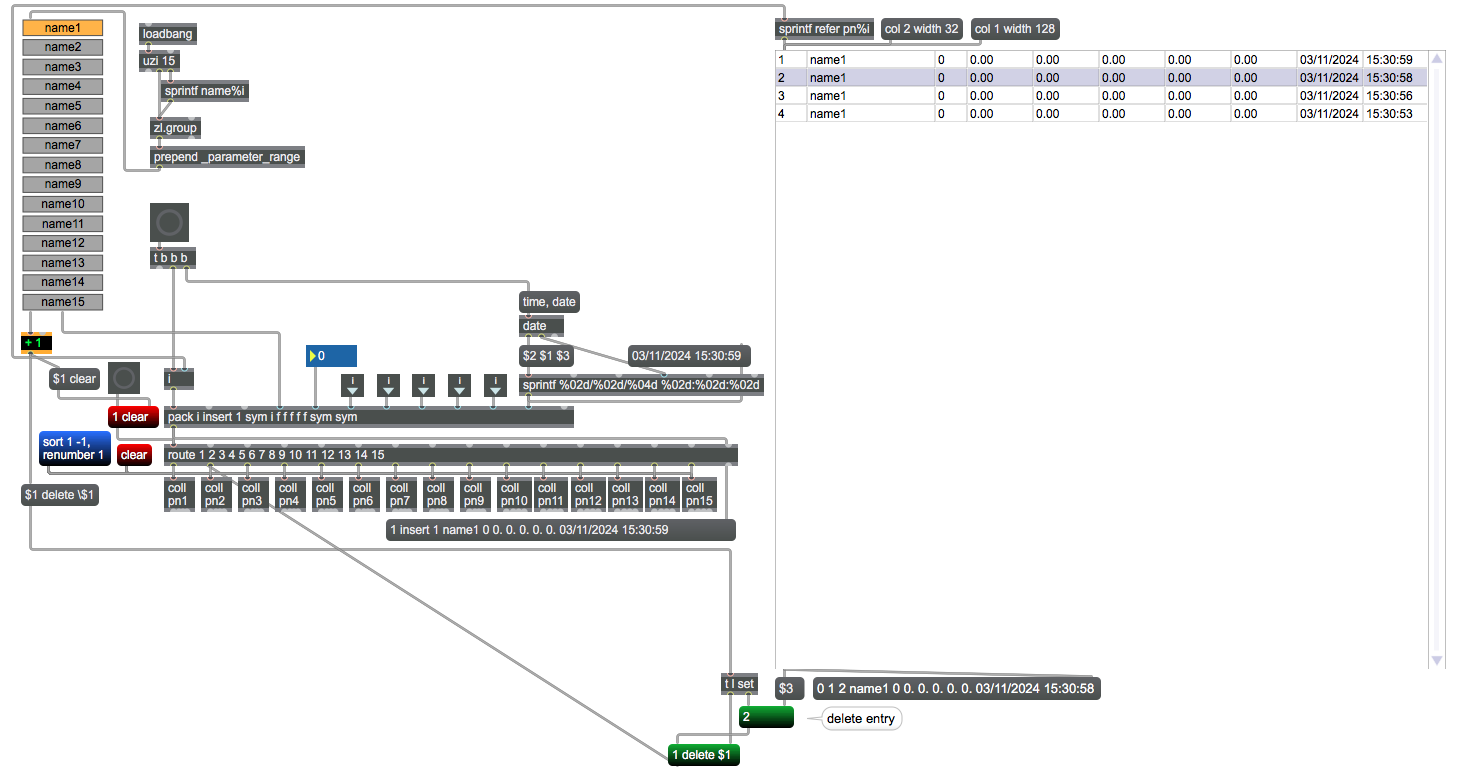
Thanks this is so much better... How can I manually edits those name1..name15 ?
In my previous version I had lots of bugs of names deassapearing and everything got mess very quickly
What do you want to do with that names ?
Enter them on demand ?
I dislike very much live GUI objects.
for that live.tab you must make a full list and send it as
_parameter_range
What do you want to do with that names ?
I want to be able to change them manually. Those names will be change at different days so they need to be easily edited
Enter them on demand ?
Yes.
I used in the pass this method to change names on the go:
But sometimes when I load this patch not all the names are there. Do you see any issue with that system?
As first that live.tab is not good object, point.
It is shitty when you try to put shorter or longer names, etc.
Your last patch has another problem,
you did not set textedit object to output symbol,
which disqualifies entered text which contains spaces,
cousing live.tab to remove the entry.
I don't know if you want to use this as editable max patch, standalone app
or live device.
Which makes a difference.
I would trash that live.tab and use anything else that can
accept text input, store it into whatever you are using, and can recall
index & entered text.
for example jit.cellblock, chooser etc
I don't know if you want to use this as editable max patch, standalone app
or live device.
Which makes a difference.
this should be a standalone app
how to use the jit.cellblock to write and change names?
So I did this:
The issue is that If I want that the same names will load when open the app again?
so first time names are name1 name2 etc
then I change some names and those changes will be valid at the next time I open the app
jit.cellblock has mode inline edit.
doubleclick into a cell and write what you want.
Can you post exactly what you need ?
I mean enter as many names, are they forced to be without spaces,
or need spaces, where to store entered names and so on.
Otherwise it is not possible to make suggestions.
I mean enter as many names, are they forced to be without spaces,
or need spaces, where to store entered names and so on.
Yes. names are forced to be without spaces
entered name should be store into coll so it will be possible to read them again after app is closed then open again.
This should replace the live.tab name system in your first patch you shared
If you want to use jit.cellblock, then no need for coll.
you can write and read directly.
Only problem with jit.cellblock is changing mode from edit
to select.
If one forgets to click outside of cell after editing,
jit.cellblock gets mixed up, sometimes shows old and new entry on top of each other.
I just can't make it work in application. there is no way to save alll the colls into the app folder when pressing write and read it next time app is open?
Here is the way I tried it:
what exactly do you want to write ?
explain it simply, but detailed.
pn1.txt pn2.txt etc ?
or should colls be written under entered name ?
what about reading them in case you want to load all 15 back ?
if names are arbitrary, you will have to read manually each of them.
Unless you add something that indentifies name with coll number, then read them in.
what about cellblock ?
do you write it too, or populate it using what ?
explain it simply, but detailed.
The very first time app is open there is no data at all.
User enter some names (to change the default name1 name2 etc) and insert some data for each names.
I want that before session end the user will press "write" button and all the new names will be saved inside the coll name and all the data of pn1 , pn2 pn3 pn4 ... pn15 will be saved as well.
next time user open the app the list of names that he saved in the previous session along the data he saved will be autonaticly fed into all colls (name coll and pn1 pn2.. pn15 coll)
any new changes will be saved when user press write button and those changes will be automaticly uploud into app on the next open
Unless you add something that indentifies name with coll number, then read them in.
This.
what about cellblock
Should display lates saved data including names
That is no details at all, only repeated stuff from last post.
How does user know which files he/she used and not someone else ?
How do you relate coll names with data inside of 15 colls ?
I can not invent all that for you, only help you construct it,
when you provide exact details.
Thanks you very much! Will look asap when in front of a computer
one last question regarding this patch - quetsion that might seems strange but I would like to do so - how can I make all colls including the name list to display it the other way around?
so if I'm writing
John
Dan
Cole
it will display
nhoJ
naD
eloC
in both name lists and pn1 pn2 etc colls?
you want to reverse the names ?
To do so in jit.cellblock directly after entering names
would be too complicated.
One option would be to disable editing in jit.cellblock,
but open dialog to enter name, which would land reversed in
jit.cellblock and all the rest.
Can you please shows an example of doing so?
Yes sure, but that would be last change in that patch from me.
In the future, ask from beginning what you exactly want,
not portionwise.
I would have suggested different objects and approach with that reversed naming
from the beginning.
to reverse text:
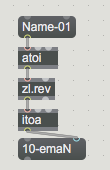
Now you need to find out how to deal with initial text (Name-01 etc),
how to display it in dialog, and how to place & display reversed text in jit.cellblock again.
for example you init
Name-05
send that to dialog
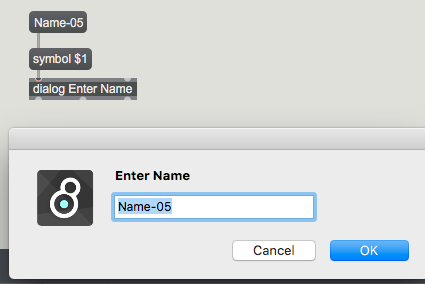
type new name
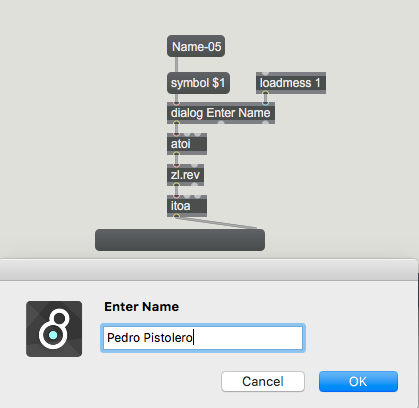
you get reversed output
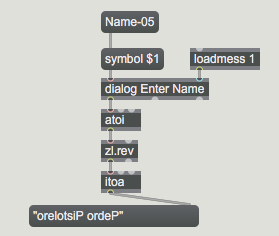
Now think about how to rewrite that reversed Pedro Pistolero
again into for example "Pedro Barman"
in cellblock you have "orelotsiP ordeP"
if you feed that into dialog you have to reverse it to display Pedro Pistolero.
and reverse it again to feed cell block with "nemraB ordeP" ( reversed "Pedro Barman" )
As alternative you could wipe dialog, and so user has to enter name completely
each time - no editing of existing name.
Help file of dialog object will be helpfull....
test this cellblock name editor/reverser
Got no words... thank you!
Is it possible to give the bjit.cellblock (or the coll that is refered too) a fixed name for each coulomn?
so just before I enter all data I will have at the very first row name for each coulomn so It will be easier to understand everything
for example:
Name session_number body_part min max %
John 2 hand 0.5 1 33
you have 2 options.
1 - insert 1st row as header containing that fixed list
Name session_number body_part min max %
2- use another static cellblock with only 1 row containing that list.
disable it for editing, click, and embed it in patcher.
option 2 is better, because you can clean data coll without having to restore 1st row.
Thanks. I manage myself with option 1. Will try option 2 as well
How it is possible to warn the user if he edit name, but pressed ok without entering any name or if press cancel ?
check dialog help file.
cancel gets reported, if user enters nothing, then nothing happens
well in case you use mode 0 it will output symbol only ...
that could be used to detect if name field is empty.
but you will then need to adjust the rest for changed output type
Thanks! will check mode 0 option
Looking at this patch: Nov 10, 2024, 2:34 PM
How it is possible to display numbers into a plot object?
for example to extract all numbers at index 12 from the pn-x coll object and display them into plot
based size of plot displaying numbers is 0 100 but if input is larger then 100 expand that range in order to succesfully display numbers
Thanks
there is no base size in plot, but what you
define in it's inspector.
Same as any other attributes and settings.
what is your max range ?
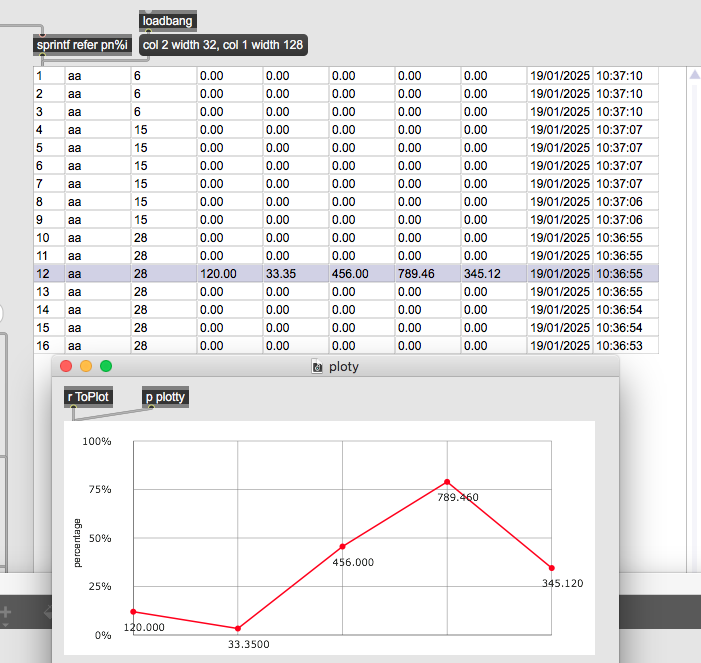
what is your max range ?
Max range is adaptive. default 0 - 100 if input above 100 increase by input + 10
it should display all number in the same index vertically
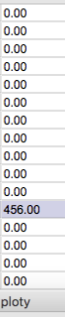
what should that mean ?
What is expected max range in that coll ?
You asked to display one line of 1 coll in the plot
one line in a coll means this list :
for example here:
index = 5 and data including name, number, 5 floats and date / time

coll can have 10000 lines.
What do you want to display vertically in the plot ?
I mean that if coll is like this:
1, 1 name 28 1 2 3 4
2, 2 name 26 4 3 2 1
3, 3 name 32 2 3 4 1
4, 4 name 66 4 2 3 1
so the plot will display all indexes 3 of each line:
28 26 32 66
as first coll has different structure.
What you show is item 2 NOT 3.
What you are saying makes no sense to me.
because coll can have so many lines, and you need to set number of plot points dynamically,
then place the values, adjust vertical display range (which you asked for in another thread)
and so on.
How should that look like ?
here is a shot of coll having 115 lines on the plot ...
where on earth would you now display that 115 numbers ?
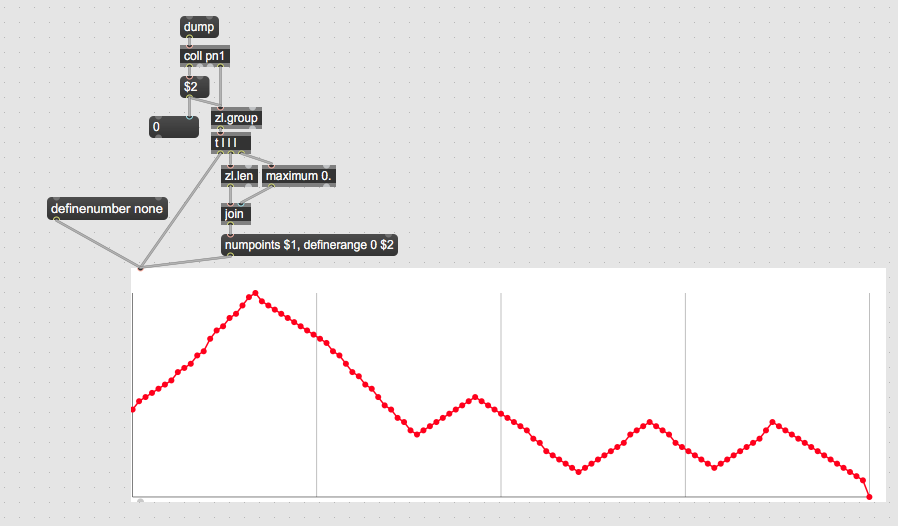
here is a shot of coll having 115 lines on the plot ...
where on earth would you now display that 115 numbers ?
115 is indeed a lot and looks bad on plot.
I did not say that max value will be 35-50 which I think can look a little better(?)
I'd say think a bit about it.
even 35 values would need a large plot
and making values display dynamic would be impossible
more sense makes to look into cellblock.
more sense makes to look into cellblock.
cellblock can display data similar to the plot object? (graph like displaying)
No, cellblocks tells you what the values are.
that "graph" can be also done using multislider
which also offers orientation flip.
But anything you decide for, limit amount of lines in coll
so that that "graph" looks like something.
And you will not be able to display any numbers in that graph
if object size divided by number of lines in coll
exceeds possible display space for numbers