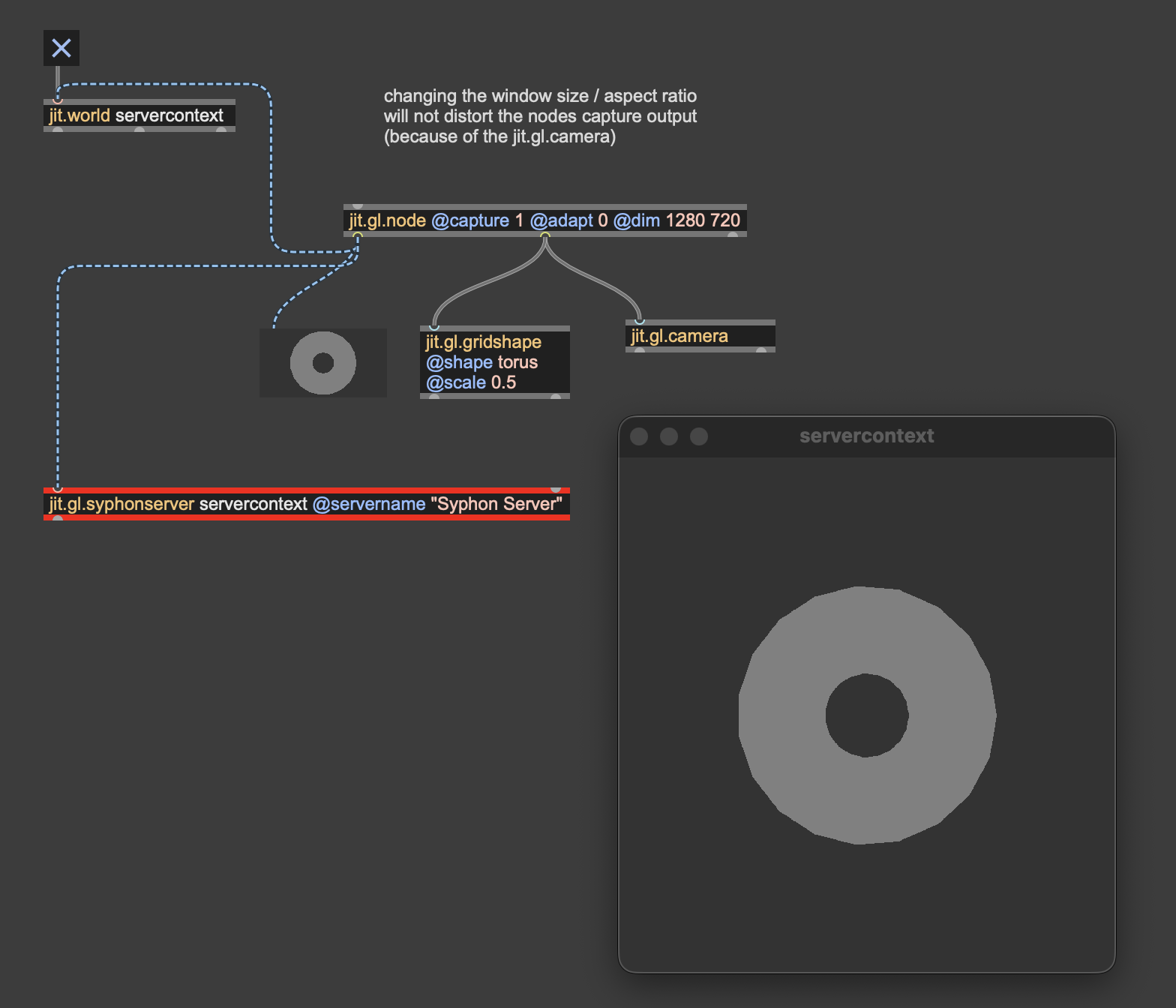
Interplay between jit.gl.camera, jit.world and jit.gl.syphonserver

Hello everybody!
Another question is rising in my journey with jitter:
I'm currently working on a project, where i want to record my jit.world render output via syphon in OBS (btw: is this a up-to-date way to record the jit.world output?).
The jit.gl.syphonserver help file says you have to include a jit.gl.camera object in your patch. This brings the syphon output in OBS in the correct format - this works fine!
But also, the enabled jit.gl.camera object changes the output in the jit.world view. This seems to be normal i guess, because the camera object should introduce a new viewpoint for the rendering scene. But can i prevent this behaviour?
The camera object is in my case only needed to bring the syphon output in the right format.

As said in the [jit.gl.syphonserver] the [jit.gl.camera] is only here "so the viewport is independent of the window size", but if it's not an issue for you you can completely not have a camera object and just have @output_texture 1 to your [jit.world] like in the example.
thanks, i get this! but can i make the jit.world view independent from the camera object? as soon as i enable the camera object, the displayed view in the jit.world view changes.
I struggle with that too. From my understanding, each [jit.world] or [jit.gl.node] has a built-in very simple camera which gets overridden as soon as you add a [jit.gl.camera] bound to that world/node context. Generally, adding a [jit.gl.camera] in your patch doesn't change the output, but if did so, I'm not confident enough to tell you why (maybe something about viewport and window size?). But you can most likely get back to your initial result even with the added camera, probably by tweaking its position or other parameters.
That's why I usually always create a [jit.gl.camera] right after the [jit.world], because it eventually gives useful controls over the scene and you don't get this kind of "bad" surprise.
I don't think you can have a [jit.gl.camera] while retaining the jit.worlds builtin camera view (since it overrides it), but you can completely have two cameras in the same context, one that draws to your [jit.world], and another one with @capture enabled for example.

The jit.gl.camera will correct the aspect ratio to the capture dimensions rather than the window dimensions. If the aspect ratio of these are not equal, then the render will have to distort in one or the other. So the trick is to either ensure the aspect ratio is the same, or once again jit.gl.node to the rescue. In this case we use jit.gl.node to capture at the dims we want to send to syphon, and then we display that captured texture on our jit.world with the preserve_aspect enabled (as it is by default). In this case it is preserving the aspect ratio of the incoming texture, so it won't distort the content.
remove the camera to see this distortion in action.