
Master volume control cranked up to 11

Hi folks,
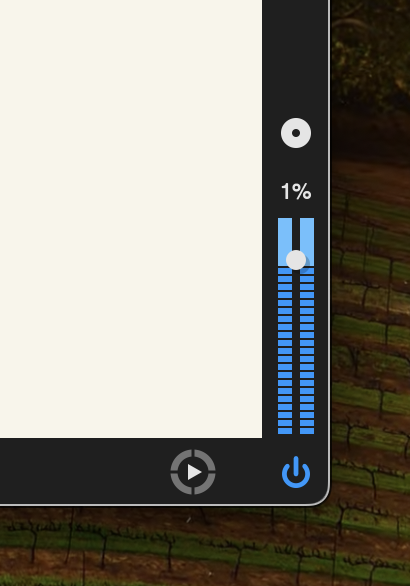
I have a patcher that is doing exactly what I want it to do.....except for one thing. When it opens, it has the master volume (the one that appears at the lower right border of most patcher windows - see attached) totally cranked up, so that the sound is distorted. It's easy enough to turn down the volume, but less easy explaining to people who have never used the program, ever, how to find that slider (command 8 and make the window bigger......)
So I'm wondering: is there a way to set a value for that slider other than "Turn it up to 11, man!"??
Thanks,
-mk

Hi MK,
I'm not too sure on decreasing the main volume of a patch but to not leave you with no answer, I wanted to ask if you could not use a [*~ 0.5] object to decrease your final output level? You could then hook up a gain object or slider to change how much the user hears?
That would be the "easiest" way to fix the distorted sound then doing some subpatch main gain change.
All the best,
Blue

That slider responds only to manual control
Patcher does not store it's value.
If your sound is distorted, then it has some other reason.
You can save your patch with that slider and other confusing things removed.
Thanks, people.