
Max/MSP single threaded?

I have run into a strange problem: a Max patch that I'm using on multiple tracks in Ableton Live seems to stop playback on other tracks that are using the patch whenever a note is playing on the current track. Is there some kind of technique that might cause better multi-threading? The patch scans a collection using an uzi that runs less than 127 times per calculated note. Each track has a collection specific for that track. Is there a more efficient way to traverse the collection or should I use a javascript program with a local table instead, or is the problem even related to this at all? Any advice would be most appreciated, thanks!
tm

there must be something in the patch that let's other instances
react to same input.
without a patch impossible to guess what it could be.

did i read right that a [coll] has been used?

maybe give coll unique name if using copies
a Max patch that I'm using on multiple tracks
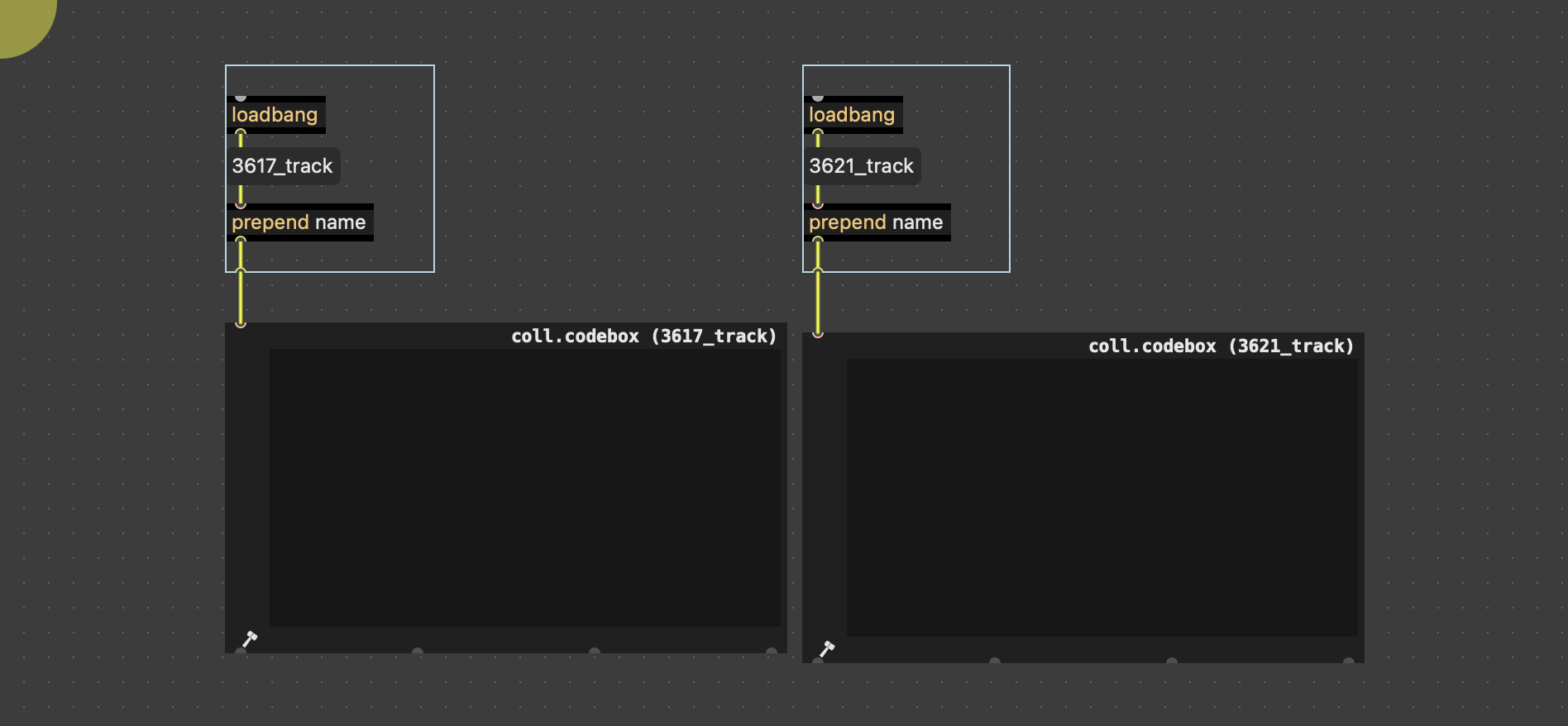
Thanks to everyone for putting me on the right track. I was naming a coll in my patch that was being using on multiple channels (which was being scanned). I removed the coll name and did a read of the file to load the colledtion so that each coll would be local. Things are working much better now. On a related topic, using threadcheck and with overdrive on I see that the patch runs in the audio thread - would this be the best place for it to run as opposed to the main thread or the scheduler thread?
tm
i believe it is correct to say that, as opposed to pure data, the max scheduler in audio interrupt does not run "in" the audio thread, but "under" or "with" it.

On a related topic, using threadcheck and with overdrive on I see that the patch runs in the audio thread - would this be the best place for it to run as opposed to the main thread or the scheduler thread?
Depends on what you do in your patch, but in most causes that should be fine, as it's the way Max works in Live. In some cases you might need to use [defer] to get execution into the main thread, but the console would tell you so.
Also, jitter will be limited to Live's interface refresh rate, as explained here.
And for further info:
If, in the Audio Status window, we have selected Audio Interrupt as well as Scheduler Overdrive, or we are running in Max For Live, we will actually have only two threads running, because the audio thread and the scheduler thread are merged into one thread that alternates between rendering a vector of audio samples and handling scheduler events. This also means that events are processed once per signal vector size, with event onset times quantized to this boundary.