
problem with jit.gl.texture and jit.gl.gridshape

i seemingly have been very little luck getting this object to work for me!
i have a texture in jit.gl.texture assigned to jit.gridshape... it works as expected with blend_enable switched off, but as soon as i switch it on the object disappears?
maybe i'm missing something obvious?
any help appreciated, patch below.
[system info]
mbp 2.16ghz / 1gb ram
osx.4.8 + recent updates
maxmsp 4.6.2 +incremental updates / jitter 1.6b2
justin

Quote: justin wrote on Tue, 20 February 2007 12:57
----------------------------------------------------
> i seemingly have been very little luck getting this object to work for me!
>
> i have a texture in jit.gl.texture assigned to jit.gridshape... it works as expected with blend_enable switched off, but as soon as i switch it on the object disappears?
>
> maybe i'm missing something obvious?
Yes you are ;-) Your gradient goes from 0. 0. 0. 0. to 0. 1. 1. 1., so when you turn on the blend your alpha channel kicks in at 0., no matter what.
If you want a "blend gradient" I guess a 0. 0. 0. 0. to 1. 0. 0. 0. gradient is what you should do?
(caveat: I could be wrong too ;) )
Cheers,
Andreas.
oops thanks for pointing that one out : )
forgot about the alpha layer within the rgb values!
cheers.

Hi Justin, mmm this post is 10 years old but I can still try and reach no? : )
I just have the same problem. How did you manage to solve it in the end?

It's working for me, with some adjustments...
Ah thanks, got it working to now!

I have a patch where I can enable and disable the jit.gl.gridshape from a webcam video so that the gridshape and the webcam video can be separate from each other so now I added the aka.leapmotion patch to the gridshape objects and I can not enable or disable the girdshape from the webcam video. I would like to know how to hide the gridshape so that is does not appear above the webcam and when I perform a hand gesture it switches to the next shape. I am providing screenshots to the patch for further clarity.
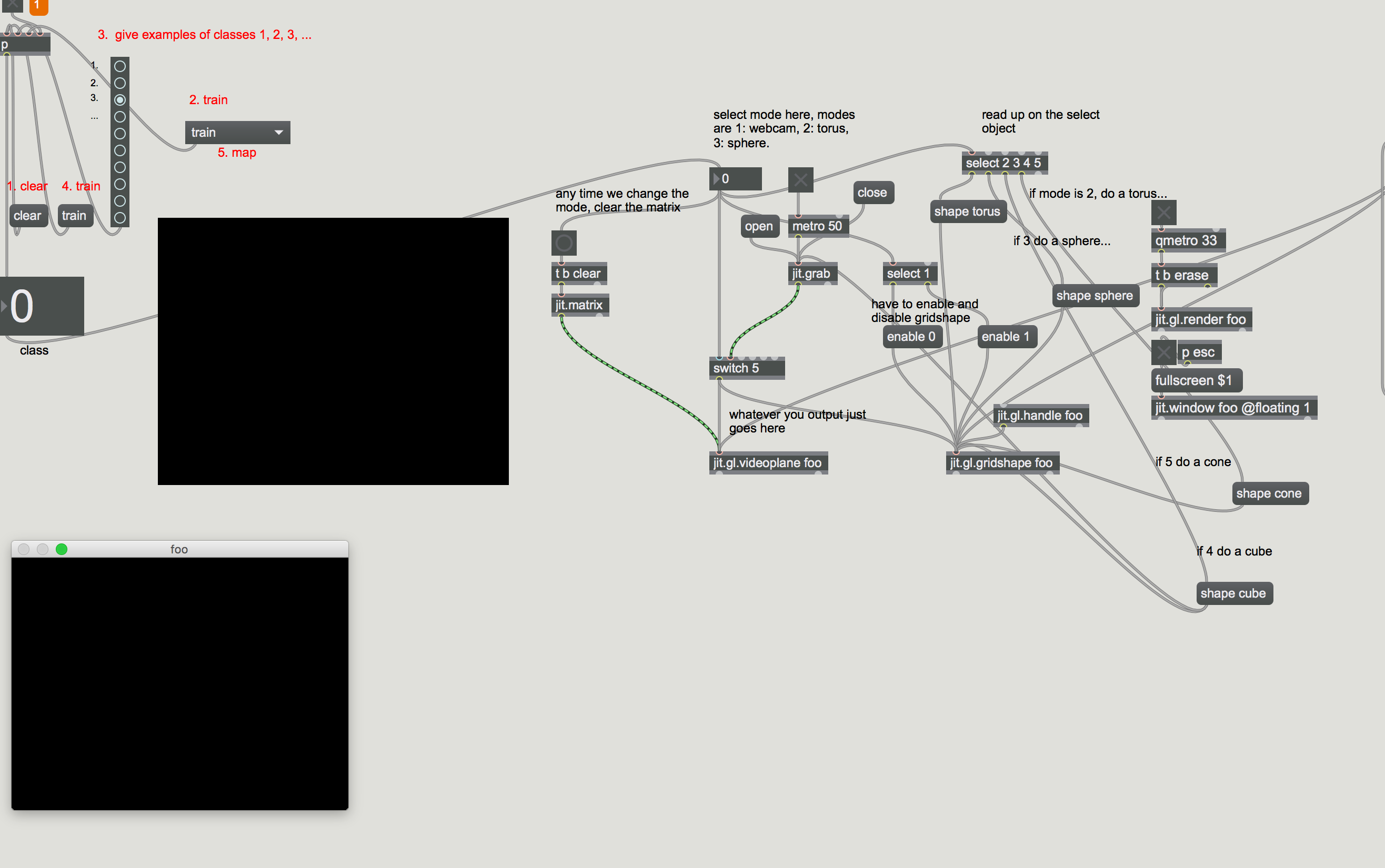

to hide a jit.gl object use @enable 0
The screenshot may not be clear enough but I do have enable 0 in the patch and that is not working either
The enable 0 works when I do not have the aka.leap motion code attached but as soon as I add the code enable 0 does not work