
Recording audio while performing with jitter

Hello,
I am curious to get feedback on this. I will be performing live with hardware but using max / msp / jitter to run audio reactive visuals at the same time. The input audio for the jitter patch will either be direct from the board or from microphones into a zoom field recorder functioning as an audio interface.
I would like to have a recording of the show and thought I could just setup the patch to record the incoming audio. Is this risky with regards to the creating any hiccups in the visuals during the performance? I am using a relatively new M1 Mac from 2022.
thank you in advance for the input.
s
Thank you Wil! I really appreciate the feedback and tips on how to achieve best results. I will give it a shot!
s

to add...
I use syphon server (with M1 from 2022)
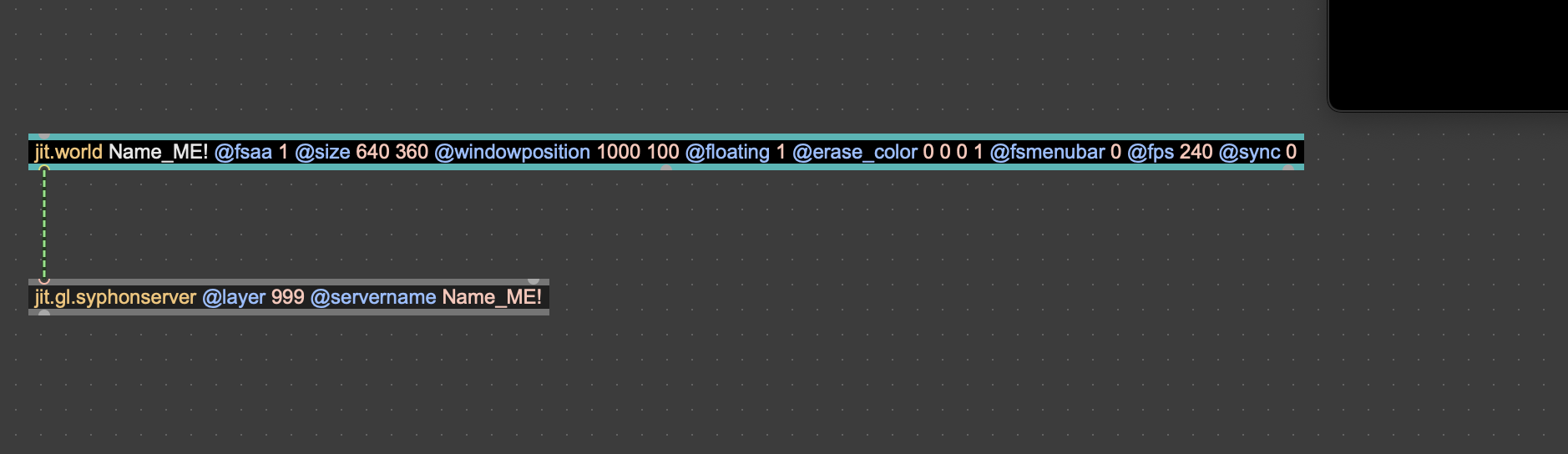
and blackhole to rout audio
//
in OBS will automatically see your video source as soon as you turn jit.world on (should also turn on output_texture 1)

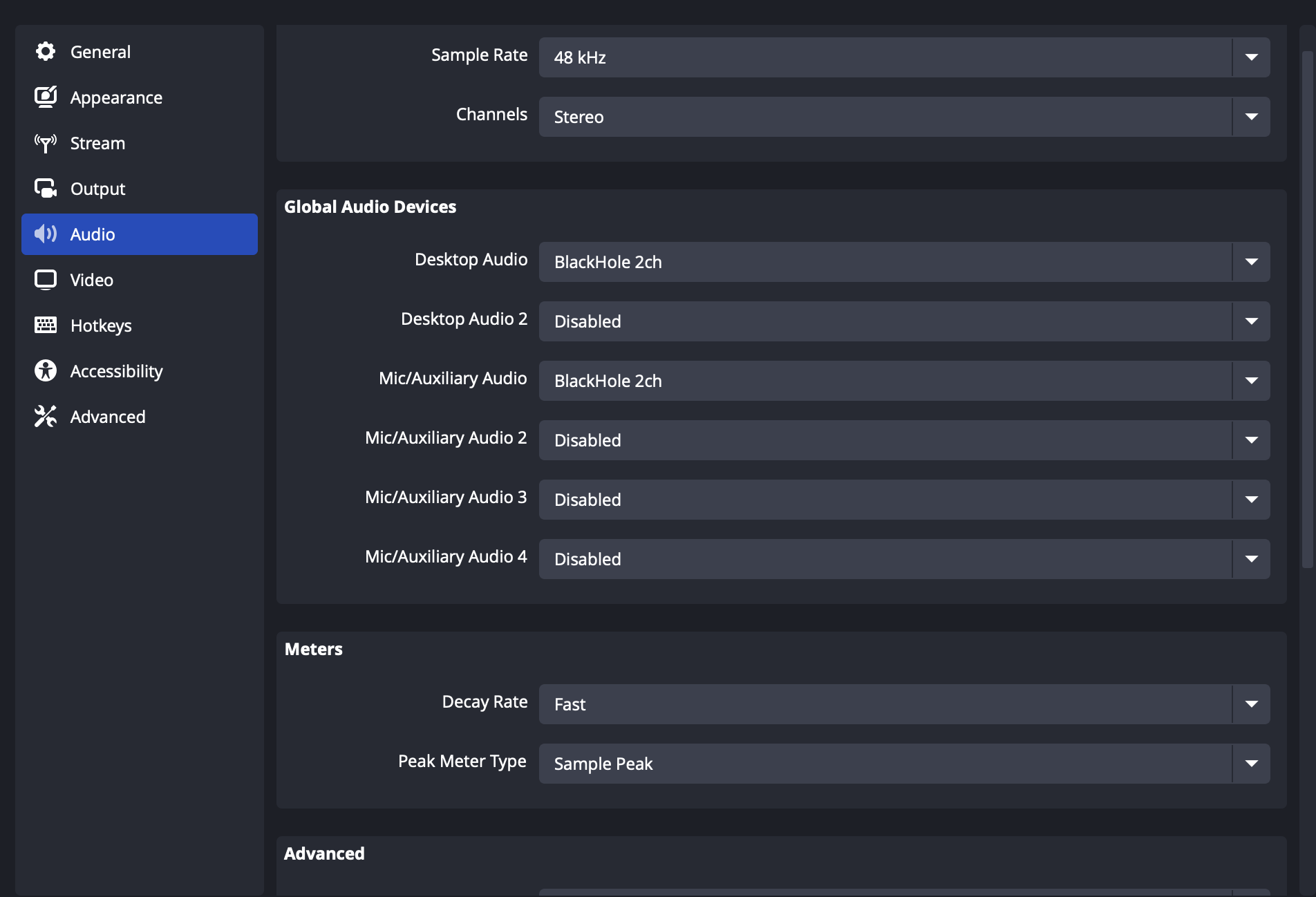
and audio from max choose blackhole
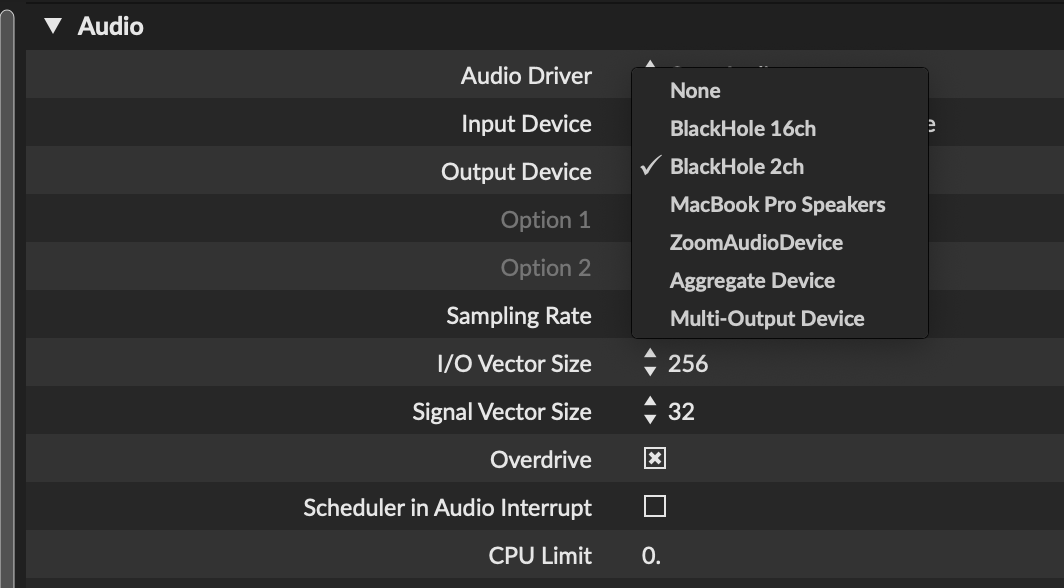
in OBS set up receiver in preferences/settings
then start recording both together
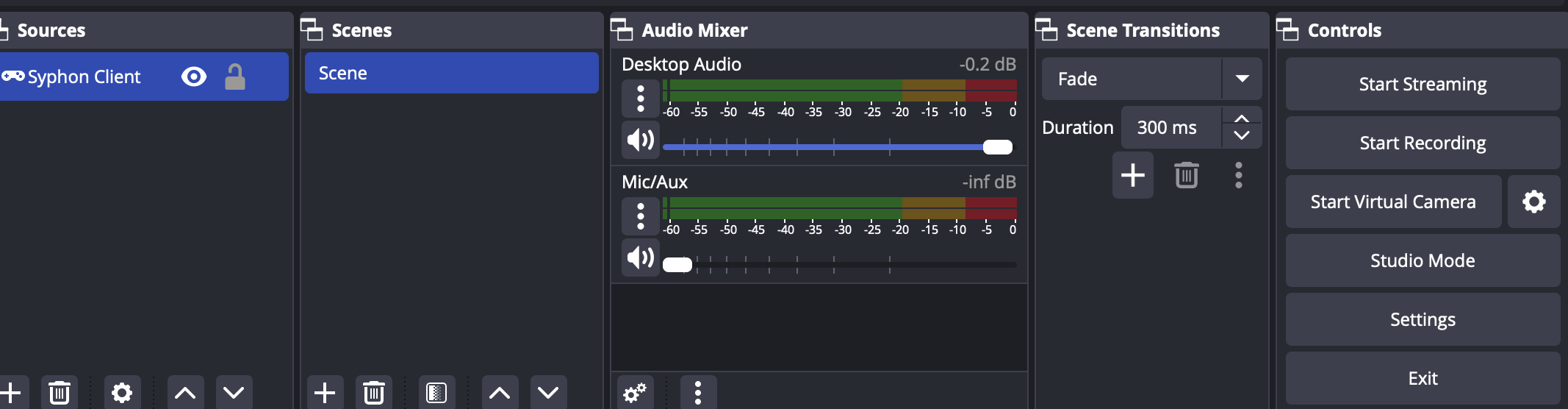
do some tweeking/testing different recorded video file types and sizes
hope this helps

and in case you do go the OBS route, and want to control it from your patch, this node-4-max tool was updated recently and should be working well again - https://github.com/robtherich/n4m-obs
That being said, it is perfectly possible to do this all from Max, however you should test thoroughly before going live, rather than rely on the reports of others.