
Rotate instances around a point

Hello,
I have multiple text instances which are positioned using the coordinates of a sphere. I like to rotate each instance around the centre point of the sphere so that the text still faces outward and is oriented the right way up. Any suggestions?
Thank!

Multiple answers to this.
But before starting, remainder that there are two ways to rotate shapes in [jit.gl.multiple], either by providing a 4-plane matrix with an angle and an axis of rotation (rotate attribute), either by providing a 3-plane matrix with rotations along X, Y and Z axis (rotatexyz attribute).
In your case (orientating shapes along the surface of a sphere), first approach can be relatively easy to implement assuming you have the normal vectors for each point. In a perfect sphere with (0,0,0) as origin, normals are nothing more than the position vertices, normalized. But since your sphere is slightly squished, this won't work perfectly.
So I came up with multiple solutions.
The simplest one is to use rotatexyz and compute the rotation along only one axis (Y). This is pretty straightforward with [cartopol], but might not give the exact desired result:
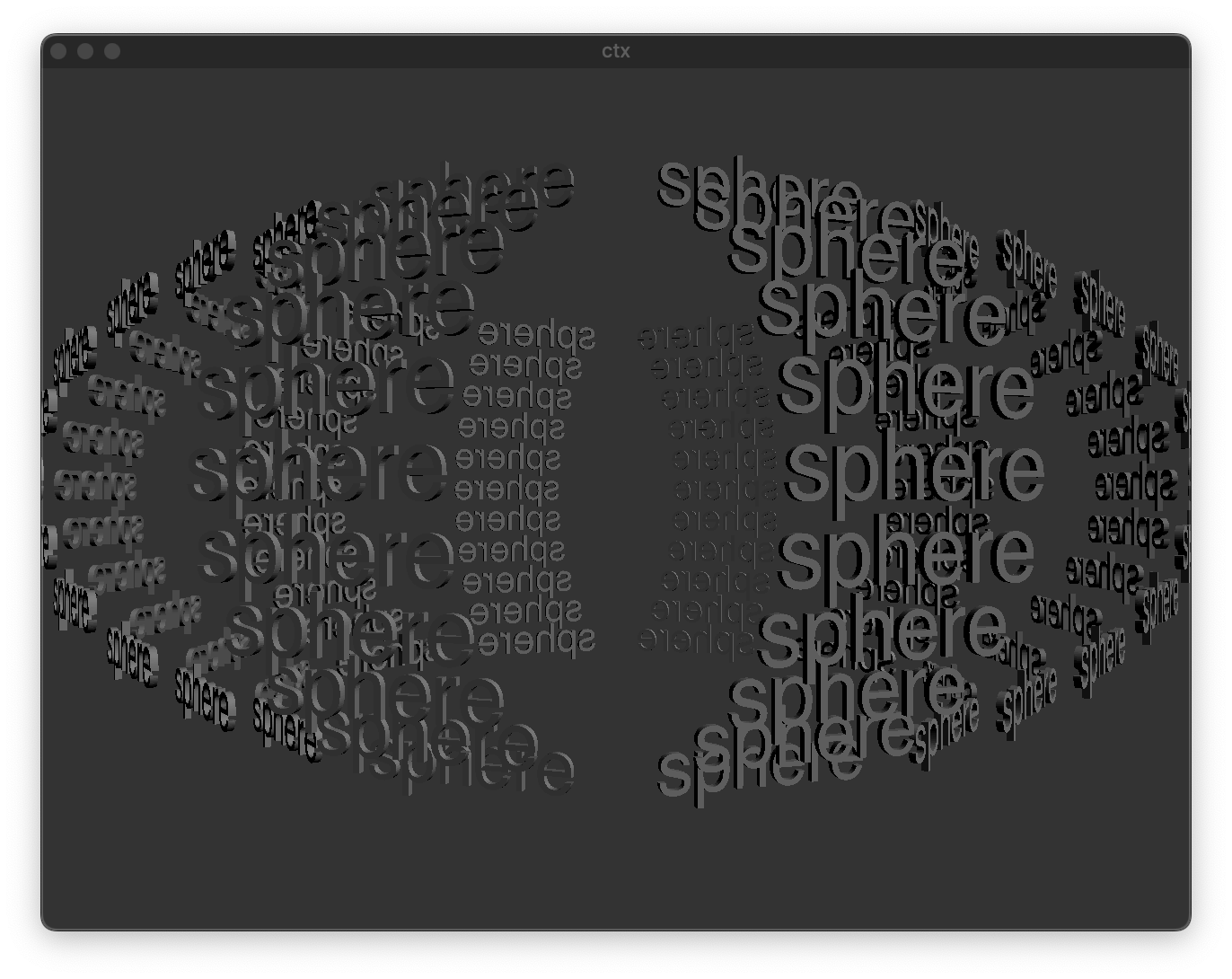
This kinda works, but all words remain perfectly vertical.
To get the rotation perfectly matching the squished sphere surface, you need more math. Also, position alone isn't enough, you also need normals (ie in which direction a shape should point toward). [jit.gl.gridshape] gives you normals, but since you modify the position vertices, the normals it gives no longer match the new shape.
From this point, you could assume that your squished sphere is close enough to a perfect sphere and still consider that normals and normalized positions are the same thing, in which case you can compute the angle-axis rotation using a bit of vector maths (I always struggle with that myself so I got a bit of help from Claude to generate the jit.gen code):
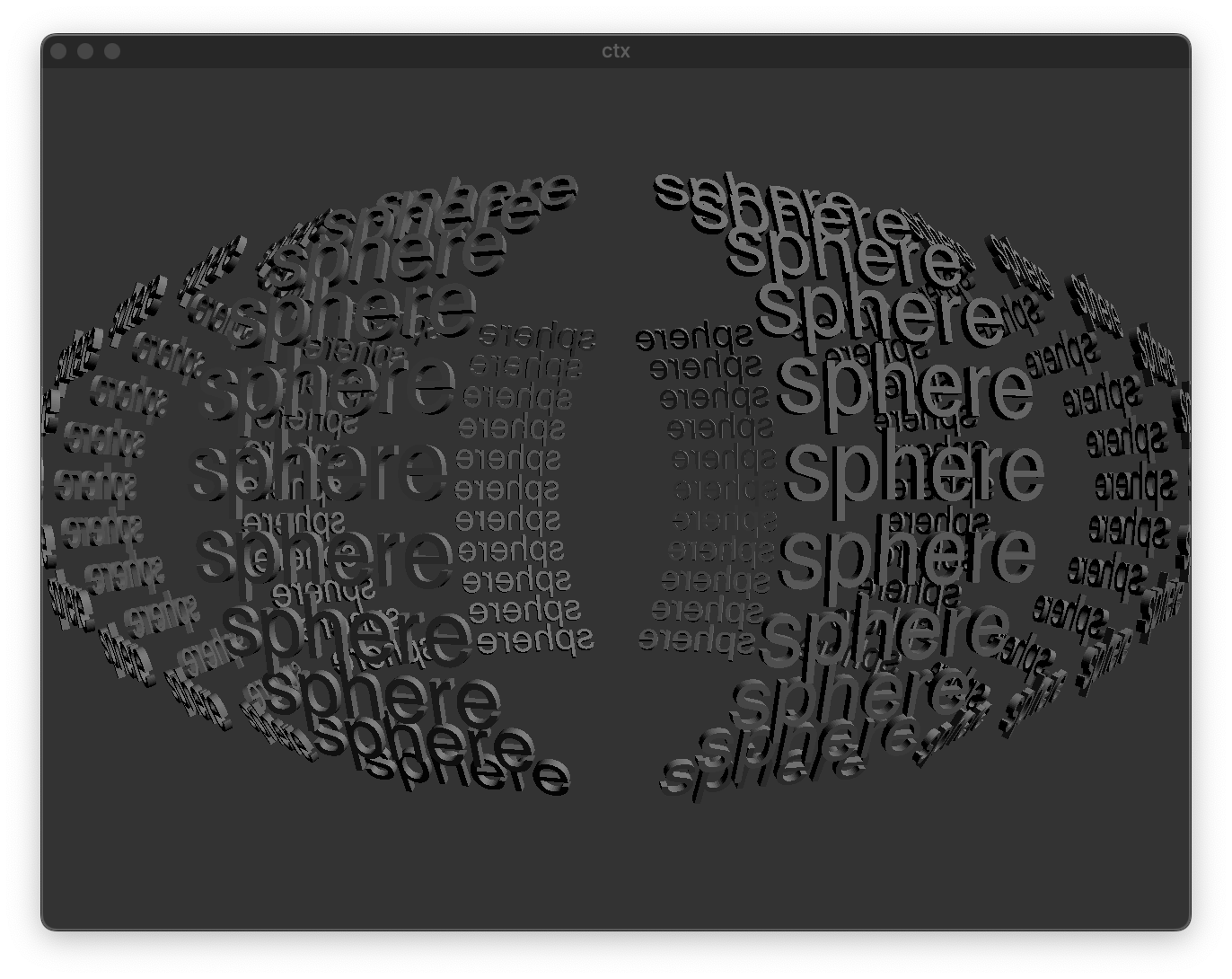
It's a bit better, but you'll notice that as you get further away from the equator, the orientation of the text gets a bit wrong (it would be perfectly right if the sphere wasn't squished, ie. if you removed this [* 0.5] in your first [jit.gen]).
Finally, for a true "perfect" rotation, we really need the corrected normals. Instead of computing them ourselves, I suggest to change the way you generate your initial sphere, and make use of the new jit.geom objects:
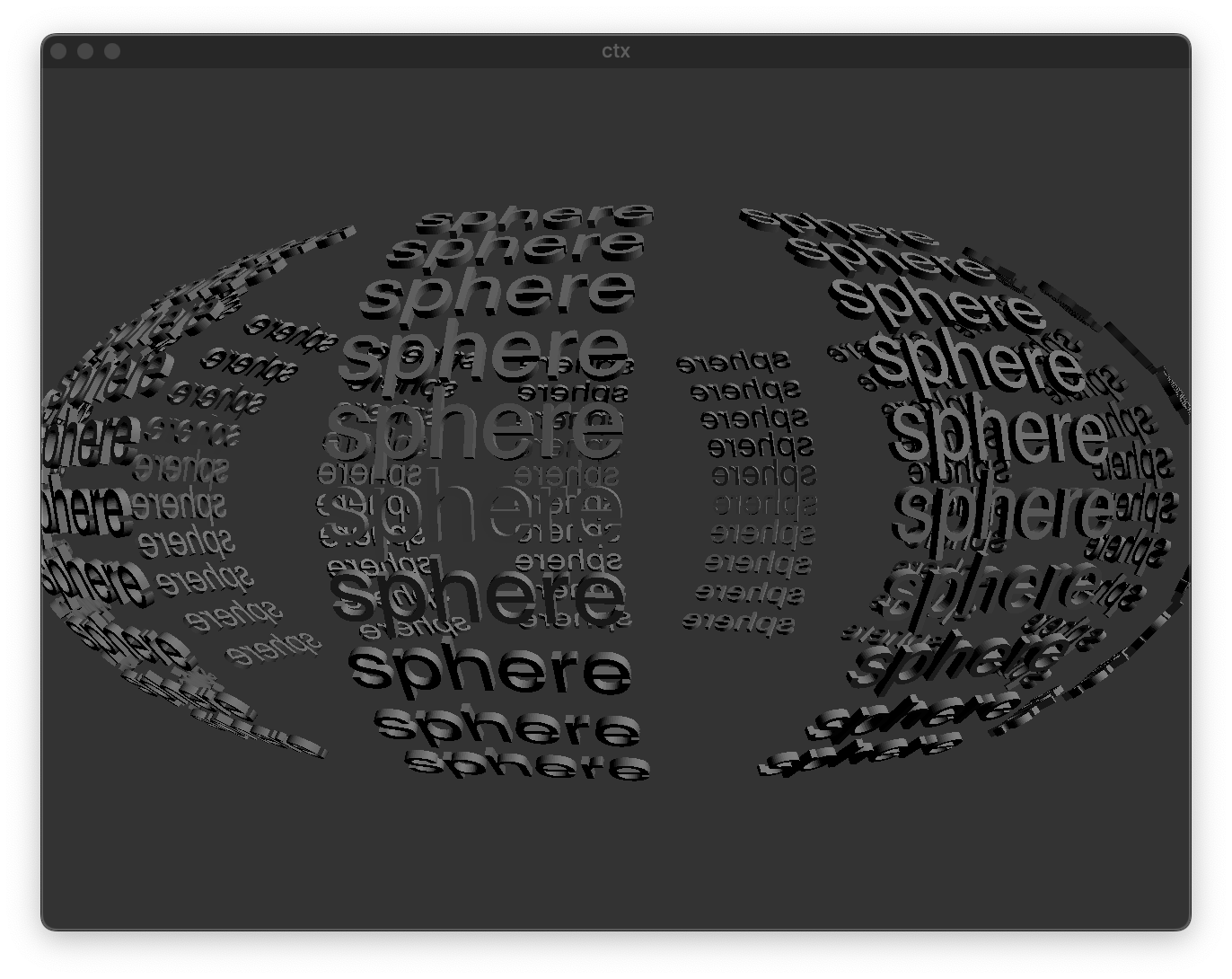
Notice that the way we compute the rotation from the normals didn't changed, we just have proper normals to start with.
That's one way but there are multiple others. Like you could use this trick to compute the rotation from the normals by using [jit.anim.node] internal math instead of doing it yourself in [jit.gen].
Thank you for taking the time to explain, my mind really starts to fog when it comes to rotation. I don't even really get the rotate attribute, is it dialing in the amount of rotation per axis? To me it sounds like each axis is being rotated by the same angle.
Sadly I'm still on Max 8 and will be until I can afford to upgrade so I will have to figure out how to calculate normals for the squashed sphere. Or I can just make life easier and unsquash it, still playing around with ideas.
Also going to wrap my head around this jit.anim.node trick!
Thanks again :)
I don't even really get the rotate attribute, is it dialing in the amount of rotation per axis?
There are 3 attributes to define rotation:
rotate requires four values: theta, x, y, z, where x-y-z define a vector around which the rotation occurs, an theta the angle of rotation (in degrees) around this axis.
rotatexyz requires three values, x, y, z, where x, y and z are the amount of rotation (in degrees) around the x, y and z axis respectively.
quat, for "quaternion", which represents the rotation as a 4D vector, but not useful in our case since [jit.gl.multiple] only accepts rotate or rotatexyz as glparams attribute.
Sadly I'm still on Max 8 and will be until I can afford to upgrade so I will have to figure out how to calculate normals for the squashed sphere.
Normals are easy to calculate when you know which vertex is next to which other vertices in your matrix. [jit.gl.gridshape] provides a convenient 2D matrix where, at least for a sphere, each adjacent vertices in the 3D space are also adjacent in the matrix. But since you use xray objects to remove vertices, the vertex matrix gets transformed from a convenient 2D matrix into a 1D matrix with every vertices in the same row, which makes it a bit more of a headache to know which vertex is next to which others.
So to resolve this I removed the xray objects and used [jit.submatrix] to achieve a similar effect while preserving the original 2D "shape" of the matrix, in which I know that the vertex at coordinates (X,Y) is surrounded by vertices at coordinates (X+1, Y), (X-1, Y), (X, Y+1), (X, Y-1). Then it becomes much easier to compute normals knowing that. I added a few lines in the [jit.gen] to do that.
The cutoff effect with [jit.submatrix] is a bit goofy, but can probably be improved a bit.
Also, to save up a bit of processing, I added @automatic 0 and a [loadbang] to [jit.gl.gridshape] so that its matrix gets sent only once. It then gets stored into a [jit.matrix] that gets re-sent only when you change the cutoff.