sequence over time in max

I have 3 object (A B and C) that I am triggering using arduino (sending 0 and 1 from Max)
I would like to make a sequence of 5 minutes as follow:
first 2 minutes -
A is pulsing on and off at a random time between 8 sec to 12 sec
B is pulsing on and off at a random time between 6 to 13 sec
C is pulsing on and off at a random time between 5 to 9 sec.
after 2 minutes has elapsed -
Metro is constant of 60 BPM
A is pulsing triplets against the metro
B is pulsing quarters against the metro
C is pulsing every 5 beats against B time
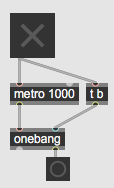
here is my solution for the first part:
Not sure how to make the second part

why don't you simply do it ?
run counter for 2 minutes using time fraction that you need,
(you only mention seconds, but is puls grain limited to seconds count ?)
and insert 3 triggers with random range to select current count to fire
A B C toggles.
I'd use accum to add random values.
After 2 minutes all is easy, metro is known, triplets, quarters,
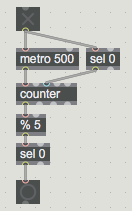
count quarters and % 5 to pulse C.
here is my try:
After 10 seconds "scene" 2 is starting
How can I pulse C doing % 5 ?
connect counter at output and % 5
Thanks.
I'm facing one problem - when I first start the system (pressing the main toggle I marked in green)
all the metros I marked in red are outputing a bang.
How can I avoid that first bang at all metro when system is first starting?
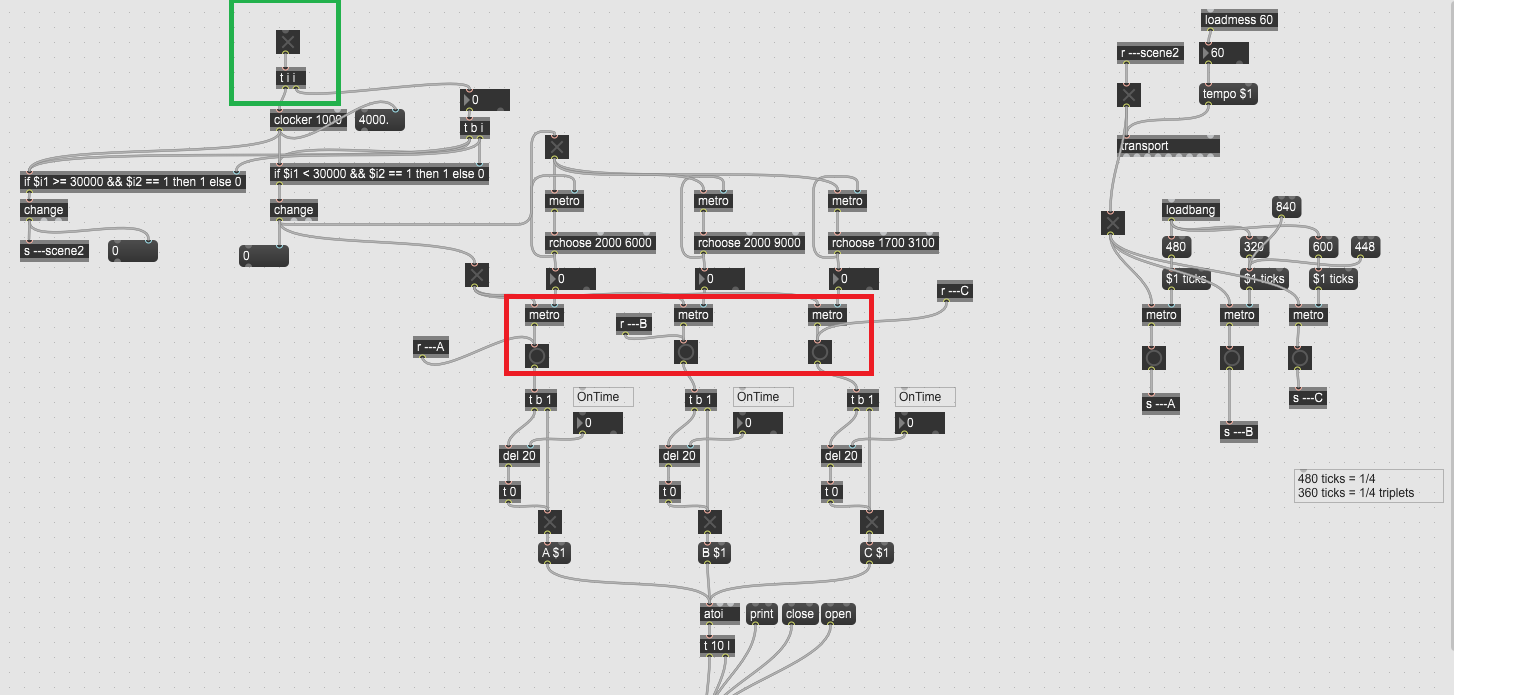
there are many ways to do so, here using onebang