
Rift — Multi-Track Glitch & FX Performance
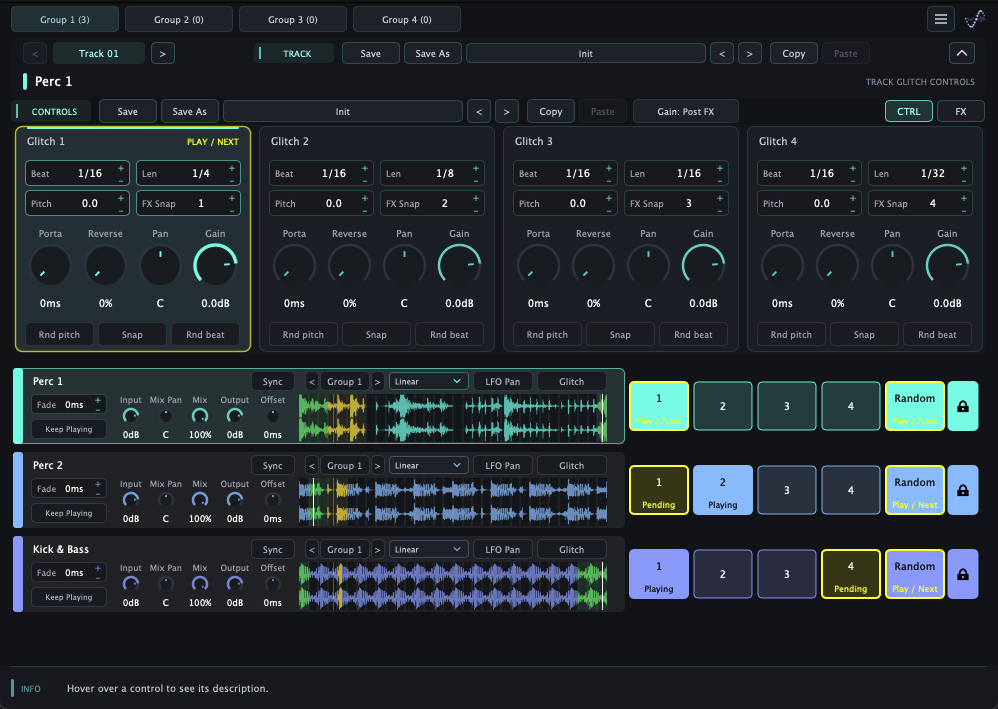
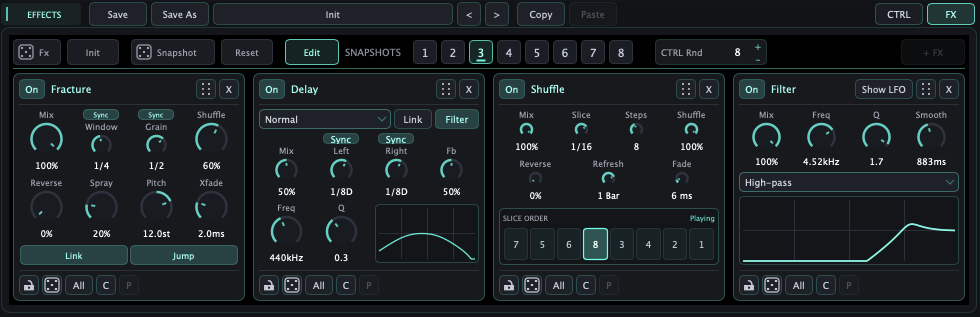
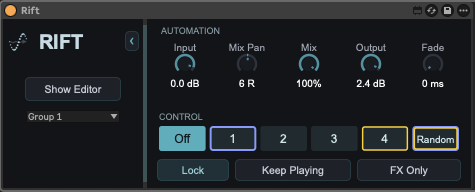
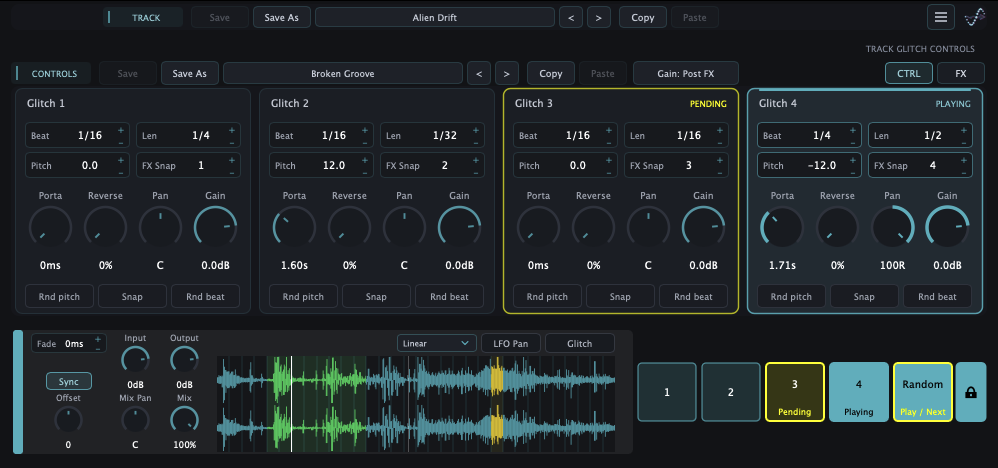
Rift by DWP — Multi-Track Glitch & FX Performance
Rift is a performance-oriented Max for Live audio effect that brings multiple Ableton Live tracks into one shared editor. Track names, colors and order follow the Live set, with four independent groups for organizing a performance.
Each track has four performance controls plus Random. Performers can move between beat and length combinations, change pitch, portamento, reverse probability, pan and gain, and lock a groove for continuous playback. Glitch mode repeats captured audio, while FX Only applies timed effects to the incoming signal.
The Max for Live device hosts the Rift plug-in and exposes automation controls inside Live. Each track supports a chain of up to four effects and eight effect snapshots, alongside fades, synchronized offset, input/output gain, dry/wet mix, Mix Pan and a pan LFO. Track, Controls and Effects presets support different performance setups.
An optional Rift Remote Android app provides touch control of the performance pads over the same trusted local network. Track names, colors, groups and playing/pending states stay synchronized with the shared editor.
Watch the Max for Live performance demo:
INSTALLATION AND AVAILABILITY
Install Rift using the macOS or Windows installer, including the Max for Live device and all supporting files. The AMXD alone is not sufficient. The shared multi-track workflow requires Ableton Live with Max for Live. The installers also include independent single-track VST3 and AAX plug-ins for macOS and Windows, plus AU on macOS; these do not require Max for Live. The macOS build supports Intel and Apple Silicon. The Android remote requires the Max for Live workflow and is available as a signed APK for Android 7.0+ on ARM64 devices.
PRICE AND TRIAL
$59 USD. One Rift license covers the Max for Live and independent plug-in workflows. Ten-minute trial sessions are available. Saving presets and project settings requires activation. Internet access is required for activation and periodic license validation.
Product and screenshots:
Downloads, trial, purchase and Android remote:
Independent plug-in demo:
Created by Yossi Barel / DWP.
Support: dwp@dwp-plugin.com
Year
2026
Location
Israel
Author
