
About Bach.roll's "do" (midicent 6000)

Everyone, there are some things you just don't understand.
I'm currently creating a microtonal midi keyboard, and would like to display the corresponding sound in bach.roll when a key is pressed. I input a list of [ 0 0 ] into the onsets inlet of bach.roll, (10) into the durations inlet, and [ midicents ] into the pitches or cents inlet using t l b b in this order, and finally send bang to the leftmost inlet to display the sound, but the unnecessary "do" (midicent 6000) is always displayed together. How can I prevent this unnecessary "do" from appearing only when I press the "do" key on my midi keyboard?

As usual, providing a patch (select objects, then Edit > Copy compressed, and paste here) makes us understand better what you currently have and why it possibly don't work.
I can't reproduce exactly what you describe, but sending 0 0 for the onsets instead of just 0 (since you just need one note) might be the culprit. Alternatively, you could set the note in just one message: addchord [ onset [ midicent duration velocity ]] llike so: addchord [ 0 [ 6123 10 100]] assuming you want to insert a note of 6123 midicents with a default velocity of 100. Then clear to remove that note before replacing it by another.
Hi, TFL
Thank you for your reprise.
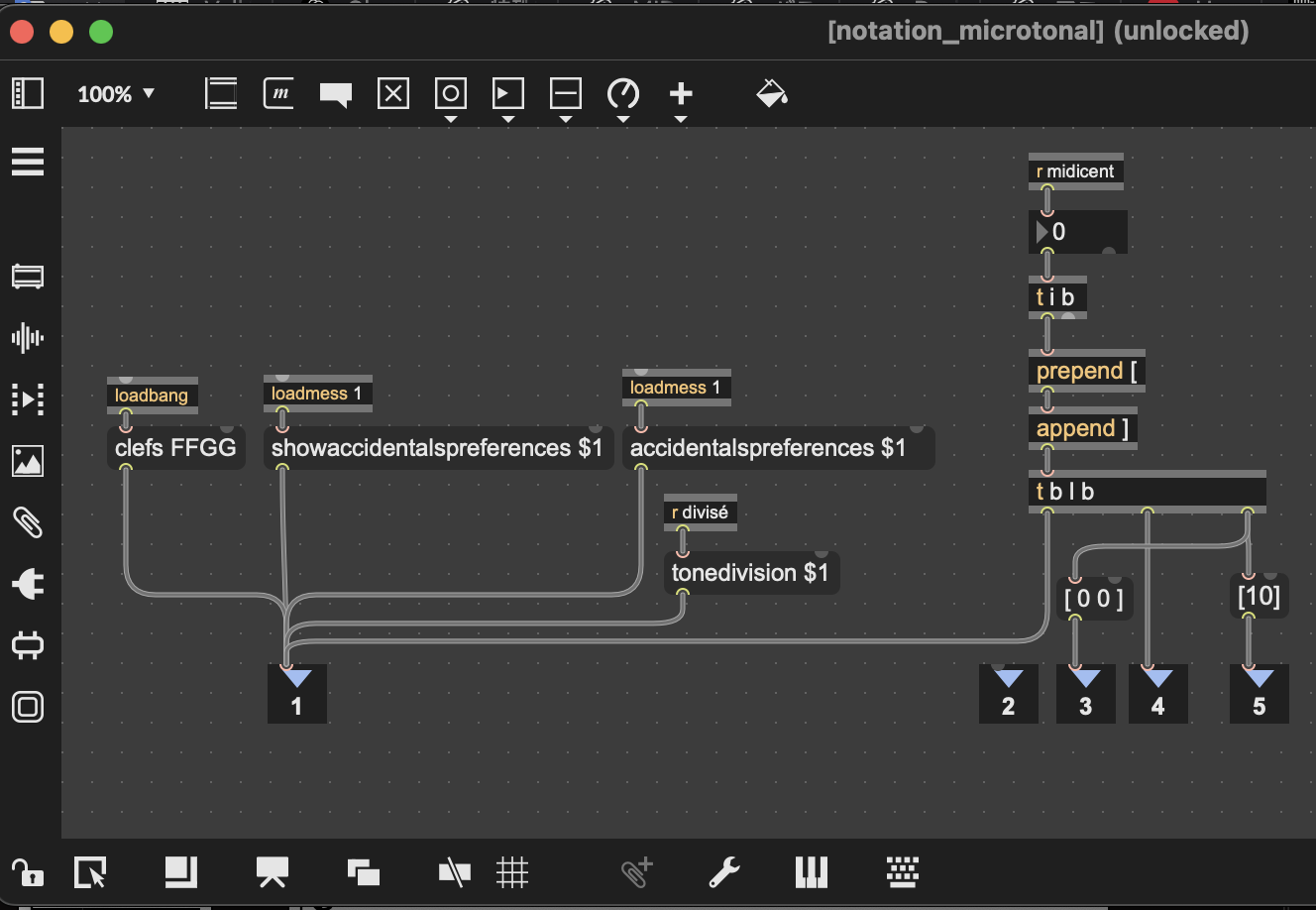
That is a screenshot of my patch. Please give me your opinion.
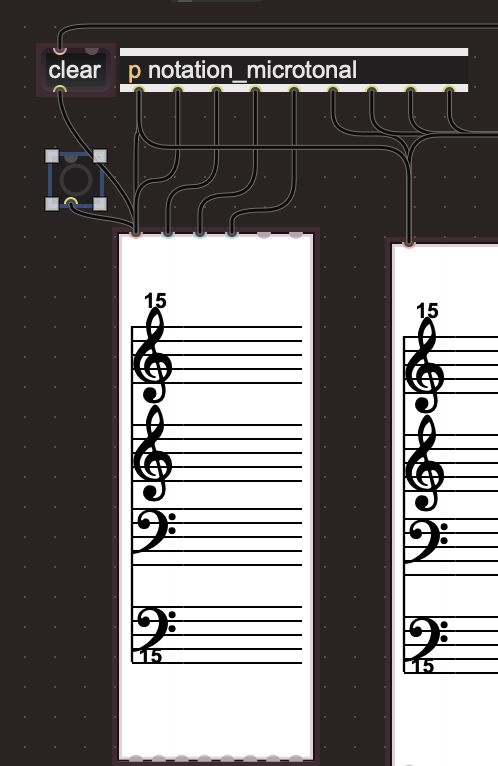
The "clear" in the message box in the second picture is the kind of thing that is input to bach.roll by loadbang when the patch is opened, and the bang next to it was originally set to go from the first "b" in "t b l b" via "inlet 2" to the leftmost inlet of bach.roll, but I intentionally left it outside so that you can check it manually.
My previous message still stands, although it had some errors I just corrected.
To make things more clear:
TFL, thank you very much for your kindness.
I know that nslider is easier, but it doesn't support microtonal accidentals, so I use bach.roll.
By the way, what should I do if I want to write chords in bach.roll like in nslider's polyhonic mode?
Basically, is it okay to just list the "[ $1 10 100 ]" part of "clear, addchord [ 0 [ $1 10 100 ]]"?
Like "[ 0 [ $1 10 100 ] [ $1 10 100 ] [ $1 10 100 ] ]"? Or should I list "addchord [ 0 [ $1 10 100 ]]" for each note in the chord and send them all at once?
Why don't you try it yourself and see if it works? Don't be afraid of testing things that might not work, at worst it will crash Max, that's all!
In the help patch for [bach.roll], check the "Notation Help Center" tab, Messages > "Adding a chord in bach.roll". You'll get your answers.

Single note viewer. Even If I'm not so clever in bach, this is an example for a single note view.
wrong message the $1 does not pass, so you see the middle C
because you're missing a space between [ and $1.
The two examples I posted in the patch above work as expected.
TFL,
Thank you so much !!
I will try all of your advice