
Assigning a MIDI key to a toggle switch

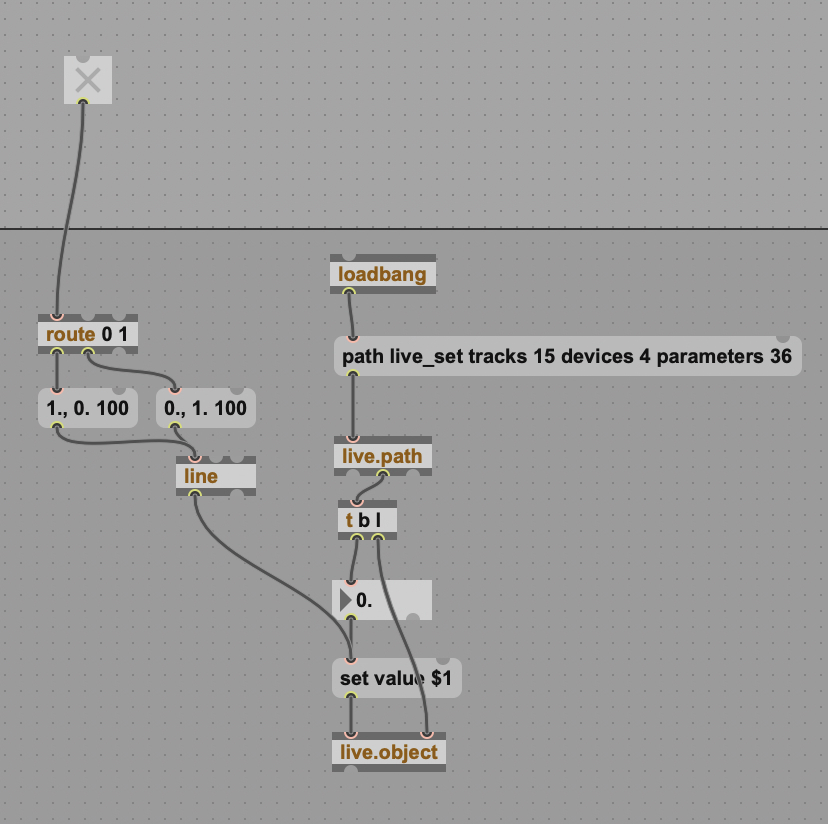
I recently started learning M4L and I'm really excited to share one of my first original patches. It's just a fun little take on a killswitch, where a highpass filter's cutoff quickly goes all the way up when you toggle it off, and it quickly goes all the way down when you toggle it on. (It doesn't actually pass audio; it's just controlling a separate plugin) The problem is that I was really hoping that I'd be able to assign a MIDI key to the toggle switch, so I could use it in a more musical way -- like noteon would toggle it on and noteoff would toggle it off. But the toggle doesn't seem to be assignable at all. I've got my fingers crossed that one of the M4L experts here can tell me how I can make this work.
But what I'd really like to know is where I can find tutorials or example patches that are specifically about MIDI controlled audio effects. Whenever I search the maxforlive website for this, all I find are MIDI effects, instead of MIDI controlled audio effects. So any suggestions on resources would be greatly appreciated!

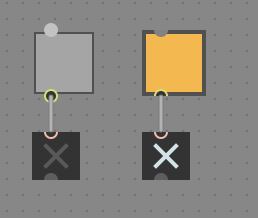
There is a mappable [live.toggle] ?

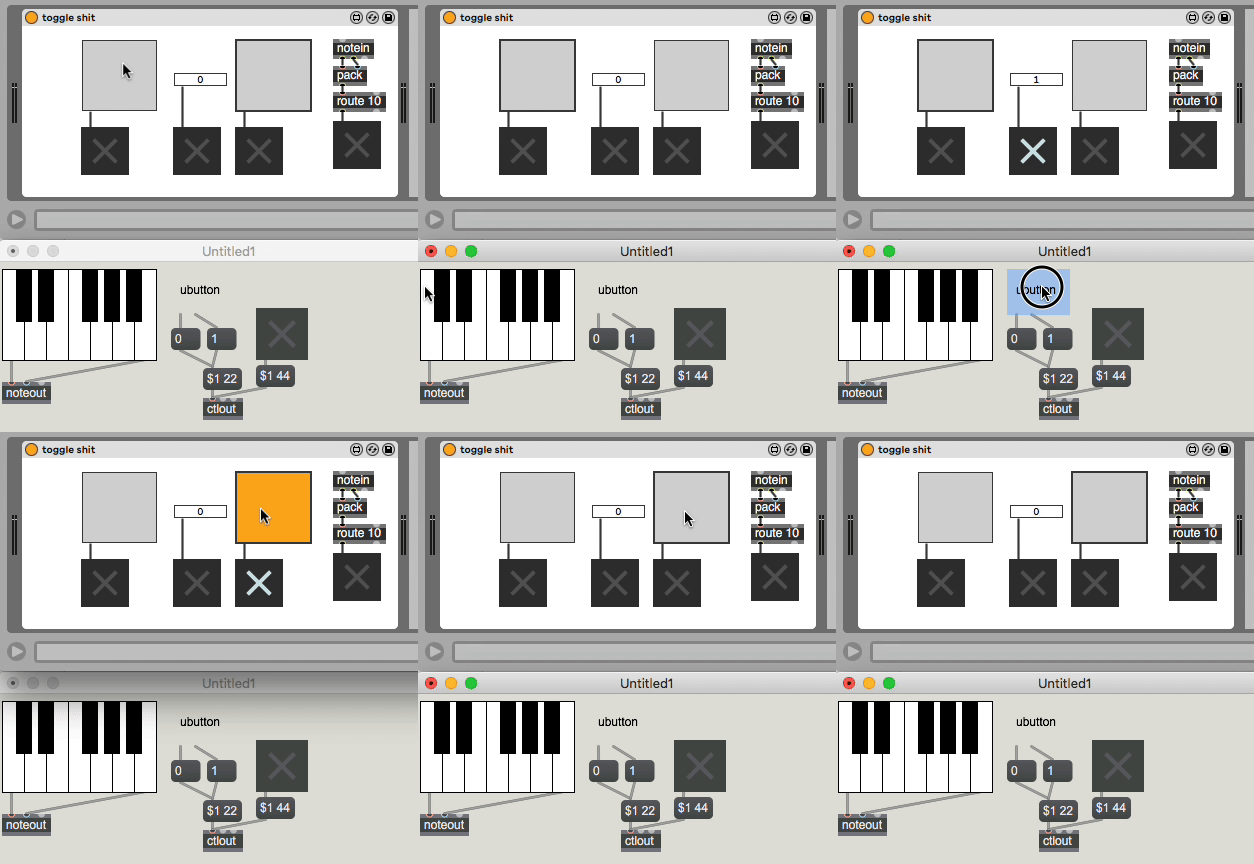
why use complicated "assign" features when you could use [notein] [route 60] [route 0]
well... why use complicated [notein] [route 60] [route 0] when you could use "assign" features ? ;-)

this mapping misery to buttons or toggles has appeared here so many times.
that is why midiin note on = on, and note off = off is a thing that works
without mapping as Roman suggests.
mapping is useless when using notes.
only CC can work for that switch and not mapped to live.toggle
but live.number which can then drive a switch
see here few mappings set in live, midi sent from max
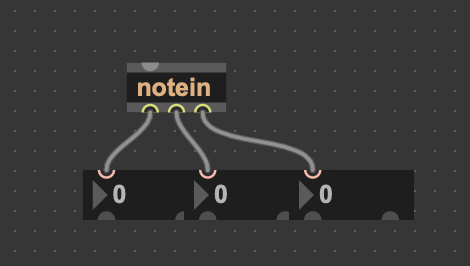
Thanks everyone for your suggestions. I tried just routing the notein's three outlets to three number objects, just to get a better understanding of it, but the numbers always stay at zero when I press keys on my keyboard controller. I'm guessing I need to feed specific info about my MIDI hardware into the inlet for it to work?
Actually I sort of figured it out. I just needed to build my patcher as a MIDI effect and put it on a MIDI track. In its current state, it only works if I press the key down at full velocity every time, but I'm sure there's probably an easy way to make any velocity work.
The only problem with having to build it as a MIDI effect is that now I can't move on to my next iteration, which was to build the highpass filter into the device, so that it could be self-contained, instead having it control a separate audio effect plugin. This is a good example of why I need some good resources to learn how to make MIDI-controlled audio effects in M4L!
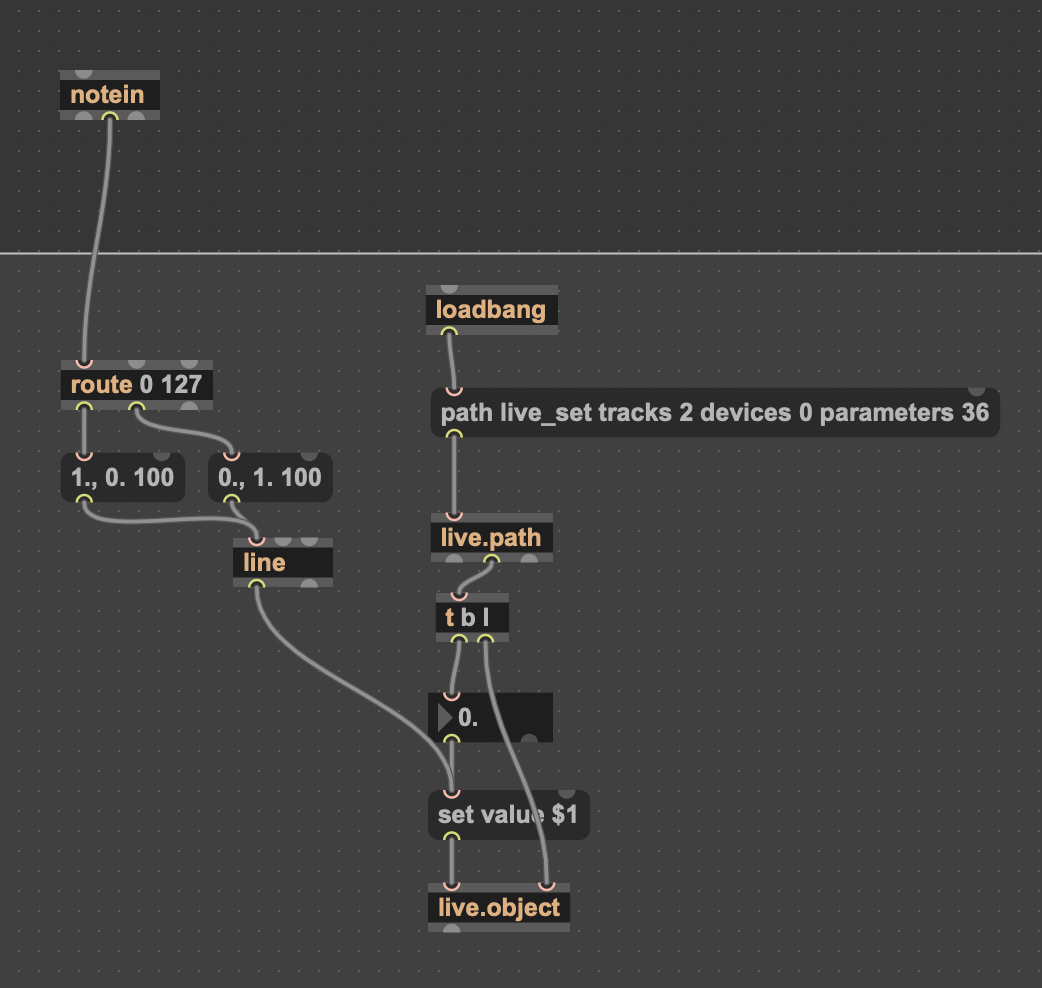
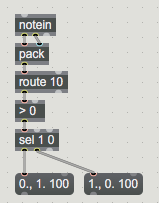
route is wrong
you need to pack note number and velocity
to route selected note and use it's velocity as switch.
here note number 10 is routed
you have several options to send that switch to your audio track.
either use one midi track, activate input monitor and send midi
to audio track where notein and the rest get placed.
or you build a device that serves as multy - mapper where you create own
midi to whatever controls, and pass them via send - receive,
pattr share and I don't know what else ...