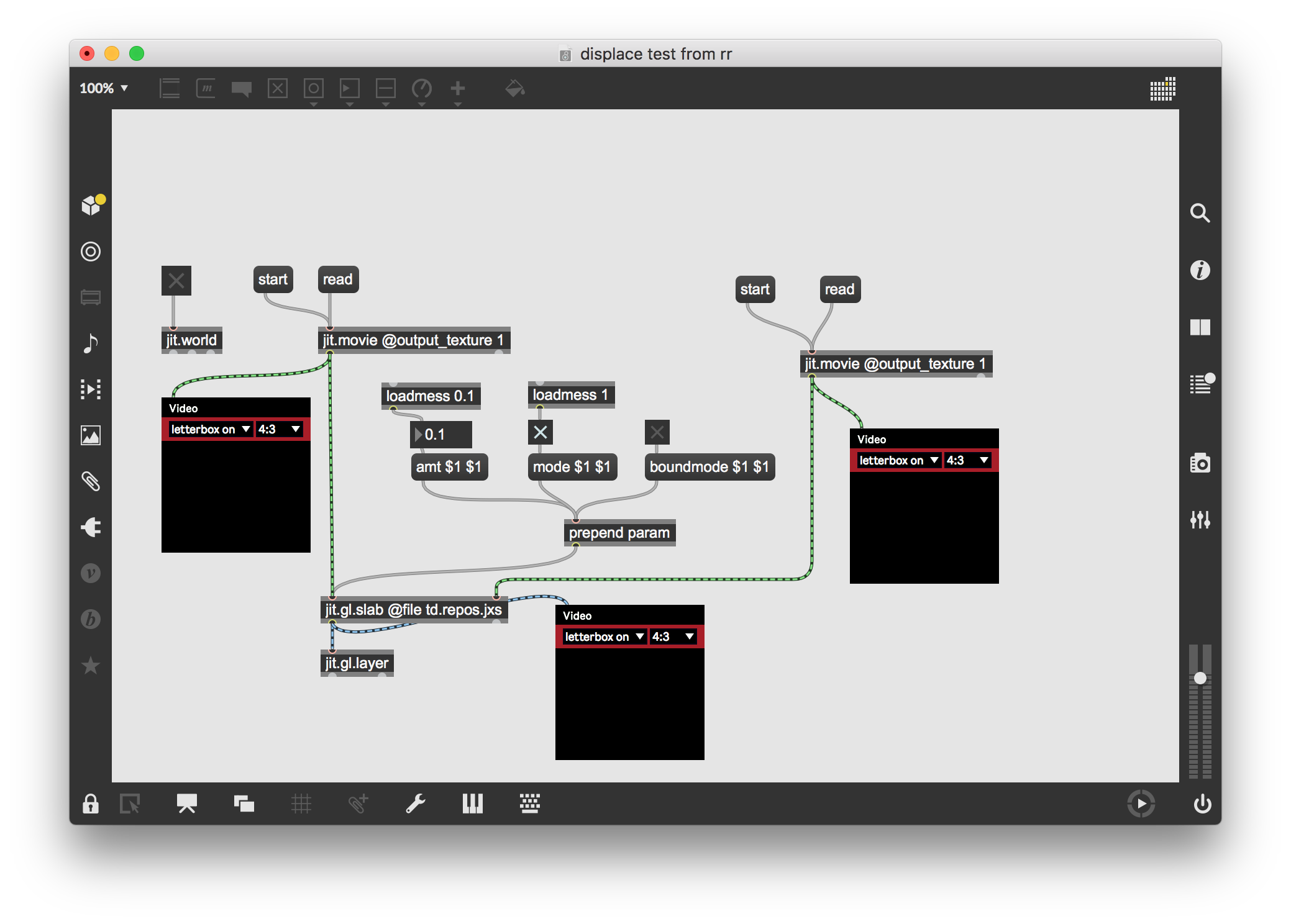
Displace pixels in one video with luma from another, using jit.gl.slab

I would like to displace pixels in one video (in x and y) using the luma data from another video.
I did exactly what I wanted using jit.plume, but wanted to do it using jit.gl.slab and td.repos.jxs.
Here's where I got with jit.plume, which works great, exactly what I want:
Here's where I am with jig.gl.slab and td.repos.jxs, which doesn't do anything. What am I doing wrong?

you have to play with the shader parameters a bit. for the blocky displacement you can use the vizzie pixl8r module. also, using vizzie viewr's as preview windows will give much better performance:
Cool, that is super helpful.
To get the list of parameters for the shader you actually have to look for the shader in the Resources/C74 folder, right?
How would I go about getting a vertical as well as horizontal displacement (like jit.plume)?
The blocky effect is optional, I know how to bypass that...
To get the list of parameters for the shader you actually have to look for the shader in the Resources/C74 folder, right?
just double-click on the jit.gl.slab object (while the patch is locked or with OWU mode enabled). this will open a file editor with the currently loaded shader. you can look at the XML description at the top of the file to see what parameters it takes. search the Reference browser for "The JXS File Format" for more info, and check out this article for even more info.
How would I go about getting a vertical as well as horizontal displacement (like jit.plume)?
the "amt" parameter actually takes two args for the x and y displacement.
Doesn't seem to be working. I manually edited the amt message be amt 0.1 01. and I still only see horizontal displacement.
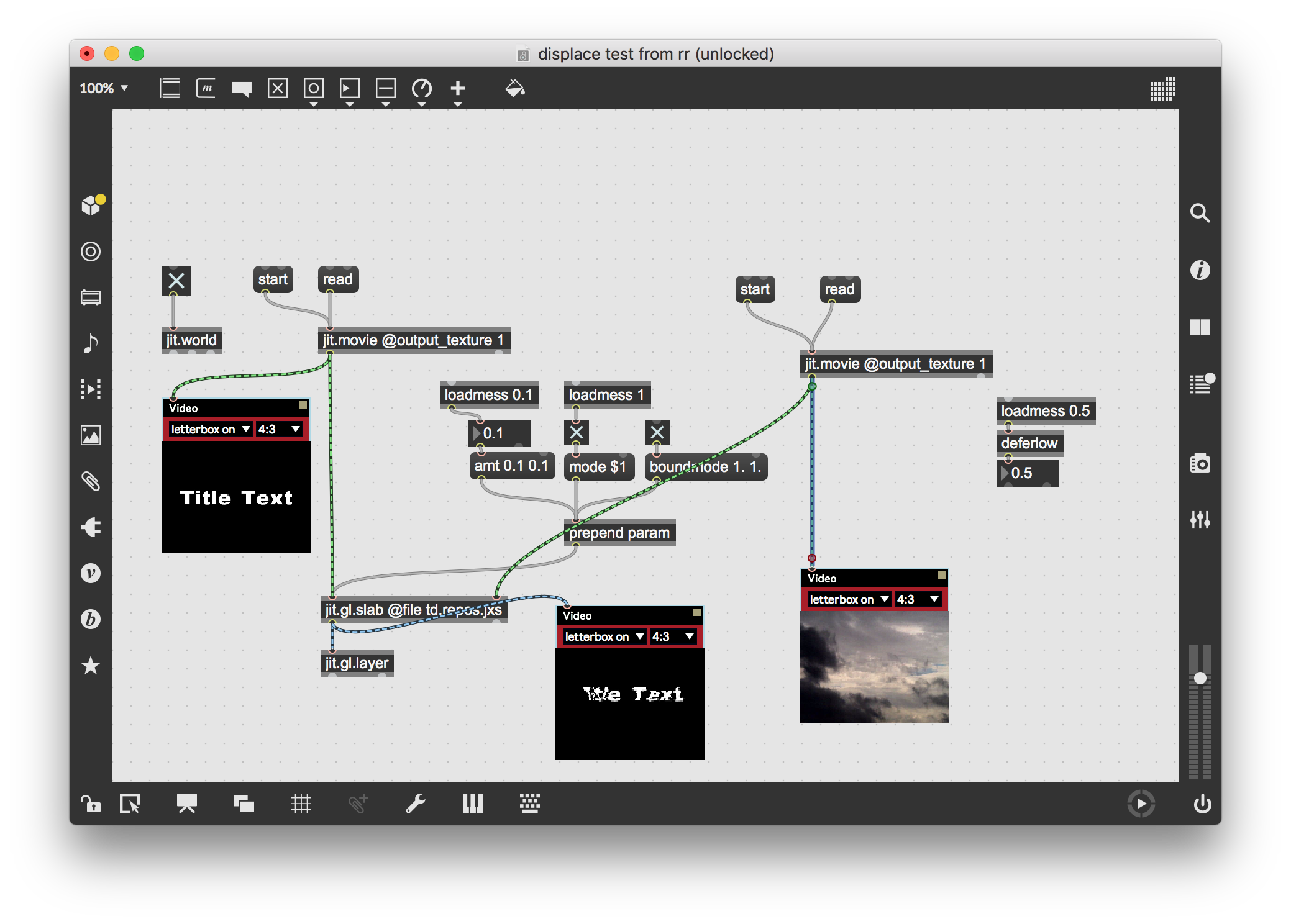
there is an example patch named td.repos.jxs-help.maxpat that demonstrates this shader, search the file browser with that name to find it.
setting changeable arguments in a message box is fairly basic max programming, so make sure you've done the first 10 or so Max and Jitter tutorials, as well as the Video and Graphics tutorials.
Yeah, that' s how I was doing it before, but wasn't doing what I expected, so I tried hard coding the values for testing.
The help patch does look promising.