
Feathered Masking in OpenGL context

Hello,
What is the best way to do masking in the openGL context ?
The purpose is to animate/distors parts of an image with noise (jit.gl.bfg). I already tried to do binary masks (black and white) to animate a part of an image and then recombine it to the original image but it is very hard to avoid artifacts on the border of the mask.
I tried [jit.gl.meshwarp], it is a very versatile solution, but I didn't find a way to feather the mask outlines. Is there a way to blur/feather the mask outline of [jit.gl.meshwarp] ?
Of course everything in the openGL / texture context.
Any other ideas welcomed !
Thanks !
(I join a shematic example of what I just explained).

Not sure what you mean. Isn't this what you want?
Thanks !
That is not exactly what I'm looking forward to do. The alpha / lum mask is not an option, I need to do the distorsion on a specific part of the image.
I'll try to isolate from my patch this specific part, but in the mpean time as an example, imagine you have an image containing a mirror, or a window or any object, you isolate (probably with a mask) this object and you animate it (noise distorsion) and then reintegrate it to the full image. The result would be a distorsed (an animated distorsion like you did on the patch in your answer) mirror (or whaterver part of the image) within the full image. The masking would be to reduce the animated distorsion to a specific par of the image.
"Kinda" chromakey in the opengl context. Because all chromakey/alphablend object I found are not texture compatible, meaning awfully low frame rate
If I understand correctly what you want is actually to apply the mask on the distortion texture itself, not on the base image!
Here is the same patch but with fewer objects and the mask being applied on the distortion texture instead of the base image.
As for a texture-domain chromakey, you can check out [jit.fx.co.chromakey]
You can find many other texture-ready candies by browsing the jit.fx object family from the objects menu in the sidebar:
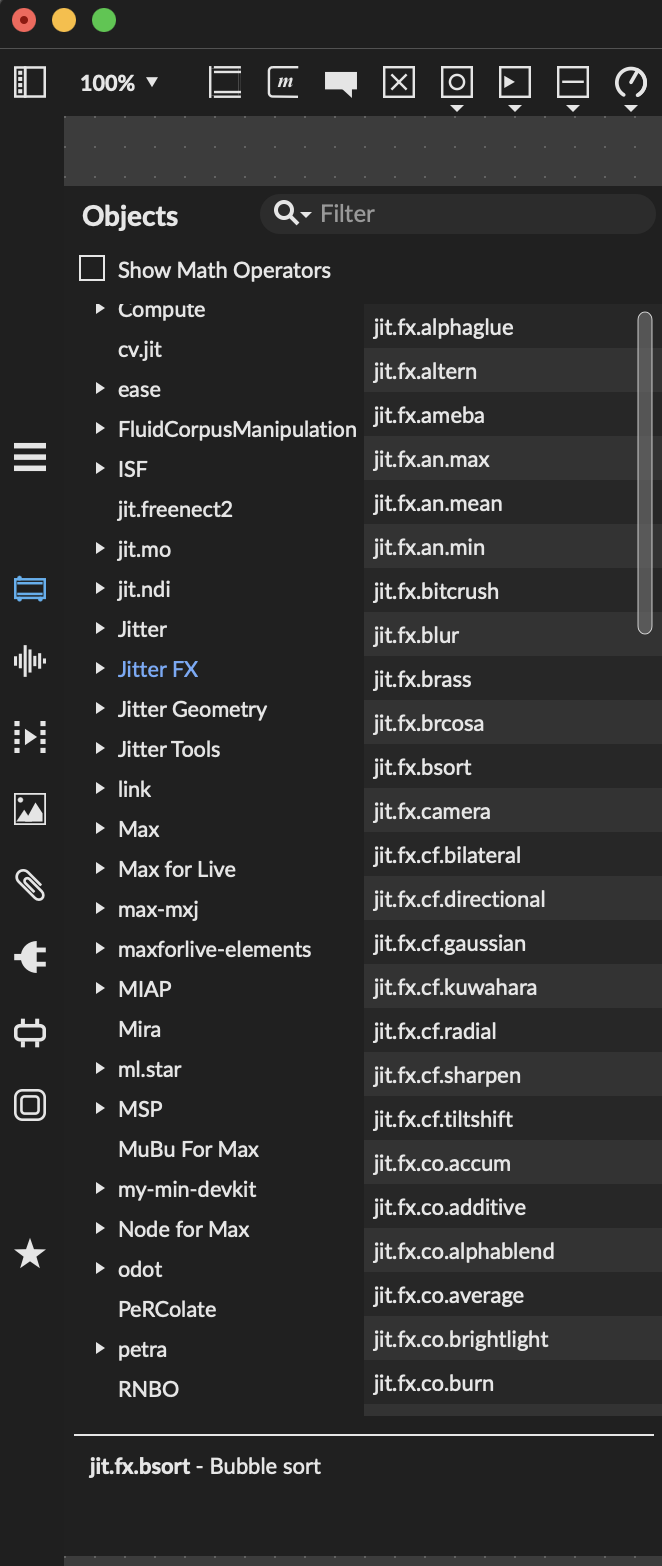
Oh thanks for the candie store info ! I didn't realize that the regular jitter candies where now running opengl on jit.fx. Good to know. I think I'all have to have a look at all those objects, I might find my solution there.
To summarize, I want to distiors/warp only one part of a still image dynamically (jit.gl.bfg driven by sound amplitude in realtime).
Here is a slightly modified example, hopefully more clear and that matches your definition "distiors/warp only one part of a still image dynamically".
I removed [jit.fx.repos] in favor of a (very similar) [jit.gl.pix] where the displacement is applied only where the displacement texture is > 0.
FWIW, jit.fx objects are actually define objects built around v8 or jit.gl.slab. See the doc page I linked to see how to revert them back to their original form if you want to know what they hide and possibly tinker with them.
Thanks ! That is the idea, but the issue I can't manage to solve is to have a smooth / feathered transition between the moving/distorsed part and the remaining/still part of the image. I added a [jit.fx.blur] between the binary mask and 2d inlet of the distort mask, and as you can see, it indeed creates a transition between the moving and the still parts of the image but this transition is very dirty / grainy. That what I'm struggling with and I can't figure out how to solve that. I need a smooth transition and I don't know how to do it. If I create a binary mask in photoshop, it can be a bit better but still not clean.
I think I solved it !

nice patch! I've been contemplating a way to support something similar in a more general purpose way, so it's good to see both of your solutions.
Thanks Rob ! That would be a great stuff to have it as a general solution... A good thing would be to be able to have several parts of the image / video distorted with different parameters in a simple way.