jamming a number into a counter

Hello -
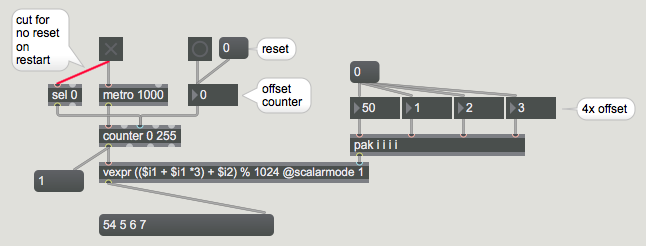
I am trying to jam a number into a counter object, which is being banged by a metro. The issue is that the output of the counter is being multiplied by a *4, so when I jam a number into the counter, the output is automatically multiplied by *4 (but I just want it to take my jammed number and start counting from there). I'm not sure what I'm doing wrong. See attached printscreen. So below, I would like the final output numbers to read from left to right: 54, 17, 18, 19.
Thanks in advance for any help.
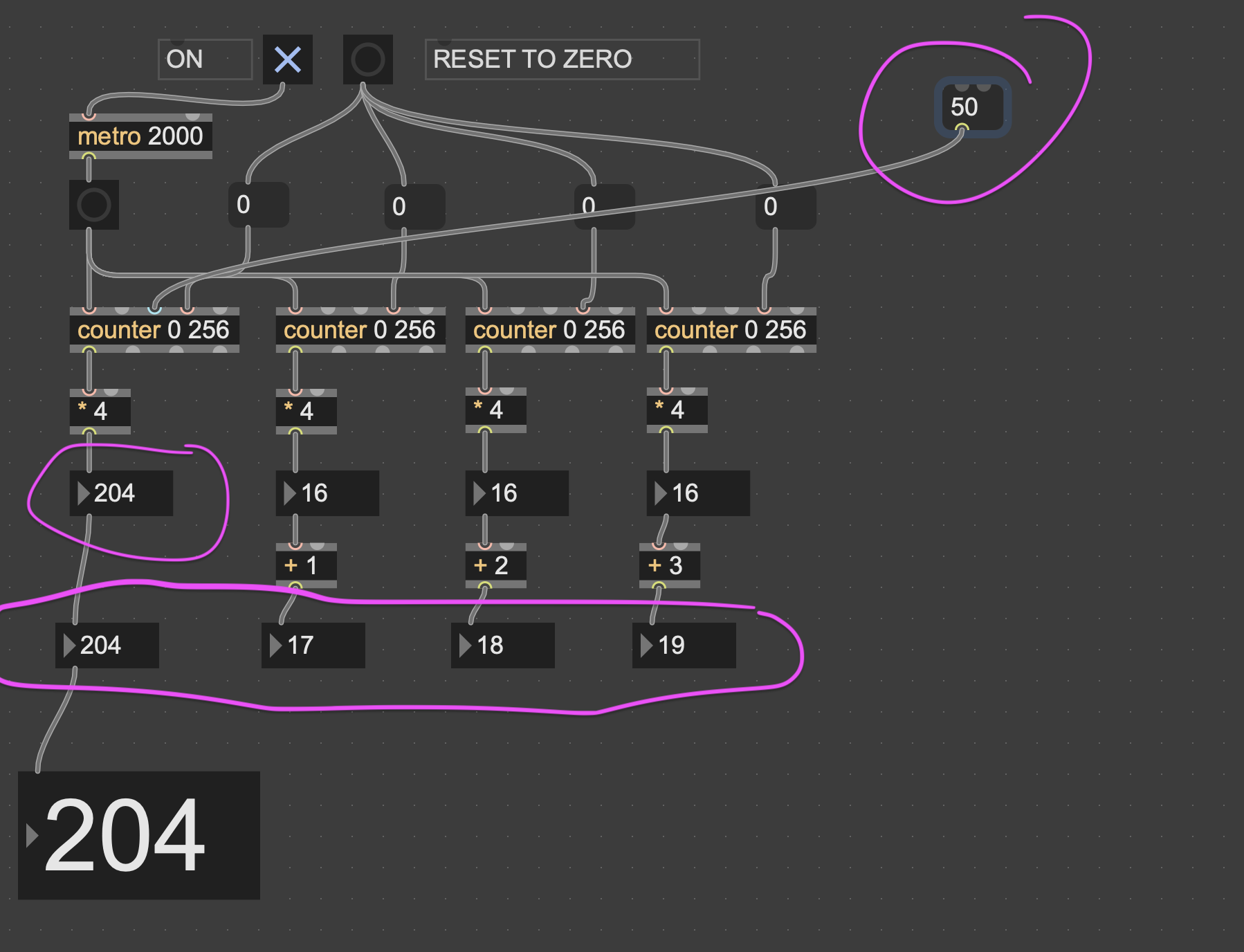

switch multiplyer

Your instruction aren't clear. Why the output should 54, 17, 18, 19 if you jam 50 into the first counter? Where does the added 4 should come from, since there is no [+ 4] anywhere?
Maybe you want to simply divide your jammed number by 4? But your output will only be a multiple of 4 at the end.
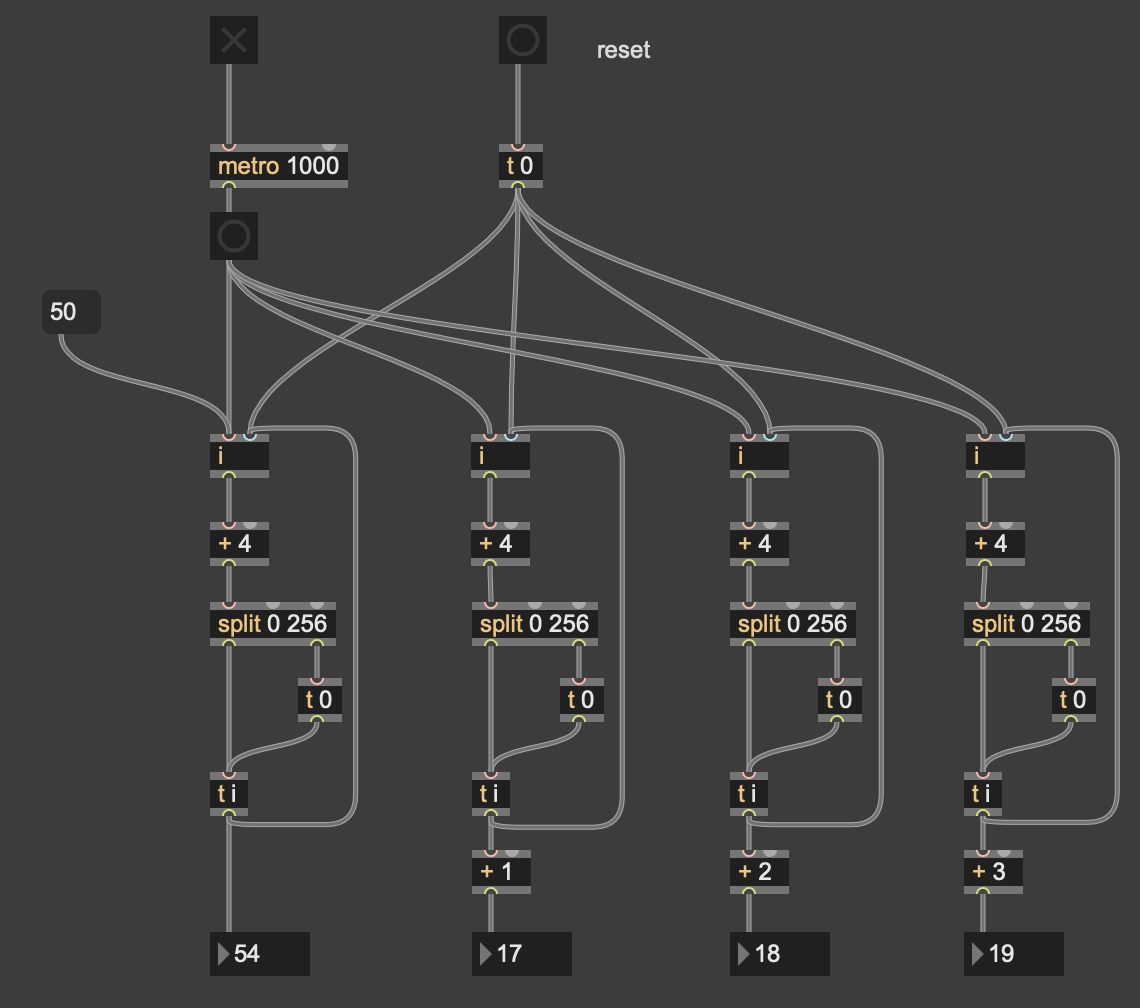
Or maybe you want to run your own custom counter:

counter 0 256 outputs 257 numbers starting with zero.
if you insert * 4
counter can not produce values that you request, simple as that.
only 0, 1 , 2 ... 256 * 4.
if you want number to progress by 4 values
no matter from where within 0 ~ 1024, and to wrap the output to
0 ~ 1024 then insert offset (your "jam" value)
into number and use inc by 4 .
no need for counter.
one could patch this a bit different, depending on what value you want
when metro starts and stops.
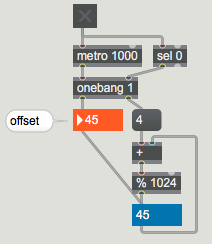
P.S. and use vexpr for other output numbers you need

you have it right for "reset", if you want the same for "50", connect it to the same inlet...?
THANK YOU all for the quick and helpful replies. I didn't try them all, but this one worked: https://cycling74.com/forums/jamming-a-number-into-a-counter#reply-6a0819a2e9dd948c88f60b7c
Thank you again
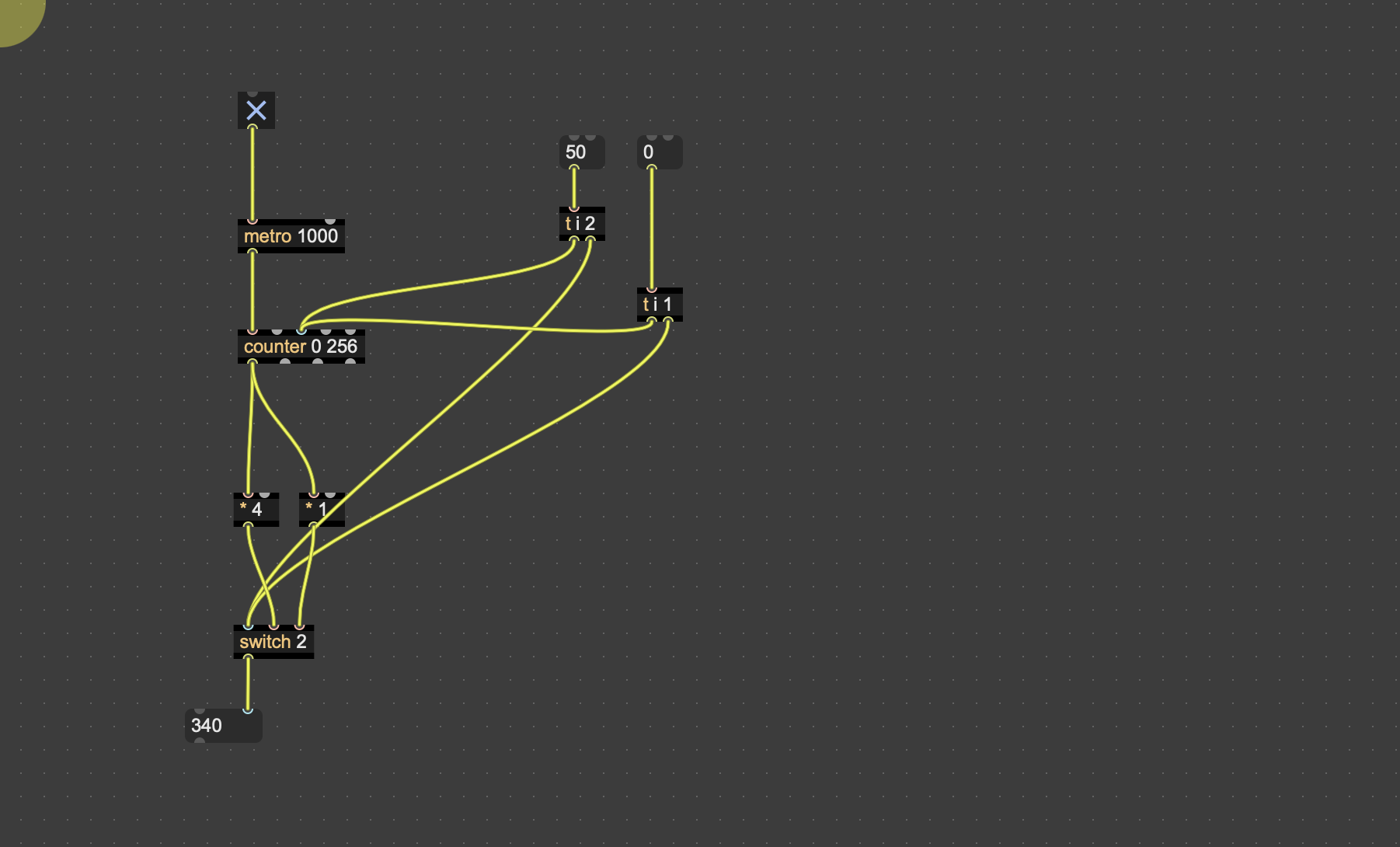
try this as well ...