
jit.world texture dimension

Hello,
Could someone explain how to get full resolution image with jit.world, jit.gl.videoplane and jit.gl.texture.
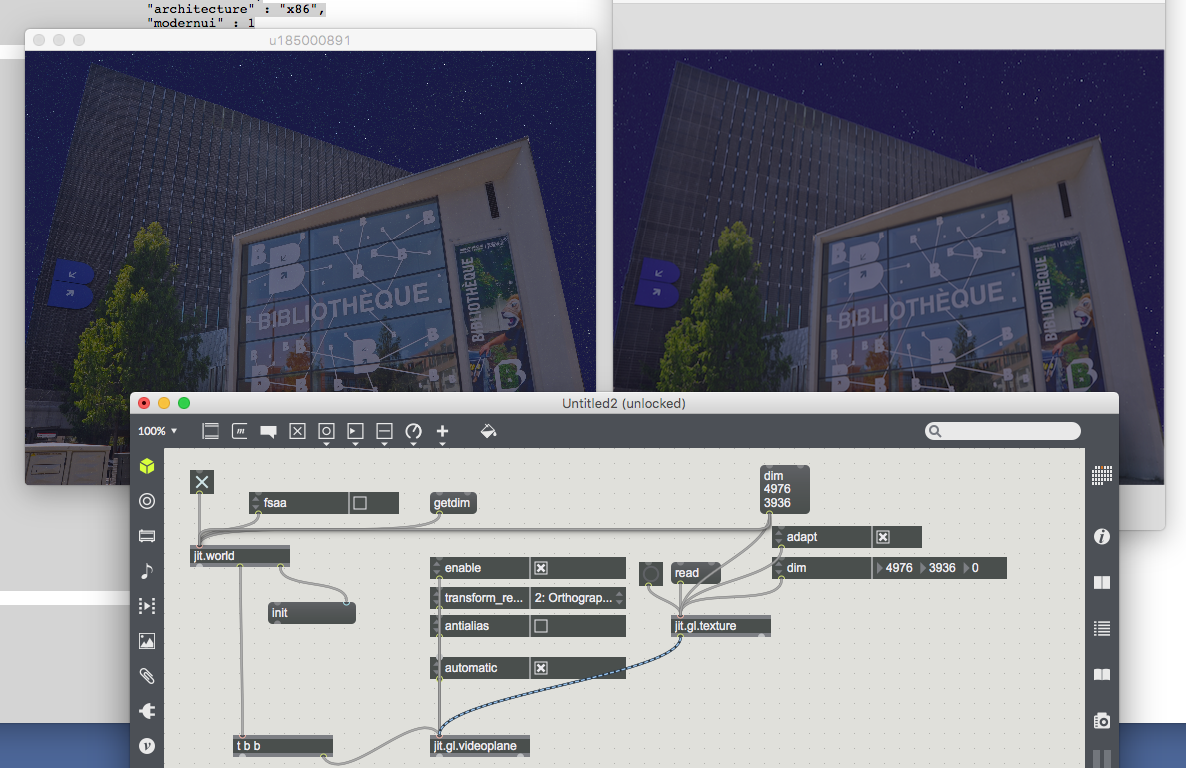
When I load a 5871 x 3936 image in jit.gl.texture I get crappy aliasing even with @dim 5871 3936 in jit.world.
Fsaa nor antialiasing do anything.

Unfortunately it doesn't do anything. Source image is still pixelated as you can see on the left
Can't a large image be smoothed in a smaller jit.window size?

i think you need to use mipmap filtering when down-sampling textures, which is only available with non-rectangular textures.
Great, thanks!
But it seems jit.gl.cornerpin doesn't like the idea, unfortunately
Otherwise I can't understand why it is not possible to smooth GL edges in this configuration :
i would do it like this:
Mmm okay I understand the process but I think only a Cycling74 programmer knows what happens inside the objects. Indeed, there is nothing saying why cornerpin is not able to process the GL stream. Some documentation about what are the possibilities and restrictions of that kind of hybrid GL objects will be great. Max XX? Anyway, the patch help much, thank you.
cornerpin not displaying non-rectangular textures is a bug, and this is the first time that I've seen it.
the technique i demonstrated for you requires no special insider knowledge. my answer came from having to solve a very similar problem for a recent project.

I have a similar problem with texture quality with jit.gl.model:
https://cycling74.com/forums/texture-quality-with-jit-gl-model
I would also be glad to know more about the possibilities and restrictions of Max' OpenGL.
similar solution, you probably want to enable mipmap filtering. you probably also want to enable @fsaa, and if on a Mac retina display enable @high_res.
Thanks a lot Rob.

Hi everybody,
I created a slideshow. You just need to upload a folder of pictures and it sends them in a random order with a faded transition.
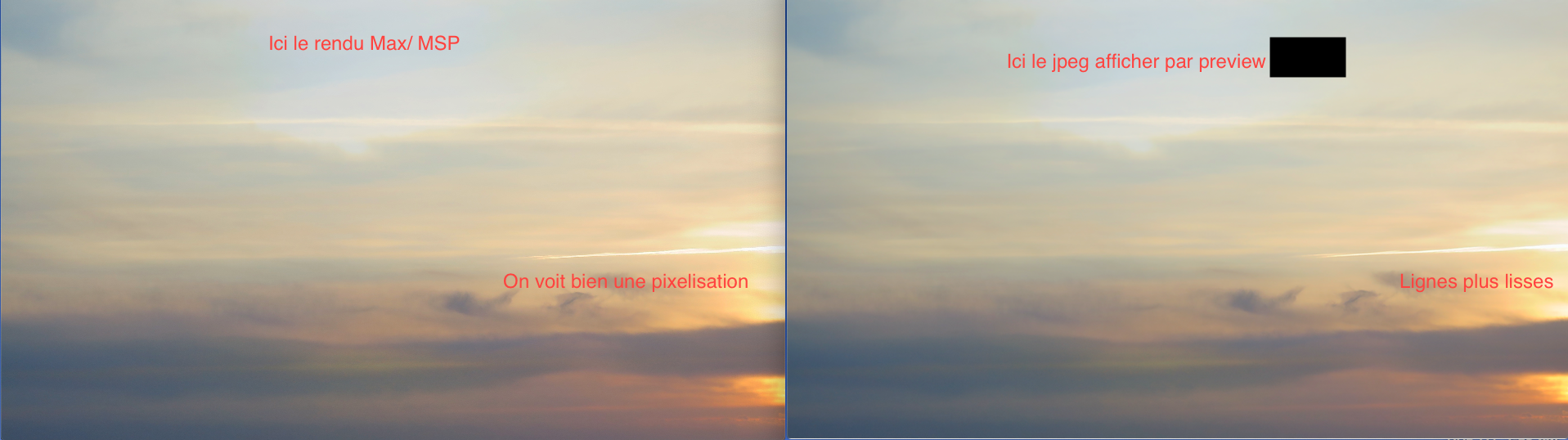
I am facing a very similar problem that I can't solve : you can see on the screenshot. On the left, the slideshow ; on the right, the original picture opened in preview on mac. The more the details are thin, the more the pixelation increases. It is obvious on this picture, close from the sunlight ; the difference is not so big, but it's to much for me. Which was the final solution you finally find for this ?
Best,
Bastien.