
Jitter : edit cornerpin from pwindow ?

Hi,
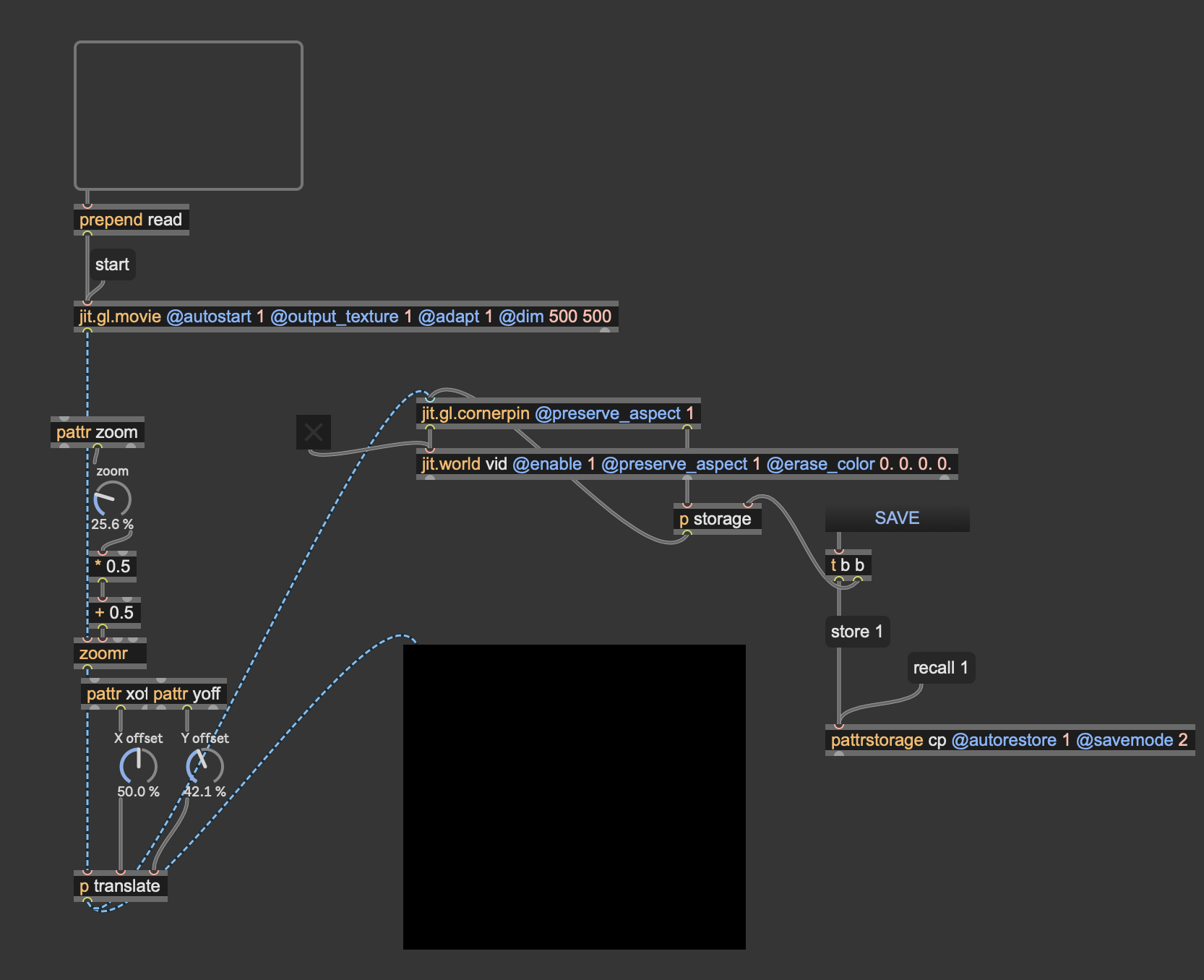
I've got this fairly simple patch, just aimed to broadcast a video with the ability to offset and resize the image.
I'd like to edit the cornerpins with the mouse, but in the patcher window instead of in the main (jit.world) window. How would you do this ?
Thanks

Awesome, thanks very much !

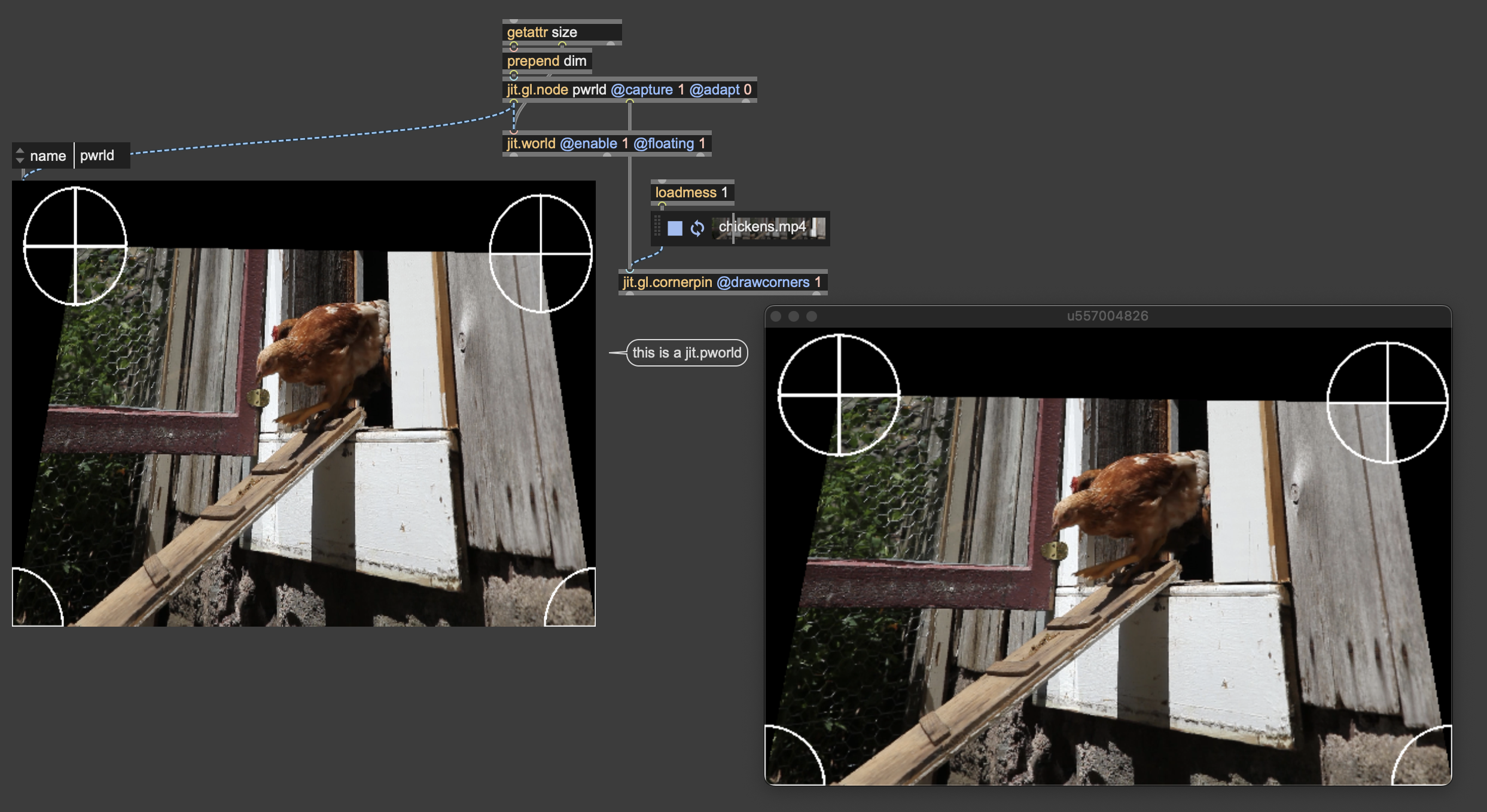
Note there's a bug in 2K's patch, as that's a jit.pworld not jit.pwindow, so there's no need for the extraneous jit.gl.render.
here's how I'd do it by capturing the cornerpin to a texture with a jit.gl.node that has its dims synched to the jit.world size:
Oh, I didn't realize I type jit.pworld, the name of the patch even says pwindow lol. Anyway, neat compact solution Rob, thanks for sharing!
If you don't mind, I'm struggling with something else.
On top of the video I want to display a 2d text (and be affected by the same cornerpin). In my previous patch (attached) I sort of managed to do it with the layer attribute, but I'm not able to transpose it in any of your patches... I'm super confused with jitter...
Any help ?

In your example, the text isn't affected by the cornerpin because you apply it only on the movie.
If you want to apply it to everything, you need to capture both the text and movie in the same node, and apply the cornerpin to that node:
But more simply, you don't even need to create your own cornerpin and node and can use the one built in jit.world:
Thanks.
In the end I simply used the embedded cornerpin of jit.world, and set it via the sendcornerpin messages.
Hi there, me again, thanks for baring me...
I'm trying to display a text over an image, and have both the image and the text having their own cornerpins.
For some reasons (I believe understanding the layer hierarchy), I can't make it work. Any help would be very welcome.
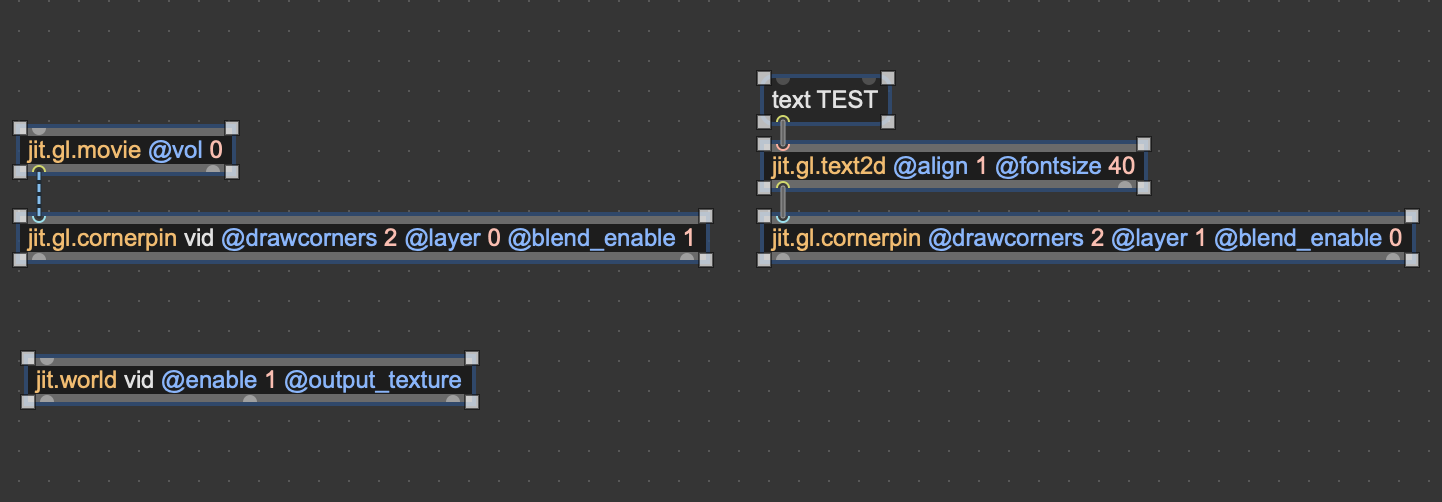
[jit.gl.text2d] doesn't output anything here, it just displays the text mesh in the gl world. In order to be able to apply the cornerpin on it, you need to capture it to a [jit.gl.node].
So I would do something like [jit.gl.text2d textnode @align 1 @fontsize 40] and next to that [jit.gl.node @name textnode @capture 1] with its left outlet connected to the cornerpin.
That's really helpful, thanks.
I'm really confused about how to layer stuff. Any resources/tips on how to understand these concepts ?
Sure! I can suggest this User guide page and that (somewhat outdated but still relevant) tutorial. If you're more into videos I know some videos from Federico / Amazing Max Stuff covers this topic as well.
Thanks !
I'll take the time to properly learn this stuff.