
M4L: sending midi from device to Live

Hi all,
the setup I'm working with for a show is comprised of a max patch running alongside a Live session, the max patch sends MIDI and audio to the Live session using Blackhole and inter application MIDI.
I tried to encapsulate the Max patch into a M4L device so that I only open one file for the show and don't have to use Blackhole to pass audio. Everything works except no MIDI is passed from the device to Live.
I am using ctlout to move Live faders and turn channels on and off.
Do I need to do something in Live preferences or do I need to use m4l specific MIDI objects in the device?
I need the control to remain in the MIDI domain because some of the faders that the patch controls in Live are also controlled by an external hardware MIDI controller
Thank you!

It depends on your midi configuration,
I mean what needs to get into device, from what sources,
and where it needs to go.
Then Live device types have their limitations what they can send and receive.
Audio device can not fully support midi like midi device for example.
Why don't you post a simple schematic of both audio and midi I/O needed
in your device.
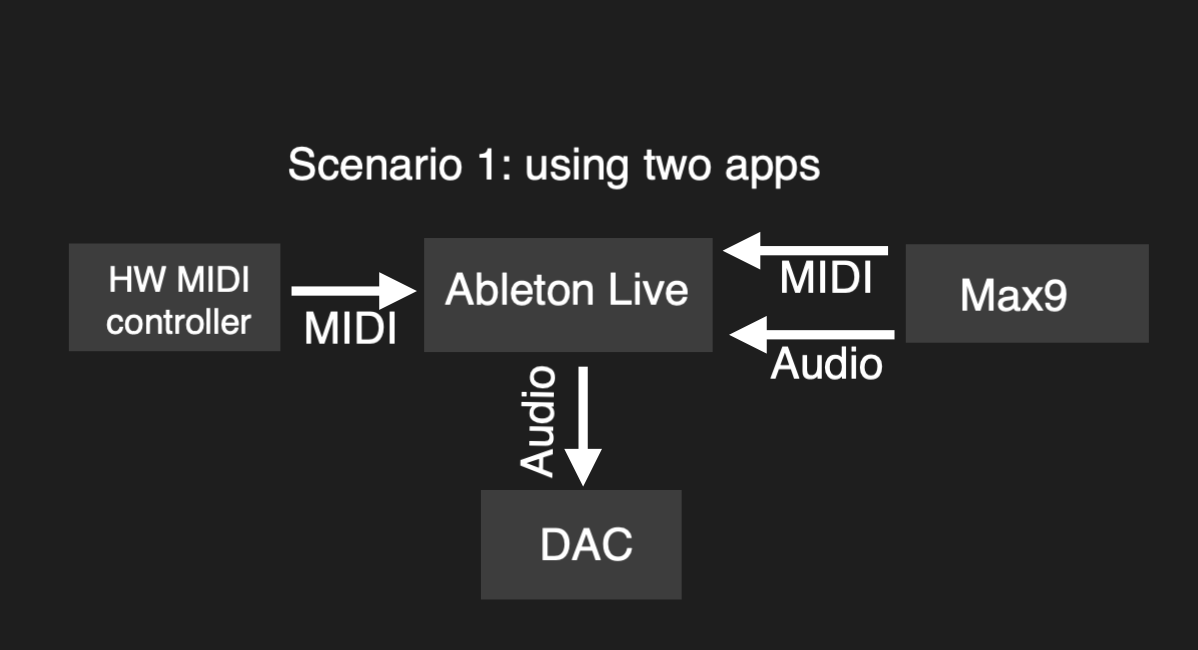
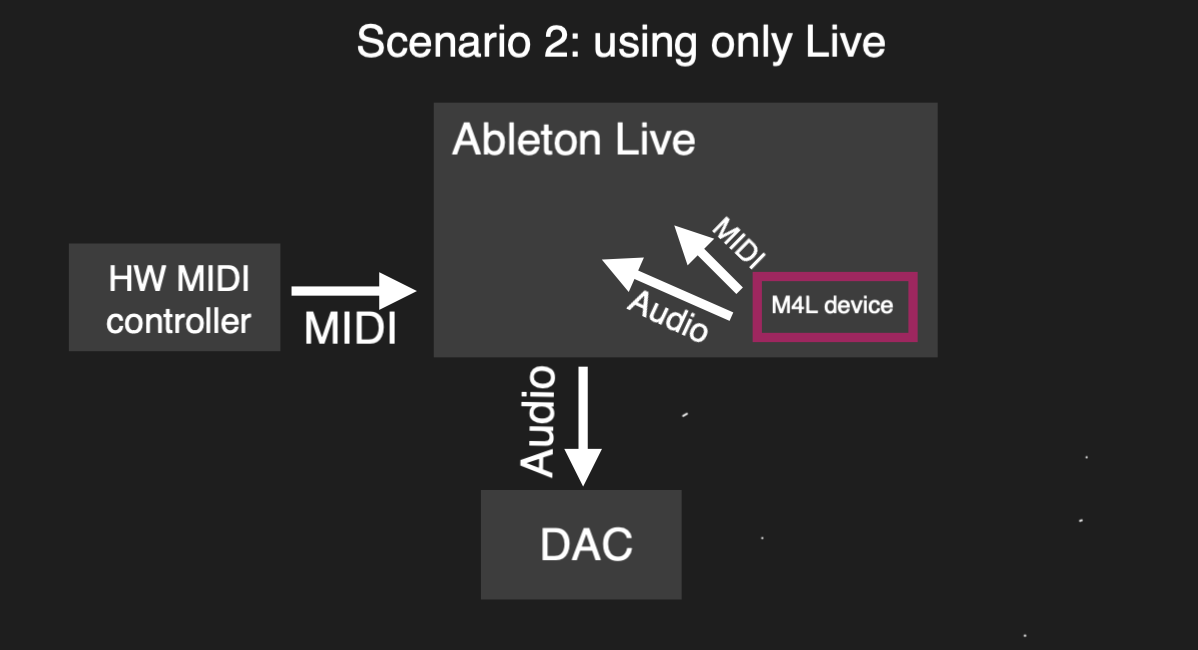
Sorry, maybe I did not ask in the best way.
Max4Live device can not receive and output midi and audio at same time same as Max does.
because they reside in Live track which sets limits.
If you need to receive midi and produce audio like a synth
make instrument type device.
If you need audio Input, then it must be audio type m4l device
and then you need to see how to deal with midi.
Only way one can use midi separately form track inputs
is if one programs control surface.
or use 3rd party midi externals. like imp.midi.
At least that is what I know about it in Live 11.
There are some routing libs or whatever, I don't know exactly,
but I am not using live, so can't tell.
So describe exacty what you need, like
I need to receive ONLY midi from external device and
route that midi input to ?
Record midi into clips/tracks , or record input as automation ?
What about audio part ?
P.S.
you say
"MIDI from Max controls faders in Live and turns on and off some channels using ctlout."
you don't need midi for that, m4live device can control that stuff using Liva Api