
Max RNBO drops connection to Eventide H9000

Hello. I have just downloaded Max 8.6.2
I have installed the Eventide Beta 1.0.3-beta.4 and rNBO v1.2.7-eventide.0.
When I start the Max application the Eventide is not seen in RNBO export.
If I restart the H9000 it will be present for about 50 seconds and then this screen appears.
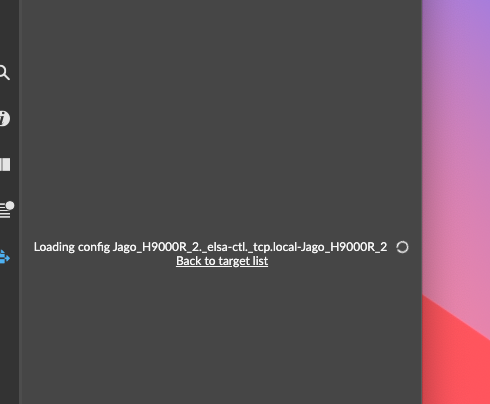
The H9000 will then loose it connection and the window becomes
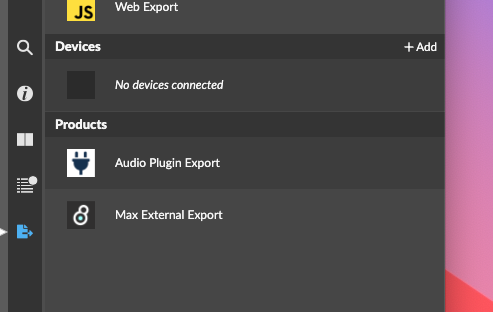
The H9000 is connected to Emote and visible/available throughout this.
I have my H9000 connected via a router to my Mac. Emote has no issues with connections.
Thanks

maybe your H9000 needs to be updated to 2.1.14.144
Hello. I am already on the latest firmware.

Jago,
Can you share your support info?
From Max 6.1 (or later), select the 'About Max' window (Max menu on Mac, or Help menu on Windows).
Click the link in the About Max window which reads 'Copy support information to clipboard'.
Also, is your H9000 connected via ethernet or wireless?
Hello.
Yes I am connected via Ethernet and my Mac connect to the internet via wifi.
Eventide have advised to connect the H9000 wirelessly. I tried to connect via wifi but no dice. After many attempts.
Or connect the H9000 directly to Mac. I have other outward hardware connected and my Mac only has one ethernet port so need to use a router.
Hoping they can fix this to support my set-up. Thanks
My details are below.
{
"version" : "Version 8.6.2 (d076223e34e) (arm64 mac)",
"platform" : "mac",
"arch" : "arm64",
"osversion" : "Mac OS X Version 14.4.1 (Build 23E224) arm64",
"samplerate" : 48000,
"iovs" : 128,
"sigvs" : 32,
"scheduler_in_audio_interrupt" : "off",
"audio_drivername" : "Core Audio",
"audio_driver_subname" : "",
"eventinterval" : 2,
"schedinterval" : 1.0,
"overdrive" : "off",
"pollthrottle" : 40,
"queuethrottle" : 100,
"sysqelemthrottle" : 1000,
"refreshrate" : 30.0,
"schedslop" : 25.0,
"eventprobing" : 0,
"mixerparallel" : "off",
"mixercrossfade" : 0,
"mixerlatency" : 30.0,
"mixerramptime" : 10.0,
"videoengine" : "avf",
"gfxengine" : "glcore",
"packages" : {
"BEAP" : "1.0.4",
"Eventide H9000" : "1.0.3-beta.4",
"gen~ Plugin Export" : "2.1.0",
"gl3" : "0.3.3",
"hap" : "1.0.6",
"jit.mo" : "1.1.6",
"Jitter Tools" : "1.0.10",
"Max for Live" : "1.0.9",
"max-mxj" : "8.2.0",
"maxforlive-elements" : "1.0.10",
"Mira" : "1.2.1",
"Node for Max" : "2.1.3",
"RNBO" : "1.2.7-eventide.0",
"RNBO Guitar Pedals" : "1.0.2",
"VIDDLL" : "1.2.8",
"Vizzie" : "2.2.2"
}
}
{
"version" : "Version 8.6.2 (d076223e34e) (arm64 mac)",
"platform" : "mac",
"arch" : "arm64",
"osversion" : "Mac OS X Version 14.4.1 (Build 23E224) arm64",
"samplerate" : 48000,
"iovs" : 128,
"sigvs" : 32,
"scheduler_in_audio_interrupt" : "off",
"audio_drivername" : "Core Audio",
"audio_driver_subname" : "",
"eventinterval" : 2,
"schedinterval" : 1.0,
"overdrive" : "off",
"pollthrottle" : 40,
"queuethrottle" : 100,
"sysqelemthrottle" : 1000,
"refreshrate" : 30.0,
"schedslop" : 25.0,
"eventprobing" : 0,
"mixerparallel" : "off",
"mixercrossfade" : 0,
"mixerlatency" : 30.0,
"mixerramptime" : 10.0,
"videoengine" : "avf",
"gfxengine" : "glcore",
"packages" : {
"BEAP" : "1.0.4",
"Eventide H9000" : "1.0.3-beta.4",
"gen~ Plugin Export" : "2.1.0",
"gl3" : "0.3.3",
"hap" : "1.0.6",
"jit.mo" : "1.1.6",
"Jitter Tools" : "1.0.10",
"Max for Live" : "1.0.9",
"max-mxj" : "8.2.0",
"maxforlive-elements" : "1.0.10",
"Mira" : "1.2.1",
"Node for Max" : "2.1.3",
"RNBO" : "1.2.7-eventide.0",
"RNBO Guitar Pedals" : "1.0.2",
"VIDDLL" : "1.2.8",
"Vizzie" : "2.2.2"
}
}

Hello,
I'm having the exact same issue as Jago...
I have logged the issue with Eventide.
Jago, figured out a workaround, at least it's currently working here. Hang a wireless access point on the H9000 – either the Eventide factory supplied USB wireless stick or a 3rd party wireless access point (WAP) connected to the H9000's rear network port. Establish Mac<>WAP connection and confirm the Mac's wireless IP range is the same as the H9000 – you might need to force a static IP on the Mac side. Launch Emote and make sure connectivity is established. Once established, launch MaxMSP, open an RNBO patch, and you should now see H9000 as a stable target export device. Because RNBO needs an internet connection to compile the RNBO patch before sending to the H9000 you'll need to hard wire from the Mac NIC into an internet-established switch or home internet router. Confirm you can access the internet via wired ethernet (say, with a web browser) and you're ready to go. Cheers.
Thanks Mhgrey. Will take a look.
Eventide have fixed this with the latest version 1.0.4 Beta V3.
Thanks
Jago