
MAX won't save gain~ slider values

I worked hard to get every volume right, but as soon as I close and open my file, everything keeps on resetting back to zero.
What do I do.

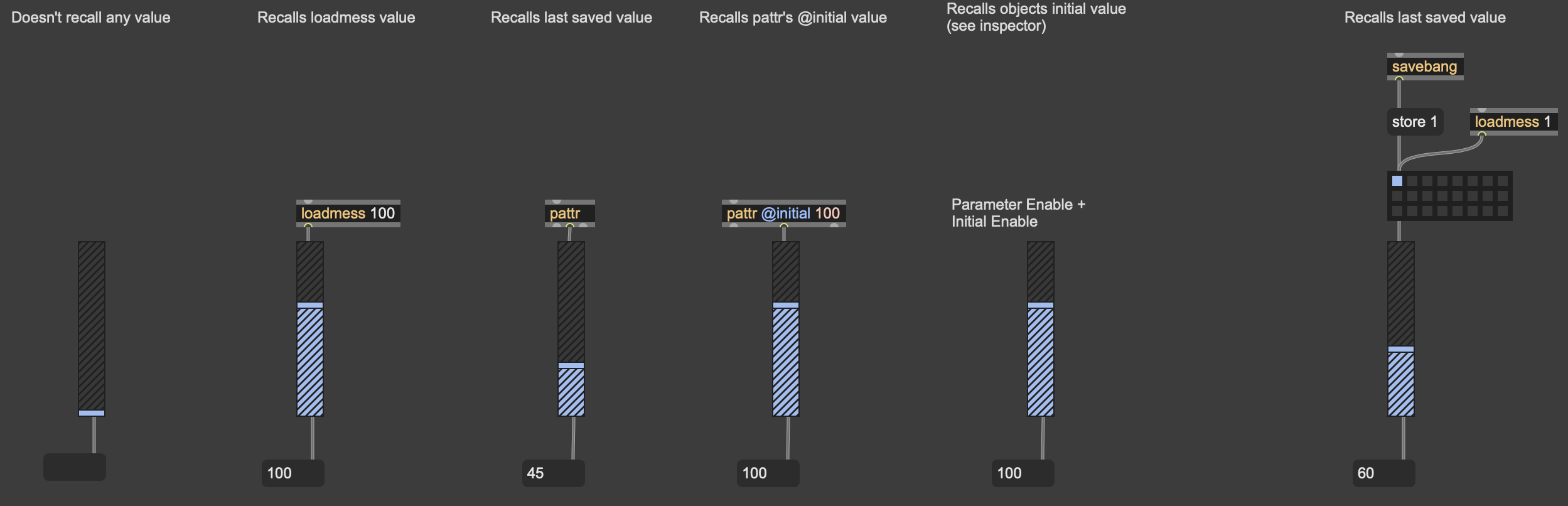
Many ways to do this. The simplest is probably to attach a [loadmess 1] to your objects (replace 1 by the value you want). But my preferred method would be to use [pattr] instead. Connect a [pattr] middle outlet to a UI object, and when you save the patch its value gets stored inside the [pattr] object, and restored when you open the patch. Then you can create presets for all of your pattrized objects using [preset] and/or [pattrstorage].
Other options are: [autpattr] + [preset/pattrstorage], snapshots, [dict], [coll] [text], and probably other ways.
@TFL
I saw some videos about the pattr thing, it seems way too complicated to just save some values.
Why dont max save the volumes and values in the first place?
This sucks balls ngl.

Haha. Thanks Dequalsrxt!
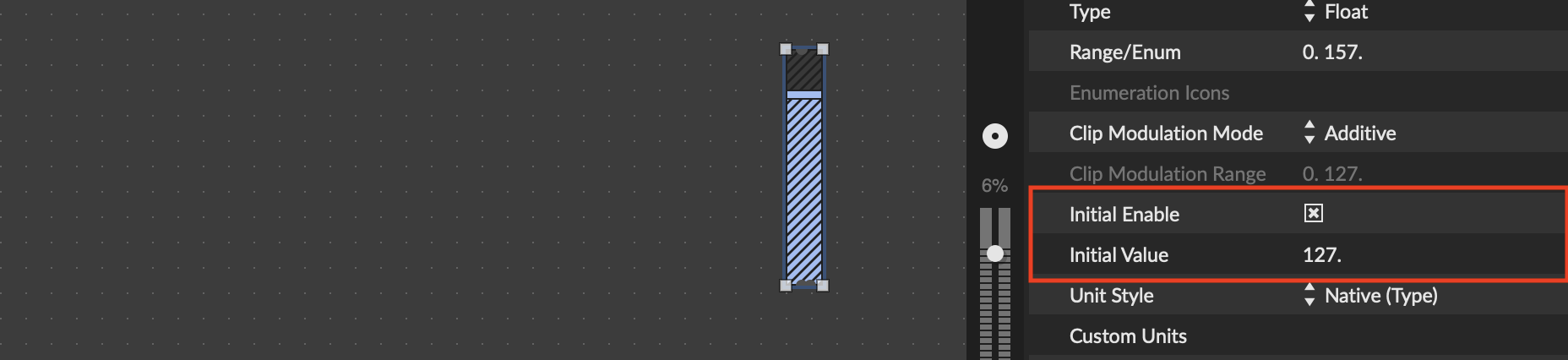

^Sure thing! I just learned about parameter mode recently and initial enable. Very handy, much cleaner than having a bunch of [loadmess]s all over the place.
Here is the difference.
initial enable doesn't send a bang through object
loadmess does
I have for myself been wondering why initial enable does not work in certain situations
(new from clipboard turn on the first text button)
(save patch and reopen first text button does not turn on)

I saw some videos about the pattr thing, it seems way too complicated to just save some values.
The single [pattr] method is really not more complicated than [loadmess], + it prepares the patch to work with [pattrstorage] in a potential future.
Why dont max save the volumes and values in the first place?
This sucks balls ngl.
Seriously? You'll quickly realize that UI objects are often used for monitoring purpose, or in a way that you want to be able to save their value independently from the rest of the patch (i.e. with presets or snapshots), or you want them saved but recalled in a specific order when the patch loads. Anyway, having these values not stored by default makes your life easier most of the time.
If you always want all of your objects stored by default, you can add the following snippet as your starting point for new patchers:

I saw some videos about the pattr thing, it seems way too complicated to just save some values. Why dont max save the volumes and values in the first place?
That's a valid complaint IMO. It'd be best for beginners if patches could just start up where they left off. There was a discussion about this in the Discord a while ago...
Learning all the different ways to initialize values, and then figuring out which way works best for you, is non-trivial. You've got snapshots, loadmess, pattrstorage, initial enable, etc. This is the best reference for how they all interact: https://docs.cycling74.com/userguide/patcher_lifecycle/

for me it would be very inconvenient if max stored all values of objects on patcher close.
very bad in fact. only if there would be preferences item that toggles that on or off.
ggate for example remembers last state when patcher gets saved.
objects like coll or jit.cellblock have embed option, text not.
I dislike that. either all or none.
but thinking of all max and live objects that behave differently, also
depending where they run I don't expect that auto save to happen.
and what about max standalones ?
maybe not many users create standalones this days,
most seem to be max users till next semester or shorter...
that does not leave much time to learn about loadmess, loadbang or
storage of any kind.

the most simple solution of all for a quick "autosave" feature is [preset].
Doh! very useful.