
pattr uniqeid for 4 cameras

i have the following patch that should store the id of each camera so it will remember it in everytime I open the patch. It worked great until some days ago one of the camera went blank everytime (it seems like the id of it changed)
it make me wonder if there is something wrong in the names I gave to the [getattr] and [pattr] objects?
I have the same name [getattr uniqueid] repeated 4 times
but 4 different names:
[pattr cam_uniqueid1 @thru 2]
[pattr cam_uniqueid2 @thru 2]
[pattr cam_uniqueid3 @thru 2]
[pattr cam_uniqueid4 @thru 2]


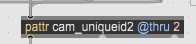
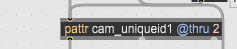


I checked the above patch with 4 identical but different cameras and it seems to work also when I close and reopen max as well the computer itself. This make me wonder what could make the problem I'm facing on the other computer with other 4 identical cameras?

the first thing I would check is if the ID did in fact change. otherwise, while the logic seems ok, it also seems overly complicated. can you just store the IDs in the object box as an attribute argument?
the first thing I would check is if the ID did in fact change.
The id is the camera itself or the usb port of the computer where the camera is connected to?
what could cause it change the id?
can you just store the IDs in the object box as an attribute argument?
what do you mean by that?
It happened again — the ID of one of the cameras changed. Why does this happen? Is there a way to prevent it from happening, or to fix it via Max if it does happen?

what are
"4 identical but different cameras" ?
are they indentical or different ?
if they are all exactly same model and version,
there is nothing you can do in Max to tell which is which.
Max can only eat the soup that gets cooked by system that
recognises USB devices and lists them, similar to COM ports
or identical midi devices.
order of recognition and assignment of any IDs
depends on which USB port, HUB etc devices are connected
and in which order they get recogised by the system.
Depending on your camera type (if it has serial number, can one hack the firmware etc)
and OS that you use, one could try to fix the problem.
But that is unknown as usual.
what are
"4 identical but different cameras" ?
are they indentical or different ?
I meant that they are exactly the same brand and model. Logitech c270
if they are all exactly same model and version,
there is nothing you can do in Max to tell which is which.
I thought the getid in Max9 is for that, that it will always give the same id to a specific camera.
I'm using PC with Windows 11
depends on which USB port, HUB etc devices are connected
The port on which each camera is connected too is stays the same - meaning it is not getting physically disconnected at any time
But still you can't keep order of assigned device ID's in Max.
uniqueid is new in Max9, I don't use it so can't tell
if it creates the problem or the system.
I guess only max develpers can answer what jit.grab reads to assign that uniqueid.
Your sony C270 devices in case they really use definite and unshared
USB ports, can be assigned unique name in registry, but again only if
USB port remains the same , not the plug you use but what
IO reg ID system assignes to it.
get your camera Properties/Details in device manager, string starts with
USB\VID_ and the rest of it
copy that string.
in registry, under
HKEY_LOCAL_MACHINE\SYSTEM\CurrentControlSet\Enum
search for your sony cameras.
(paste that VID/PID string)
in the structure of it you will find
FriendlyName which you can change for each of 4 cameras.
from default
Logitech HD Webcam C270
to for example C270-1, C270-2 etc
but I don't know if max9 uses friendly name or not
Maybe try this tool to check your USB ports
get your camera Properties/Details in device manager, string starts with
USB\VID_ and the rest of it
I could not find anything starting with USB\VID_ I'm inside the device manager -- right clicked on one of the cameras and then clicked on properties.
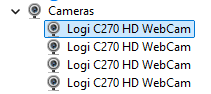
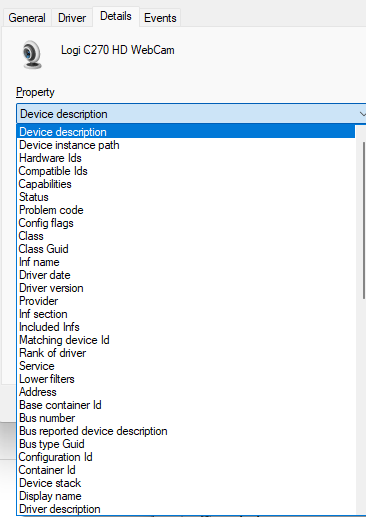
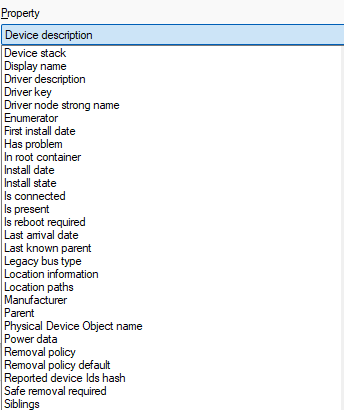
edit:
under event I found two string starting with USB\VID but they are different strings


Edit2: I went inside the registery and found that USB\VID string but could not see any Friendly Name
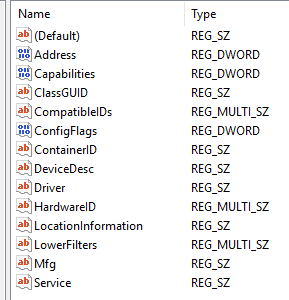
I don't use windows 11, maybe it is different then in win 10.
but you see many infos about that 4 cameras,
and I am sure one could find the reason why they get disordered.
And sure, you will have video and audio device enumerator
because this cams also have a microphone.
Perhaps
I could change the device description?
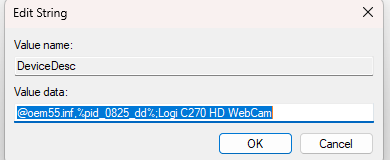
I don't know where that string is,
be sure to modify only last part of it
Logi C270 HD WebCam to Logi C270-1 for example.
but again, you need to find out what max9 and jit.grab use to
assign unique IDs.
the point is Cam gets paired with USB port ID
and that makes it unique.
if your USB configuration does not stay unchanged,
then again selection in jit.grab could become invalid.
Thanks for your answer. I will try the tool in the link you shared the other day. From what I read it is possible to change the name of the USB device in that tool. I will try it and see if it helps.
Logi C270 HD WebCam to Logi C270-1 for example.
but again, you need to find out what max9 and jit.grab use to
assign unique IDs.
You are right.. It probably not using the "friendlyName" because I change the name of 1 of the cameras (I have seen it is also changed in the Device Manager) but the jit.grab object still show the old name.
Can you post the details about USB ports you use for that 4 cameras ?
Maybe also something changes in USB configuration, depending
on what else you plug in, maybe also some system or driver updates ?
Who knows, windows system is unreliable in that terms
Can you post the details about USB ports you use for that 4 cameras ?
Yes - What detail? from the Device Manager?
on what else you plug in, maybe also some system or driver update
The drivers are up to date
yes, if that are ports shared by other devices
or not.
maybe best would be report frorm usb device tree app.
In the Treeapp I found many with the name of my 4 cameras:

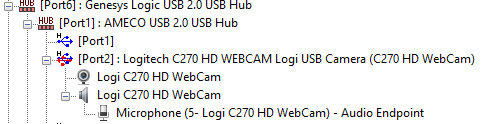


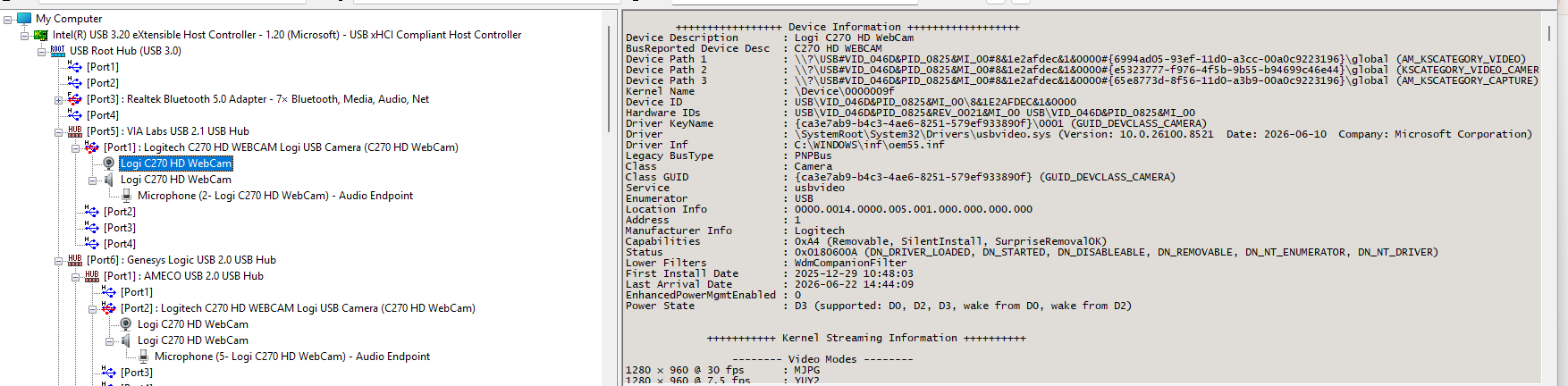
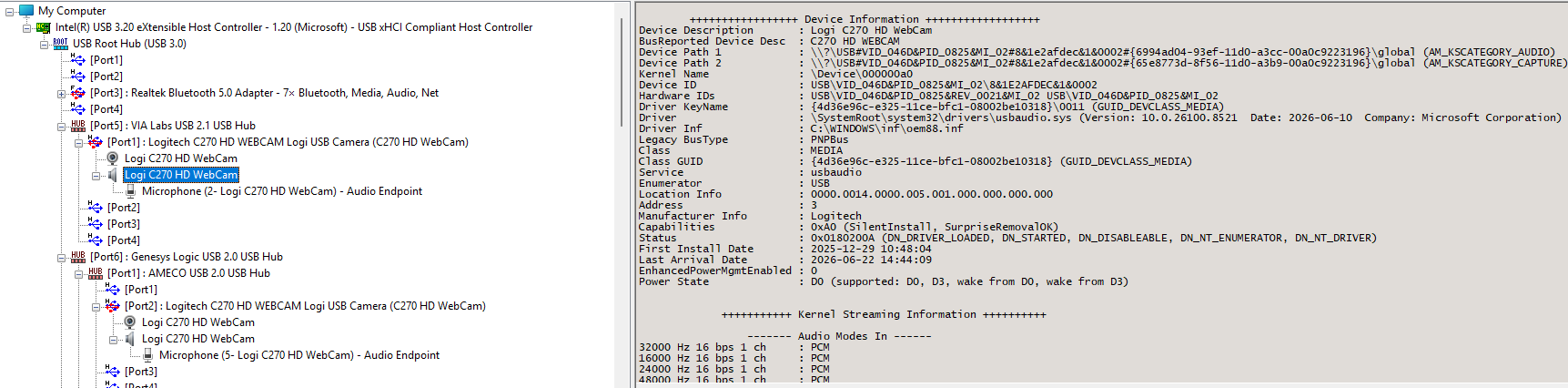
This is the info of the first two cameras that at [port5] -- (port1)
If I see it right you connected 2 external USB 2 hubs to connect that 2 cameras ?
Is it so difficult to speak that in simple words for ALL 4 cameras ?
If I see it right you connected 2 external USB 2 hubs to connect that 2 cameras ?
I am not sure what is displayed in that app but I can confirm 100% that none of the cameras (or any other device ) is connected via USB HUB.
I could say that 3 out of the 4 cameras are connected vis USB extension cable
maybe that is why Genesys Logic and VIA Labs hubs get reported.
If you're able to isolate this, please send a message to support with all hardware details and whatever else you've discovered so we can get it logged and investigated.
A simple statement about what Max9 and jit.grab use to create unique id
could maybe help fix the problem.
Here's what I dug up from the commit history:
tricky bit here is using the MD5 hashing function to turn the horrendous ID string returned by DevicePath into something slightly less horrendous. turns something like this: \\?\usb#vid_046d&pid_082d&mi_00#7&37a2a1b5&0&0000#{e5323777-f976-4f5b-9b55-b94699c46e44}
into something like this: 110e55066a188a931924c5ec2da42054
ok thanks, so it is device instance path which is coupled with USB port enumerator.
explains why changing anything in descriptor name gets ignored.
the key is to keep USB port-camera assignment constant.
And that is OS problem.
And that is OS problem
Meaning there is nothing I can do on Windows 11?
I don't know what you need to do to enforce permanent unique id's
for your 4 cameras.
Is that unattended installation or something similar ?
It is only my guess that either update to some drivers, operating system itself
or something else changes order of enumeration and so
device paths to your cameras.
From Rob's statement, I understand that in max9 jit.grab reads USB (or other kind of)
enumerators, tracks video capturing devices, reads their names and paths,
and so tries to assign unique ID's in max for them.
If it converts that VID/PID string to MD5 hash or not seems totally
irrelevant to me, maybe only to avoid usual max problems with backslashes and
other chars that have special meaning in max.
But that happens under the hood and is out of your reach anyway.
Depending on time and budget, you could try 2 paths:
1- invest in 4 port USB hub capable enough to power on and transmit data from all 4 cameras.
Or maybe has switcheable ports and you make some electronic to turn them on
one by one in fixed order.
2- search for tools, hacks and similar
to try to bypass usuall enumeration routine and enforce
device enumeration by serial number or whatever else
that makes C270 cameras distinguishable.
I have no idea if something like that exists,
but I am quite sure you and Max are not the only ones suffering same problem.
Why don't you post device paths of all 4 cameras
and monitor them for changes to find out when ID's change
and what could have caused it.
You posted shot of only 1 camera including audio enumerator
which is out of interest.
The whole point of the uniqueid was so user's won't have to jump through these hoops to uniquely identify there camera's, and clearly we're failing to do that in this scenario, which is why i'd like to get all this info sent to support so we can capture and ticket and investigate further.
ok I wrote to support regarding the issue.
Thanks for all the above advice. I might also will by two high quality powered USB extension cables
So with unique ID the cameras should always stay with the same ID, and this clearly is not happening