
Please help. Opening an abstraction window or changing the window size causes audio drop out.

I have an abstraction that contains some audio objects.
The abstraction is placed in a locked patcher and fully loaded. The abstraction patcher itself is locked too. There is no patch editing going on whatsoever. I am not adding nor removing any objects.
I simply want to double click the abstraction during a performance to open it in the presentation mode in an always-on-top window, control some parameters and then close the window again.
Whenever I open the abstraction window or close it, the audio drops out.
This can't be a normal state of things in Max MSP, I hope.
How can I keep my GUI based on abstraction pop up windows without audio drop outs?
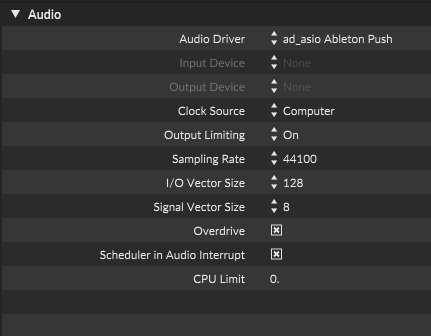
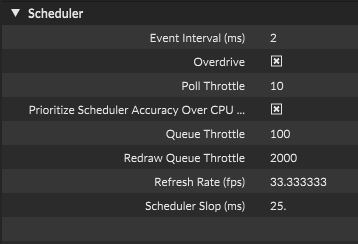
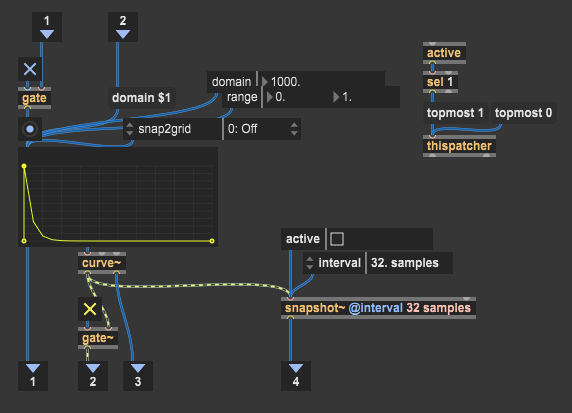
Same thing happens whenever I change the window size of the main patch from normal to maximized and vice versa, even though the patch is locked and there is no editing going on. This is absolutely awful and unusable. There must be something wrong.
Allright, the culprit seems to be the playlist~ object in my main patch. When I replace it with sfplay~, all the dropouts and timing issues instantly go away.
This is a second object, that causes serious timing issues. I have already reported the live.scope object causing similar issues under certain conditions.
Some object are clearly able to totally mess with the scheduler.
Oh my... I totally forgot I already encountered this 5 years ago.
https://cycling74.com/forums/scrolling-and-general-gui-operations-causing-significant-timing-issues#reply-603b3a44b3a1f2783c576499
playlist~ object is clearly malfunctioning as confirmed by another user (Pedro Santos) in the thread.
This should be fixed ASAP, as it is a source of major headaches. 5 years and counting.