
RNBO Web Export

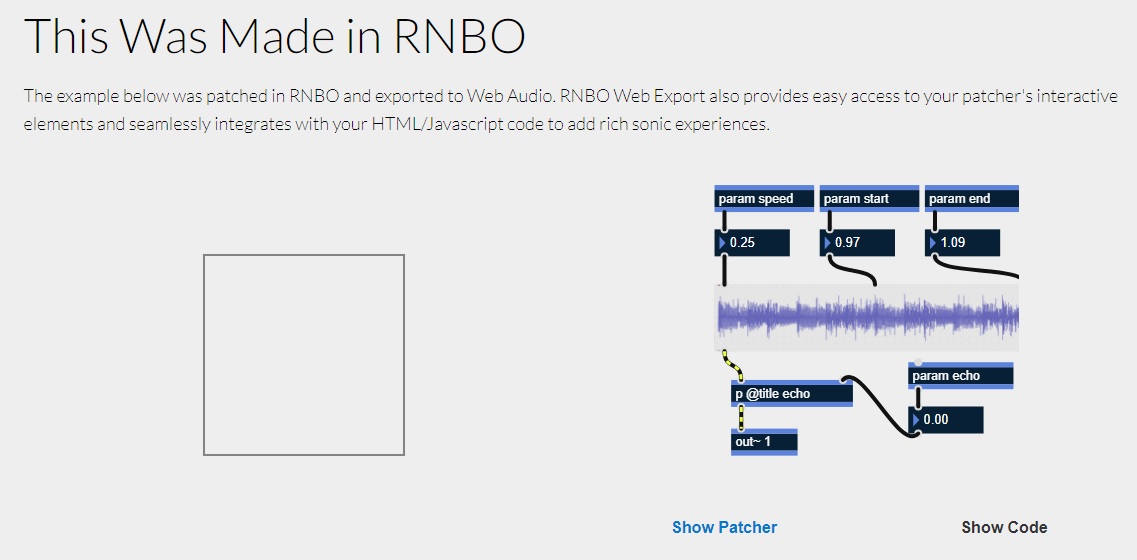
ok, asking for help, on the rnbo. on cycling's webpage there is a small section about rnbo and web audio, https://cycling74.com/products/rnbo ....a very cool little interactive and something that i could use, [but, in a different context]. firstly, is there a help file with the contents of the demonstration, just so i can look into how its built, or can anyone put me in the right direction on getting a basic thing happening for web content and rnbo web audio.
at the end of the day, i would like to create a web area [box] that could trigger audio snippets by the user, but i have no idea where to start. hope someone can help or put me in the right direction.

I am currently looking for resources as well.
Found some resources of premade 'demos' but they are too specific to the demo to dissect.
Would be great if c74 could direct us to a simple 'beginner' page that shows how to make a very simple sin wave with an volume slider and pitch slider, and how to connect to a web page.
//
The c74 code is json in the example above. You have to call the json in js. Then call the js in html. But resources are thin on referencing/ designing the interface in html.
cheers WIL, I will have look into it, I've kind of switched off from the original idea but I should look into it more, scratching my head. would be very cool to get something up and working on a web page. thanks for the reply - rob.

Hey, just chiming in here to point you two some specific resources that might be helpful. However, if they don't fully cover your needs I'd be curious to understand better what's missing or what changes would be helpful.
The first is the dedicated walkthrough on how to use RNBO in the context of WebBrowser and JavaScript: https://rnbo.cycling74.com/learn/getting-the-rnbojs-library
Then we also have a template available that covers the code part of getting up and running. The template is built in a more generic way so it adds a bit of code to interact with the range of features a patcher might have, rather than just showing a single slider for one parameter but it should provide some useful start code and insight: https://github.com/Cycling74/rnbo.example.webpage In addition to the documentation available in the repo and in comments in the code, there is also this documentation page that walks through the template setup: https://rnbo.cycling74.com/learn/using-the-web-page-template
Let me know if that helps.
cheers Florian, kind regards.
Thanks Florian.
Will dig into this!
@Florian
Hi. I just want to be able to demonstrate 2 simple sliders:
one for Amplitude
one for frequency
The RNBO export to json is correct
Then
I put json in same file as html <script> json_stuff</script>
no need to call json to js to html
because really small file
Basically can't figure out how to read the json (<script>)
in the <div> <input> id="freq" </input><div> in the html part (slider)
//
I use Library/WebServer/localhost/whateverfolder/index.html on Mac
that works
//
Maybe I just need to turn the audio on?
Here is the single file zipped
Hi Wil.
I've taken a quick look and would suggest to get a bit more familiar with the core design of RNBO in a WebAudio Context. This step by step series explains how to get things set up, starting from getting rnbo.js integrated into your HTML file, how to create the Device (the wrapper around your patch) and how to make it work within a WebAudio graph: https://rnbo.cycling74.com/learn/getting-the-rnbojs-library
You can embed exported JSON the way you did, but as it's not assigned to a variable it was actually throwing JS syntax errors and not loading. Additionally keep in mind that due to the security requirements around WebAudio, especially when working with AudioWorklets, you will have to serve the HTML using a server. If you're on macOS a simple python3 -m http.server would do but really any static webserver will work. Apart from that just embedding the JSON on the site won't do much by itself as you have to create a device, integrate it into a WebAudio graph and then hook up some of the DOM elements and the RNBO device parameters. Note that a WebAudio context is by default suspended and needs to be started as part of a user interaction with the page.
I've adjusted your HTML file to showcase how this works and the added the necessary setup, but as mentioned above, I recommend stepping through the Working with JavaScript series in the RNBO Docs for more context and explanation.
Hi Florian. Thanks for the advice
sudo apachectl start
Works
But whoa… what did Apple do to permissions?
heads up that every single file I transferred from storage on external drive to OS Tahoe
Have to reset every file permissions
to everyone: read and write
to work in Apache
— nightmare
/:
However
This simple demonstration is very helpful for understanding many things!
Now easy to move the json and js "out" of the html page