
Rotate the crosspatch object

Hi there guys,
A rather silly question, but is there a workaround to rotate the Crosspatch object in presentation mode?
Like, I need the inputs to be on top and the outputs at the bottom...

No it’s not silly. Though silly is a good word for describing many things in Max :)
The cross patch objects is pretty cool , up to a certain point , mostly it takes up a lot of space and can’t be made any smaller.
for rotating objects you will have to do it in code . Either v8ui or js you might can build your own object.
C74 locks down some basic structures for reasons that keep ALL user interaction the same and date back to legacy programming, so there are less concerns or problems with overly fancy controls. But there is nothing in the documentation that stops you from going crazy and building your own custom interface objects.
Hah, yeah.
I did some JS coding, yet, when rotating it 90 degree, it does not function anymore properly.
(asked help from AI, so maybe it was all wrong)
I have this crazy idea around this particular object, but I was 100% sure that it could be horizontal, not vertical only....
Ai doesn’t have any problem at making data objects with code- it only fails miserably at anything Max.
I actually thought about cross patch while making some custom objects- but I ended working on an extended matrix control with on/off boxes instead. I don’t have a vision for cross patch.
Maybe this is not the place to explain how to prompt AI to build stuff.
I think about it though…
It does, I've asked it to re-build the crosspatch object in v8ui, still propmpting :D

I did some JS coding, yet, when rotating it 90 degree, it does not function anymore properly.
If you are talking about a jspainter file for [crosspatch], it is indeed possible to rotate the existing UI, there are even some examples of that in the forum (for other objects though), but it will only rotate what is drawn on screen, not where you're supposed to click to interact with the object, which cannot be overridden.
If you want a horizontal [crosspatch], you'll need to code it yourself for [v8ui]/[jsui], or even as a dedicated external. A LLM agent can definitely do it for you in javascript, if you point it toward [crosspatch] documentation, give it some examples of dict the object can handle, and maybe a screenshot for the look of it.
For a dedicated external, I've never seen a vibe-coded UI external yet, but it is most likely possible.
it only fails miserably at anything Max
It becomes better though. I've seen Opus 5.5 easily generate simple working patches as json.

for any codebox object, copy all the examples from the reference/help into example#.txt files, and tell the agent to read the examples before working on the task. for example: https://github.com/Sousastep/sousas-ports-to-rnbo-codebox/blob/main/prompts.md
the trick is to actually spend quite a bit of time on the initial prompt and example data to give it enough context to one-shot the task
for any codebox object, copy all the examples from the reference/help into example#.txt files, and tell the agent to read the examples before working on the task.more simple than that. haha . I got it in one prompt. one sentence and an image.
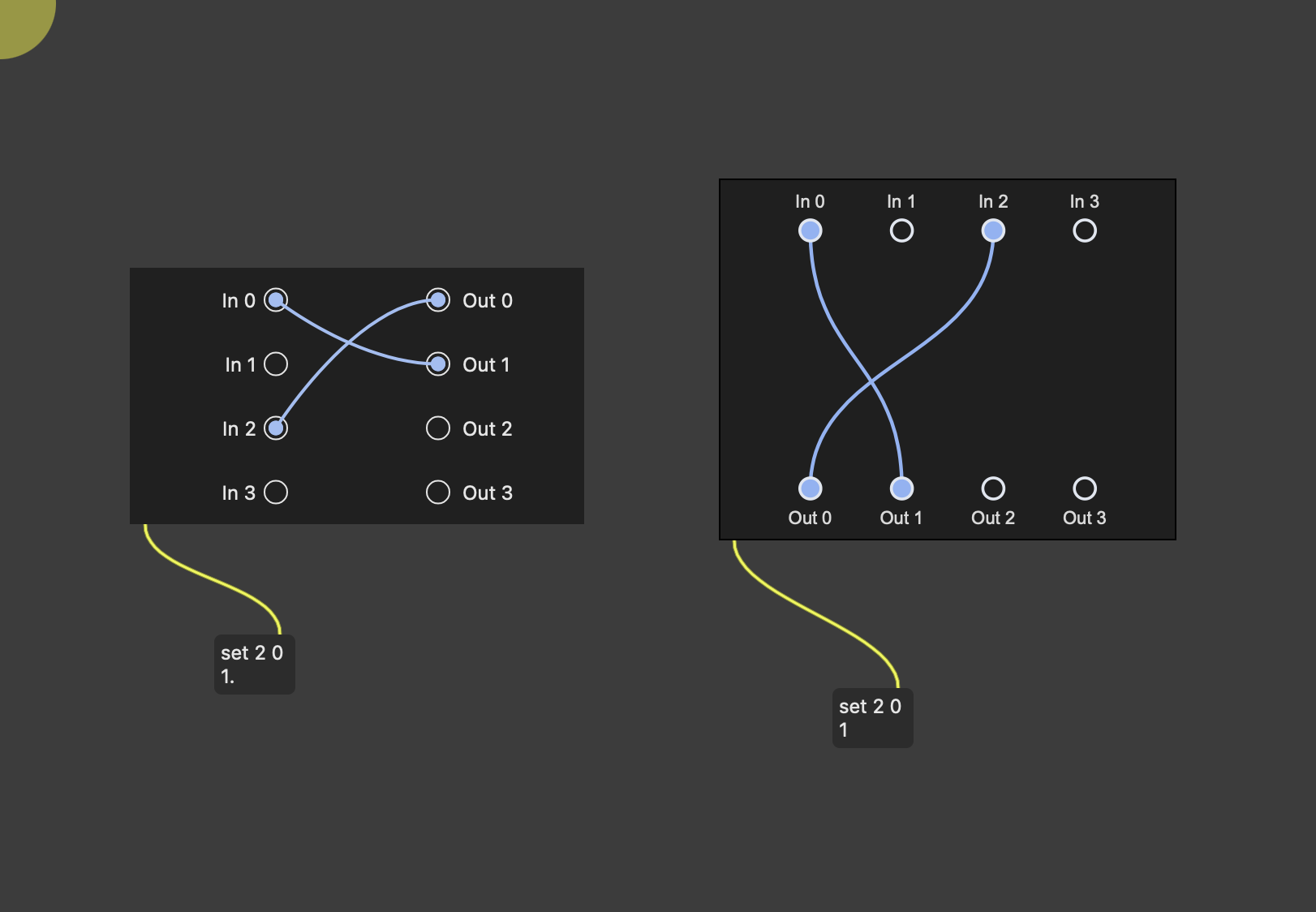
here - in Google AI studio Flash 3.8 free.
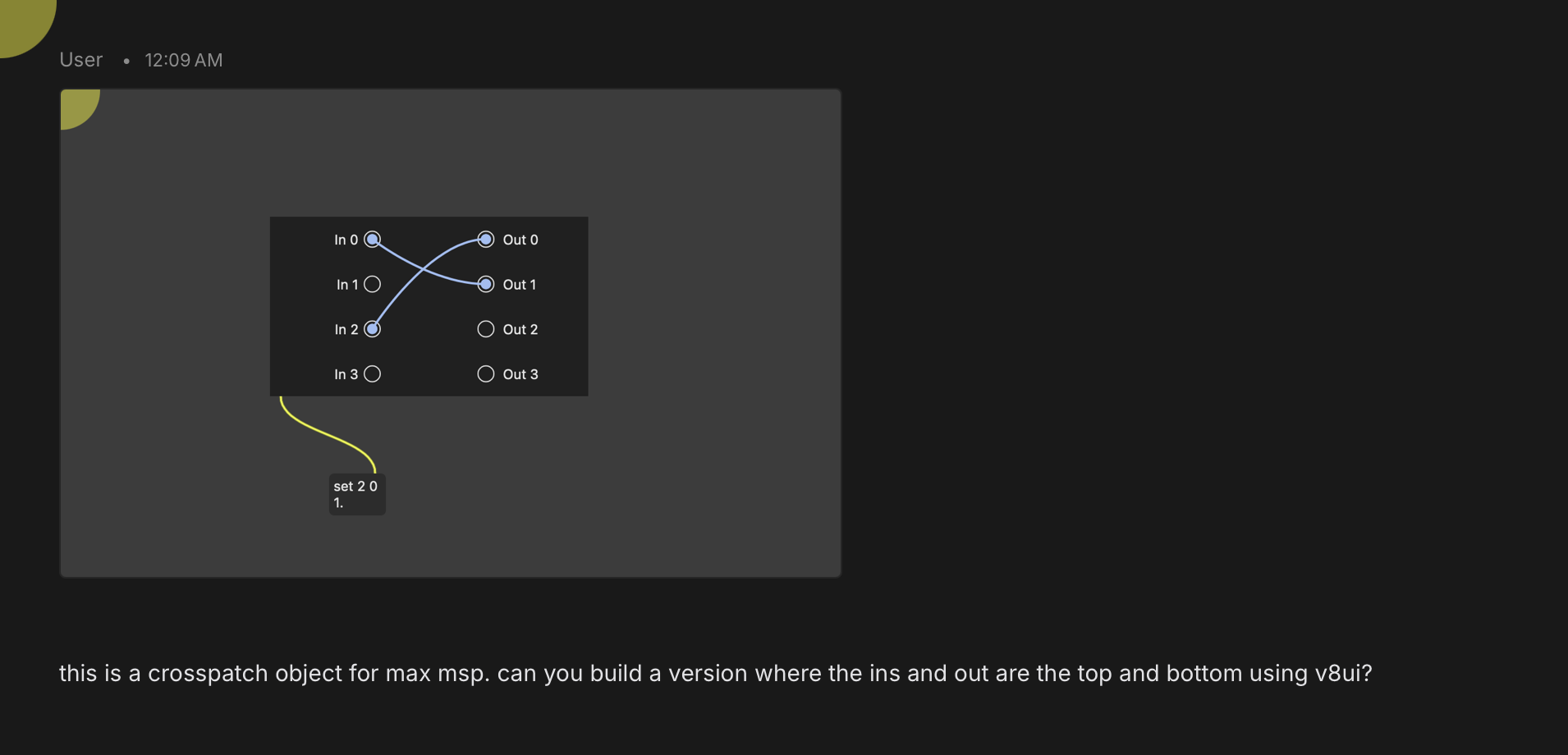
uh, 2 sentences (lucky I was never an English teacher)
well, it could be one sentence if change period to comma
//
once you get the sketch you find out its missing all the under the hood stuff like the dial
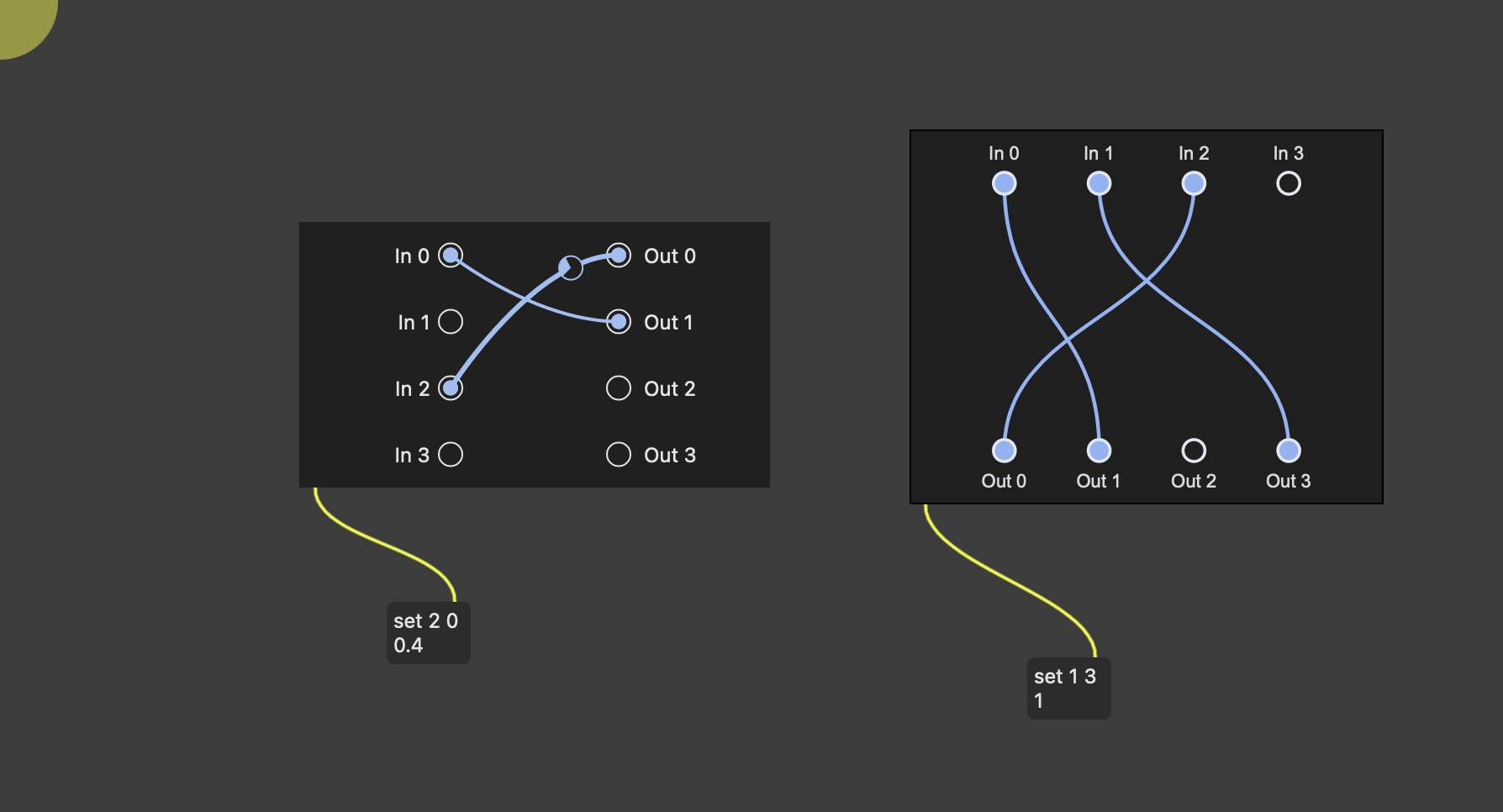
just show it what is missing / and probable colors, and names are missing
//
but because it is extrememly/completely naive, it becomes very useful like making the box very small - max has hard coded minimum size -and you can make it scale the dials and turn the text vertical - anything
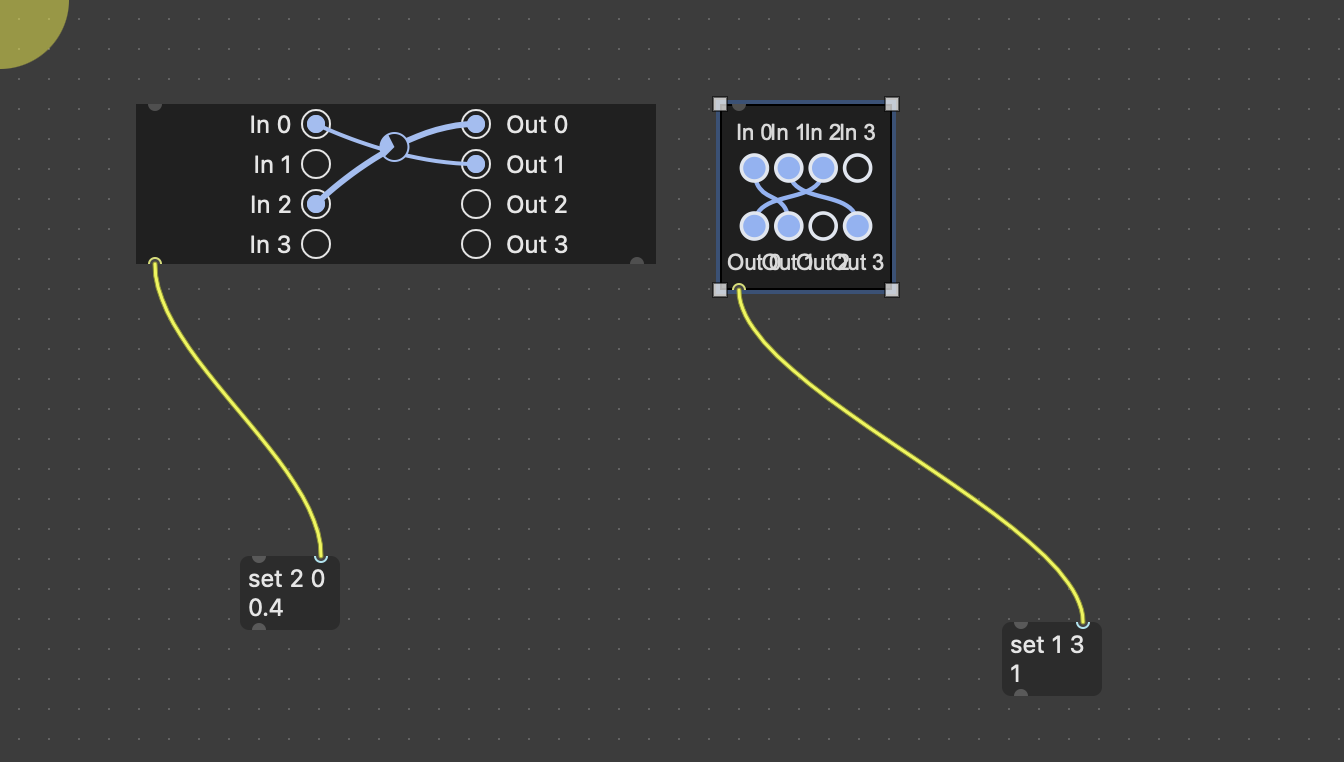
...I'm so behind.
Can you save and share that?
here to get you started -
I didn't test the inlet to see what is accepted - you can ask your AI about that.
It doesnt auto adapt to matrix- I think that might be in c or c+=
there are no embed messages - you have to figure out what you want saved when you make changes
I didn't mess with edge spacing - it looks like Pinky decided to make a lot of space around the edges