
Select_device in Song.View not working

Hi!
Been trying to debug this for 5 hours and I'm stumped.
I'm calling the select_device in song.view and keep getting the error:
"Invalid Argument 'select_device 16'"
I verified I have a device with id 16 on the track.
I verified the object I'm calling is a song.view object and has a select_device function.
No idea what I'm doing wrong; how can I call this function?
Thanks,
Mike

you have to get the ID of "this device". I use this to select the Track of "this device"
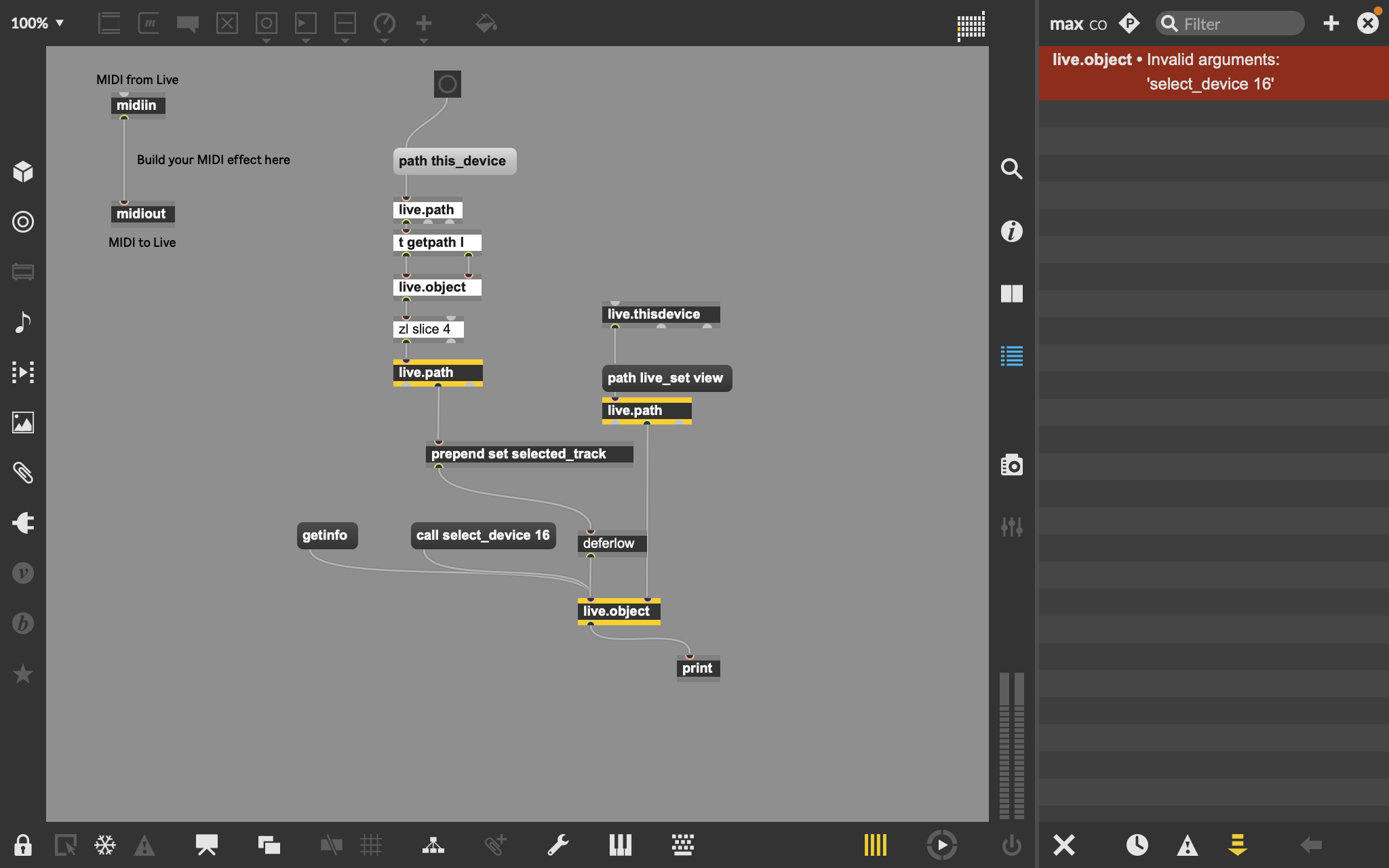
Got it working. For some reason prepending the "call select_device" to the device id in the form of "id 16" worked. An explicit call to the function as 'select_device id 16' or 'select_device 16' both failed with the error I described above.
Still don't understand why....but it works.
For those interested patch is attached.

For LOM objects, if you are working with properties you use the 'get' and 'set' messages. If you're working with functions you use the 'call' message. It just is.**
Similar with always needing the "id" symbol portion of that message.
I agree that the lack of specificity in some of those error messages is frustrating.
**My guess is that because the you're dealing with a [live.object] Max object as a generic wrapper to a specific LOM object type, the 'call' message is telling the [live.object] to format its message/arguments to the LOM object in a compatible way for a function. Just speculating.