vinyl scratch, help with eliminating clicks ?

Hi there.
I made a small "scratch" patch, to use a monome Arc to act as a vinyl deck. It works great but I get clicks when it stops. I'm trying to apply a fade out when the signal driving the [groove~] gets in the close to zero region, but no luck. Any help with that ?
Here's a quick example patch (not really usable because of the finite nature of the slider)
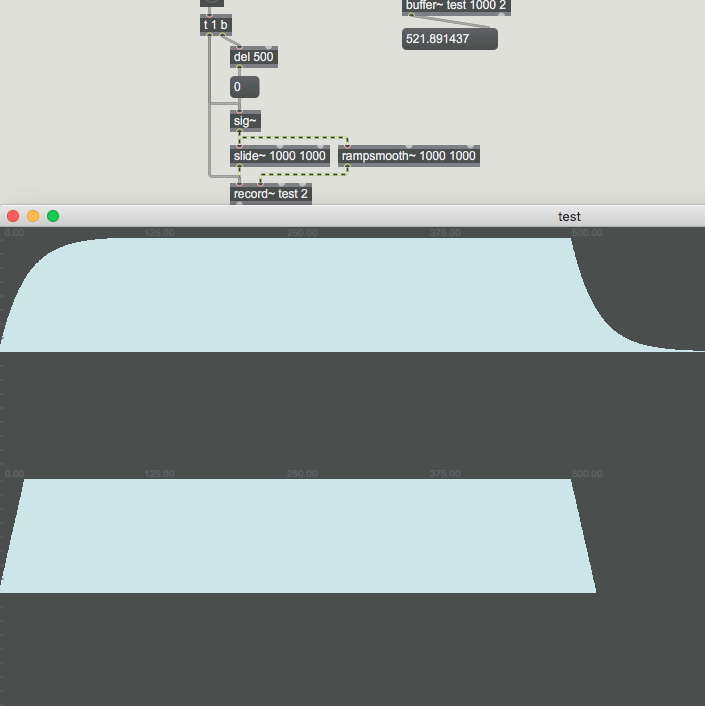
Found it. A [onepole~ 30] after the [rampsmooth~] does the job !
Edit : while it works, it significantly decrease the reactivity of the system. Still open for ideas !
Well, in fact, I think the issue can be shown in the most simple patch ever...
I'm almost ashamed of the question !!
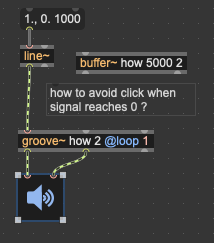

in that simplest example all is known, you know exactly when in line~ ramp to start fadeout for
groove output, depending on needed fade length.
is 10ms fade long enough ?
but maybe that example does not describe your real problem ?
If I got it right, you want to control speed manually.
maybe also in reverse speed ?
We're getting there !
Another way of formulating it is :
when the driving signal is in the range of [0 closeto0] I want the gain to ramp (or curve) from 0 to 1. Above this range, stay at 1. Like so :
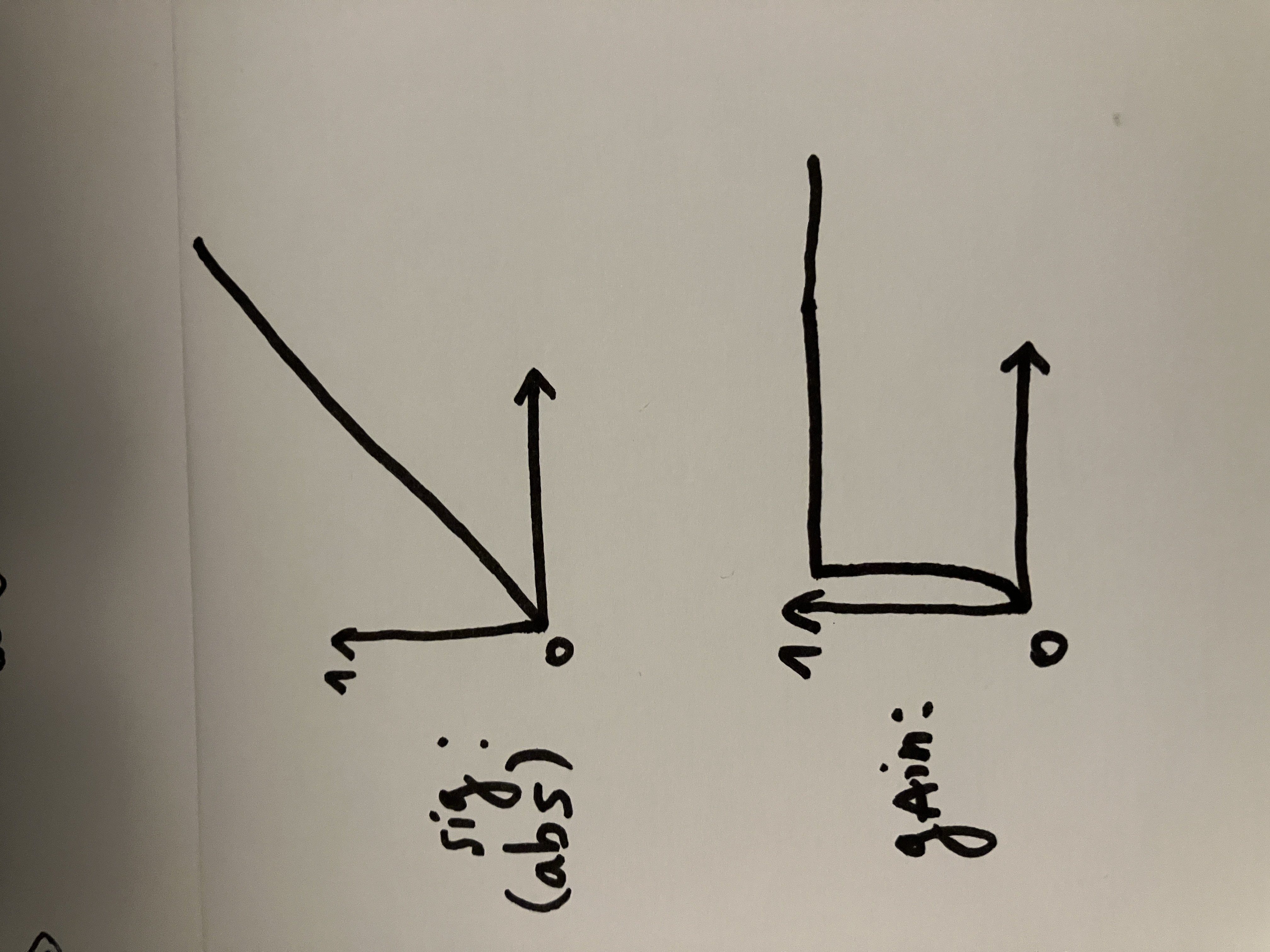
Which seems to work like so :
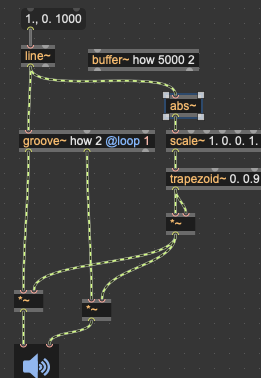
@Raja : do you happen to have a monome Arc ?
Here's the patch, which really makes sense with the Arc.
And indeed, adding this volume envelope towards 0 introduces clicks "everywhere else"...
I will provide more details tomorrow, but I can say that I'm really satisfied with how my patch works with Arc. (The /~ is just a coarse tuning of the Arc acceleration). The only issue is spare clicks when the playhead stops.
To give some context, this is in fact a simulation of a kind of vinyl player that runs on a playground turnstile. It's equipped with an encoder and I'm using the delta to drive a groove~ object. with the help of gravity/inertia, the results in real world are actually super nice ! It's been included in an installation that has been shown quite a lot of times already, and I'm quite satisfied with it, except for these occasional clicks when you stop the turnstile.
You can have a glimpse of the device somewhere in this video (although I in these excerpts I think the turnstile is used for different purposes like granular scanning and sequencer data reading) :
Why is this so complicated ?
you either have normal speed playback running
and scratch against rotation, then continue playback after you leave it in peace.
or you only scratch.
in both cases simple slide~ with low value like 100 ~500 would do
with no clicks.
in this particular case where physical rotation outputs speed and direction,
all one needs is to scale expected input to speed values for groove.
for no zero delta output simply ramp to zero after no input arrives
in low range after set time.
and insert dcblock at output.
Hahaha, I'm super gifted at making simple things complicated (and quite stupid when it comes to signals).
Before reading your post (@Source Audio) I came with this decent solution, does it make sense ?
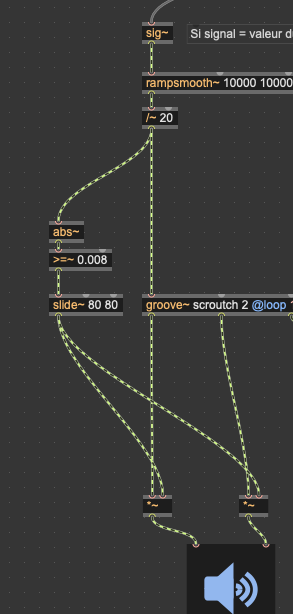
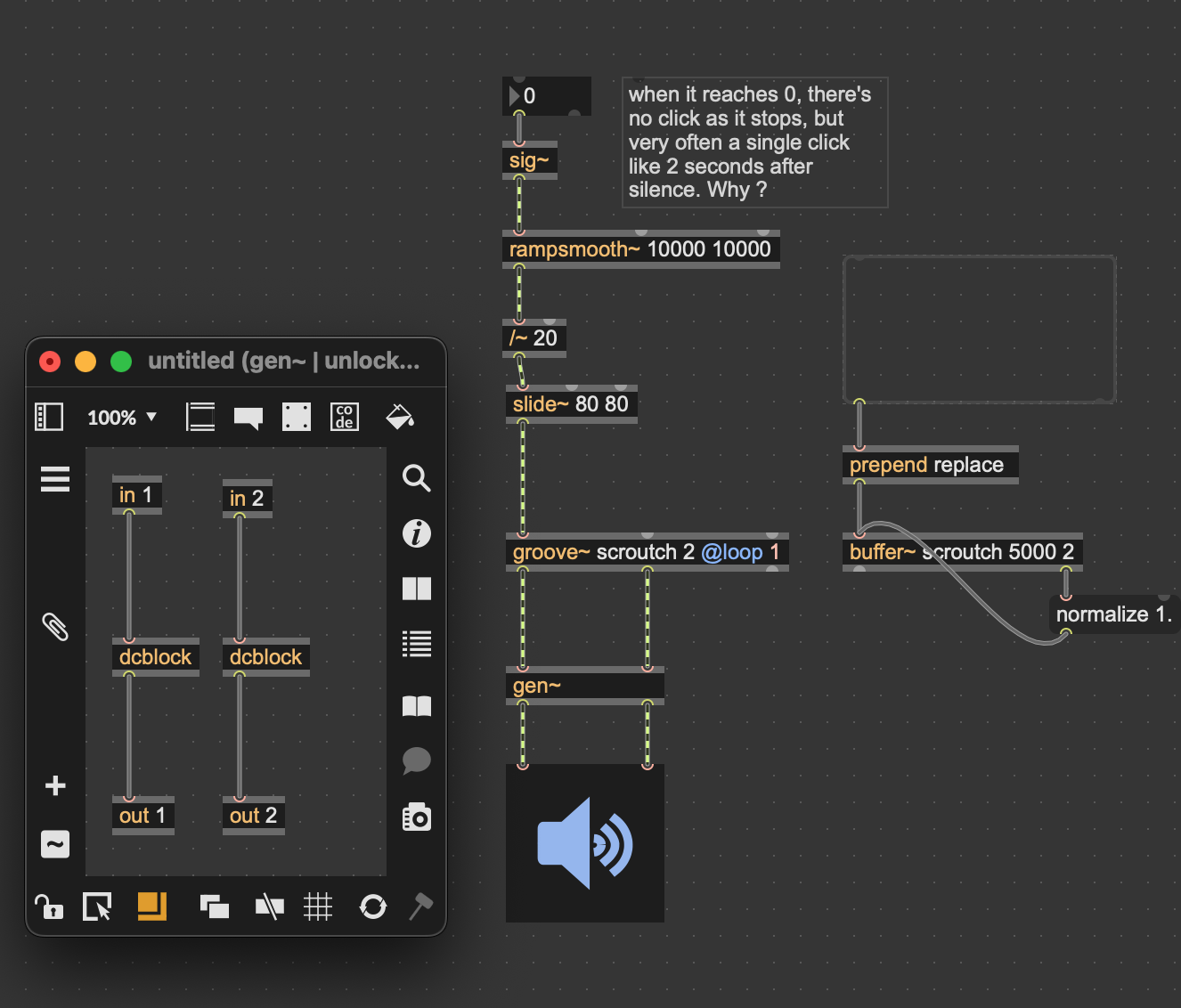
why do you use rampsmooth and slide ?
what is your real input range, and what is your speed range for groove ?

This kind of stuff can get quite complex, particularly as it comes to smoothing at slower speeds.
I tried building something inspired by the SC-1000 controller a few years back and whipped together a simple patch (uses karma~):
Here's a demo of it using an arc:
The paradigm I'm using here has the "record" continuing to play until you "touch" it, in which case you take over and can scratch, and when you release, it goes back to playing.
Here's a more recent experiment (though not built around an arc) that does better sounding interpolation at slower speeds. It's a bit messy/ugly, but does work and sound better:
Thanks again you both, I really appreciate the help.
My real input range (delta from Arc) is around -60 to 60. Which should translate to around -3 to 3 for the driving signal.
why do you use rampsmooth and slide ?
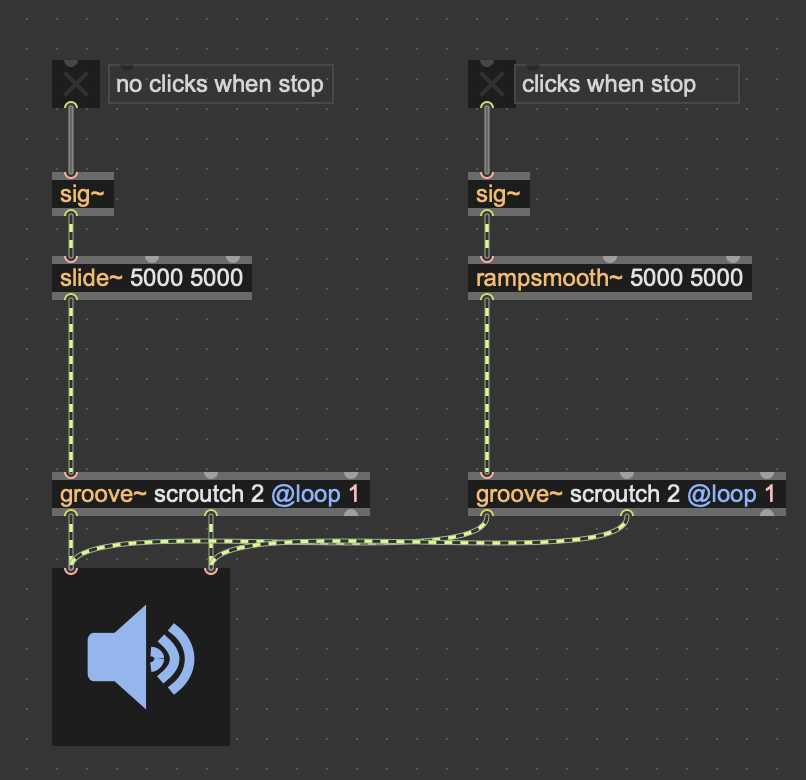
This question, I believe, solved everything... I must admit I nover really got the difference between the two objects. But if I only use slide, then I get not clicks around 0. So...problem solved ?
Curious to know why rampsmooth on the driving signal produces clicks.
use zmap -60 60 -3 3
that will clip and scale input.
here is comparison of that 2 objects
left/up is slide