
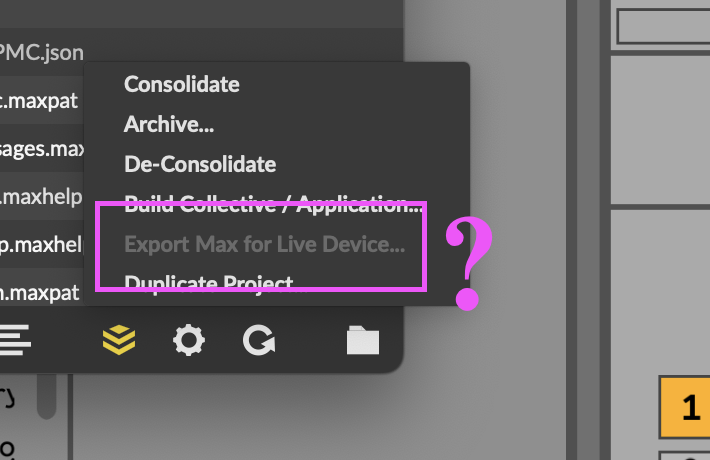
"export max for live device" in Project grayed out

I'm trying to use "Export Max for Live Device" in the Manage Project menu to, well, export to M4L. It is unfortunately gray though. I have the device type set to "MIDI" in the project inspector.
But I found the problem.
Since I won't be the last to have this issue, I'll leave this here for future patchers. The problem is that I had not designated a patch to Open on Project Load. Once I right clicked on a file and designated it to Open on Project Load, the Export option was available in the Manage Project menu.
Peter.

Hi Peter,
I'm having the same issue but not sure how to "designate a patch to Open on Project Load". Where do you find the option to do that exactly?

In the project window a file that is in bold font will be the one set to open on load. Right-click on a file in the project window to select “open on project load”.