
Is it possible to use the groove~ with poly~ SOLVED

Hi there,
I am struggling to use the groove~ within a poly~ patch. It's for a midi triggered granular synth, it keeps missing the most important part which is to play the from grain size selected and is instead not picking up that information and playing the whole audio file. I'm sure it's a simple fix and would appreciate any help.
Thank you

Instead of using a bit of time and "brain", You post the same questions
and patch "synthbrain" in new thread.
I told You allready to check what messages can be passed to poly object,
using midievent.
Nobody is going to patch Your patches for You.
Sorry I realise I posted the same question I also didn't see your reply to my other post! Thank you for replying to both - annoyingly I have been spending lots and lots of brain time on this I'm relatively new to Max and am doing this for my university project. This is probably a dumb question to you but how can I check what messages can be passed to poly using midi event?
Again I'm sorry for posting the same thing I didn't think anyone had replied because I usually get an email notification which I must have missed!
I know that it is difficult to learn max that fast.
Midievent is a message to poly that tells poly to
listen to incoming midi events.
From poly~ reference, readable at :
https://docs.cycling74.com/max8/refpages/poly~
midievent
Arguments
MIDI-message (2 to 4 numbers) [list]
The word midievent, followed by two to four numbers, sends a MIDI event to poly~. The first three number arguments are the bytes of the MIDI message. The fourth, optional, argument is a detune parameter used for MIDI note messages. midievent messages are intended to be used with the polymidiin object.
------------
So as You can see there is no way to send loop points to groove object,
using midievent message.
Same applies to midinote, note or any other specific messages.
--------
So You need to send it in some other ways.
Also be aware that messages to poly object will be routed to ALL
instances, unless You link them with target .
You must spend some time with poly~ help file, and read it all
through, to get the idea how it works, and how to target specific voice
when sending messages, like in Your case loop start / end points,
loop start etc messages.
On first page of help file it says :
"note and midinote messages are automatically targeted to non-busy voices."
That is not so for any other types of messages.
I would suggest leaving that midinote messages out,
and use own kind of messages, which could include
midi note, velocity ( if You need it) and loop positions.
Then You can use target message to cycle through poly voices.
Thank you! I really appreciate your help I understand it a lot more now - i'll follow your advice
Hi Source Audio - I've finally managed to make it Poly~ thanks for the advise. The only problem I now have is that it triggers a note off message and I previously had a route 0 to avoid it however I can't seem to work out where to put it now I've tried multiple locations but doesn't work. Could you suggest an area in which I should look to find out? I've attached a picture bellow.
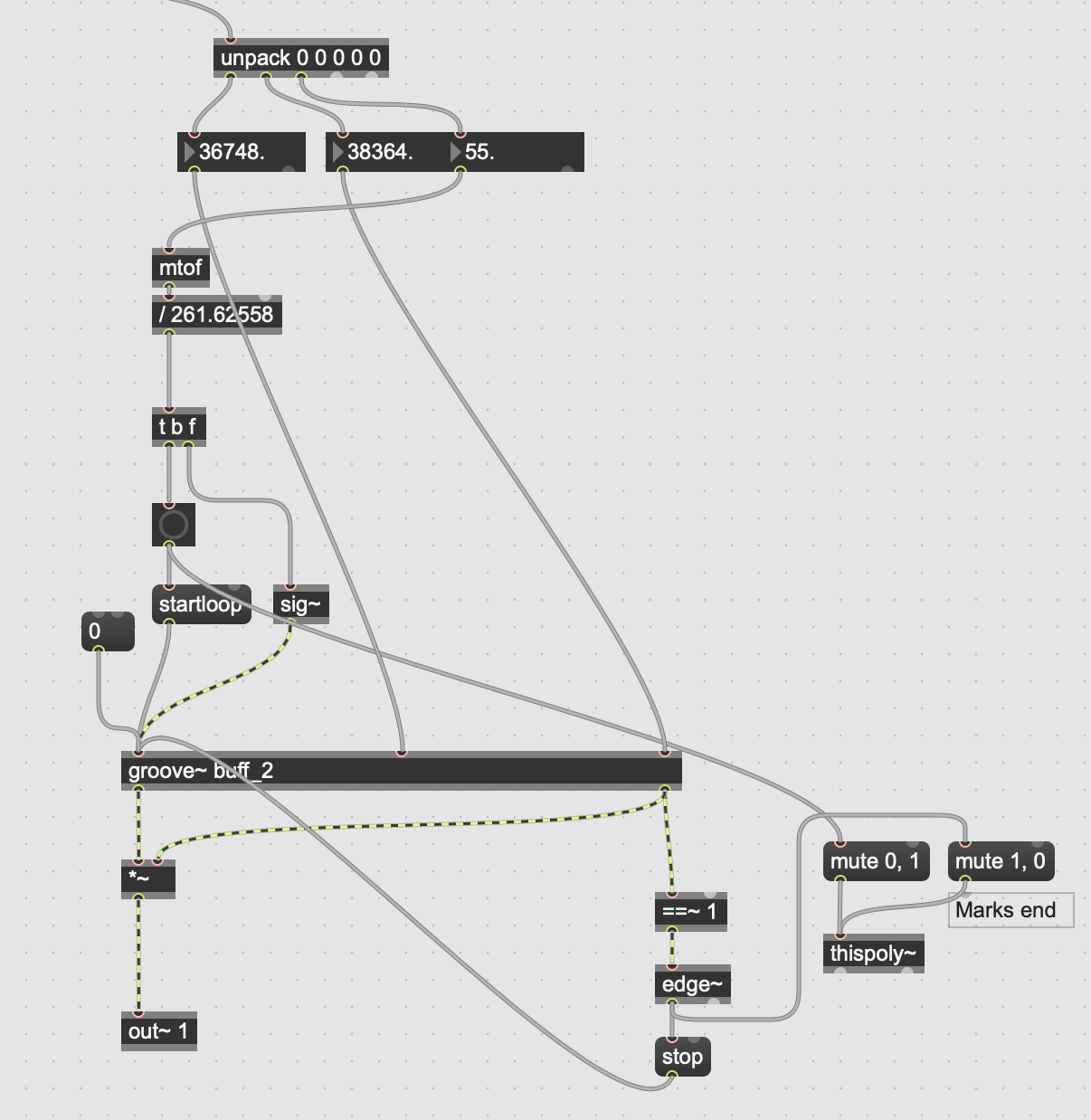
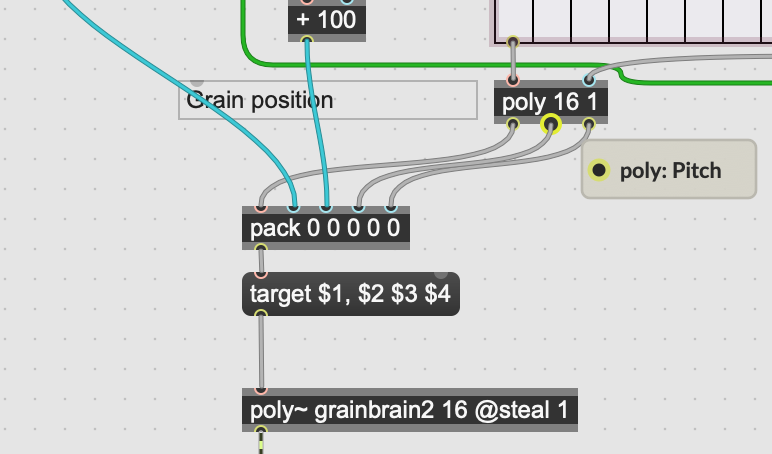
Posting pictures is a worse choice to show what is going on in Max patch.
I can't tell what You are really doing, and also it is totaly unclear
what that Note Off You mention is doing instead of what it should do.
In simple words - if You want to use normal midi notes to play something, than You use
Note On to start playback, and Note Off to stop it.
If You don't, but instead use only note On to trigger something,
then filter it out from the beginning, using stripnote or anything else.
Ok sure I understand - strip note did the job thanks again mate