
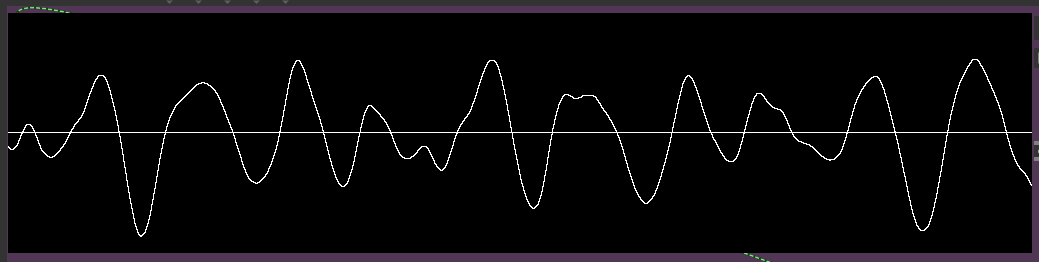
Is there a way to get rid of the solid white line in the jit.pwindow displaying a jit.graph with data by a jit.catch~?

Hello! I've been scratching my head a few hours trying to figure this out. When routing a jit.graph to a jit.window or jit.pwindow, there is also a solid white line present at the zero crossing. Does anyone know if there is a way to stop this line from rendering? jit.catch is capturing the audio from plugin~ and passing it on to jit.graph~ in mode 1.
After having spent a day looking for the perfect waveform visualization for my needs, this one is by far the most pleasing I've found - except for the line in the middle.
Does this have anything to do with jitter limitations in max for live? They were mentioned in the documentation for Max 7, but not Max 8.
I would love to know if anyone has any ideas!
Regards, Monapink

Wow - that is deceptively simple! I couldn't see the forest for the trees. I was frantically searching for .pwindow configuration and such for hours. Thank you for pointing it out! In the mean time I have been using the 'showwaves' complex filter with ffmpeg - but having an audio graph directly in Live is just much more convenient for my use case.
Cheers, have a nice weekend! :)