
Jit.gl.muiltiple rotation

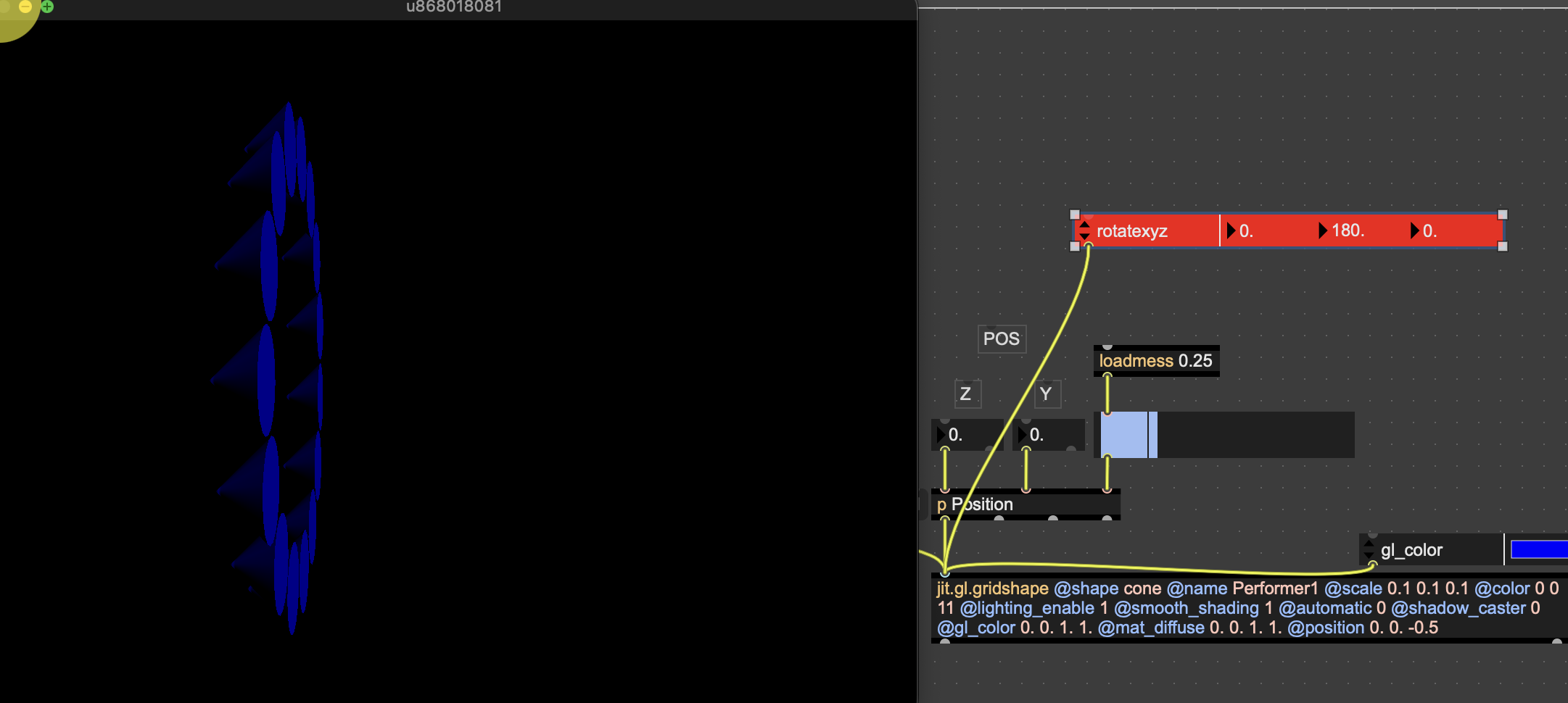
Hey! I have the jit.gl.multiple object to place many objects in space. these objects are cones. and I want the pointy end to be facing outward, away from the center of the Image. I have not been able to find the solution to rotate them outwards. thanks in advance for suggestions!

rotate the gridshape?
Hey!
That's not exactly what I meant! I want the pointy ends to be positioned like mountains ⛰️ around the earth, at the moment, the all the mountains are > sideways!
And I want help getting them in their upright position : ^

Hello! I would do it differently. If you transform (position and rotation) the shape to be instantiated, then you just need to deal with the Z rotation parameter.
See if this helps:

Set the rotatexyz matrix for [jit.gl.multiple] so that every cell is set to the value (-90, 0, 0) (each shape will be rotate by -90° on X axis):
Hey ! these solutions helped me understand where I went wrong, If possible I am now wondering if there is a possibility of controlling which of these 16 objects are displayed with another matrix.
Now the 16 cones are up, but lets say i want to be able to turn them on and off, would it be possible? thanks for your help again!

you can scale them to zero so they won't be visible