Problem with "write"-message on coll-object

I have a problem with the "coll"-object.
See the attached patcher:
When I click on "write test.txt" I get the error:
"xcoll * test.txt: error creating file"
When I click on “write” I can select the file, but the data is not stored.
Thank's for any replies!

Maybe you have some privileges problem, if you are on MacOS.
Not allowed to write to some directory ?
write let's you select where file should be stored.
write test.txt would store into default search path,
if patch with coll inside is stored somewhere,
then next to it.
I work on Windows 10. Can't imagine that it is was a privilege problem.
Anyway, suddenly it works again!
I can't explain that.
Thanks anyway for your answer
Now the error is here again!!
This is driving me nuts!!!
sure it does.
but it is difficult to guess why so from the distance.
Where is that patch located ?
In "<user home>/maxmsp"
It works with "write" and then selecting the file with a filebrowser. It just doesn't work with "write filename"
Maybe you allready have file with that name in the path, and have
no right to overwrite it.
Try different name .

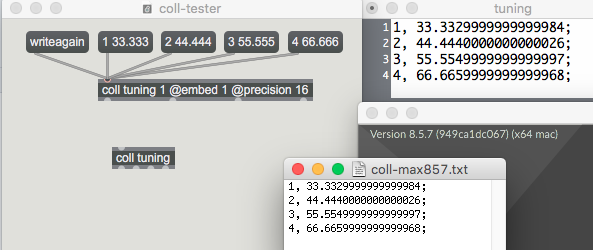
Just had the same problem. This is the object definition for the coll object I used:
"coll tuning 1 @embed 1 @precision 16"
Every thing works fine until I send the coll object a write message. No file name after the write message, so it prompts me for a file, I give it a file name. I look inside the file and it is empty. I send a show message off to the coll object and it show the definition as empty. But here is the cracker: other instances of the coll object:
"coll tuning"
when sent messages to get data from it, still give out the correct data.
This is weird!
Perhaps the other instances need to be as:
"coll tuning 1 @embed 1 @precision 16"
Yet to try this to see if it resolves the problem.
PS. Oops, pilot error my mistake, accidentally copied and pasted the "read" message chain to the "write" message chain of code, so every time I asked for a write, it sent a "clear" message off to coll. And the weird part, one of the cached message boxes still had the old data in it, making me believe the coll was not empty.
Anyway, my mistake coll working the way it should :) .
I have no problem with that, in any max version, on Mac.