
Using jit.gl.simple code from github fails

Hi,
i want to use the jit.gl.simple code from github as basis for my next external. I just have renamed the jit.gl.simple to connector.resist.c and max.jit.gl.simple.c to max.connector.resist.c
When i try to build the external i get following error:
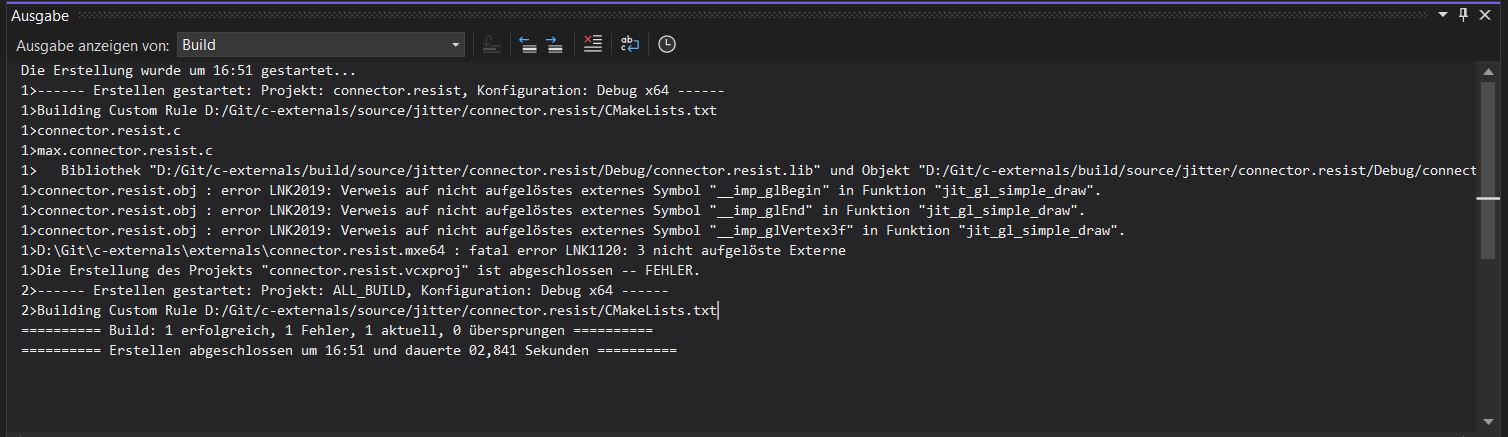
Any Ideas?

You need to link to OpenGL. In the the base-sdk max-posttarget.cmake this is handled by using the following logic based on the project name. you'll just have to add the target_link_libraries in your object cmake (only if Apple) if you're not following that naming convention.
if ("${PROJECT_NAME}" MATCHES "jit.gl.*")
	target_link_libraries(${PROJECT_NAME} PUBLIC "-framework OpenGL")
endif() Alright. I got it, to compile now. But i still have troubles to use the jit.gl.simple code:
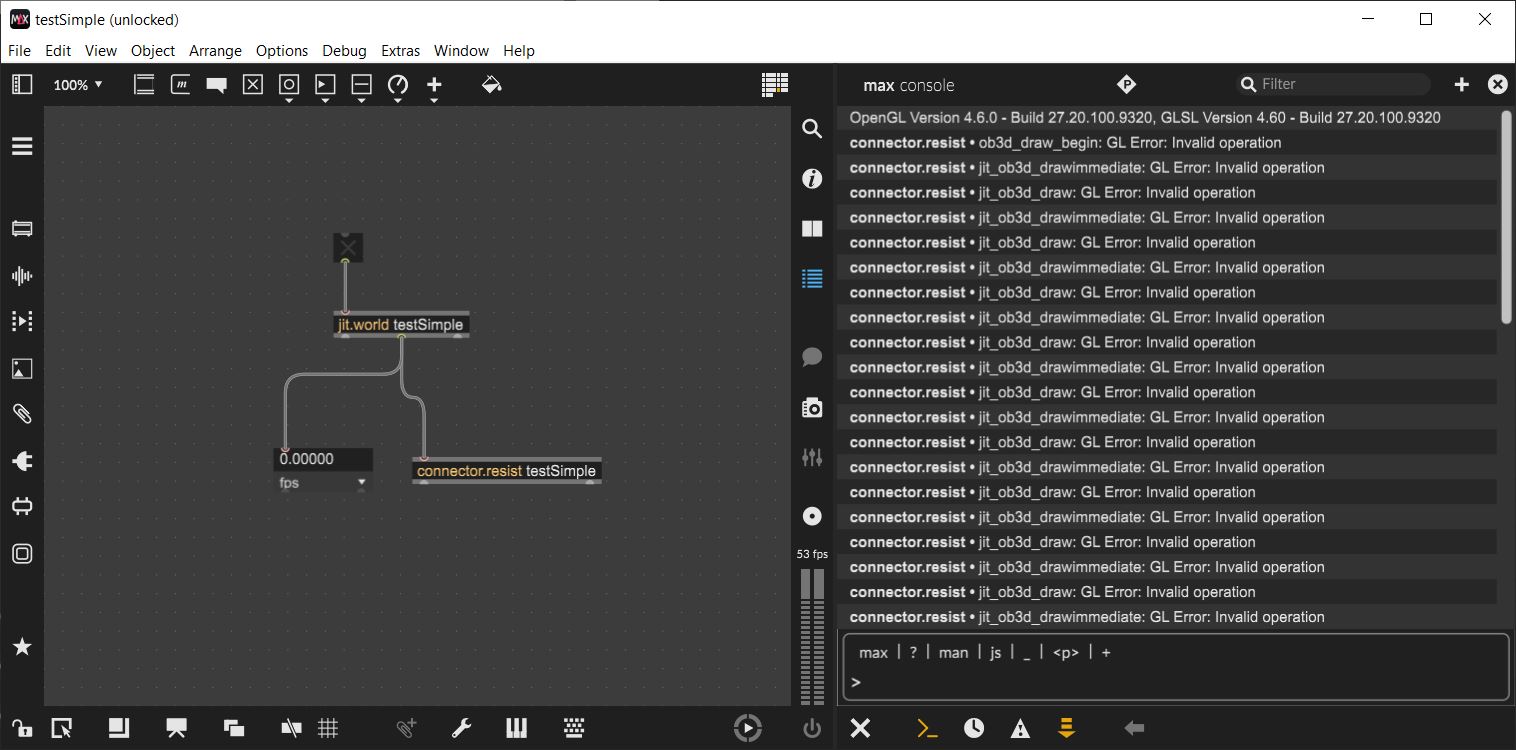
It seems there are problems to use OpenGL in this part:
t_jit_err connector_resist_draw(t_connector_resist* x)
{
    t_jit_err result = JIT_ERR_NONE;


    glBegin(GL_QUADS);

    glVertex3f(-1, -1, 0);
    glVertex3f(-1, 1, 0);
    glVertex3f(1, 1, 0);
    glVertex3f(1, -1, 0);

    glEnd();

    return result;
}Yes that legacy code is no longer functional with the glcore engine. You'll have to change the gfxengine preference to gl2 to run that code. A "simple" gl example with modern GL is not really that simple unfortunately...
If you describe your desired goal I can try and make useful suggestions.
Using gl2 is not an option because i am using gl Geometry Shaders and these are not running with gl2 right?
I want to draw a rectangle with a randomly choosen Starting Point (Start). The rectangle should be rotated randomly around the starting point. The rectangle should have a fixed aspect ratio but the size should als be a random Value. And i would need the x,y,z values from P1 and P2 inside my patch. The rectangle should be filled with a image texture.
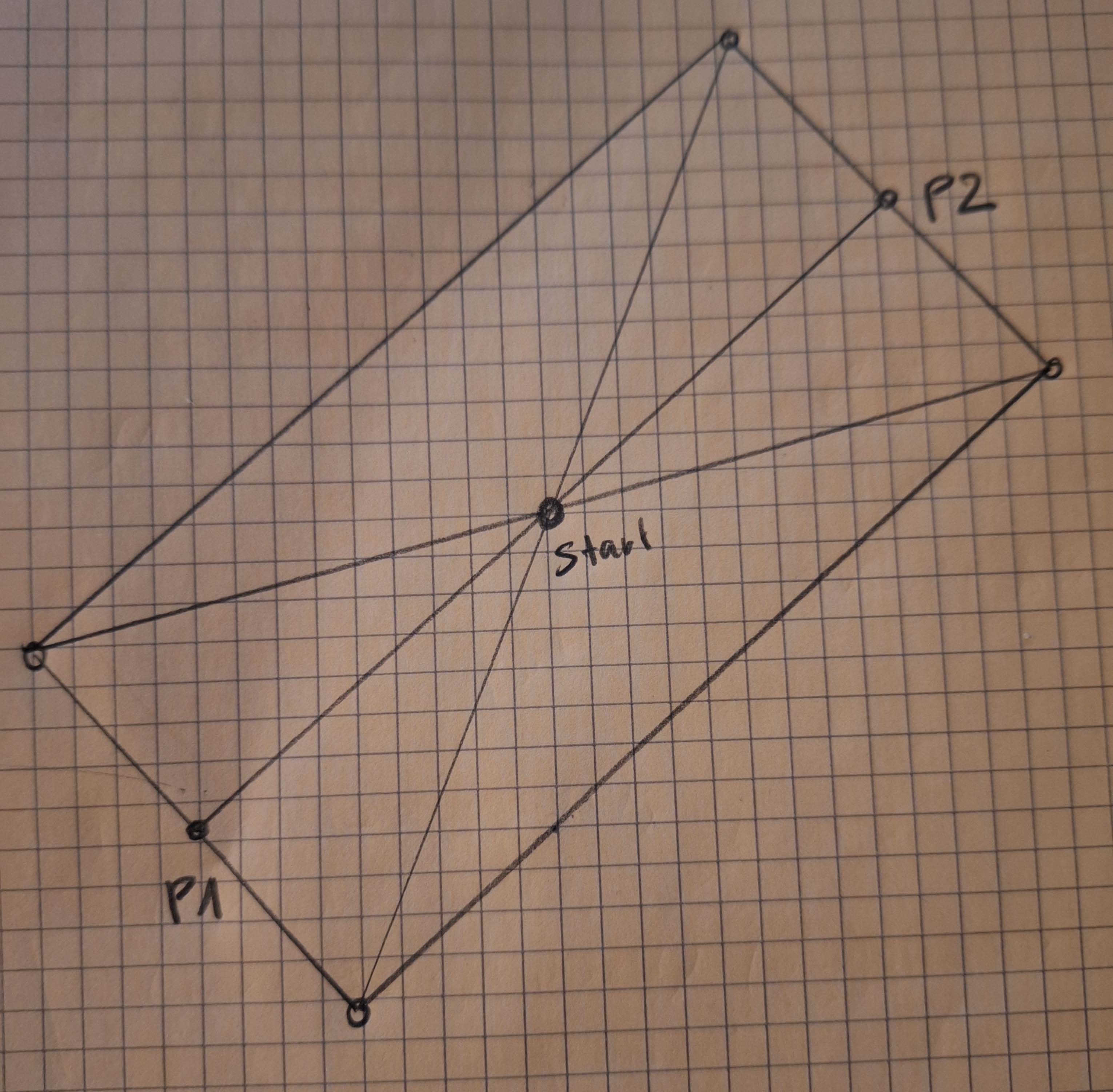
And i would need to use multiple Rectangles like this in the Patch.
right. so with modern opengl, there is less need for custom externals since most of the graphics programming is done in the shader or in providing matrices for jit.gl.mesh.
I would recommend prototyping this first in a patch with jit.gl.mesh and custom shader, and then move to a v8 script. You can then use the define functionality to turn your script into an object. If there's still a need to "extern-ify" it, the external could simply be a wrapper around jit.gl.mesh and jit.gl.shader.
For examples of how complex you can get inside a v8, look at the source code for any of the jit.fx.ge objects (e.g. jit.fx.ge.randlines.js)


Hi!
In your geometry shader, you're generating normalized coordinates (0; 1), but the texture you're sampling from is rectangular. Disable @rectangle in [jit.gl.texture] and set the sampler type in the fragment shader to sampler2D. Also, the texture coordinates were flipped.
Thanks. Does work fine now!