
wrapping 3d shapes with multiple images using jit.multiple object?

Hi all, long time reader, first time poster.
I'm trying to wrap a variety of images around 3d shapes in jitter, but I don't know how to assign a different (or a random) image to each to each iteration of the shape. I'm using the jit.multiple object here.
Sorry if the patch included here is a little clumsy, and to run it you'll have to upload your own images. The screenshot might be enough for you to be able to figure it out. thank you in advance!
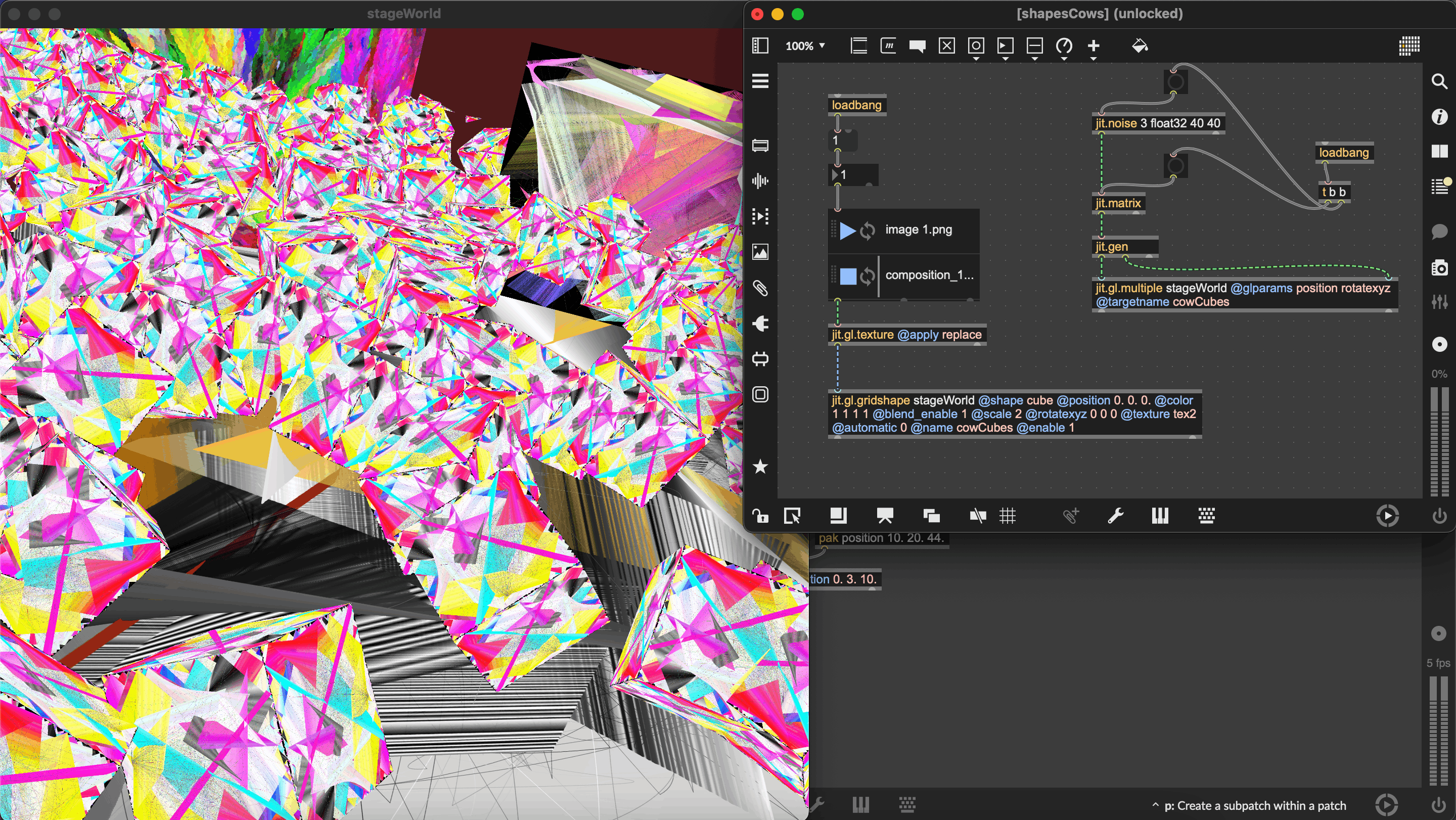

You need to add texture to your @glparams and add a @texture name_1 name_2 name_3 to tell which textures you want to make available to [jit.gl.multiple]. Then you can send a 1 plane char matrix of the same dimension as your position matrix, and set each cell to either 0, 1 or 2 to select texture name_1, name_2 or name_3 for each instance accordingly.